
Even though I am a retired teacher, I still find myself thinking in themes. 🙂 Here is a list of some FREE (with a few exceptions) educational Halloween apps that you may want to download for your kids.
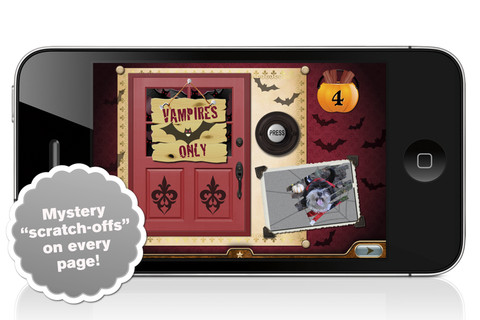 I am going to start with the exceptions – Millie’s Book of Tricks and Treats is currently $.99. The Millie books feature a very cute, lovable dog and kids LOVE them! If you own some of Millie’s other books: Meet Millie and Millie and the Lost Key, you will want this one too. This book presents a series of silly tricks and treats featuring Millie – nothing scary for little ones. Every time you read it, the randomly generated video clips change so the book is always different.There is also scratch-off picture & hidden sticker on every page. Love this series!

Also available for $.99 is the sequel – Millie’s Book of Tricks and Treats, Volume 2, featuring more doggy tricks or doggy treats. LOVE these books!Download link: https://itunes.apple.com/us/app/millies-book-tricks-treats/id569720229?mt=8&uo=4
 Carve-a-Pumpkin from Parents Magazine is FREE for the iPhone/iPad. Kids first choose one of 5 pumpkins (orange, white, orange with green, black or orange & bumpy). They can “cut” it by hand or use premade eyes, noses, mouths, and faces. Instead of cutting the pumpkins, kids can choose to decorate them with stickers. In either mode, kids can manipulate the size and orientation of the objects that they add. There is an undo and redo button to change things easily. Once the pumpkins is complete, kids choose a background. The final project can be shared on Facebook. Twitter, & emailed, or saved as a photo. This app would be fun for kids to use as a planning tool for real pumpkin carving.
 FREE again – Scrap It: Halloween HD for the iPad. You (or your child) can add a Halloween touch to your photos with this app. First take a photo or use an existing one. Using the photo editor, you can crop it and/or add an effect (about 40 filters available). Then its time to get creative – add stickers, change the papers & tiles, add letters & numbers/ribbons/word art, and add & manipulate text using the text editor. Items can be resized, shadowed, sent to the back, sent to the front, etc. Creations are saved in My Scrap Pages. They can also be shared on Facebook, Twitter, Tumblr, via email. They can be saved to your camera roll or printed. I think kids would love decorating pictures of themselves, their family & friends, and the family pet 🙂 You could also create an electronic postcard or invitation with this app. Lots of possibilities!!
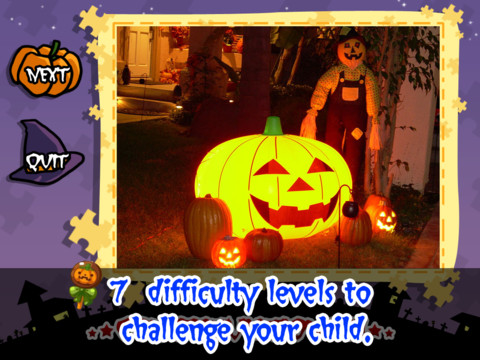
Halloween Jigsaw Puzzles is FREE for the iPad. It includes 18 puzzles with the option to purchase more. There are 7 levels of difficulty ranging from 4 to 49 pieces per puzzle. Most puzzle images are appropriate for younger kids but there are a few that are a bit iffy: scary-faced pumpkins, a few skeletons, and a witch in questionable attire. So if your child loves puzzles, check it out and be selective if your child scares easily.

Dibu’s Monster Maker Lite is FREE for the iPhone/iPad. Dibu is a little boy who loves monsters so he created a machine to build them – I think this is how Dr. Frankenstein got started 🙂 The Monster Maker has hundreds of combinations of monsters waiting to be made. The lite version has 2 bodies to choose for the base.Then kids add hair, eyes, noses, mouths, hats & horns, tops, bottoms, and shoes. There is also a random monster generator which creates a monster with one tap. Finished monsters can be named then saved, printed, made into a puzzle, or emailed. This app also has a child lock that hides all promotional buttons and disables printing & emailing. And… there is a “parents only” button which gives written instructions for access to the app store. The developer does not want young children to end up there accidentally – how refreshing!
This app would be great to use with elementary aged kids. They could create a monster then write a descriptive paragraph about it. They could create two monsters and do a Venn diagram comparing and contrasting the monsters. Lots of possibilities!
 appydazeblog