0

PEEP and the Big Wide World apps

FREE for a limited time – 6 PEEP and the Big Wide World apps from WGBH, the producers of the animated series of the same name. Major funding for these educational apps is provided by the National Science Foundation. These apps are designed to teach science to preschoolers (3 – 5 years) in a cute, fun way! The games begin simply but become more challenging as kids are successful. Each app also includes a “Try This Anywhere Activity” for you and your children to do together based on the lesson in the app. Your child will LOVE learning with Peep and friends. And you will too!

PEEP  - House Hunt

PEEP and the Big Wide World House Hunt: Kids turn over leaves to pair animals with their homes in a match game that demonstrates that some habitats are home to many different animals.

Download link: https://itunes.apple.com/us/app/peep-big-wide-world-house/id536554271?mt=8&uo=4

PEEP  - Hide & peep

PEEP and the Big Wide World Hide and Peep: Peep and friends are hiding in the tool shed. This app helps kids practice their observation and memory skills.

Download link:https://itunes.apple.com/us/app/peep-big-wide-world-hide-peep/id536312346?mt=8&uo=4
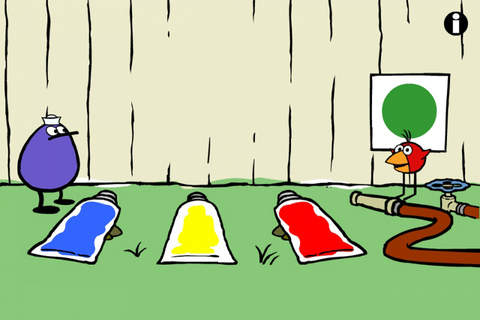
Peep - Paint Splat

PEEP and the Big Wide World Paint Splat: Kids join two quirky characters named Quack & Chirp to experiment with mixing colors in a fun, silly way!

Download link: https://itunes.apple.com/us/app/peep-big-wide-world-paint/id536621786?mt=8&uo=4

Peep - Sounds

PEEP and the Big Wide World Sounds Like Fun!: Kids explore music and sounds as they mix and match sounds with this app. The characters represent different musical rhythms.

Download link: https://itunes.apple.com/us/app/peep-big-wide-world-sounds/id536623915?mt=8&uo=4
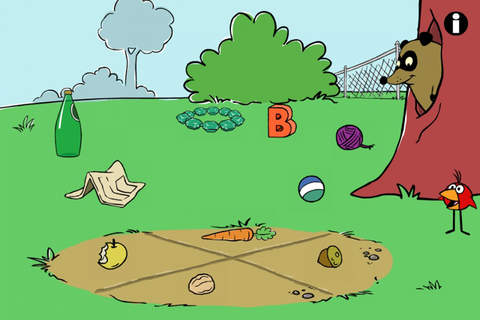
Peep - trash

PEEP and the Big Wide World Trash Stash: Kids practice their categorization skills by sorting objects using increasingly sophisticated criteria.

Download link: https://itunes.apple.com/us/app/peep-big-wide-world-trash/id536624731?mt=8&uo=4

Peep - Quack's Apples

PEEP and the Big Wide World Quack’s Apples: Kids roll Quack’s apples into a pond – testing and tweaking the design of their route as often as needed. As they play, they are practicing the engineering design process!

Download link: https://itunes.apple.com/us/app/peep-big-wide-world-quacks/id536623428?mt=8&uo=4

0

Subtracting Sardines

FREE again – Subtracting Sardines, an educational app that helps young kids (preschoolers/kindergarten) understand the concept of subtraction. With the help of a cute little penguin, kids subtract (up to 9) using sardines. This app meets the Common Core Standards for kindergarten. First grade standards are a bit more rigorous and expect students to add & subtract up to 20. There are a lot of good things about this app. The sardines are displayed on a keyboard with domino like keys (number on the left/picture on the right). The child chooses a subtraction problem and the sardines appear at the top of the screen. Here’s how it works: If a child chooses 7 – 2: 7 sardines appear then 2 sardines are taken away. As the child counts the remaining fish, they are encased in ice. Only the bones left behind of the subtracted fish and they disintegrate if touched. The app even allows for subtraction problems with negative answers (red fish joins the left over bones). Children earn gold coins as they work. This nicely done app helps kids with the beginning concepts of subtraction.

Common Core Standards met:

  • K.OA.2  – Add and subtract within 10, e.g., by using objects or drawings to represent the problem.

Highly Recommended!

Subtracting Sardines HD - Operatio

0

Quick Math+

FREE for a limited time – Quick Math+, an educational app that encourages the development of mental math skills. Kids race against the clock to improve their scores. Handwriting recognition allows the players to write the answers directly on the screen – a very slick feature. There are 4 game modes: solve, memorize, compare, and swap. Each game has 4 levels: beginner, intermediate, advance, and extreme. At a beginning level, this app helps to develop math fluency. Once kids have mastered the basics, the app introduces order of operations & parenthesis, negatives numbers, and indices. LOTS of great practice for multiple levels of math students in this app. It can be shared among students and it tracks each student’s progress – perfect for the classroom. The math gets progressively harder as students improve their skills. I love how the app encourages self-improvement and legible writing! Teachers could assign 10 minutes of practice each day for their students. I am sure the results would be significant. What a fabulous tool for the classroom!

Download link: https://itunes.apple.com/us/app/quick-math+/id703287370?mt=8&uo=4

0

Marble Math

Marble Math

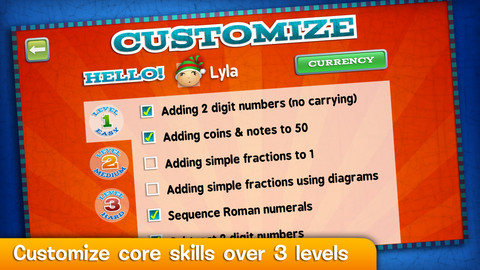
FREE today only – Marble Math. This educational app for 9 – 12 year olds was selected by Apple as New & Noteworthy. Kids solve a variety of math problems as they navigate their way through a series of marble mazes. Concepts included are addition/subtraction, multiplication/division, adding/sequencing fractions with different denominators, factoring, adding/subtracting negative integers and more! The game supports multiple players and it allows teachers to customize specific skills for each player – what a great option! Another great thing about this app – when a player answers incorrectly, he/she can choose one of 3 options: try again, show me, or next problem. Kids earn marbles as they answer correctly and high scores are recorded. This game blends fun with the practice of common core skills. Worth downloading!

Common Core Standards met:

  • 3.OA.7 Fluently multiply and divide within 100, using strategies such as the relationship between multiplication and division
  • 4.OA.4 Find all factor pairs for a whole number in the range 1–100.
  • 4.NF.3 Understand a fraction a/b with a > 1 as a sum of fractions 1/b. a. Understand addition and subtraction of fractions as joining and separating parts referring to the same whole.

Marble Math - Artgig Studio

0

Monki Animal Builder

animal builder

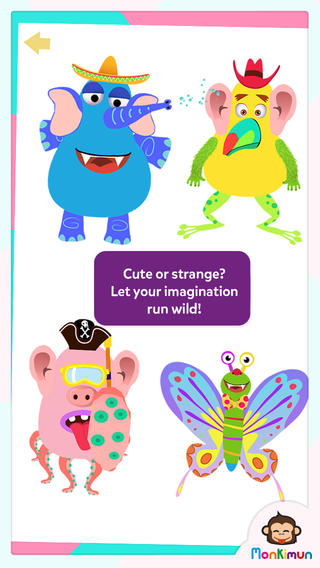
FREE today – Monki Animal Builder, a creative & fun app for kids. Kids use their imaginations to build unique animals. They start cracking open one of 6 eggs. Inside each egg is a different character – each having its own personality. There’s Hairy Ball who is grumpy, Pear who loves to be ticked, Slug who is dreamy, and 3 other interesting animals. Then kids add body parts (over 30 to choose from) and accessories (15 in all) such as a pirate hat, sunglasses, a sombrero. Animations bring everything to life. Kids can save their animals to play with later or share them with kids around the world. They can also save a picture to their device. Saved pictures can be printed and use for creative writing – descriptions, stories, compare/contrast, etc. Whether kids use this app to create, play, save, share, and/or write, it’s sure to bring smiles!

Download link: https://itunes.apple.com/us/app/monki-animal-builder/id836529548?mt=8&uo=4

0

Pixel and Parker School Edition – The storybook adventure game for kids

Pixel

FREE today – Pixel and Parker, an educational app puts a new spin on storytelling – literally! Parker and Pixel (his cat) are best friends. One day Pixel is missing so Parker sets out to find him. Kids use a game spinner to determine the order of the story’s events in this cute tale. The story is never the same twice. The app also features 30+ activities that engage readers while advancing the plot of the story. This app would be great for a lesson on the elements of story. The characters, setting, problem, and conclusion are the same but the order of events can be changed! Cute colorful illustrations also add to the appeal of this story. Pixel and Parker is the first in a planned series of Spintale adventures. 🙂 Great idea!

Download link: https://itunes.apple.com/us/app/pixel-and-parker/id548751986?mt=8&uo=4

0

Hopscotch HD

Hopscotch HD

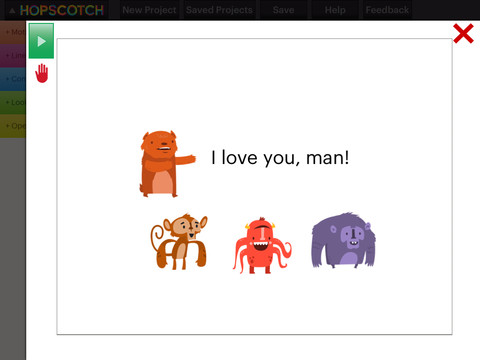
FREE for a limited time – Hopscotch HD, an educational app that teaches kids how to program their own games and animations! Introduce kids to computer science with this app. 🙂 Kids drag and drop “method blocks” into scripts. When they are done, they can press play to see their code in action! Why teach kids coding? According to the developer – there will be about 1.4 million computer jobs by 2020 and only 400,000 computer science students. Many coders first fell in love with coding when they were  8-12 year old children. Hopscotch is based on a visual programming language named Scratch which was developed by MIT. It promotes STEM education (science, technology, engineering and math) in a fun way – by making coding kid-friendly!  LOVE it!!

Hopscotch HD - Hopscotch Technologies

0

Spelling City

Spelling City  – a FREE educational app for the iPhone/iPad! I LOVE Spelling City. It is a phenomenal website where teachers can input their weekly spelling lists so kids can go online to practice their spelling in so many fun ways – hang mouse, match it, which word, sentence unscramble, etc. I used Spelling City in my classroom for the last several years and the kids & parents loved it. The app has several preloaded lists and the best part…..kids can access the their teacher’s list (providing that he/she uses Spelling City, of course) by using their zip code, school name, and teacher’s name. Practice spelling in the car on a way to a soccer game or while waiting in the dentist’s office. AWESOME!!

Common Core Standards met:

  • K.RF.3  – Distinguish between similarly spelled words by identifying the sounds of the letters that differ.
  • 1.RF.3 – Recognize and read grade-appropriate irregularly spelled words.
  • 2.RF.3 – Identify words with inconsistent but common spelling-sound correspondences. AND Recognize and read grade-appropriate irregularly spelled words.
  • 3.RF.3 – Read grade-appropriate irregularly spelled words.
  • 4.RF.3 – Use combined knowledge of all letter-sound correspondences, syllabication patterns, and morphology (e.g., roots and affixes) to read accurately unfamiliar multisyllabic words in context and out of context.
  • 5.RF.3 – Use combined knowledge of all letter-sound correspondences, syllabication patterns, and morphology (e.g., roots and affixes) to read accurately unfamiliar multisyllabic words in context and out of context.

Highly recommended!

SpellingCity - SpellingCity

0

Operation Math

operation math

FREE again for a limited time – Operation Math, a great educational app from Spinlight StudioKids will have fun practicing basic addition, subtraction, multiplication, & division tables in this interactive “spy” game. The object of the game is to stop Dr. Odd’s quest to eliminate the world’s even numbers. In order to do so, kids must complete 105 missions by solving equations. Missions can be selected based on a child’s skill level and/or the operation (+, -, +/-, x, ÷, x/÷  or +/-/x/÷).  Of course, time is of the essence so kids have to answer problems in 60 seconds or less. By doing so, they lock doors along their escape routes. And as they complete missions, they earn the gear of a seasoned spy. What a great game – I love how the app integrates math practice into a really cool game for kids. I especially like the modes which permit kids to practice multiple operations at a time. It makes kids pay attention to operation signs and quickly switch their thinking. What a fun way for kids to practice facts and meet CCSS! No wonder Operation Math was given a 2012 Parents’ Choice Award. Get it today – kids will LOVE it!

Common Core State Standards met:

  • 1.OA.6 – Add and subtract within 20, demonstrating fluency for addition and subtraction within 10.
  • 2.OA.2 – Fluently add and subtract within 20 using mental strategies. By end of Grade 2, know from memory all sums of two one-digit numbers.
  • 3.OA.7 – Fluently multiply and divide within 100, using strategies such as the relationship between multiplication and division or properties of operations. By the end of Grade 3, know from memory all products of two one-digit numbers.

Download link: https://itunes.apple.com/us/app/operation-math/id487387270?mt=8&uo=4

0

Arithmetic Invaders: Grade 3 Math Facts

Arithmetic Invaders

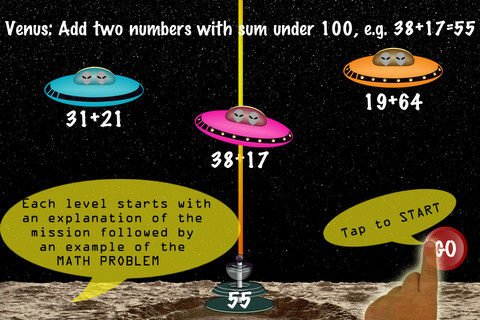
FREE for a limited time – Arithmetic Invaders: Grade 3 Math Facts. Kids defend the planets from invaders in this math game. The table of contents shows the titles of the missions, a short description of the math required, and the high score for that mission. There are 8 “missions” to complete – 2 addition, 2 subtraction, 2 multiplication, and 2 division. With completion of the last mission, your child earns the highest rank – DEFENDER OF THE SOLAR SYSTEM. In each mission, the child matches the value on the laser gun to an equation having the same value – written below 1 of 3 invader ships. The mission’s length can be 2, 3, or 5 minutes. Even though the title implies that the app only practices facts, the addition & subtraction missions include 2 digit numbers. All in all, this educational app provides another fun way for kids to practice math!

Arithmetic Invaders: Grade 3 Math Facts - @Reks