0

Wee Sing & Learn ABC

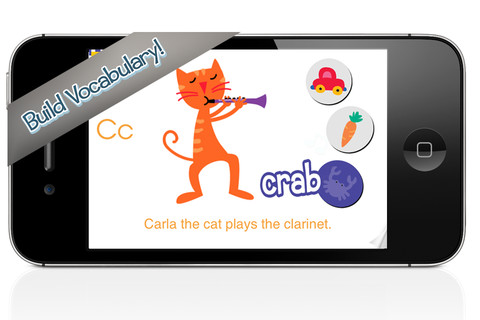
FREE today (August 24, 2012), this app for the iPhone/iPad normally sells for $2.99. Wee Sing has been around for over 30 years. When my children were small, we always had a Wee Sing tape in our car. This app teaches toddlers the alphabet in a musically fun way. Every letter has a page with its own song featuring an animal with an instrument (both beginning with that letter). There are also three additional words for each letter which are pronounced and spelled. The real sound of every animal and each instrument are also included in the app. This app is well done with great attention to detail – a must have for every toddler 🙂

Highly recommended!!

Wee Sing & Learn ABC - zuuka incorporated

0

Math Racer®

FREE for a few days – this iPhone/iPad app normally sells for $4.99. Math Racer times how fast kids can answer 10, 20, 50 or 100 problems in 7 different games: addition, subtraction, multiplication, division, add/subtract, multiply/divide, or all operations. I like kids being able to practice related operations together – it makes them pay attention to operational signs & see connections. The app keeps high scores for all areas. It shows which problems were missed and how long it took to answer each question (to the hundredth of a second). Teachers and parents can use this tracking system to document kids’ progress. To compliment the tracking, I wish the app could then be programmed for kids to work specifically on the facts that are giving them trouble.

This app provides a simple but fun way for kids to practice their facts. I can’t imagine that they won’t love racing the clock to improve their scores. If it is loaded on an iPhone, kids could easily practice their facts in the car on their way to after school lessons. 🙂

Common Core Standards met:

  • 1.OA.6 – Add and subtract within 20, demonstrating fluency for addition and subtraction within 10.
  • 2.OA.2 – Fluently add and subtract within 20 using mental strategies. By end of Grade 2, know from memory all sums of two one-digit numbers.
  • 3.OA.7 – Fluently multiply and divide within 100, using strategies such as the relationship between multiplication and division or properties of operations. By the end of Grade 3, know from memory all products of two one-digit numbers.

Recommended!

Math ® - i4software

0

Artkive

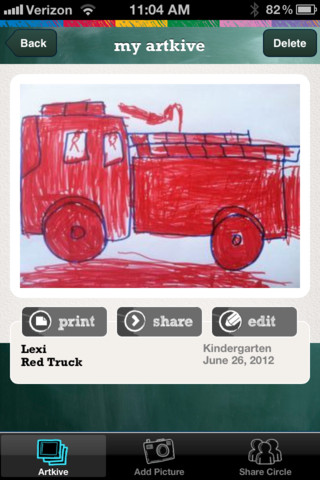
This newly released (August 11, 2012) app for the iPhone/iPad is FREE for a limited time. Artkive makes it easy to digitally store, share, and print (coming in an update) your children’s artwork/schoolwork.  First you create an account. Then enter the first names of your children. Take photos of their artwork/schoolwork or upload existing photos from your camera roll. Tag the photo with a child’s name, age or grade, the date, and a title. Very easy to do! You can then share their art with family & friends. You will also be able to have Artkive create digital books & other products with your child’s artwork/schoolwork. I am anxious to see how their products will compare in quality & price to existing photography sites. Artkive certainly makes it easy to collect and store your children’s artwork in one place.

What a great idea! I just downloaded this app and registered this evening. I am thinking about using it to create books for my adult children of their childhood projects (currently stored in boxes). I could also see it being used to create digital portfolios of children’s work. I will update this post as I work with the app, but in the meantime, you may want to try it yourself while it is free 🙂

Watch the video to learn more @ http://www.artkiveapp.com/

Recommended to try!

Artkive - The Kive Company

0

Spellosaur

This app is FREE for the iPhone/iPad so that you can see how it works before purchasing the premium version for $3.99. What makes this app different from others is that you are able to input your own words to study. In the FREE version you can input 5 words and have 1 user. In the premium version, you can input many words and have multiple users (with their own lists). After the words are added, there are 4 activities for kids to do with their list: listen & choose the correct word, complete the word by adding the missing letters, rearrange the scrambled word, spell the word. Then kids can take a test over their words. There are 2 voices to choose from – US English & English or kids/parents can record their own words. If the words are homonyms kids can also add a meaning to differentiate one word from another. In the premium version, lists can be saved so that kids can go back and review previously studied/learned words. The ability to add your own words adds a lot of flexibility to this app. It could be used for word study: word families, letter sounds, making plurals, prefixes and suffixes, etc.  Nicely done!!

Common Core Standards met:

  • K.RF.3/1.RF.3/2.RF.3/3.RF.3/4.RF.3/5.RF.3 – Know and apply grade-level phonics and word analysis skills in decoding words.

Recommended!

Spellosaur - Simulant

0

Happi 123 HD – A Math Game by Happi Papi

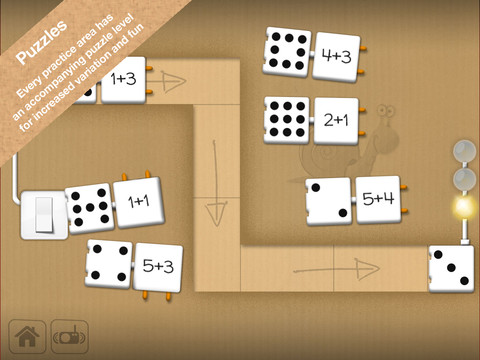
This iPad app for 4 – 7 year olds was FREE when I downloaded. It is currently $1.99 but through August 31 the developer is doing a buy one get one free promotion. Happi 123 teaches counting, adding, subtracting, number series, and patterns. The lessons do not have to be done in order so kids can choose what they would like to work on. Each level has practice followed by a puzzle to further reinforce the concept. There is also a combination level where all concepts are mixed and timed. Kids earn badges and disguises for Papi the Tiger as they learn. Several languages are included in the game: English, Swedish, Danish, Norwegian, Italian, German. In the settings, parents can reset the game and disable audio help (which makes the problems more difficult but also less confusing). If the audio help is not disabled, the child has to count the objects at the top of the page in order: top row, left to right followed by bottom row, left to right. Otherwise the counting is not in order and might sound like this: one, two, three, four, five, eight, seven, six. Suggestion for the next update  – make counting the objects (along the top) work like the fingers (along the bottom). The fingers count in order no matter which one is touched first. Nicely done!

Common Core Standards met:

  • K.CC.4 – Understand the relationship between numbers and quantities; connect counting to cardinality. When counting objects, say the number names in the standard order, pairing each object with one and only one number name and each number name with one and only one object. Understand that the last number name said tells the number of objects counted. The number of objects is the same regardless of their arrangement or the order in which they were counted.
  • K.OA.1 – Represent addition and subtraction with objects, fingers, mental images, drawings, sounds, acting out situations, verbal explanations, expressions, or equations.

Happi 123 HD - A Math Game for Kids by Happi Papi - Serendipity

0

Kapu Forest HD

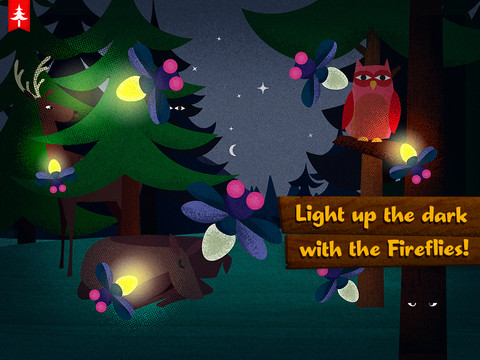
The FULL version of this iPad app for 1 – 4 year olds is FREE today. There are 10 mini toys/animals for kids to play with in the forest. There are no time limits or rules. This app promotes free play in what is billed as a digital toy box. Kids scroll through the forest to find animals to play with. Along the way they hear the sounds of the forest. The app is available in English, Spanish, Russian, German, and Finnish but the only written language in the app is the title/parental  controls. There is no spoken language in the app. Although I like the idea of free play – there are many of opportunities to count things. I wish the developers would add counting (verbally) accompanied by the number symbols & the number words. It would be fun for kids to hear/see numbers in the different languages.

Check it out for FREE today 🙂

Kapu Forest HD - Kapu Toys

0

ABC Spelling Magic Short Vowel Words


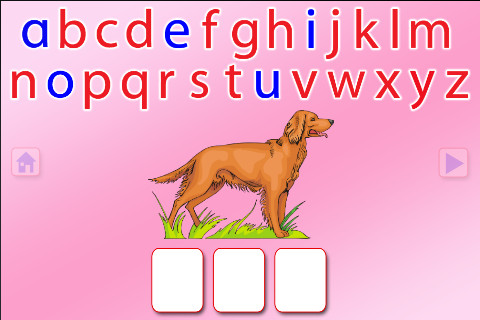
This FREE app for the iPhone/iPad concentrates on teaching kids to spell short vowel words with 3 sounds. There are 2 ways to play. Word Jumble provides the  child with the letters of the word and the child puts them in order. Moveable Alphabet has the entire alphabet across the top of the page and the child must find the correct letters to spell the word. If a child touches a picture, the app reads the word. If a child touches a letter, the app gives the sound for that letter. Each vowel is taught in isolation but there is also a shuffle option which provides mixed practice. Vowels are printed in blue and consonants are in red so you can reinforce the CVC (consonant, vowel, consonant) pattern. This app does a nice job with the phonics of short vowel words.

Common Core Standards met:

  • K. RF.3 – Know and apply grade-level phonics and word analysis skills in decoding words. Demonstrate basic knowledge of one-to-one letter-sound correspondences by producing the primary sound or many of the most frequent sounds for each consonant. Associate the short sounds with common spellings (graphemes) for the five major vowels.

Recommended!

ABC SPELLING MAGIC Short Vowel Words - PRESCHOOL UNIVERSITY

0

Photo Touch Sight Words

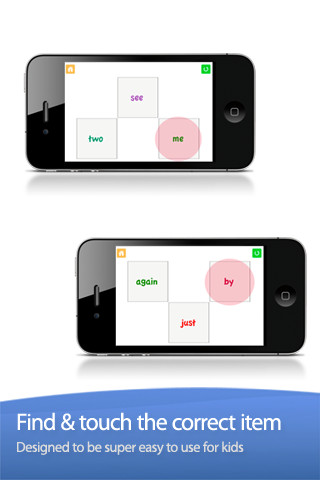
Photo Touch Sight Words is another FREE app for iPhone/iPad from Grasshopper Apps (see August 3 Rhyming Words review). At its simplest level, it allows you to choose grade level sight words for your child to practice (preschool – grade 3). Kids must touch the word that is read – it starts with 3 word choices and increases in difficulty to 10. What makes this app stand out is the ability to customize it to your child’s needs. You can turn on/off individual words. You can select multiple lists. You edit the words to be read in your child’s voice. There is the ability to add additional cards –  but, making the cards match the programmed cards seems to be a challenge. I emailed customer support to ask about this option and about the source of their sight words lists. I will update this post as I receive more information 🙂

Recommended.

Sight Words by Photo Touch - GrasshopperApps.com

0

Virtual Manipulatives

FREE for the iPad, this app contains math manipulatives for teaching fractions, decimals, and percents. Included are tiles/circles divided into halves, thirds, fourth, fifths, sixths, eighths, tenths, and twelveths AND their corresponding decimals and percentages! The manipulatives are color coded across the settings so that 1/2 is blue as is .50 and 50%. Kids drag tile pieces onto the work area to compare fractions/decimals/percentages. In the settings you can change from tiles to circles, make the pieces transparent, and hide the numbers on the pieces. Completed work can be easily saved to photos. Finding equivalent fractions has never been so slick – WOW!!

Common Core Standards met:

  • 3.NF.3 – Explain equivalence of fractions in special cases, and compare fractions by reasoning about their size. Understand two fractions as equivalent (equal) if they are the same size, or the same point on a number line.
  • 4.NF.1 – Explain why a fraction a/b is equivalent to a fraction (n × a)/(n × b) by using visual fraction models, with attention to how the number and size of the parts differ even though the two fractions themselves are the same size. Use this principle to recognize and generate equivalent fractions.

Highly Recommended!

Virtual Manipulatives! - ABCya.com

1

Chalkboard Math

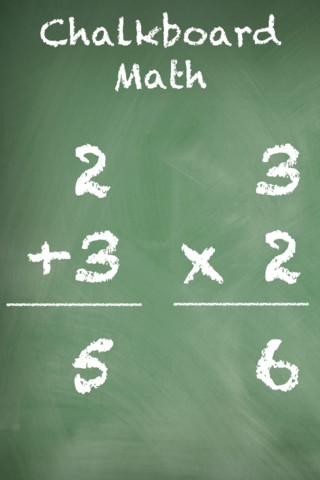
This FREE app for iPhone/iPad Helps kids practice their basic facts for addition, subtraction, multiplication, and division. First kids choose numbers (1-12) to work with, then the math operation/operations. The app generates practice in 2 modes: answer mode (enter the answers & get feedback) or flashcard mode (answer verbally then check). The game has no built-in sounds but there is positive reinforcement written at the top of the page. If a child misses a problem, it shows the correct answer. What I really like about this app is the ability to choose specific numbers to work on. Facts can be practiced in the order they are taught. I also like the ability to choose more than one operation to practice – it makes kids pay attention to the signs of operation and see the relationships between operations. This app is simple but effective – if you loaded this app on your iPhone, kids could easily practice flashcards on their way to after school lessons 🙂

Common Core Standards met:

  • 1.OA.6 – Add and subtract within 20, demonstrating fluency for addition and subtraction within 10.
  • 2.OA.2 – Fluently add and subtract within 20 using mental strategies. By end of Grade 2, know from memory all sums of two one-digit numbers.
  • 3.OA.7 – Fluently multiply and divide within 100, using strategies such as the relationship between multiplication and division or properties of operations. By the end of Grade 3, know from memory all products of two one-digit numbers.

Recommended!

Chalkboard Math - 22nd Century Software LLC