0

Cozmo’s Day Off Lite

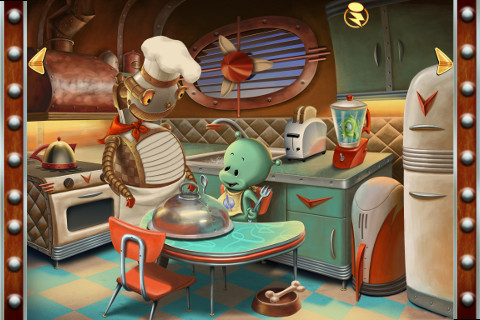
This interactive storybook for the iPhone/iPad has a FREE lite version that you can preview before you decided if  you want to purchase the more interactive version for $3.99.  In the lite version the menu page and the first page are fully interactive. Purchasing the full version unlocks every page – totaling over 100 interactions. This app tells a cute story about a little green alien’s day in read-along rhyme. The pitch of the narrator’s voice can be changed  – which is a fun feature. There is also a record option which allows kids to record themselves reading the book. After recoding, the pitch of their voices can be changed. They can slow their voice way down (making it deeper) or speed it up (making it higher) – both make them sound like aliens. I think kids would LOVE this feature and it would provide quite the incentive to read the book on their own.I can hear the giggles now 🙂

Recommended!

Cozmo's Day Off Lite - Children's Interactive Storybook - Ayars Animation Inc.

0

Amazing Coin (USD) Free

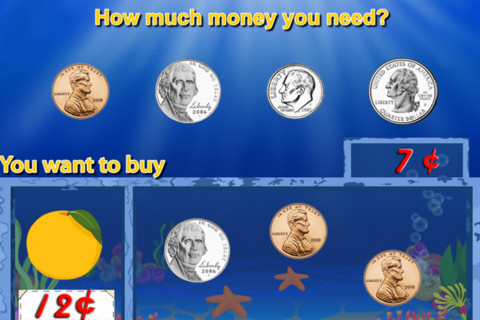
I downloaded the FREE version of this coin app for the iPhone/iPad. The iTunes preview says that it has 8 games included but there are only 4 – patterns, greatest value or least value, match the coins, and pay for items (see above). The screen shots featured in the iTunes preview show 4 out of 5 games that are NOT included in the FREE version. It’s disappointing to see such a disconnect between how this version of the app is presented on the iTunes Preview page and what you actually get to try in the free download.

Before I would recommend this app, I would have to see more of it.

0

PBS KIDS Photo Factory

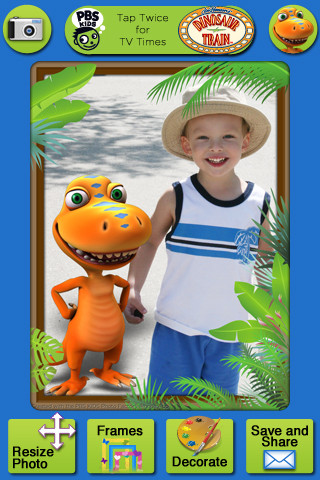
Very cute FREE app for the iPhone/iPad from PBS KIDS. Add your favorite PBS character to your child’s picture in 3 easy steps. First take a picture or choose one from your photo library. The edit it as needed – zoom, rotate, or resize. Lastly frame it and decorate it by adding your favorite PBS characters. You can share the results on Facebook, Twitter, via email or save them into your photo library.

There are lots of fun ways to use this app. Take pictures of kids with the characters at a themed party based on one of the shows. Take pictures of students with Curious George, Arthur, or Clifford after reading books featuring those characters. Pull those pictures into a story writing app to create a new adventure of the PBS character and the student. Add the characters to settings – pictures of the school playground, pictures of the classroom etc. – use your pictorial creations as  springboards to creative writing. Pull your pictures into TellPic (see review July 31) and have the child explain. Fun !!

Recommended!

PBS KIDS Photo Factory - PBS KIDS

0

123 Color, International Edition

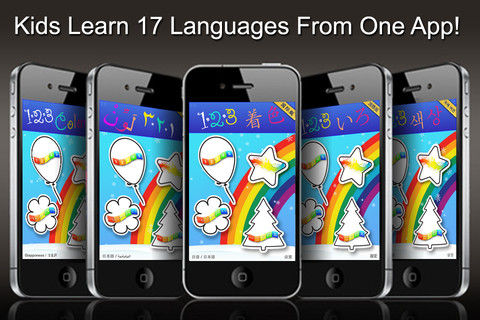
123 Color, International Edition Talking Coloring Book, With Words Spoken in 17 Languages for the iPhone/iPad is FREE today. It names numbers, letters, & colors and shows the spelling of numbers & colors (in 17 different languages). In the settings you can choose a primary & secondary language so each number, letter, and color will be spoken/spelled in both languages. Or, you can disable the secondary language option and choose only one language. Kids start by choosing 1 of 4 areas to practice – numbers, colors, upper case letters, or lower case letters. Then they can choose one of the 11 themed sets of coloring pages, photo painting, stationery, letter writing, or number writing. There are two color palettes available – 10 colors or 30 colors. The photo painting and stationery pages can be framed. All artwork can be printed, emailed or saved to photos.

This nicely done app was featured in Women’s Day and New York Times.

Recommended!

123 Color, International Edition Talking Coloring Book, With Words Spoken in 17 Languages - Steve Glinberg

0

Counting Money

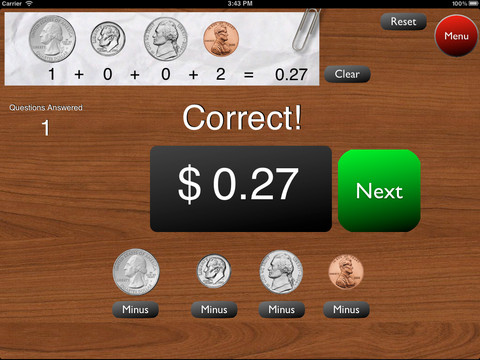
This is a great FREE app for the iPad to give kids practice counting coins. It has two modes: practice and quiz. In the practice mode, the child must answer the question correctly to proceed. In the quiz mode, 10 questions are generated with only one chance to answer correctly. There are two levels of difficulty: beginner (up to $2.00) and normal (up to $4.00). Users can select the number of questions (10, 20, 30 or 40) and decide if they would like to be graded (based on percentage). As the children count coins to reach a specified total, the app can be set to total the coins as they are being counted (if you wish). This app is easy to use with a lot of flexibility.

Common Core Standards met:

  • 2.MD.8 – Solve word problems involving dollar bills, quarters, dimes, nickels, and pennies, using $ and ¢ symbols appropriately.

Highly recommended!

Counting Money - King's Apps

0

Verb Mayhem Free

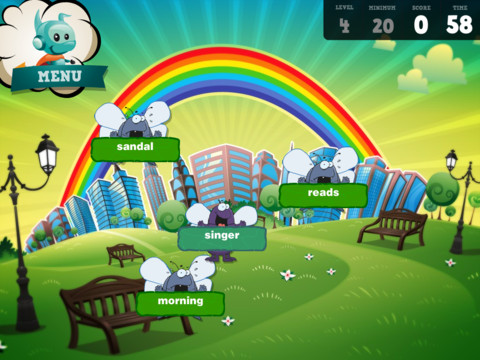
There are 3 levels of this app available for FREE for the iPad. Level 1 is for 7 year olds. Level 2 is for 8 – 9 year olds. Level 3 is for 10 – 12 year olds. Each FREE version gives you one level of play but you can continue to practice (at that level) by pressing the menu button in the upper right hand corner. That button will take you back to the start of the game and the app will generate more practice in a different scene.

The object of the game is simple – just tap to eliminate any word that is NOT a verb. The game is fast paced and would be fun played with a partner. It provides good practice for recognizing verbs.

Common Core Standards met:

  • 2.L.1 – Form and use the past tense of frequently occurring irregular verbs (e.g., sat, hid, told).
  • 3.L.1 – Form and use regular and irregular verbs.AND Form and use the simple (e.g., I walked; I walk; I will walk) verb tenses.

Recommended!

Verb Mayhem HD Level 2 FREE - Generate Learning

0

TellPic

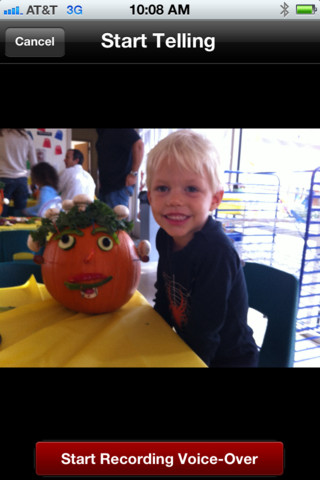
This FREE app for the iPhone/iPad is simple but powerful. It allows you to record your voice to explain a picture that you are sending via email or posting to Facebook. First you choose a picture from your photo library or take a new picture. Press start recording, followed by stop recording, then share – so simple!

The power in this app is in how you choose to use it. Take a picture of a child’s creation and have him/her explain it. Then send it to parents or grandparents. Take a picture of your child and voice over him/her singing to a loved one on a special occasion. Send pictures with voice messages about vacation experiences. And… because you can use anything saved in your photo library, you can pull in artwork etc. created in other apps  –  opening up all sorts of possibilities for sharing work created in class. The possibilities are endless!

Highly recommended!

TellPic - TellPic LLC

1

SpellingCity

Oh my – I am SO excited 🙂 Spelling City has a FREE app for the iPhone/iPad and the update just came out today! I LOVE Spelling City. It is a phenomenal website where teachers can input their weekly spelling lists so kids can go online to practice their spelling in so many fun ways – hang mouse, match it, which word, sentence unscramble, etc. I used Spelling City in my classroom for the last 3 years and the kids & parents loved it. The app has several preloaded lists and the best part…..kids can access the their teacher’s list (providing that he/she uses Spelling City, of course) by using their zip code, school name, and teacher’s name. Practice spelling in the car on a way to a soccer game or while waiting in the dentist’s office. AWESOME!!

Common Core Standards met:

  • K.RF.3  – Distinguish between similarly spelled words by identifying the sounds of the letters that differ.
  • 1.RF.3 – Recognize and read grade-appropriate irregularly spelled words.
  • 2.RF.3 – Identify words with inconsistent but common spelling-sound correspondences. AND Recognize and read grade-appropriate irregularly spelled words.
  • 3.RF.3 – Read grade-appropriate irregularly spelled words.
  • 4.RF.3 – Use combined knowledge of all letter-sound correspondences, syllabication patterns, and morphology (e.g., roots and affixes) to read accurately unfamiliar multisyllabic words in context and out of context.
  • 5.RF.3 – Use combined knowledge of all letter-sound correspondences, syllabication patterns, and morphology (e.g., roots and affixes) to read accurately unfamiliar multisyllabic words in context and out of context.

Highly recommended!

SpellingCity - SpellingCity

2

Fluency Timer

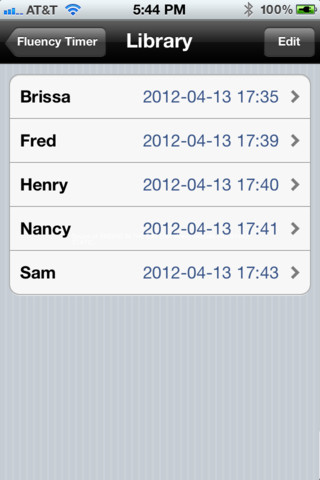
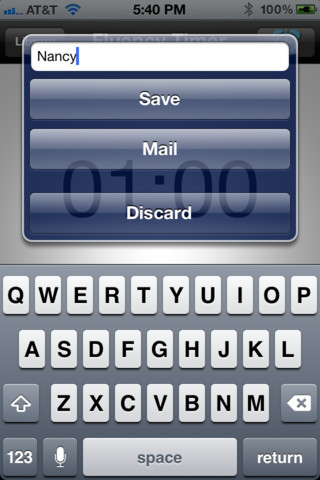
This FREE app is designed for the iPhone/iPad. It is very simple to use. It has an adjustable timer that allows you to record a child’s reading fluency for playback and/or sharing. Once a child has read, you simply name the file and save it into your library. The child can then listen to himself/herself read or you can email the file to a parent. This app is definitely useful  – kids listening to themselves read can be powerful. Teachers and parents can listen to determine where kids are having problems: Are they pausing for punctuation? Are they missing sight words? Is phonics/word structure an issue?

An issue with the program is that you have to preset it for a specific time period (between 10 seconds and 59 minutes & 50 seconds) rather than use it like a stopwatch. When it saves the recording in the library, it shows the date & time of the reading rather than the time it took to read the passage. If you are doing running records with 200 – 300 word readings, you still need a stop watch to record the actual reading time so you can figure out words per minute (reading rate). But, there is still a lot of good information that can be gathered by using this app.

There is also a pro version that transfers files to your computer.

Recommended!

Fluency Timer Free - Needleworks Software

0

ICDL (International Children’s Digital Library – Free Books for Children

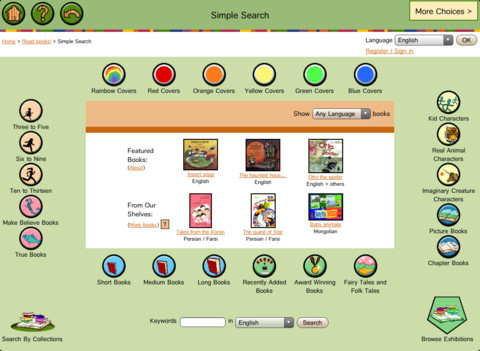
This app brings thousands of free children’s books from 60 different countries to the iPad – it’s truly a worldwide collection of books at your fingertips. Books can be searched in a variety of ways – by age appropriateness, length (short, medium, long), genre, ratings, awards, picture vs chapter, and more. You may register if you wish, but it is not necessary. Some advantages to registering include – saving favorite books on a personal bookshelf, returning to the last page that you were reading, and selecting the language you prefer to use.

The feature that I really like is the “Browse Exhibitions” section. The exhibitions are theme based collections of books from around the world. Examples of some current themes are: Celebrating Differences, Everyone Needs Water & Water Needs Everyone, and Forever Friendship. Within each exhibition is an overview of the theme, links to the books included, descriptions of why the books are included, and related activities (in pdf format). As the world becomes more mobile, school systems are facing language barriers. For example, Chicago Public Schools has over 70 languages spoken by their students. What an awesome resource to promote worldwide citizenship and understanding!

The mission of the International Children’s Digital Library Foundation (ICDL Foundation) is to support the world’s children in becoming effective members of the global community – who exhibit tolerance and respect for diverse cultures, languages and ideas — by making the best in children’s literature available online free of charge. The Foundation pursues its vision by building a digital library of outstanding children’s books from around the world and supporting communities of children and adults in exploring and using this literature through innovative technology designed in close partnership with children for children. 

Read more @ http://en.childrenslibrary.org/

Highly recommended!

ICDL - Free Books for Children - International Children's Digital Library - ICDL Foundation