0

TeleStory

telestory

FREE for a limited time – Telestory, another fabulously creative app from Launchpad Toys, the creators of Toontastic. Kids can write, direct, and star in their own TV shows with this educational app. Kids choose a theme to start: The News, Star Adventure, Eye Spy, or their own creation. Then they mix and match scenes to create their story. Next they craft a script using the prompts within the app or their own ideas. Then it’s time for the show! Kids choose one of fifty digital costumes for their performance.They perform and record their show which includes animated scenes and special effects. Recordings can be saved to the camera roll to be shared with classmates, family, and friends. How fun!!

Teachers, check out “The News” theme for use in your classroom. Kids can choose to be different types of reporters: The Beat, The Sports Roundup, The News Desk, The Weather, The Critic, or The Eye in the Sky. Then the learning begins. They could choose to read, summarize and report about current events. Or, they could choose to learn the science behind the weather so that they can explain it to their viewers. Or they could choose to write reviews of the literature that they are reading. Telestory News is a great tool for getting kids excited about non-fiction. Make it a part of your weekly routine with a new show rolled out every Friday. 🙂

Download link: https://itunes.apple.com/us/app/telestory/id915378506?mt=8&uo=4

0

Brainy Bugs Preschool Games

bug gamesSinging crickets! Brainy Bugs Preschool Games is FREE for a limited time. This super cute educational app for preschoolers has 4 sections: Cricket Concert, Bee Word Builder, Ant Tunnel Builder, and Spider Dot-to-Dot. In the Cricket Concert section, kids can select a song to hear the crickets sing together or they can tap on each cricket to play the song on their own. In Bee Word Builder, kids hear the phonic pronunciation of individual letters as they use them to put words together. Ant Tunnel Builder requires kids to rotate puzzle pieces so that the ants can march through a completed tunnel. Spider Dot-to-Dot has kids connecting dots in numerical order. Kids collect sticker rewards along the way. This app has a nice combination of learning games for preschoolers – cute, fun, & engaging! Who knew playing with bugs could be so much fun. 🙂

Bug Games HD - by Busy Bee Studios - Busy Bee Studios

0

Spelling Star

spelling star

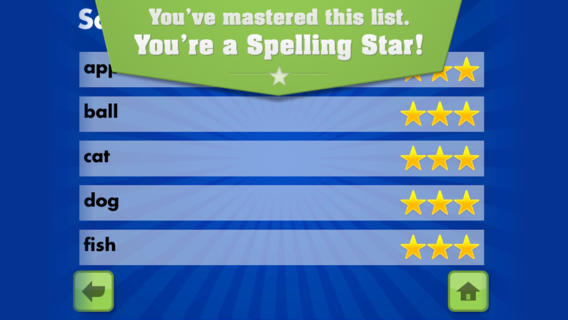
FREE for  limited time – Spelling Star, an educational app for practicing spelling lists. The app is simple to use – just type in and record the words. You may also include sentences to clarify the words’ meanings. Kids must spell each word correctly three times to become a Spelling Star.  Words are presented in random order. As kids practice, they can get a hint – a quick look at the word spelled correctly. When they spell a word without a hint, they earn a star. Spelling Star provides feedback after each word is spelled with the option to “try again” when an error is made. This educational app is great for home and/or school. Parents can use it to input spelling lists for multiple kids. Kids may enjoy inputting their own lists at the beginning of the week which would be GREAT practice! Teachers can create lists on one device and share those lists with anyone who has the Spelling Star app. Simple to use, effective, and tracks progress – what more do you need? 🙂

Download link: https://itunes.apple.com/us/app/spelling-star/id557070660?mt=8&uo=4

0

Shadow Puppet

Shadow Puppet

Use the power of this app to create a unique Mother’s Day tribute or greeting!!

Fabulous and FREE – Shadow Puppet is a photography app which has been featured by Apple as a Best New Apps. Using this app, it’s easy to create “puppets” – recorded explanations of your photos. First you choose your photos and put them in the order. Then you talk about your pictures. Everything is recorded. Finished “puppets” can be shared via email, SMS, Facebook and/or Twitter. There are so many ways for everyone to use Shadow Puppet: to teach something new, to share adventures with friends, to record children talking about their experiences, to tell the story behind old family photos, etc.

Recent updates have added many new features. Now you can include video clips, add music, search the web for images, overlay text/stickers, and more! The FREE version of the app permits you to include up to 10 photos/video clips. For $1.99 you can get Puppet Essentials which allows you to add up to 100 items to each video and have access to more drawing & decorating tools. The update made this great app even better!

The classroom uses for this app are only limited by your imagination: Take pictures of a child’s work and have him/her explain it to parents. Send pictures and voice recordings of the class field trip. Have kids give a step-by-step explanation of what happened in a science experiment. Draw & sequence pictures to retell a story. Make a “talking timeline” by sequencing photos of historical events. Have kids use it to present mini reports on any subject. Have virtual “pet day” – kids bring in pictures/recordings of their pets. Because you can use anything saved to your photo library, you can explain photos from the web, artwork created in other apps, and so much more. The possibilities for using this educational app are endless. For more suggestions go to http://get-puppet.com/education. What a fabulous resource!!

Download link: https://itunes.apple.com/us/app/shadow-puppet/id700902833?mt=8&uo=4

0

17 FREE Educational Apps to Share with Preschoolers

Six FREE science apps – PEEP and the Big Wide World apps from WGBH, the producers of the animated series of the same name. Major funding for these educational apps is provided by the National Science Foundation. These apps are designed to teach science to preschoolers (3 – 5 years) in a cute, fun way! The games begin simply but become more challenging as kids are successful. Each app also includes a “Try This Anywhere Activity” for you and your children to do together based on the lesson in the app. Your child will LOVE learning with Peep and friends. And you will too!

PEEP  - House Hunt

PEEP and the Big Wide World House Hunt: Kids turn over leaves to pair animals with their homes in a match game that demonstrates that some habitats are home to many different animals.

Download link: https://itunes.apple.com/us/app/peep-big-wide-world-house/id536554271?mt=8&uo=4

PEEP  - Hide & peep

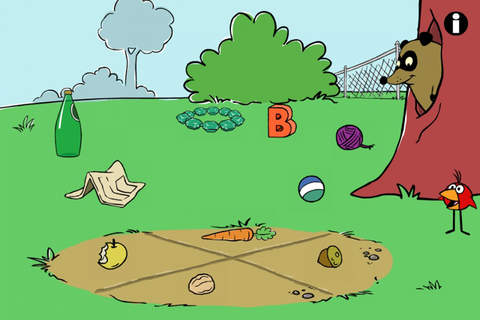
PEEP and the Big Wide World Hide and Peep: Peep and friends are hiding in the tool shed. This app helps kids practice their observation and memory skills.

Download link:https://itunes.apple.com/us/app/peep-big-wide-world-hide-peep/id536312346?mt=8&uo=4
Peep - Paint Splat

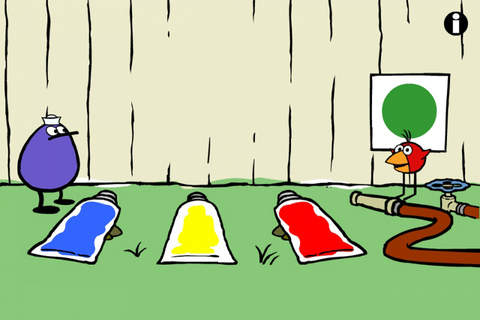
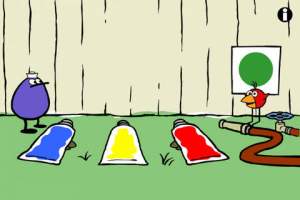
PEEP and the Big Wide World Paint Splat: Kids join two quirky characters named Quack & Chirp to experiment with mixing colors in a fun, silly way!

Download link: https://itunes.apple.com/us/app/peep-big-wide-world-paint/id536621786?mt=8&uo=4

Peep - Sounds

PEEP and the Big Wide World Sounds Like Fun!: Kids explore music and sounds as they mix and match sounds with this app. The characters represent different musical rhythms.

Download link: https://itunes.apple.com/us/app/peep-big-wide-world-sounds/id536623915?mt=8&uo=4

Peep - trash

PEEP and the Big Wide World Trash Stash: Kids practice their categorization skills by sorting objects using increasingly sophisticated criteria.

Download link: https://itunes.apple.com/us/app/peep-big-wide-world-trash/id536624731?mt=8&uo=4

Peep - Quack's Apples

PEEP and the Big Wide World Quack’s Apples: Kids roll Quack’s apples into a pond – testing and tweaking the design of their route as often as needed. As they play, they are practicing the engineering design process!

Download link: https://itunes.apple.com/us/app/peep-big-wide-world-quacks/id536623428?mt=8&uo=4

Four FREE and fabulously creative apps from Lazoo – perfect for preschoolers. 🙂

squiggles

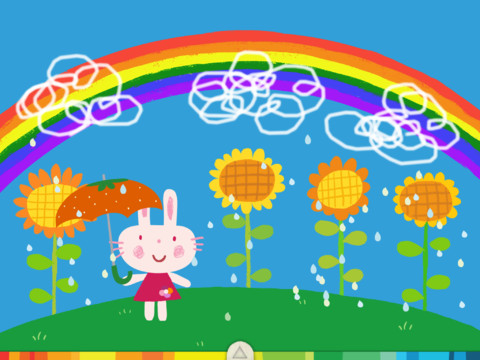
Squiggles is a FREE educational app for the iPad and it is ADORABLE! Kids are encouraged to draw squiggles to create: rain clouds (to water flowers), waves (to help fish swim), wool (on sheep), cotton candy, etc. Once the squiggles are drawn, they press GO and the drawings come alive. The app includes an interactive storybook and an animated short which introduces the characters – Bobu, the monkey & Miku, the rabbit. It also includes 14 squiggle-ready drawing pages as well as a blank page for your child to create his/her own pictures. Tools included are stickers, markers, paint, chalk, a ketchup bottle, as well as 10 colors & a mystery color wheel. Work can be saved into the gallery of the parents’ section by pressing the piggy bank. This app is super cute!! It encourages children to be imaginative & creative – it’s one of my favorites! 🙂

Download link: https://itunes.apple.com/us/app/lazoo-squiggles!/id498599631?mt=8&uo=4
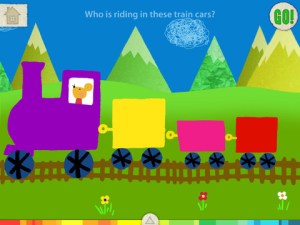
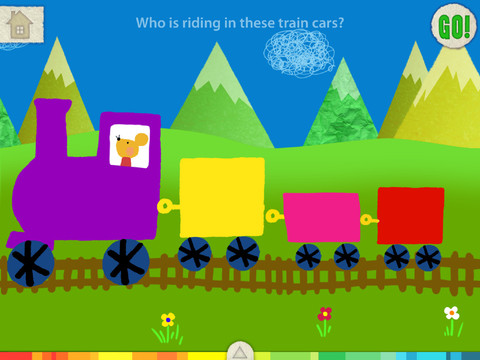
let's colorLet’s Color is another educational app from Lazoo that encourages creativity! The app includes an animated short in which the characters – Bobu, the monkey & Miku, the rabbit use their imaginations to turn triangles into a strawberry, a dog, a mountain, etc. Then kids are encouraged to color different things to complete a page: what is coming out of a hose, who is riding in the train, etc. Once the coloring is completed, they press GO and the drawings come alive. There are 17 coloring pages as well as a blank page for your child to create his/her own pictures. Additional coloring pages can be purchased within the app. Tools included are stickers, markers, paint, chalk, a ketchup bottle, as well as 10 colors & a mystery color wheel. Work can be saved into the gallery of the parents’ section by pressing the piggy bank. Another super cute app from Lazoo, a developer that encourages imagination and creativity.

Download link: https://itunes.apple.com/us/app/lazoo-lets-color!/id515438833?mt=8&uo=4

Miku's PicnicAlso FREE  – Miku’s Picnic, an adorable interactive story designed to support creative thinking. Kids join Bobu, the monkey & Miku, the rabbit on a chase after some jumping beans. The two need help capturing the beans before they bounce away! Along the way kids learn about using their imaginations and creative problem solving as the Bobu & Moku use “Squiggles” to… make a car go faster, make springs to get to the top of a tree, make binoculars to look for the beans, make a rocket zoom to the moon, and more. This educational app has 2 reading modes – “Read to Me” and “Read it Myself” as well as an option to record your own voice as the narrator. The story ends with a link to the FREE Squiggles app for kids so kids can “take a turn” drawing. I love the way Miku’s Picnic encourages kids to use their imaginations to solve problems!

Download link: https://itunes.apple.com/us/app/lazoo-mikus-picnic/id652945863?mt=8&uo=4
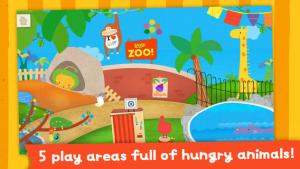
Lazoo ZooAnd last but not least from the developers of Squiggles – Lazoo Zoo, another fabulous educational appKIds help out with snack time at the zoo where there are 10 animals (lion, ape, chameleon, giraffe, hippo, whale, crocodile, crab, bird, & penguins) to feed. But Lazoo Zoo is not your ordinary zoo, so its animals react in extraordinary ways – the giraffe’s spots change according to what it’s fed, the ape tosses the food it doesn’t like to others, and more! Kids can even create their own foods to feed the animals. And, Lazoo Zoo has a photo booth where kids can snap their picture with their favorite animals. How cute is that?! 🙂 Check out the trailer at: http://www.youtube.com/watch?v=L564yPHM3No&feature=youtu.be

Download link: https://itunes.apple.com/us/app/lazoo-zoo/id727786503?mt=8&uo=4

From ABCMouse.com….

a to zFREE – A to Z Music Videos. This app has 26 animated videos – one for each letter of the alphabet. As kids watch the videos, they earn tickets to unlock other videos. There is also an option to purchase tickets to unlock videos more quickly. The videos are top-notch! They help children learn letter names and sounds AND develop vocabulary. Every video is produced in a different musical style, so kids are also introduced to a wide variety of musical genres. This app is a must-have for preschool, kindergarten, and first grade teachers – a perfect introduction to the letters of the alphabet!

Common Core Standards met:

  • K. RF.3 – Know and apply grade-level phonics and word analysis skills in decoding words. Demonstrate basic knowledge of one-to-one letter-sound correspondences by producing the primary sound or many of the most frequent sounds for each consonant. Associate the short sounds with common spellings (graphemes) for the five major vowels.

Download link: https://itunes.apple.com/us/app/to-z-music-videos-from-abcmouse.com/id586100697?mt=8&uo=4

Three for FREE from PBS. 🙂
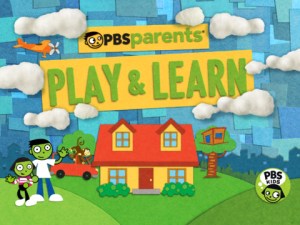
PBS Parents Play & LearnPBS Parents Play & Learn is a great FREE educational app that encourages families to learn together. PBS has designed this app specifically for parents and it can be used in English or Spanish. The app uses familiar locations (in the bathtub, in the kitchen, at the zoo, etc.) as themes then provides parents with meaningful activities/games for their children. I LOVE that the app includes ideas for different ages (baby, toddler, preschooler) and provides information for parents about the math & literacy skills embedded in the games. The app supports the fact that a child’s parents are his/her first and most important teacher – LOVE it!

Download link: https://itunes.apple.com/us/app/pbs-parents-play-learn-hd/id605542914?mt=8&uo=4
word friends

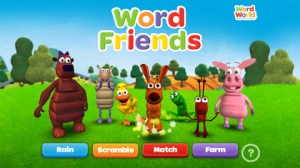
Learn with WordFriends is a FREE educational game from WordWorld, PBS’s Emmy winning show. Kids build and discover words with Dog, Duck, Sheep, Ant, Bear, Pig and Frog. Animal characters and word objects are formed from the words’ letters – a very cool feature! There are 3 puzzles to play: WordRain – grab letters as they rain from the sky to build the word, WordScramble – rearrange the scrambled letters to form the word, and WordMatch – a tile memory game. There is also a WordFriend Farms where kids can interact with the different animal characters. Dog is included with the app and the other animals are available as in-app purchases. Very cute, happy app!

Download link: https://itunes.apple.com/us/app/learn-with-wordfriends/id580328460?mt=8&uo=4

play squareWordWorld’s Happy Birthday Dog (by PlaySquare) is another educational app featuring the same characters as Learn with WordFriends. Children (ages 3 – 6) play and learn words and letters as the play in Word World. In the first episode, Happy Birthday Dog, Dog thinks that everyone has forgotten his birthday. Kids are engaged in the story as they help gather things for a birthday party to surprise Dog.

There are so many wonderful things about this app. It is colorful and engaging. Early literacy skills (letter recognition, letter sound, word building, word recognition) are developed throughout the story. The characters are funny and lovable. But the best part is of the app is how the developers (media experts from Nickelodeon, Sesame Workshop, LeapFrog, and MIT) have used the letters of the word to form the object being spelled – very clever! I LOVE this app!!

Watch the video from the developers @ http://playsquare.tv/

Download link: https://itunes.apple.com/us/app/playsquare-presents-wordworlds/id536304087?mt=8&uo=4

caillouKids learn about going to the doctor’s office with Caillou Check Up – Doctor’s Office, an adorable app for toddlers/preschoolers. This educational app has 11 mini-games that will teach your child about his/her next check-up. Four of the activities (check height & weight, tonsil check, follow the stick, & eye check) are included for FREE. The other 7 activities (thermometer, ear check, stethoscope, blood pressure, reflex check, medicine shot, & applying ointment) are available as in-app purchases. The app utilizes a variety of mechanics as kids tap and drag their way through the interactive mini-games. After completing each task, kids are rewarded with a colorful celebration. The app is sure to take the stress out of your child’s next visit to the doctor. No wonder it’s featured by Apple as one of the “Best New Apps & Games.” 🙂

Download link: https://itunes.apple.com/us/app/caillou-check-up-doctors-office/id772369925?mt=8&uo=4

Guess How Much I Love You

Guess How Much I Love You – Interactive Episodes is FREE. This wonderful educational app from Australia is based on the book Guess How Much I Love You by Sam McBratney and inspired by the animated TV series created by SLR Productions Pty Ltd. Guess How Much I Love You is a beautiful story about the love between a parent and a child – one of my all time favorites. Originally published in the UK in 1994, it has sold more than 20 million copies in 37 languages. It was the first book I purchased for my granddaughter – truly a book not to be missed!! That being said, this app conveys the same sweetness that makes the original story so special.

Kids join Little Nutbrown Hare in 2 interactive episodes – “Can You Touch the Stars” and “Snow White Hare.” Designed for 3 – 5 year children to explore with their parents, the episodes are integrated with simple games & puzzles. At the end of each episode, Big NutBrown Hare and Little NutBrown Hare express their love for each other. Don’t miss this one – it is SO sweet!

Download link: https://itunes.apple.com/us/app/guess-how-much-i-love-you/id572817746?mt=8&uo=4
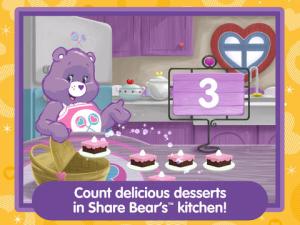
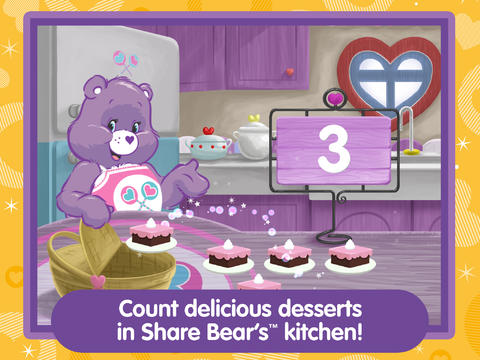
care bearsFrom American Greetings comes Care Bears Love to Learn, a FREE educational app for preschoolers. Kids join 7 of their favorite Care Bears to play a variety of games that are designed to help children count, build shapes, identify colors, learn beginning sounds, and more. After completing each activity, kids earn Care Bears stickers. These stickers can be saved and played with later. If you have a Care Bear fan in your house, check out this cute app!

Download link: https://itunes.apple.com/us/app/care-bears-love-to-learn/id884245655?mt=8&uo=

0

Everyday Math® APPS: Addition Top – It, Beat the Computer, Squeeze Monster, Equivalent Fractions, Divisibility Dash

FREE again!!!

5 educational apps from McGraw Hill’s Everyday Math® – If your school system uses this program to teach math, you may want to take advantage of these offers. 🙂

Everyday Math’s Addition Top-It app for iPhone/iPad is a two player game. It is fun easy way for kids to practice basic addition facts from 1 – 10 and greater than/less than.

Common Core Standards met:

  • 1.OA.6 – Add and subtract within 20, demonstrating fluency for addition and subtraction within 10.
  • 2.OA.2 – Fluently add and subtract within 20 using mental strategies. By end of Grade 2, know from memory all sums of two one-digit numbers.

Everyday Mathematics® Addition Top It - McGraw-Hill School Education Group

Everyday Math’s Beat the Computer app for iPhone/iPad is fun easy way for kids to practice basic multiplication facts. They race against the computer to score as many points as they can.

Common Core Standards met:

  • 3.OA.7 –  By the end of Grade 3, know from memory all products of two one-digit numbers.

Everyday Mathematics® Beat the Computer™ Multiplication - McGraw-Hill School Education Group

Everyday Math’s Squeeze Monster app for iPhone/iPad is a two player game. Designed for younger students, it reinforces number line concepts and number comparisons.

Everyday Mathematics® Monster Squeeze™ - McGraw-Hill School Education Group
Everyday Math’s Equivalent Fractions app for iPhone/iPad is fun easy way to reinforce fraction concepts. Note: the app uses a digital version of the fraction cards from the Everyday Math third grade book.

Common Core Standards met:

  • 3.NF.3 – Explain equivalence of fractions and compare fractions by reasoning about their size. Understand two fractions as equivalent (equal) if they are the same size, or the same point on a number line. Recognize and generate simple equivalent fractions, e.g., 1/2 = 2/4, 4/6 = 2/3). Explain why the fractions are equivalent, e.g., by using a visual fraction model.
Everyday Mathematics® Equivalent Fractions™ - McGraw-Hill School Education Group
Everyday Math’s Divisibility Dash app for iPhone/iPad is fun easy way to practice recognizing multiples of a number and applying divisibility tests.

Common Core Standards met:

  •  4.OA.4 – Find all factor pairs for a whole number in the range 1–100. Recognize that a whole number is a multiple of each of its factors. Determine whether a given whole number in the range 1–100 is a multiple of a given one-digit number. Determine whether a given whole number in the range 1–100 is prime or composite.

Everyday Mathematics® Divisibility Dash™ - McGraw-Hill School Education Group

0

12 Fun Apps for Learning Math Facts

Let’s face it – getting kids to learn their math facts can be a challenge. But once they know them, they know them forever. The process of “doing math” becomes more efficient and less frustrating when kids know their facts. Luckily there are plenty of fun apps that can help kids become “math fact” proficient. All of these apps are FREE or were “FREE for a limited time” when I reviewed them. Check them out – they’re all great!

You can follow my blog appydazeblog | educational apps for kids and the adults in their lives to find out if/when they become FREE again. Enjoy!! 🙂

Sushi Monster is a FREE educational app for the iPhone/iPad developed by Scholastic. It helps kids practice, reinforce, and extend their knowledge of math facts. There are 12 levels of play – 7 addition levels and 5 multiplication levels. A chef places numbered plates of sushi on the counter. Kids have to combine the numbers on the plates to reach the target number (worn by the sushi monster). If the combination is correct, the monster gobbles up the sushi. If it is wrong, the monster throw a tantrum. Each round has 14 target numbers. Successfully completing one level unlocks the next. As kids progress through the levels they are expected to extend their thinking beyond the basic facts. At each level a strategy is provided to help kids succeed. This educational app provides a lot of practice and kids will love the silly sushi chef!

Common Core Standards met:

  • 3.OA.7 – By the end of Grade 3, know from memory all products of two one-digit numbers.
  • 3.NTB.3 – Multiply one-digit whole numbers by multiples of 10 in the range 10–90 (e.g., 9 × 80, 5 × 60) using strategies based on place value and properties of operations.

Sushi Monster - Scholastic

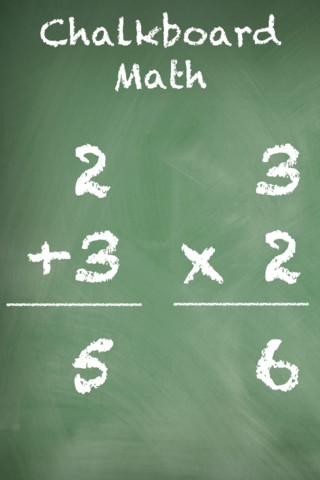
This app was FREE, now $.99.  It helps kids practice their basic facts for addition, subtraction, multiplication, and division. First kids choose numbers (1-12) to work with, then the math operation/operations. The app generates practice in 2 modes: answer mode (enter the answers & get feedback) or flashcards mode (answer verbally then check). The game has no built-in sounds but there is positive reinforcement written at the top of the page. If a child misses a problem, it shows the correct answer. What I really like about this app is the ability to choose specific numbers to work on. Facts can be practiced in the order they are taught. I also like the ability to choose more than one operation to practice – it makes kids pay attention to the signs of operation and see the relationships between operations. This app is simple but effective – if you loaded this app on your iPhone, kids could easily practice flashcards on their way to after school activities. 🙂

Common Core Standards met:

  • 1.OA.6 – Add and subtract within 20, demonstrating fluency for addition and subtraction within 10.
  • 2.OA.2 – Fluently add and subtract within 20 using mental strategies. By end of Grade 2, know from memory all sums of two one-digit numbers.
  • 3.OA.7 – Fluently multiply and divide within 100, using strategies such as the relationship between multiplication and division or properties of operations. By the end of Grade 3, know from memory all products of two one-digit numbers.

Chalkboard Math - 22nd Century Software LLC

sail through math

Ahoy there!! Sail through Math from McGraw Hill is currently $1.99 but it “goes FREE” periodically. This educational app provides a fun way for students to practice their math facts/skills. There are 3 levels of play for addition, subtraction, multiplication, and division facts. Other areas covered are addition equations. subtraction equations, multiplication equations, two-step equations, names for numbers, patterns/factors/multiples, and compare numbers. This app provides of great practice built around a pirate theme – complete with music and firing cannonballs! At the end of each game, the child can see what problems he/she missed as well as a percentage score. What a fun way to learn basic facts – in the classroom, at home, in the car on a way to an evening activity. I used to tell my students to practice during commercials – 10 to 15 minutes a day works wonders. This app provides a fun way to accomplish that goal 🙂

Common Core Standards met:

  • 1.OA.6 – Add and subtract within 20, demonstrating fluency for addition and subtraction within 10.
  • 2.OA.2 – Fluently add and subtract within 20 using mental strategies. By end of Grade 2, know from memory all sums of two one-digit numbers.
  • 3.OA.7 – Fluently multiply and divide within 100, using strategies such as the relationship between multiplication and division or properties of operations. By the end of Grade 3, know from memory all products of two one-digit numbers.

Sail Through Math - McGraw-Hill School Education Group

quick math

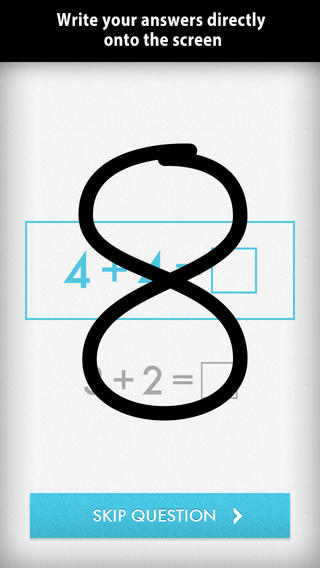
Was FREE for a limited time, currently $1.99 – Quick Math – Arithmetic & Times Tables, an educational app that encourages math fluency in addition, subtraction, multiplication, division, & mixed operations. Kids race against the clock to improve their scores. Handwriting recognition allows the players to write the answers directly on the screen – a very slick feature. There are 4 game levels: beginner, intermediate, advance, and extreme. This app features LOTS of great practice for multiple levels of math students. It can be shared among students and it tracks each student’s progress – perfect for the classroom. The math gets progressively harder as students improve their skills. I love how the app encourages self-improvement and legible writing! Teachers could assign 10 minutes of practice each day for their students. I am sure the results would be significant. What a fabulous tool for the classroom – perfect for a daily warm-up, at a math center, or for fluency practice after completing an assignment.

Common Core Standards met:

  • 1.OA.6 – Add and subtract within 20, demonstrating fluency for addition and subtraction within 10.
  • 2.OA.2 – Fluently add and subtract within 20 using mental strategies. By end of Grade 2, know from memory all sums of two one-digit numbers.
  • 3.OA.7 – Fluently multiply and divide within 100, using strategies such as the relationship between multiplication and division or properties of operations. By the end of Grade 3, know from memory all products of two one-digit numbers.

Download link: https://itunes.apple.com/us/app/quick-math-arithmetic-times/id537802071?mt=8&uo=4

Math Evolve

Was FREE for  limited time, currently $1.99 – Math Evolve, an app that combines math practice (addition, subtraction, multiplication, division) with an arcade-style game that kids will enjoy playing. Math Evolve has 12 levels, 19 different enemies, and 6 challenging bosses that can be played on 3 difficulty settings. The app has 2 modes: practice mode and story mode. In practice mode, a parent or teacher can choose which math facts to practice and monitor a child’s progress. In the story mode, kids embark on math adventure across three environments: microscopic, ocean, and space. The difficulty of the math and the difficulty of the game can be set independently which makes the game fun for all ages. The app supports up to 5 players. Statistics are kept in the player history section so parent/teachers can evaluate how kids are progressing. This app would be great for independent practice in a classroom. It has customizable practice built into a fun game AND it collects statistical data – awesome!

For more information go to http://mathevolve.com.

Common Core Standards met:

  • 1.OA.6 – Add and subtract within 20, demonstrating fluency for addition and subtraction within 10.
  • 2.OA.2 – Fluently add and subtract within 20 using mental strategies. By end of Grade 2, know from memory all sums of two one-digit numbers.
  • 3.OA.7 – Fluently multiply and divide within 100, using strategies such as the relationship between multiplication and division or properties of operations. By the end of Grade 3, know from memory all products of two one-digit numbers.

Math Evolve: A Fun Math Game - Zephyr Games

Math Splat

Was FREE for  limited time, currently $.99 – Math Splat, a really fun mental math game. Kids are challenged to answer 21 math questions as fast as they can. A colorful paint splat covers each correct answer. Each game is timed and limited to 3 incorrect answers. Each incorrect answer adds a 3 second penalty to the final time. Kids will  love trying to beat their best time! The student can choose between easy, medium, and hard questions which makes this game great for differentiating instruction. Have kids graph their scores so that they can see themselves improve and in the process they will also learn to collect data. This educational app is perfect for getting kids to practice their facts in a fun way!

Common Core Standards met:

  • 1.OA.6 – Add and subtract within 20, demonstrating fluency for addition and subtraction within 10.
  • 2.OA.2 – Fluently add and subtract within 20 using mental strategies. By end of Grade 2, know from memory all sums of two one-digit numbers.
  • 3.OA.7 – Fluently multiply and divide within 100, using strategies such as the relationship between multiplication and division or properties of operations. By the end of Grade 3, know from memory all products of two one-digit numbers.

Download link: https://itunes.apple.com/us/app/math-splat/id495477324?mt=8&uo=4

operation math

Was FREE for a limited time, currently $2.99 – Operation Math, a great educational app from Spinlight StudioKids will have fun practicing basic addition, subtraction, multiplication, & division tables in this interactive “spy” game. The object of the game is to stop Dr. Odd’s quest to eliminate the world’s even numbers. In order to do so, kids must complete 105 missions by solving equations. Missions can be selected based on a child’s skill level and/or the operation (+, -, +/-, x, ÷, x/÷  or +/-/x/÷).  Of course, time is of the essence so kids have to answer problems in 60 seconds or less. By doing so, they lock doors along their escape routes. And as they complete missions, they earn the gear of a seasoned spy. What a great game – I love how the app integrates math practice into a really cool game for kids. I especially like the modes which permit kids to practice multiple operations at a time. It makes kids pay attention to operation signs and quickly switch their thinking. What a fun way for kids to practice facts and meet CCSS! No wonderOperation Math was given a 2012 Parents’ Choice Award. Get it today – kids will LOVE it!

Common Core State Standards met:

  • 1.OA.6 – Add and subtract within 20, demonstrating fluency for addition and subtraction within 10.
  • 2.OA.2 – Fluently add and subtract within 20 using mental strategies. By end of Grade 2, know from memory all sums of two one-digit numbers.
  • 3.OA.7 – Fluently multiply and divide within 100, using strategies such as the relationship between multiplication and division or properties of operations. By the end of Grade 3, know from memory all products of two one-digit numbers.

Download link: https://itunes.apple.com/us/app/operation-math/id487387270?mt=8&uo=4

Yodel

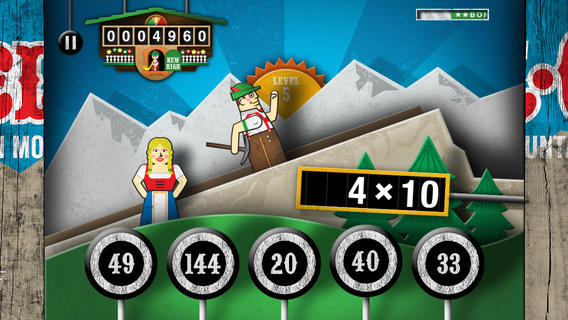
Was FREE for a limited time, currently $2.99 – YodelOh™ Math Mountain. Kids will have fun learning basic addition, subtraction, multiplication, and division math tables with this game. The object of the game is to score enough points to keep Hans from falling off the cliff. In order to do so, kids have to answer problems quickly and avoid the crazy charging sheep. And as kids score points, the questions get harder. The app also includes high-score charts that track the best 15 games for all 5 modes. I especially like the mode which permits kids to practice all 4 operations at a time. It makes kids pay attention to operation signs and quickly switch their thinking. What a fun way for kids to practice facts and it meets CCSS! Get it today. 🙂

Common Core State Standards met:

  • 1.OA.6 – Add and subtract within 20, demonstrating fluency for addition and subtraction within 10.
  • 2.OA.2 – Fluently add and subtract within 20 using mental strategies. By end of Grade 2, know from memory all sums of two one-digit numbers.
  • 3.OA.7 – Fluently multiply and divide within 100, using strategies such as the relationship between multiplication and division or properties of operations. By the end of Grade 3, know from memory all products of two one-digit numbers.

Download math: https://itunes.apple.com/us/app/yodeloh-math-mountain/id634946225?mt=8&uo=4

Math Mathews

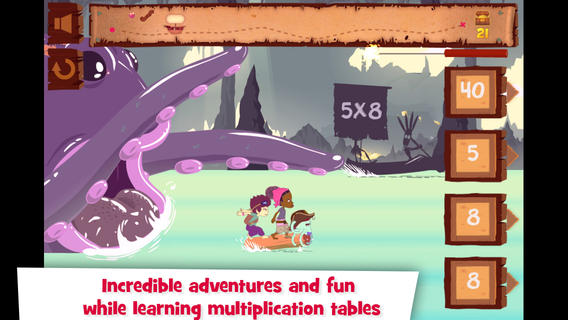
Was FREE for a limited time, currently $2.99 – Multiplications with Math Matthews, a great new app for studying multiplication facts. Kids join Math Mathews and his crew on a high seas adventure to find treasure and break the curse that turned him into an octopus. There are so many great things about this app that make it perfect for the classroom. The app includes a diary (ship’s log) that gives the back story to this adventure that kids are about to join. I envision teachers using this narrative as a group activity to get kids excited about joining the crew. Then the app is divided into 3 mini-games with each game using a different method of practice. Kids earn badges and collect gold as they practice facts. The app allows you to set which facts it will review. This feature makes this game particularly valuable in the classroom. Teachers can start with ones & twos, add fives, then three & fours – adapting their students’ practice to their teaching. And…the app can be used with 7 different players – perfect for small group practice, centers, etc. It keeps track of the progress for each individual – another plus for teachers. If I was still teaching, I would definitely use this educational app in my third grade classroom  – it meet a CCSS for third grade multiplication. What a fabulous & fun learning tool for kids!!

Common Core State Standards met:

  • 3.OA.7 – By the end of Grade 3, know from memory all products of two one-digit numbers.

Download link: https://itunes.apple.com/us/app/multiplications-math-mathews/id611130011?mt=8&uo=4

Was FREE for a limited time, currently $4.99 – Math Racer, an educational app that times how fast kids can answer 10, 20, 50 or 100 problems in 7 different games: addition, subtraction, multiplication, division, add/subtract, multiply/divide, or all operations. I like kids being able to practice related operations together – it makes them pay attention to operational signs & see connections. The app keeps high scores for all areas. It shows which problems were missed and how long it took to answer each question (to the hundredth of a second). Teachers and parents can use this tracking system to document kids’ progress.

This app provides a simple but fun way for kids to practice their facts. I can’t imagine that they won’t love racing the clock to improve their scores. If it is loaded on an iPhone, kids could easily practice their facts in the car on their way to after-school lessons. 🙂

Common Core Standards met:

  • 1.OA.6 – Add and subtract within 20, demonstrating fluency for addition and subtraction within 10.
  • 2.OA.2 – Fluently add and subtract within 20 using mental strategies. By end of Grade 2, know from memory all sums of two one-digit numbers.
  • 3.OA.7 – Fluently multiply and divide within 100, using strategies such as the relationship between multiplication and division or properties of operations. By the end of Grade 3, know from memory all products of two one-digit numbers.

Math ® - i4software

Math Duel

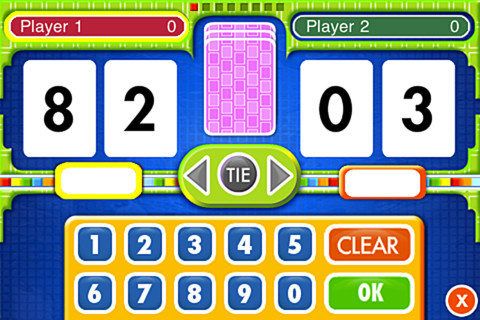
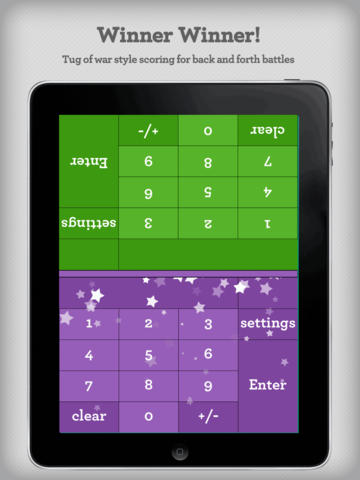
Was FREE for a limited time, currently $2.99 – Math Duel-2 Player Mathematical Game.This educational app pits two players against each other on the same device which makes it perfect for sharing iPads in the classroom. The app has a split screen interface – students sit facing each other on either end of the iPad. As kids answer math equations, the app keeps separate scores for each student. The best thing about this app is that it is fully customizable (on both sides) which makes it a fabulous tool for individualizing instruction for a wide range of students. Equations can be set with 1 – 5 terms. Largest numbers possible can be from 1 – 100. Negative numbers can be turned on/off. Kids can practice addition, subtraction, multiplication, division or any combination of these operations. Fabulous and fun for daily classroom math practice in multiple grades!

Common Core Standards met:

  • 1.OA.6 – Add and subtract within 20, demonstrating fluency for addition and subtraction within 10.
  • 2.OA.2 – Fluently add and subtract within 20 using mental strategies. By end of Grade 2, know from memory all sums of two one-digit numbers.
  • 3.OA.7 – Fluently multiply and divide within 100, using strategies such as the relationship between multiplication and division or properties of operations. By the end of Grade 3, know from memory all products of two one-digit numbers.

Download link: https://itunes.apple.com/us/app/math-duel-2-player-mathematical/id495077699?mt=8&uo=4

Was FREE for a limited time, currently $1.99 – Bubbling Math, an educational app for the iPad helps students in grades 1 – 4 become proficient in basic math skills – addition, subtraction, multiplication, division. In the Task Configuration section of the app, parents/teachers choose the operations & the levels of difficulty (easy, medium, hard, expert). Descriptions tell specifically what kinds of problems are included in each level. The ability to customize what a child needs to practice makes this app very powerful. Another plus is that the levels can be set differently for each operation. The other powerful section of this app is the “parents section” where a child’s progress is reported by the date, the operations and levels practiced, the number right & wrong, the specific problems missed, and percent correct.

As for the actual game – there are 9 levels that unlock as the child makes progress. There are trophies awarded for doing well. The graphics and music are nicely done. The speed of the game can be adjusted  – slow, normal, fast. But…what makes this app stand out is the ability to truly personalize it. Unfortunately, I don’t think the app tracks more than one child’s data. The data can be reset but the results for the first child would be lost. Regardless, this app is great!

Common Core Standards met:

  • 1.OA.6 – Add and subtract within 20, demonstrating fluency for addition and subtraction within 10.
  • 2.OA.2 – Fluently add and subtract within 20 using mental strategies. By end of Grade 2, know from memory all sums of two one-digit numbers.
  • 3.OA.7 – Fluently multiply and divide within 100, using strategies such as the relationship between multiplication and division or properties of operations. By the end of Grade 3, know from memory all products of two one-digit numbers.

Bubbling Math - TappyTaps s.r.o.

0

Earth 3D – Amazing Atlas

earth 3dFREE today – Earth 3D-Amazing Atlas, an educational app about our planet. The interactive globe includes: a relief model of Earth, political and geographic maps, 1,400 geographic objects, and 330 wonders of the world. As kids explore the globe they can tap on places or objects to learn more. Full descriptions are included as well as more than 900 photos. The app is very user friendly – just a tap along the bottom accesses its different features. Kids can explore Earth by searching for a particular place. The app can be easily be changed from a geographic map to a political map. Latitude and longitude lines can be turned on. Kids can click a button to turn on the weather. The app is full of information! It would be a great addition to any classroom – perfect for projecting on to a Smartboard.

Download link: https://itunes.apple.com/us/app/earth-3d-amazing-atlas/id581911397?mt=8&uo=4

0

Monster Medic

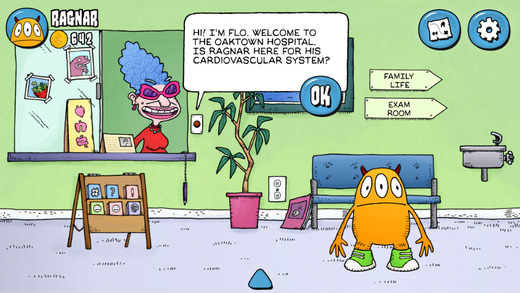
Monster heart medicMonster Heart Medic is a FREE app developed by the Lawrence Hall of Science at Berkeley. Kids help to diagnose a friendly monster named Ragnar and guide him to a healthier life. The app uses stories, animations, simulations, and arcade game to teach about cardiovascular conditions. Kids learn what can be done to keep their hearts healthy. All of the health recommendations within the app come from established sources such as the National Institute of Health, the American Heart Association, the CDC, and Prevention. Check out this nicely done app that combines fun and healthy living!

Download link: https://itunes.apple.com/us/app/monster-heart-medic/id973303004?mt=8&uo=4


0

Flashcard Ninja

flashcard ninjaFREE for a limited time – Flashcard Ninja, an educational app for practicing addition and subtraction with numbers 1 – 20. Kids embark on a journey to become a math ninja. They can record their own sounds to accompany the ninja’s karate moves – a feature that is sure to be a hit. As they answer mixed addition/subtraction questions posed by the ninja master, the “math ninjas” win trophies for their trophy room. A 10, 20, or 30 second timer can be set to allow more time for kids who need it. The timer can also be turned completely off. I wish the app had a setting to customize a child’s practice – addition only, subtraction only, mixed facts up to 10, etc. It would also be nice if the app gathered data. Perhaps the developers will add these options in an update. In the meantime, I can see how this app might appeal to some kids who are otherwise reluctant to practice math. So, check it out while it’s free to see if it works for your children.

Download link: https://itunes.apple.com/us/app/flashcard-ninja-1-20/id540438755?mt=8&uo=4