0

My Incredible Body – A Kid’s App to Learn about the Human Body

my incredible body

On sale for only $.99 – My Incredible Body – A Kid’s App to Learn about the Human Body. This educational app takes kids inside the body to see how everything works. Kids start by choosing an area to explore – brain & nerves, digestion, lungs & air, skeleton, kidneys & urine, senses, muscles, or circulation. Each of the 8 content areas provides information in a variety of engaging ways. Kids can watch short movies & animations that explain the different functions of the body. 3D models can be rotated or zoomed to allow kids to see inside the body and discover how body parts work together. Kids will spend hours reading and listening to all sorts of fun facts about their bodies. For example: extraocular muscles control eye movements and are the busiest muscles in the body. This app is fabulous – it’s easy to use, visually appealing, engaging, and full of information. Kids will LOVE it!

Download link: https://itunes.apple.com/us/app/my-incredible-body-kids-app/id853953105?mt=8&uo=4

0

Petting Zoo

Petting

FREE again – Petting Zoo, an adorable app for kids and adults who are kids at heart. 🙂 This educational app combines the charm of Christoph Niemann’s humorous animations with state of the art technology as one scene morphs into the next. The app is simple to use – just swipe and tap the 21 animals to see how they react. The results are delightfully surprising! Kids will discover what an elephant would do in the bathroom, if a dog can breakdance, how monkeys play soccer, and more. This app is suitable for kids of all languages because there are no spoken words. It’s perfect for discussion and predicting what will happen next. It would also be great for story writing. A really fun storybook app – creative, silly, and sure to delight!

Download link: https://itunes.apple.com/us/app/petting-zoo-animal-animations/id602773895?mt=8&uo=4

0

Math Animations Grades (1 – 8)…

math animations

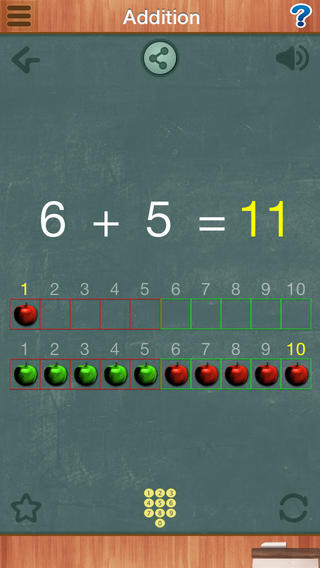
FREE for a limited time – Math Animations (Grades 1-8): Includes numbers, decimals, fractions, addition, subtraction, multiplication, division, geometry (perimeter and area of parallelograms, triangles, trapezoids), measurement, algebra. Elementary and Middle School Mathematics. The title says it all! The purpose of this app is to show kids how math works – visually. The app features 55 animations that explain everything from counting to beginning algebra. There are no words used. Math concepts are visually explained in step-by-step illustrations. If you have kids that need to “see” how things work, you may want to add this app to your list of teaching resources!

Download link: https://itunes.apple.com/us/app/math-animations-grades-1-8/id579825429?mt=8&uo=4

0

Sharing With Duckie Deck and Duckie Deck With Teeth

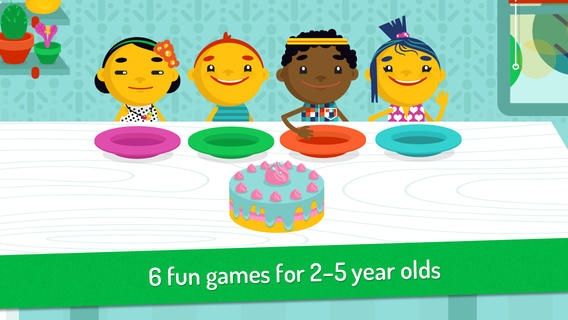
Duckie DeckFREE for a limited time – Sharing With Duckie Deck. This happy & colorful app features six educational activities for preschoolers: food sharing, toy sharing, matching, deductive reasoning, cake decorating, and drawing. As they play the games, kids collects stickers and badges in their special drawer – adding to the fun! The games focus on the positive feelings that are associated with sharing. A cheerful, developmentally appropriate app with a great lesson on sharing – how perfect!

Download link: https://itunes.apple.com/us/app/sharing-duckie-deck-6-in-1/id574861323?mt=8&uo=4

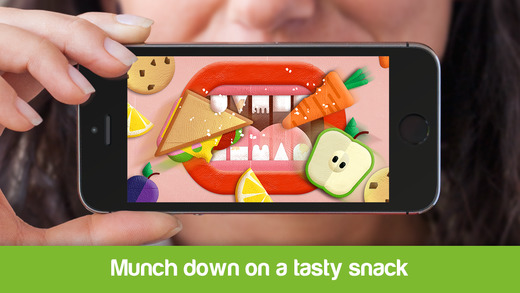
with teethAlso FREE for a limited time – Duckie Deck With Teeth, another fun app for preschoolers. This educational app teaches kids to brush their teeth in a fun, unique way. First kids design their set of teeth. Then they use those teeth to eat all kinds of tasty treats. Soon it’s time to brush away the goo and grime. Kids brush until their teeth until those teeth are sparkly clean!!  They are rewarded at the end with happy mouth! Super cute!!

Download link: https://itunes.apple.com/us/app/duckie-deck-with-teeth/id880552257?mt=8&uo=4

0

6 FREE Apps to Encourage Lifelong Learning

Try adding one or more of these apps to your daily routine this year. Students will love learning something new each day!

This Day in HistoryOne of my favorite FREE resources… WORLD BOOK  – This Day in History for iPad is a great FREE resource for the classroom. Historical events for the day are displayed on a calendar page. You can click on links to related media such as articles, photos/illustrations, music, speeches and more! When I was teaching, I had students  do “morning work” (correct punctuation, capitalization, & spelling in two sentences) while I took attendance, did lunch count, etc. This educational app would have been perfect for that daily assignment because I always used information about something interesting that happened that day. After correcting the sentences, the kids and I would discuss the history of that day. I was always amazed at how well kids retained what we had discussed during the opening minutes of every day. Throughout the year they would often remark, “We learned about that in our morning work.” You may want to try making this educational app part of your classroom’s morning routine. 🙂

WORLD BOOK - This Day in History for iPad - Software MacKiev

WonderopolisFREE – Wonderopolis, a fabulous educational app. Explore Wonderopolis (the website) with your mobile device.

Wonderopolis (Wonderopolis | Where the Wonders of Learning Never Cease) is a fantastic website that provides a daily Wonder of the Day®.  A fun & intriguing question is featured every day. The website/app includes a written explanation of the answer, vocabulary words, and a gallery of images & videos – all to foster learning and inspire curiosity about the Wonder of the Day®. Other daily features include a “Try It Out” section which suggests activities based on the day’s question, a “Still Wondering” section which gives additional/related information, and a quiz. There is even a section for teachers/parents called the “Educator Sandbox” with additional resources and opportunities to connect with the Wonderopolis community. It’s such a fascinating and wonderful resource – I enjoy reading it myself!

Using this website/app would be a fabulous addition to a daily classroom routine. Kids could read (or listen to) the daily Wonder of the Day® as part of their independent work time. They could journal about what they learned and/or what they are still wondering about. A class discussion could be scheduled for later. What a great way to encourage THINKING! Wonderopolis is a fabulous resource to ignite the natural curiosity and imagination of kids!

Download link: https://itunes.apple.com/us/app/wonderopolis/id505247028?mt=8&uo=4

BrainPOP has been around for more than a decade as an educational website. The site features short animated movies – 750+ lessons covering science, social studies, math, art & music, etc. The content is geared for grades 4 and above but I found that many movies were also suitable for third graders. When I was in the classroom, it was one of my favorite online resources.

Now you can download the BrainPOP Featured Movie, the educational app for FREE! Your child can learn something new every day. After watching the daily movie there is a short interactive quiz. And… if your child can’t get enough of this app, there are two subscription options: $1.99 per month/ 4 movies & quizzes a day OR $6.99 per month/full access.

Teachers could add the BrainPOP movie of the day to their daily routine. Watch it at a transition time – right before lunch, after lunch, while waiting for buses to called, etc. Interesting and educational!!

BrainPOP Featured Movie - BrainPOP®

Also available for FREE is BrainPOP Jr. Movie of the Week, another educational app. Every week Annie and Moby (two lovable characters) help 5 to 9 year olds learn about a different subject. There is also a quiz and activities to accompany each animated movie. BrainPOP Jr. has been on the web since 2006 delivering content for younger students in science, social studies, reading, writing, math, and more.

Again, teachers could add the BrainPOP Jr. Movie of the Week to their routine. Start your Monday off with the “Movie of the Week” or use it on Friday. BrainPOP gives teachers another way spark kids interest in learning!
BrainPOP Jr. Movie of the Week - BrainPOP®

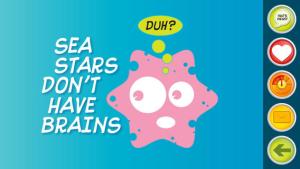
weirdDid you know that hippo’s lips are about two feet wide? Get ready to learn all sorts of wacky facts with this app. Just updated and FREE – Weird But True, an e-book from National Geographic Kids. Over 625 kid-friendly, wacky facts are presented in a fun & interactive way. Kids can swipe to move from fact to fact or shake their device to generate a random fact. Sound effects and surprises add to the fun! There is a fact finder which kids can use to locates facts by subject – animals, weather, space, etc. The app also includes a “Weird-O-Meter” which kids can use to rate the level of weirdness for each fact. Additional fact packs are available as in-app purchases –  $.99 each. This app won the Spring 2012 Parents’ Choice Award and was chosen as New & Noteworthy, What’s Hot, & Staff Favorites by Apple. Kids will LOVE this app. :
Weird But True - National Geographic Society

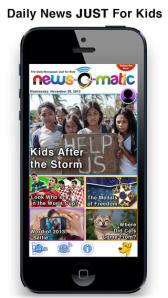
newsCheck out a FREE trial of News-o-Matic, an educational newspaper app for kids 7 – 11 years old. A new edition is published every Monday through Friday. Each edition features 5 articles from the news – sports, science, world news, wacky events, etc. The articles are kid-friendly and age-appropriate. Kids can read on their own or have the articles read to them. Important vocabulary words are underlined and linked to their definitions. The articles also include fun facts, a map for locating where the news is happening, videos, and games. Once registered, kids can connect to the News Room to draw pictures, express opinions, or ask questions about the news. This app helps kids become informed citizens of the world!

The FREE trial lasts for 2 weeks. After that, you must subscribe: yearly – $19.99. monthly – $1.99, or weekly – $0.99. If you subscribe before the end of your free trial, you get a special rate. Teachers, there is also a News-o-Matic School Edition. It comes with a teacher’s guide which includes discussion prompts, comprehension questions, Lexile reading levels, and more. And, it’s a great resource for non-fiction reading!

Download link: https://itunes.apple.com/us/app/news-o-matic-daily-reading/id578023255?mt=8&uo=4

0

Bug Games HD

bug games

Singing crickets! Bug Games HD is FREE for a limited time. This super cute educational app for preschoolers has 4 sections: Cricket Concert, Bee Word Builder, Ant Tunnel Builder, and Spider Dot-to-Dot. In the Cricket Concert section, kids can select a song to hear the crickets sing together or they can tap on each cricket to play the song on their own. In Bee Word Builder, kids hear the phonic pronunciation of individual letters as they use them to put words together. Ant Tunnel Builder requires kids to rotate puzzle pieces so that the ants can march through a completed tunnel. Spider Dot-to-Dot has kids connecting dots in numerical order. Kids collect sticker rewards along the way. This app has a nice combination of learning games for preschoolers – cute, fun, & engaging! Who knew that playing with bugs could be so much fun! 🙂

Bug Games HD - by Busy Bee Studios - Busy Bee Studios

0

Word Games: Brain Chain & Hollow Words

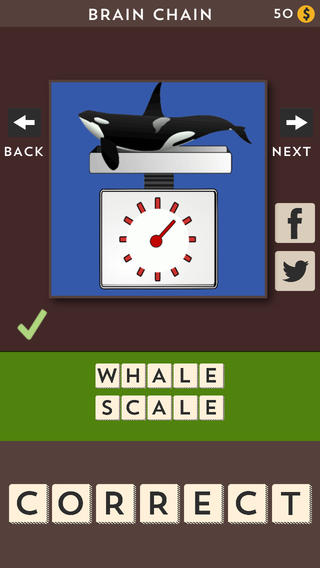
brain chainFREE today – Brain Chain, fun rhyming puzzles for kids of all ages. Each puzzle graphically represents two words that don’t necessarily go together; but, they rhyme. The letters needed to solve the puzzle are shown along the bottom. Just tap the letters in the correct order to solve the rhyme. Points are awarded for each puzzle that is completed correctly. If a player needs a hint, he/she can buy one with points. The first two puzzle sets are free. Additional sets can be unlocked with the player’s points or with in-app purchases. Kids will discover that some rhyming words look-alike (because of their spelling) and some rhyming words only sound alike. It would be fun to use these puzzles with kids then have them make up some of their own. 🙂 They remind me of hinky-pinky riddles which were always great for teaching kids about rhyming & syllables.
Download link: https://itunes.apple.com/us/app/brain-chain/id680239315?mt=8&uo=4
hollow wordsAlso FREE today – Hollow Words, another fun puzzle game from the same developer. Each puzzle graphically represents a common word or phrase. As the puzzles are correctly solved, points are awarded. Hints can be purchased if a player becomes stuck. The first two puzzle sets are free. Additional sets can be unlocked with points or with in-app purchases. I LOVE these kinds of puzzles. They’re fun and make kids think. I wish the app permitted you to go back and revisit the completed sets. It would be fun to review them and discuss what the different phrases mean. Then kids could take other common phrases and try to come up with some of their own. 🙂
Download link: https://itunes.apple.com/us/app/hollow-words/id689596858?mt=8&uo=4

0

7 Fabulous Apps for Teaching Fractions

fractions

Currently FREE  – Fractions by Brainingcamp, an excellent educational app for teaching fractions. The app covers 7 topics: introduction to fractions, equivalent fractions, common denominators, comparing/ordering fractions, adding/subtracting fractions, multiplying fractions, and dividing fractions. Each topic includes: a narrated lesson (with visual models), virtual manipulatives for kids to explore, practice questions to check understanding, and a challenging game for additional practice. Kids earn badges as they work through the components of each topic.

WOW – I love everything about this app. The lessons are wonderful. The manipulatives are designed to promote understanding of the concepts presented. The practice questions give students and their teachers a check of their understanding. And, the challenging games helps kids further master the topic. It would be a fabulous for grades 3 and beyond!

Common Core State Standards met:

  • 3.NF.1. Understand a fraction 1/b as the quantity formed by 1 part when a whole is partitioned into b equal parts; understand a fraction a/b as the quantity formed by a parts of size 1/b.
  • 3.NF.3 – Explain equivalence of fractions and compare fractions by reasoning about their size. Understand two fractions as equivalent (equal) if they are the same size. Recognize and generate simple equivalent fractions, e.g., 1/2 = 2/4, 4/6 = 2/3).
  • 4.NF.3 – a. Understand addition and subtraction of fractions as joining and separating parts referring to the same whole.
  • 5.NF.3 – Interpret a fraction as division of the numerator by the denominator (a/b = a ÷ b).

Download link: https://itunes.apple.com/us/app/fractions-by-brainingcamp/id471353363?mt=8&uo=4

on no fractrionsUpdated again in March 2014 – Oh No, Fractions! This FREE app just keeps getting better and better because the developer encourages teacher input. How wonderful is that – a developer willing to listen to teachers’ needs!

Oh No Fractions! is a great FREE iPhone/iPad app for comparing and exploring fractions. The educational app is simple to use – kids just swipe to the right or the left to indicate whether one fraction is “greater than” or “less than” or “equal to” a second fraction. As they work, kids can tap above each fraction to see if it can be reduced/simplified – a great feature. But, one of the best features of this app is the “peek”/”prove it” feature. Kids can use a manipulative to “peek” at an answer before they commit to it or they can use the manipulative to “prove” their answer later. This feature is fabulous because it allows the child to visualize his/her answer. Kids can also use this app to practice finding the common denominator. Then they can use it for addition, subtraction, multiplication, and division of fractions. The app also generates corresponding decimals/percentages for each answer. What a great tool for helping kids to understand fractions!! It’s no wonder that it received the 2013 Children’s Technology Review Editor’s Choice Award.

Common Core Standards met:

  • 3.NF.3 – Explain equivalence of fractions and compare fractions by reasoning about their size. Understand two fractions as equivalent (equal) if they are the same size. Recognize and generate simple equivalent fractions, e.g., 1/2 = 2/4, 4/6 = 2/3).

Oh No Fractions! - Curious Hat Lab - Curious Hat

equivalent fractions

From the National Council of Teachers of Mathematics comes a FREE app called Equivalent Fractions. Kids create equivalent fractions by dividing and shading squares or circles. Circles can be divided into 24ths. Squares can be divided into 144ths. In the play mode, a fraction is shown and kids must create 2 additional fractions that are equivalent. All 3 fractions must have different denominators. The app also places the fractions on a number line – a great visual for comparing! There is also a “build your own” mode which would be fabulous to use for guided exploration & practice. Kids could also use this section as a virtual manipulative when working independently. This app is an excellent resource for the classroom!

Common Core Standards met:

  • 3.NF.3 – Explain equivalence of fractions and compare fractions by reasoning about their size. Understand two fractions as equivalent (equal) if they are the same size, or the same point on a number line. Recognize and generate simple equivalent fractions, e.g., 1/2 = 2/4, 4/6 = 2/3). Explain why the fractions are equivalent, e.g., by using a visual fraction model.

Equivalent Fractions - National Council of Teachers of Mathematics

tiny fractionsNow $4.99 but was FREE when it was released – Tiny Fractions. This educational app teaches identifying, comparing, ordering, finding equivalents, simplifying, adding, and subtracting fractions using vials of liquid. It starts out simple and gets more difficult as kids progress through the app. It also keeps track of the student’s progress – showing teachers/parents specifically which fractions were missed. Simply done and easy to use, this app does a great job helping kids visualize and learn fractions!

Common Core Standards met:

  • 3.NF.1. Understand a fraction 1/b as the quantity formed by 1 part when a whole is partitioned into b equal parts; understand a fraction a/b as the quantity formed by a parts of size 1/b.
  • 3.NF.3 – Explain equivalence of fractions and compare fractions by reasoning about their size. Understand two fractions as equivalent (equal) if they are the same size. Recognize and generate simple equivalent fractions, e.g., 1/2 = 2/4, 4/6 = 2/3).
  • 4.NF.3 – a. Understand addition and subtraction of fractions as joining and separating parts referring to the same whole.

Tiny Fractions - TapToLearn Software

squeebles

From England and currently $1.99 –  Squeebles Fractions, an app for the iPhone/iPad that is designed to teach fractions to 7 – 11 year olds. The Squeebles want to enter a cake making contest but their ingredients have been stolen by the Math Monster. By working on the app’s 4 games, kids help the Squeebles earn back their ingredients. In Piece of Cake, kids drag the fractional part of a cake to a Squeebles when he asks for it. The easy mode covers halves, fourths, thirds. The hard mode cover fractions to tenths. In Tricky Pairs, kids have to match pairs of equivalent fractions. In the easy mode they match 4 pairs and in the hard mode they match up to 9 pairs. Think Big has kids feeding cake to the Squeeble that calls out the biggest fraction. The easy mode covers halves, fourths, thirds. The hard mode cover fractions to twelfths. Super Sums requires kids to add fractions as quickly as they can and has three levels of difficulty. After earning ingredients, kids can create cakes and enter them in The Cake Show – fun! Another great thing about this app is that you can have more than one player. My only concern is that the easy mode of Piece of Cake requires kids to know some equivalent fractions – for example, it asked kids to pick 3/4 of a cake divided into 8 pieces, 1/3 of a cake divided into 6 pieces, etc. I wish it would have required a basic knowledge of fractions in the easy mode then moved on to equivalent fractions in the hard mode. This app is cute, fun, and provides great practice for a wide spectrum of kids.

Common Core Standards met:

  • 3.NF.3 – Explain equivalence of fractions and compare fractions by reasoning about their size. Understand two fractions as equivalent (equal) if they are the same size, or the same point on a number line. Recognize and generate simple equivalent fractions, e.g., 1/2 = 2/4, 4/6 = 2/3).
  • 4.NF.3 – a. Understand addition and subtraction of fractions as joining and separating parts referring to the same whole.

Download link: https://itunes.apple.com/us/app/squeebles-fractions/id557576867?mt=8&uo=4

equivalent

Currently $1.99 but often “goes free” – Everyday Mathematics® Equivalent Fractions™  for iPhone/iPad is fun easy way to reinforce fraction concepts. Note: the app uses a digital version of the fraction cards from the Everyday Math third grade book.
Common Core Standards met:

  • 3.NF.3 – Explain equivalence of fractions and compare fractions by reasoning about their size. Understand two fractions as equivalent (equal) if they are the same size, or the same point on a number line. Recognize and generate simple equivalent fractions, e.g., 1/2 = 2/4, 4/6 = 2/3). Explain why the fractions are equivalent, e.g., by using a visual fraction model.

Download link: https://itunes.apple.com/us/app/everyday-mathematics-equivalent/id417016316?mt=8&uo=4

Fraction Wall

Currently $1.99 – Fraction Wall, an app designed for small group or independent learning. This educational app has 4 sections: Teacher Tool, Complete the Wall, 2 Player Game, and Addition. The Teacher Tool can be used to show/discover equivalent fractions or it can be used to answer equivalent fraction problems. Complete the Wall has kids moving bricks on top of equivalent fractions. There are 4 levels: level 1 – halves and quarter; level 2 – halves, thirds, quarters and sixths; level 3 – halves, thirds; quarters fifths, sixths, tenths; level 4 – halves up to tenth. 2 Player Game has kids competing against each other to be the first to fill their wall of equivalent fractions. Addition has kids adding fractions to answer multiple choice questions. There is a clickable wall to help them visualize the answer if needed. This section also has 4 levels. The app can be customized to exclude more difficult fractions from the wall. This app would work well in the classroom – great for practicing and/or for using as a tool to visualize answers. Much more fun than a worksheet for practicing fractions!

Common Core Standards met:

  • 3.NF.3 – Explain equivalence of fractions and compare fractions by reasoning about their size. Understand two fractions as equivalent (equal) if they are the same size. Recognize and generate simple equivalent fractions, e.g., 1/2 = 2/4, 4/6 = 2/3).
0

Interactive Alphabet ABCs

Interactive Alphabet ABCsStill FREE – Interactive Alphabet is one of the best alphabet apps that I have seen for babies, toddlers, & preschoolers. It’s so cute and well designed! To start you choose an accent (American or British) and a mode. It has 3 modes for your developing child – baby, explore, and trace. The baby mode takes your child on a guided, touchable tour of the alphabet. The explore mode lets children discover the sights & sounds of the alphabet at their own pace. It features fun activities that kids will want to explore multiple times. In the trace mode, kids learn to properly trace letters (lower case, upper case, or mixed) and words. The app keeps track of your child’s progress by starring the letters & words that are traced most often. The app can also be personalized by adding your own words and pictures. Your child can learn to trace his/her own name as well as the names of other family members, family pets, etc. This educational app truly lays the foundation for reading and spelling! Fabulous – this developer seems to have thought of everything!

Download link: https://itunes.apple.com/us/app/interactive-alphabet-abcs/id383967580?mt=8&uo=4

0

Learn with Homer

Learn with Homer

Listed as “New & Noteworthy” in August 2013, Learn with Homer is an educational reading app for kids 3 – 6. Its FREE trial download includes multiple stories and lessons with additional content available through in-app purchases. The app was updated again on August 14, 2014. This update includes a some back-to-school surprises such as Homer singing the alphabet! 

Homer, a gray pigeon, resides in an interactive world designed to help kids learn to read. The fun starts in the Hat Shop where kids have photos taken in the “thinking caps” of their choice. Kids then proceed to a carousel which features every part of the app: Story Time, Learn to Read, Discover the World, Draw a Picture, Songs & Rhymes, Record Your Voice, and U.S. Presidents. There kids choose where to begin their reading adventure. The Learn to Read lessons teach phonemes (sounds) in sequence, then words, then sentences in a sequential, step-by-step reading program. The Story Time section is divided into categories – Homer stories, poetry, folktales, first readers. It includes some free stories with many more offered as in-app purchases. Discover the World is a series of adventures in science, history, art, etc. designed to increase kids’ basic knowledge and vocabularies. The drawing & recording tools help kids develop their expressive skills. There is also a parent website to track children’s progress and/or download printables & book recommendations. This educational app seems to have it all – a well-designed, comprehensive approach to learning to read with real kid appeal!

For more information go to Homer: Parent Resources.

Download link: https://itunes.apple.com/us/app/learn-with-homer/id601437586?mt=8&uo=4