0

Squiggles, Let’s Color, Miku’s Picnic, and Lazoo Zoo

The FAB 4 (for young kids) – FREE and fabulously creative apps from Lazoo.

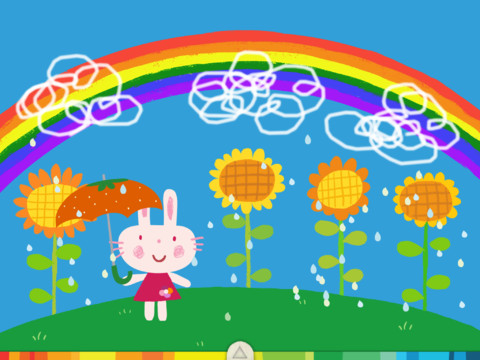
Squiggles is a FREE educational app for the iPad and it is ADORABLE!  Kids are encouraged to draw squiggles to create: rain clouds (to water flowers), waves (to help fish swim), wool (on sheep), cotton candy, etc. Once the squiggles are drawn, they press GO and the drawings come alive. The app includes an interactive storybook and an animated short which introduces the characters – Bobu, the monkey & Miku, the rabbit. It also includes 14 squiggle-ready drawing pages as well as a blank page for your child to create his/her own pictures. Tools included are stickers, markers, paint, chalk, a ketchup bottle, as well as 10 colors & a mystery color wheel. Work can be saved into the gallery of the parents’ section by pressing the piggy bank. This app is super cute!! It encourages children to be imaginative & creative – it’s one of my favorites! 🙂

Highly recommended!

Squiggles! - Lazoo Worldwide, Inc

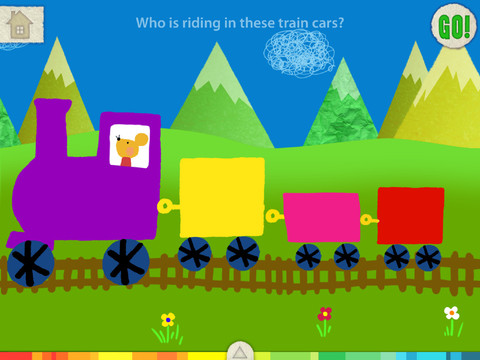
FREE for a limited time – Let’s Color, another educational app that encourages creativity! The app includes an animated short in which the characters – Bobu, the monkey & Miku, the rabbit use their imaginations to turn triangles into a strawberry, a dog, a mountain, etc. Then kids are encouraged to color different things to complete a page: what is coming out of a hose, who is riding in the train, etc. Once the coloring is completed, they press GO and the drawings come alive. There are 17 coloring pages as well as a blank page for your child to create his/her own pictures. Additional coloring pages can be purchased within the app. Tools included are stickers, markers, paint, chalk, a ketchup bottle, as well as 10 colors & a mystery color wheel. Work can be saved into the gallery of the parents’ section by pressing the piggy bank. Another super cute app from Lazoo, a developer that encourages imagination and creativity. :)

Highly recommended!

Let's Color! - Lazoo Worldwide, Inc

Miku's Picnic

Also FREE for a limited time – Miku’s Picnic, an adorable interactive story designed to support creative thinking. Kids join Bobu, the monkey & Miku, the rabbit on a chase after some jumping beans. The two need help capturing the beans before they bounce away! Along the way kids learn about using their imaginations and creative problem solving as the Bobu & Moku use “Squiggles” to… make a car go faster, make springs to get to the top of a tree, make binoculars to look for the beans, make a rocket zoom to the moon, and more. This educational app has 2 reading modes – “Read to Me” and “Read it Myself” as well as an option to record your own voice as the narrator. The story ends with a link to the FREE Squiggles app for kids so kids can “take a turn” drawing. I love the way Miku’s Picnic encourages kids to use their imaginations to solve problems!

Download link: https://itunes.apple.com/us/app/lazoo-mikus-picnic/id652945863?mt=8&uo=4

Lazoo ZooFREE for a limited time  – Lazoo Zoo, another fabulous educational app from the developers of Squiggles. KIds help out with snack time at the zoo where there are 10 animals (lion, ape, chameleon, giraffe, hippo, whale, crocodile, crab, bird, & penguins) to feed. But Lazoo Zoo is not your ordinary zoo, so its animals react in extraordinary ways – the giraffe’s spots change according to what it’s fed, the ape tosses the food it doesn’t like to others, and more! Kids can even create their own foods to feed the animals. And, Lazoo Zoo has a photo booth where kids can snap their picture with their favorite animals. How cute is that?! 🙂 Check out the trailer at: http://www.youtube.com/watch?v=L564yPHM3No&feature=youtu.be

Download link: https://itunes.apple.com/us/app/lazoo-zoo/id727786503?mt=8&uo=4

0

Marco Polo Ocean

marco polo

This Parents’ Choice Gold Award winner is FREE for a limited time. Marco Polo Ocean is a fun & educational app for preschoolers. Kids learn about Earth’s oceans through build & explore activities (puzzles) or through free play. There are 5 build and explore activities: coral reef, killer whale, herring, boat, and submersible. As kids add parts to each puzzle, they build their vocabulary and learn fun facts. During free play, kids can: explore from the shore to the sea floor, steer their vehicles through ocean waters, add creatures to the water to see how they interact with each other, and more. Marco Polo Ocean uses self-directed discovery to expose kids to STEM education (science, technology, engineering, and math) in a fun, engaging way. Kids will learn about the ocean structure, the species that live there, characteristics of the fish/marine mammals, etc. It’s no wonder that Marco Polo Ocean was named App Store Editors’ Choice in 15 Countries!! Do not miss this one. It’s learning and fun rolled into one! 🙂

Download link: https://itunes.apple.com/us/app/marcopolo-ocean/id797157312?mt=8&uo=4

0

10 FREE Science Apps for Kids

sunFREE science app – DIY Sun Science teaches kids about the science of the sun. Funded by the NASA and developed by Berkeley’s Lawrence Science Hall, this educational app is the second in a series of FREE science apps. It includes 12+ hands-on activities, live images of the sun from NASA’s satellite, videos of the sun, and more. Each activity starts with a summary which gives an overview of the activity, the time it will take to complete (prep – clean-up), and the suggested age group. Next, there is a materials list. All items are inexpensive and widely available. Then there is a series of step-by-step directions – with pictures. Finally, there is an explanation of “what’s going on” in the activity. Related videos are at the bottom of the page so that your child can learn more. This app is very well-organized, easy to use, and provides a wonderful introduction to sun science. The best part about the app is that it gives kids and adults the opportunity to learn something new together which is fabulous!

Download link: https://itunes.apple.com/us/app/diy-sun-science/id836712493?mt=8&uo=4

DIY Nano

Recently updated to include 3 new hands-on activities and 8 new nanotechnology videos is another FREE science app – DIY Nano.  This educational app teaches kids (and their adults) about the nanoscale. Funded by the National Science Foundation and developed by Berkeley’s Lawrence Science Hall, this educational app provides a series of activities and videos about nanoscale science, engineering, and technology. There are 12 hands-on activities in this app. Each one starts with a summary which gives an overview of the activity, the time it will take to complete (prep – clean-up), and the suggested age group. Next, there is a materials list. All items are inexpensive and widely available. Then there is a series of step-by-step directions – with pictures. Finally, there is an explanation of “what’s going on” in the activity. Related videos are at the bottom of the page so that your child can learn more. This app is very well-organized, easy to use, and provides a wonderful introduction to the world of nanoscale science. The best part about the app is that it gives kids and adults the opportunity to learn something new together. How exciting is that?!?

DIY Nano HD - The Lawrence Hall of Science

Science 360FREE from the National Science Foundation comes Science 360 for iPad – scientific images and videos from around the world. This educational app covers a range of topics and breaking news from NSF-funded institutions. New content is added weekly. Users can browse the app’s unique 360 display board to learn about something new or they can find specific content by searching keywords. It’s easy to save images and videos for later use right within the app – perfect for teachers who are gathering resources for a unit. The quality of the images is spectacular and they are available in HD for download to your iPad. Keep abreast of the latest scientific discoveries with this app – a great resource!!

Download link: https://itunes.apple.com/us/app/science360-for-ipad/id439928181?mt=8&uo=4
Bill Nye The Science GuyGreat FREE educational app – Bill Nye The Science Guy. 2013 was Bill Nye’s 20th Anniversary and Disney celebrated with the release of this educational app. Kids scan their thumbs to gain entrance to Nye Labs – a scientifically fascinating place. There they can play games, watch clips from their favorite shows, try some experiments, and more. When I was still teaching, I frequently used Bill Nye’s materials. My students loved his energetic, fun videos and often begged to watch them again! It’s no wonder he is the winner of 38 Emmys. This app takes kids to a place where science rules!!

Download link: https://itunes.apple.com/us/app/bill-nye-the-science-guy/id652548755?mt=8&uo=4

Color UncoveredTwo FABULOUS & FREE educational apps from the Exploratorium!! Both interactive books contain illusions, articles, and videos. These apps make science fun by answering questions like – What color is a whisper? Are there secret messages in music played backward? Kids will love the illusions and you won’t believe these apps are FREE! Very interesting – for kids AND their parents/teachers.

Color Uncovered: https://itunes.apple.com/us/app/color-uncovered/id470299591?mt=8&uo=4

Sound Uncovered: https://itunes.apple.com/us/app/sound-uncovered/id598835017?mt=8&uo=4
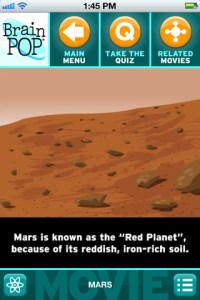
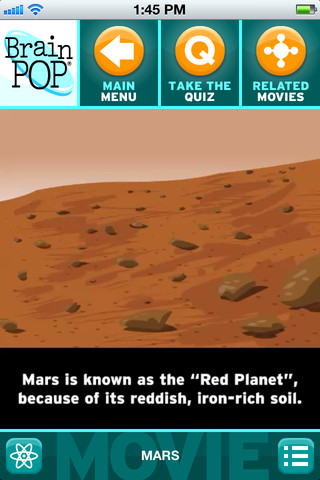
brain popBrainPOP has been around for more than a decade as an educational website. The site features short animated movies – 750+ lessons covering science, social studies, math, art & music, etc. The content is geared for grades 4 and above but I found that many movies were also suitable for third graders. When I was in the classroom, it was one of my favorite online resources.

Now you can download the BrainPOP Featured Movie, the educational app for FREE! Your child can learn something new every day. After watching the daily movie there is a short interactive quiz. And… if your child can’t get enough of this app, there are two subscription options: $1.99 per month/ 4 movies & quizzes a day OR $6.99 per month/full access.

Teachers could add the BrainPOP movie of the day to their daily routine. Watch it at a transition time – right before lunch, after lunch, while waiting for buses to called, etc. Interesting and educational!!

Download link: https://itunes.apple.com/us/app/brainpop-featured-movie/id364894352?mt=8&uo=4
brain pop jr

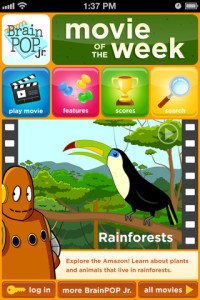
Also available for FREE is BrainPOP Jr. Movie of the Week, another educational app. Every week Annie and Moby (two lovable characters) help 5 to 9 year olds learn about a different subject. There is also a quiz and activities to accompany each animated movie. BrainPOP Jr. has been on the web since 2006 delivering content for younger students in science, social studies, reading, writing, math, and more.

Again, teachers could add the BrainPOP Jr. Movie of the Week to their routine. Start your Monday off with the “Movie of the Week” or use it on Friday. BrainPOP gives teachers another way spark kids interest in learning!

Download link: https://itunes.apple.com/us/app/brainpop-jr.-movie-of-the-week/id536371867?mt=8&uo=4

Zachy the RobotFREE again for limited time – Zachy the Robot: The Leaning Tower of Robocity, episode 1 of an interactive cartoon series for kids ages 3-7. The series was developed and tested in cooperation with Carnegie Mellon University Children’s School. It introduces basic STEM (science, technology, engineering, math) concepts to kids. In this first episode, kids are introduces to basic engineering concepts when Zachy and his friends, the Repairbots, are called in to fix a skyscraper that is leaning. Kids will love watching this animated adventure and helping the Repairbots solve the problem. This educational app was a winner of a Parents’ Choice Recommended Award in 2011 – a well-deserved honor! It exposes kids to STEM concepts in a fun & engaging way!

Download link: https://itunes.apple.com/us/app/zachy-robot-leaning-tower/id441107189?mt=8&uo=4

Robots for iPadWho doesn’t love robots? Robots for iPad is FREE for a limited time. This educational app was listed as “New & Noteworthy” by Apple. It was also reviewed or mentioned in the NY Times, Mashable, Wired, CNET and more! Kids (and adults) can explore real-world robots with this fun app which is chock full of interactivity, animations, photos, videos, & articles. The app introduces over 150 robots from 19 countries. Kids can swipe each robot for a 360° view then tap the robot to interact with it. There are also hundreds of videos and 500+ pictures. The app has information about all kinds of robots (drones, androids, etc.) as well as information about some famous robots – Honda’s humanoid Asimo, a NASA Mars rover, and Google’s self-driving car. VERY cool and very informative!

Teachers, there are lots of possibilities for using this app in your classroom. After exploring, use it for writing activities – descriptive paragraphs, write about a robot you would invent, pick a robot and write a story, etc. The app’s ratings section could be used for graphing activities. There is also a great timeline included as well as a section on how to get started in robotics. I can see how kids will love this app. 🙂

Download link: https://itunes.apple.com/us/app/robots-for-ipad/id566581906?mt=8&uo=4


0

Princess Piano

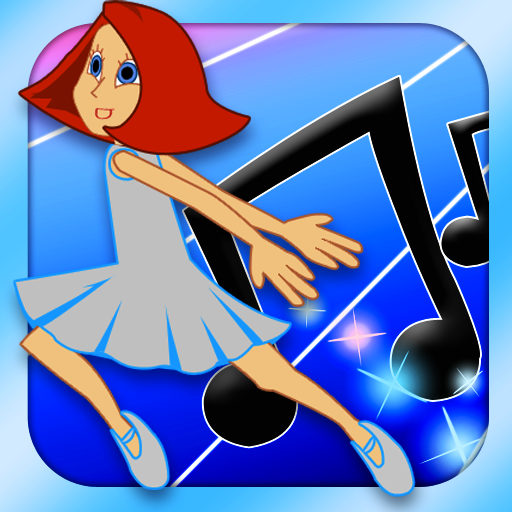
FREE again – Princess Piano, an educational app for the iPhone/iPad that usually costs $1.99. Kids help Princess Piano dance her way back to the Cloud Kingdom by playing the songs on the piano as well as they can. The app introduces musical notation one note at a time (starting with c,d,e….) as well as the timing of notes (quarter notes, half notes). Kids are given practice as each new note/concept is taught. There are three modes of difficulty: beginner (keys flash, key/notes are labeled, 60% or better to advance), advanced (keys labeled, 80% or better to advance) and virtuoso (90% or better to advance). As kids advance through the levels they unlock outfits for Princess Piano – which they can use in “Dressing Room.” There is also a “Song Maker” tool for kids to compose their own music. This app is a great introduction to reading music!

Princess Piano - Dented Pixel

0

12 Fun Apps for Learning Math Facts

Let’s face it – getting kids to learn their math facts can be a challenge. But once they know them, they know them forever. The process of “doing math” becomes more efficient and less frustrating when kids know their facts. Luckily there are plenty of fun apps that can help kids become “math fact” proficient. All of these apps are FREE or were “FREE for a limited time” when I reviewed them. Check them out – they’re all great!

You can follow my blog appydazeblog | educational apps for kids and the adults in their lives to find out if/when they become FREE again. Enjoy!! 🙂

Sushi Monster is a FREE educational app for the iPhone/iPad developed by Scholastic. It helps kids practice, reinforce, and extend their knowledge of math facts. There are 12 levels of play – 7 addition levels and 5 multiplication levels. A chef places numbered plates of sushi on the counter. Kids have to combine the numbers on the plates to reach the target number (worn by the sushi monster). If the combination is correct, the monster gobbles up the sushi. If it is wrong, the monster throw a tantrum. Each round has 14 target numbers. Successfully completing one level unlocks the next. As kids progress through the levels they are expected to extend their thinking beyond the basic facts. At each level a strategy is provided to help kids succeed. This educational app provides a lot of practice and kids will love the silly sushi chef!

Common Core Standards met:

  • 3.OA.7 – By the end of Grade 3, know from memory all products of two one-digit numbers.
  • 3.NTB.3 – Multiply one-digit whole numbers by multiples of 10 in the range 10–90 (e.g., 9 × 80, 5 × 60) using strategies based on place value and properties of operations.

Sushi Monster - Scholastic

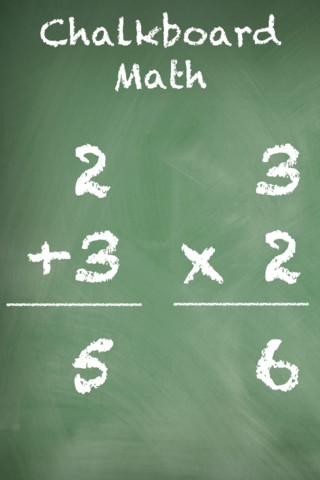
This app was FREE, now $.99.  It helps kids practice their basic facts for addition, subtraction, multiplication, and division. First kids choose numbers (1-12) to work with, then the math operation/operations. The app generates practice in 2 modes: answer mode (enter the answers & get feedback) or flashcards mode (answer verbally then check). The game has no built-in sounds but there is positive reinforcement written at the top of the page. If a child misses a problem, it shows the correct answer. What I really like about this app is the ability to choose specific numbers to work on. Facts can be practiced in the order they are taught. I also like the ability to choose more than one operation to practice – it makes kids pay attention to the signs of operation and see the relationships between operations. This app is simple but effective – if you loaded this app on your iPhone, kids could easily practice flashcards on their way to after school activities. 🙂

Common Core Standards met:

  • 1.OA.6 – Add and subtract within 20, demonstrating fluency for addition and subtraction within 10.
  • 2.OA.2 – Fluently add and subtract within 20 using mental strategies. By end of Grade 2, know from memory all sums of two one-digit numbers.
  • 3.OA.7 – Fluently multiply and divide within 100, using strategies such as the relationship between multiplication and division or properties of operations. By the end of Grade 3, know from memory all products of two one-digit numbers.

Chalkboard Math - 22nd Century Software LLC

sail through math

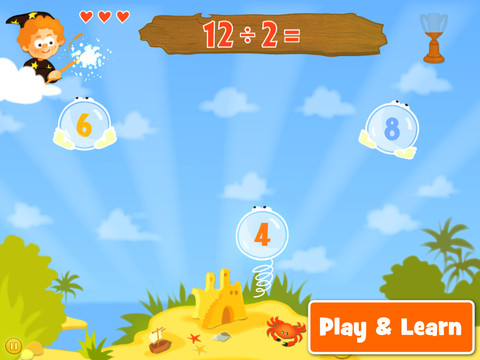
Ahoy there!! Sail through Math from McGraw Hill is currently $1.99 but it “goes FREE” periodically. This educational app provides a fun way for students to practice their math facts/skills. There are 3 levels of play for addition, subtraction, multiplication, and division facts. Other areas covered are addition equations. subtraction equations, multiplication equations, two-step equations, names for numbers, patterns/factors/multiples, and compare numbers. This app provides of great practice built around a pirate theme – complete with music and firing cannonballs! At the end of each game, the child can see what problems he/she missed as well as a percentage score. What a fun way to learn basic facts – in the classroom, at home, in the car on a way to an evening activity. I used to tell my students to practice during commercials – 10 to 15 minutes a day works wonders. This app provides a fun way to accomplish that goal 🙂

Common Core Standards met:

  • 1.OA.6 – Add and subtract within 20, demonstrating fluency for addition and subtraction within 10.
  • 2.OA.2 – Fluently add and subtract within 20 using mental strategies. By end of Grade 2, know from memory all sums of two one-digit numbers.
  • 3.OA.7 – Fluently multiply and divide within 100, using strategies such as the relationship between multiplication and division or properties of operations. By the end of Grade 3, know from memory all products of two one-digit numbers.

Sail Through Math - McGraw-Hill School Education Group

quick math

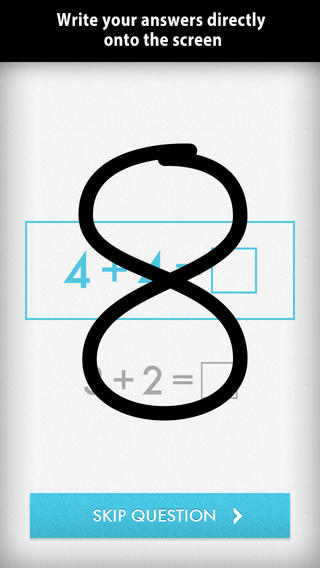
Was FREE for a limited time, currently $1.99 – Quick Math – Arithmetic & Times Tables, an educational app that encourages math fluency in addition, subtraction, multiplication, division, & mixed operations. Kids race against the clock to improve their scores. Handwriting recognition allows the players to write the answers directly on the screen – a very slick feature. There are 4 game levels: beginner, intermediate, advance, and extreme. This app features LOTS of great practice for multiple levels of math students. It can be shared among students and it tracks each student’s progress – perfect for the classroom. The math gets progressively harder as students improve their skills. I love how the app encourages self-improvement and legible writing! Teachers could assign 10 minutes of practice each day for their students. I am sure the results would be significant. What a fabulous tool for the classroom – perfect for a daily warm-up, at a math center, or for fluency practice after completing an assignment.

Common Core Standards met:

  • 1.OA.6 – Add and subtract within 20, demonstrating fluency for addition and subtraction within 10.
  • 2.OA.2 – Fluently add and subtract within 20 using mental strategies. By end of Grade 2, know from memory all sums of two one-digit numbers.
  • 3.OA.7 – Fluently multiply and divide within 100, using strategies such as the relationship between multiplication and division or properties of operations. By the end of Grade 3, know from memory all products of two one-digit numbers.

Download link: https://itunes.apple.com/us/app/quick-math-arithmetic-times/id537802071?mt=8&uo=4

Math Evolve

Was FREE for  limited time, currently $1.99 – Math Evolve, an app that combines math practice (addition, subtraction, multiplication, division) with an arcade-style game that kids will enjoy playing. Math Evolve has 12 levels, 19 different enemies, and 6 challenging bosses that can be played on 3 difficulty settings. The app has 2 modes: practice mode and story mode. In practice mode, a parent or teacher can choose which math facts to practice and monitor a child’s progress. In the story mode, kids embark on math adventure across three environments: microscopic, ocean, and space. The difficulty of the math and the difficulty of the game can be set independently which makes the game fun for all ages. The app supports up to 5 players. Statistics are kept in the player history section so parent/teachers can evaluate how kids are progressing. This app would be great for independent practice in a classroom. It has customizable practice built into a fun game AND it collects statistical data – awesome!

For more information go to http://mathevolve.com.

Common Core Standards met:

  • 1.OA.6 – Add and subtract within 20, demonstrating fluency for addition and subtraction within 10.
  • 2.OA.2 – Fluently add and subtract within 20 using mental strategies. By end of Grade 2, know from memory all sums of two one-digit numbers.
  • 3.OA.7 – Fluently multiply and divide within 100, using strategies such as the relationship between multiplication and division or properties of operations. By the end of Grade 3, know from memory all products of two one-digit numbers.

Math Evolve: A Fun Math Game - Zephyr Games

Math Splat

Was FREE for  limited time, currently $.99 – Math Splat, a really fun mental math game. Kids are challenged to answer 21 math questions as fast as they can. A colorful paint splat covers each correct answer. Each game is timed and limited to 3 incorrect answers. Each incorrect answer adds a 3 second penalty to the final time. Kids will  love trying to beat their best time! The student can choose between easy, medium, and hard questions which makes this game great for differentiating instruction. Have kids graph their scores so that they can see themselves improve and in the process they will also learn to collect data. This educational app is perfect for getting kids to practice their facts in a fun way!

Common Core Standards met:

  • 1.OA.6 – Add and subtract within 20, demonstrating fluency for addition and subtraction within 10.
  • 2.OA.2 – Fluently add and subtract within 20 using mental strategies. By end of Grade 2, know from memory all sums of two one-digit numbers.
  • 3.OA.7 – Fluently multiply and divide within 100, using strategies such as the relationship between multiplication and division or properties of operations. By the end of Grade 3, know from memory all products of two one-digit numbers.

Download link: https://itunes.apple.com/us/app/math-splat/id495477324?mt=8&uo=4

operation math

Was FREE for a limited time, currently $2.99 – Operation Math, a great educational app from Spinlight StudioKids will have fun practicing basic addition, subtraction, multiplication, & division tables in this interactive “spy” game. The object of the game is to stop Dr. Odd’s quest to eliminate the world’s even numbers. In order to do so, kids must complete 105 missions by solving equations. Missions can be selected based on a child’s skill level and/or the operation (+, -, +/-, x, ÷, x/÷  or +/-/x/÷).  Of course, time is of the essence so kids have to answer problems in 60 seconds or less. By doing so, they lock doors along their escape routes. And as they complete missions, they earn the gear of a seasoned spy. What a great game – I love how the app integrates math practice into a really cool game for kids. I especially like the modes which permit kids to practice multiple operations at a time. It makes kids pay attention to operation signs and quickly switch their thinking. What a fun way for kids to practice facts and meet CCSS! No wonderOperation Math was given a 2012 Parents’ Choice Award. Get it today – kids will LOVE it!

Common Core State Standards met:

  • 1.OA.6 – Add and subtract within 20, demonstrating fluency for addition and subtraction within 10.
  • 2.OA.2 – Fluently add and subtract within 20 using mental strategies. By end of Grade 2, know from memory all sums of two one-digit numbers.
  • 3.OA.7 – Fluently multiply and divide within 100, using strategies such as the relationship between multiplication and division or properties of operations. By the end of Grade 3, know from memory all products of two one-digit numbers.

Download link: https://itunes.apple.com/us/app/operation-math/id487387270?mt=8&uo=4

Yodel

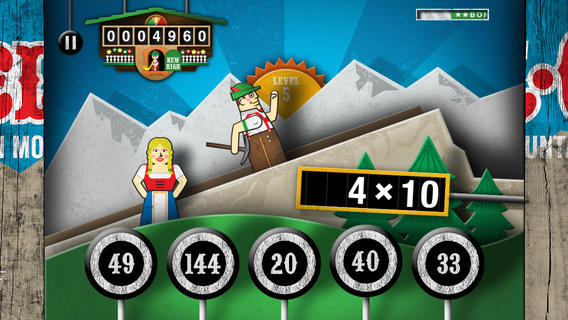
Was FREE for a limited time, currently $2.99 – YodelOh™ Math Mountain. Kids will have fun learning basic addition, subtraction, multiplication, and division math tables with this game. The object of the game is to score enough points to keep Hans from falling off the cliff. In order to do so, kids have to answer problems quickly and avoid the crazy charging sheep. And as kids score points, the questions get harder. The app also includes high-score charts that track the best 15 games for all 5 modes. I especially like the mode which permits kids to practice all 4 operations at a time. It makes kids pay attention to operation signs and quickly switch their thinking. What a fun way for kids to practice facts and it meets CCSS! Get it today. 🙂

Common Core State Standards met:

  • 1.OA.6 – Add and subtract within 20, demonstrating fluency for addition and subtraction within 10.
  • 2.OA.2 – Fluently add and subtract within 20 using mental strategies. By end of Grade 2, know from memory all sums of two one-digit numbers.
  • 3.OA.7 – Fluently multiply and divide within 100, using strategies such as the relationship between multiplication and division or properties of operations. By the end of Grade 3, know from memory all products of two one-digit numbers.

Download math: https://itunes.apple.com/us/app/yodeloh-math-mountain/id634946225?mt=8&uo=4

Math Mathews

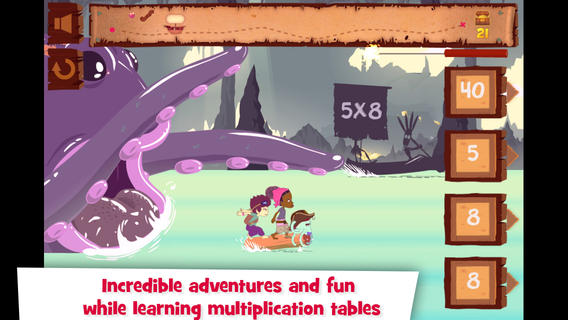
Was FREE for a limited time, currently $2.99 – Multiplications with Math Matthews, a great new app for studying multiplication facts. Kids join Math Mathews and his crew on a high seas adventure to find treasure and break the curse that turned him into an octopus. There are so many great things about this app that make it perfect for the classroom. The app includes a diary (ship’s log) that gives the back story to this adventure that kids are about to join. I envision teachers using this narrative as a group activity to get kids excited about joining the crew. Then the app is divided into 3 mini-games with each game using a different method of practice. Kids earn badges and collect gold as they practice facts. The app allows you to set which facts it will review. This feature makes this game particularly valuable in the classroom. Teachers can start with ones & twos, add fives, then three & fours – adapting their students’ practice to their teaching. And…the app can be used with 7 different players – perfect for small group practice, centers, etc. It keeps track of the progress for each individual – another plus for teachers. If I was still teaching, I would definitely use this educational app in my third grade classroom  – it meet a CCSS for third grade multiplication. What a fabulous & fun learning tool for kids!!

Common Core State Standards met:

  • 3.OA.7 – By the end of Grade 3, know from memory all products of two one-digit numbers.

Download link: https://itunes.apple.com/us/app/multiplications-math-mathews/id611130011?mt=8&uo=4

Was FREE for a limited time, currently $4.99 – Math Racer, an educational app that times how fast kids can answer 10, 20, 50 or 100 problems in 7 different games: addition, subtraction, multiplication, division, add/subtract, multiply/divide, or all operations. I like kids being able to practice related operations together – it makes them pay attention to operational signs & see connections. The app keeps high scores for all areas. It shows which problems were missed and how long it took to answer each question (to the hundredth of a second). Teachers and parents can use this tracking system to document kids’ progress.

This app provides a simple but fun way for kids to practice their facts. I can’t imagine that they won’t love racing the clock to improve their scores. If it is loaded on an iPhone, kids could easily practice their facts in the car on their way to after-school lessons. 🙂

Common Core Standards met:

  • 1.OA.6 – Add and subtract within 20, demonstrating fluency for addition and subtraction within 10.
  • 2.OA.2 – Fluently add and subtract within 20 using mental strategies. By end of Grade 2, know from memory all sums of two one-digit numbers.
  • 3.OA.7 – Fluently multiply and divide within 100, using strategies such as the relationship between multiplication and division or properties of operations. By the end of Grade 3, know from memory all products of two one-digit numbers.

Math ® - i4software

Math Duel

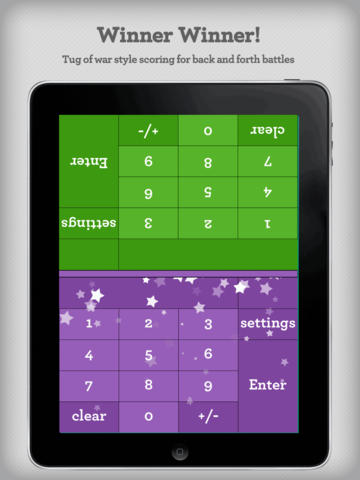
Was FREE for a limited time, currently $2.99 – Math Duel-2 Player Mathematical Game.This educational app pits two players against each other on the same device which makes it perfect for sharing iPads in the classroom. The app has a split screen interface – students sit facing each other on either end of the iPad. As kids answer math equations, the app keeps separate scores for each student. The best thing about this app is that it is fully customizable (on both sides) which makes it a fabulous tool for individualizing instruction for a wide range of students. Equations can be set with 1 – 5 terms. Largest numbers possible can be from 1 – 100. Negative numbers can be turned on/off. Kids can practice addition, subtraction, multiplication, division or any combination of these operations. Fabulous and fun for daily classroom math practice in multiple grades!

Common Core Standards met:

  • 1.OA.6 – Add and subtract within 20, demonstrating fluency for addition and subtraction within 10.
  • 2.OA.2 – Fluently add and subtract within 20 using mental strategies. By end of Grade 2, know from memory all sums of two one-digit numbers.
  • 3.OA.7 – Fluently multiply and divide within 100, using strategies such as the relationship between multiplication and division or properties of operations. By the end of Grade 3, know from memory all products of two one-digit numbers.

Download link: https://itunes.apple.com/us/app/math-duel-2-player-mathematical/id495077699?mt=8&uo=4

Was FREE for a limited time, currently $1.99 – Bubbling Math, an educational app for the iPad helps students in grades 1 – 4 become proficient in basic math skills – addition, subtraction, multiplication, division. In the Task Configuration section of the app, parents/teachers choose the operations & the levels of difficulty (easy, medium, hard, expert). Descriptions tell specifically what kinds of problems are included in each level. The ability to customize what a child needs to practice makes this app very powerful. Another plus is that the levels can be set differently for each operation. The other powerful section of this app is the “parents section” where a child’s progress is reported by the date, the operations and levels practiced, the number right & wrong, the specific problems missed, and percent correct.

As for the actual game – there are 9 levels that unlock as the child makes progress. There are trophies awarded for doing well. The graphics and music are nicely done. The speed of the game can be adjusted  – slow, normal, fast. But…what makes this app stand out is the ability to truly personalize it. Unfortunately, I don’t think the app tracks more than one child’s data. The data can be reset but the results for the first child would be lost. Regardless, this app is great!

Common Core Standards met:

  • 1.OA.6 – Add and subtract within 20, demonstrating fluency for addition and subtraction within 10.
  • 2.OA.2 – Fluently add and subtract within 20 using mental strategies. By end of Grade 2, know from memory all sums of two one-digit numbers.
  • 3.OA.7 – Fluently multiply and divide within 100, using strategies such as the relationship between multiplication and division or properties of operations. By the end of Grade 3, know from memory all products of two one-digit numbers.

Bubbling Math - TappyTaps s.r.o.

0

BrainPOP and BrainPOP Jr.

BrainPOP has been around for more than a decade as an educational website. The site features short animated movies – 750+ lessons covering science, social studies, math, art & music, etc. The content is geared for grades 4 and above but I found that many movies were also suitable for third graders. When I was in the classroom, it was one of my favorite online resources.

Now you can download the BrainPOP Featured Movie, the educational app for FREE! Your child can learn something new every day. After watching the daily movie there is a short interactive quiz. And… if your child can’t get enough of this app, there are two subscription options: $1.99 per month/ 4 movies & quizzes a day OR $6.99 per month/full access.

Teachers could add the BrainPOP movie of the day to their daily routine. Watch it at a transition time – right before lunch, after lunch, while waiting for buses to called, etc. Interesting and educational!!

Highly Recommended!

BrainPOP Featured Movie - BrainPOP®

Also available for FREE is BrainPOP Jr. Movie of the Week, another educational app. Every week Annie and Moby (two lovable characters) help 5 to 9 year olds learn about a different subject. There is also a quiz and activities to accompany each animated movie. BrainPOP Jr. has been on the web since 2006 delivering content for younger students in science, social studies, reading, writing, math, and more.

Again, teachers could add the BrainPOP Jr. Movie of the Week to their routine. Start your Monday off with the “Movie of the Week” or use it on Friday. BrainPOP gives teachers another way spark kids interest in learning!

Highly recommended!

BrainPOP Jr. Movie of the Week - BrainPOP®

0

Star Rover HD – Stargazing and Night Sky Watching

star rover

FREE for A limited time – Star Rover HD – Stargazing and Night Sky Watching. If you want to learn more about the sky, this is the app for you! Just hold your iPad up to the sky and Star Rover will identify what you are seeing – the stars, moons, planets, constellations in their proper place. Star Rover finds your location and updates your view of the sky as you move your iPad. The app features over 120,000 stars, 88 constellations, planets & their moons, moon phases, the Milky Way, and more. You’ll see twinkling stars, images of beautiful nebulae, eclipse simulations, sunrises and sunsets – a planetarium in your pocket. 🙂

Download link: https://itunes.apple.com/us/app/star-rover-hd-stargazing-night/id437217048?mt=8&uo=4

0

Care Bears Love to Learn

care bears

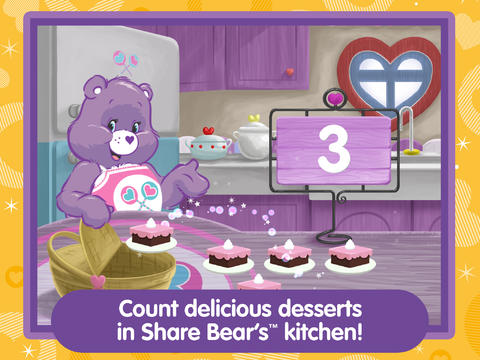
From American Greetings comes Care Bears Love to Learn, a FREE educational app for preschoolers. Kids join 7 of their favorite Care Bears to play a variety of games that are designed to help children count, build shapes, identify colors, learn beginning sounds, and more. After completing each activity, kids earn Care Bears stickers. These stickers can be saved and played with later. If you have a Care Bear fan in your house, check out this cute app!

Download link: https://itunes.apple.com/us/app/care-bears-love-to-learn/id884245655?mt=8&uo=4

0

Toontastic, Toontastic Jr. Shrek, Toontastic Jr. Pirates, and Toontastic Jr. Kung Fu Panda

If you haven’t tried Toontastic, do yourself a favor and check it out….

toontastic

Parents and teachers love Toontastic and kids can’t stop creating! Named by the NY Times as one of Top Ten iPad educational apps of 2011, Toontastic is a fabulously creative FREE app for kids. This app allows kids to draw, animate and share their own cartoons AND it teaches them the elements of a story! Kids are able to use backgrounds and characters from the app or create their own with the drawing tools that are provided. The basic app is FREE. There are also several in-app purchases available. Final creations can be shared online via ToonTube, Toontastic’s global storytelling network. Over seven million cartoons have been created in over 200 countries. Unleash your child’s creativity with this great educational app!!

Here is a link to more information: Toontastic: Play, Create, Learn on the iPad!.

The possibilities for creating stories with this app are endless and your child’s work can be shared with parents, grandparents, other classes, etc. Toontastic = fantastic!!

Toontastic - Launchpad Toys

Shrek

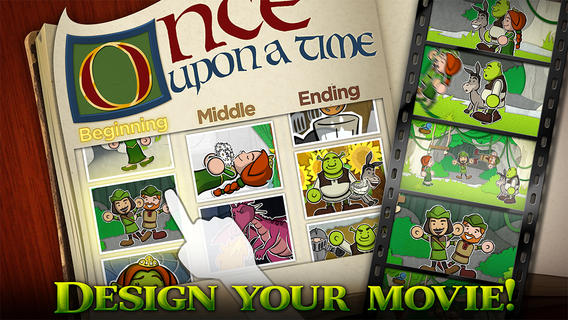
Toontastic Jr. Shrek is FREE again for a limited time. This storytelling app, from the creators of Toontastic, has kids creating their own Shrek cartoons. They start by choosing a beginning, middle, and ending for their story. Then they add animation by moving the characters and recording their voices at the same time. The educational app features twelve classic Shrek scenes and a cast of characters to get kids started. If kids would like to create a story with friends or family, they can utilize StoryShare, a new feature in Toontastic Jr. which is very cool! It enables kids to talk & create stories with friends or family anywhere in the world!

Download link: https://itunes.apple.com/us/app/toontastic-jr.-shrek/id632359329?mt=8&uo=4

Toontastic Jr. PiratesToontastic Jr. Pirates is also FREE again for a limited time. This storytelling app, from the creators of Toontastic, has kids creating their own pirate cartoons. They start by choosing a beginning, middle, and ending for their story. Then they add animation  by moving the characters and recording their voices at the same time. The educational app features twelve story starter videos and a cast of characters to get kids started. If kids would like to create a story with friends or family, they can utilize StoryShare, a new feature in Toontastic Jr. which is very cool! It enables kids to talk & create stories with friends or family anywhere in the world! Yo, ho, ho… how fun is that??

Toontastic Jr. Pirates - for iPad - Launchpad Toys

toontastic panda

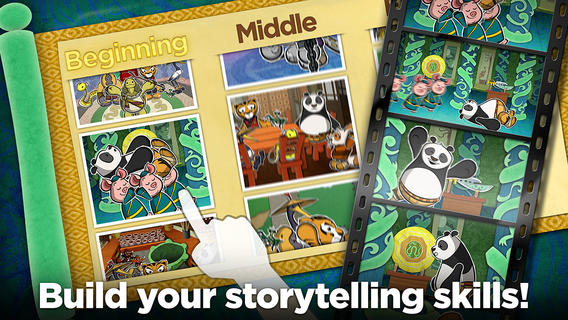
Also FREE – Toontastic Jr. Kung Fu Panda, another storytelling app from Toontastic. Kids can create Kung Fu Panda movies with Po & friends. They start by choosing a beginning, middle, and ending for their story. Then they add animation by moving the characters and recording their voices at the same time. The educational app features twelve story starter videos and thirty characters. Others options are available to purchase. Kids can create and add their own musicals scores by mixing and matching songs from the Kung Fu Panda movie. Kids can use StoryShare to talk & create stories with friends or family anywhere in the world!

Download link: https://itunes.apple.com/us/app/toontastic-jr.-kung-fu-panda/id703071428?mt=8&uo=4

1

Easy Portfolio – ePortfolio Tool for Students & Teachers

eportfolios

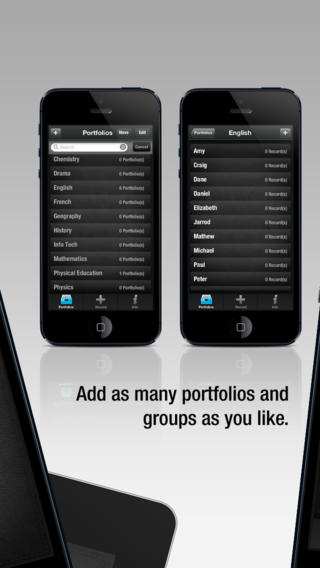
FREE for a limited time – Easy Portfolio – ePortfolio Tool for Students & Teachers. Download this educational app today to start getting organized for the upcoming school year. Easy Portfolio makes it simple for teachers to create ePortfolios for individuals, groups, or subjects. Individual student portfolios can be used to track student progress, highlight student achievement, monitor classroom behavior/work habits, and more. Subject portfolios can be used to organize teacher resources – videos, websites, images, etc. Imagine having everything you need to teach a unit or to make a presentation in one portfolio. The possibilities for using Easy Portfolio are endless.

Easy Portfolio is very simple to use. Just name your portfolios to begin. Then it’s easy to add videos, images, audio recordings or music, notes, URLs and digital documents. Added files are stored by type and can be sorted by date or ABC order. Files can also be shared via email or Dropbox. How wonderful it would be to have a digital portfolio for every student in your class. It would make getting ready for parent-teacher conferences or a IEP meeting a breeze! Capture and share your students’ learning this year with Easy Portfolio. 🙂

Download link: https://itunes.apple.com/us/app/easy-portfolio-eportfolio/id516212900?mt=8&uo=4