0

Happi 123 HD – A Math Game by Happi Papi

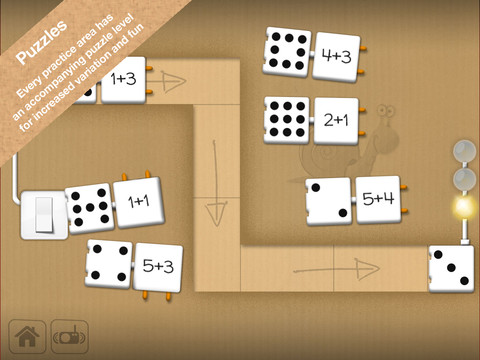
This iPad app for 4 – 7 year olds was FREE when I downloaded. It is currently $1.99 but through August 31 the developer is doing a buy one get one free promotion. Happi 123 teaches counting, adding, subtracting, number series, and patterns. The lessons do not have to be done in order so kids can choose what they would like to work on. Each level has practice followed by a puzzle to further reinforce the concept. There is also a combination level where all concepts are mixed and timed. Kids earn badges and disguises for Papi the Tiger as they learn. Several languages are included in the game: English, Swedish, Danish, Norwegian, Italian, German. In the settings, parents can reset the game and disable audio help (which makes the problems more difficult but also less confusing). If the audio help is not disabled, the child has to count the objects at the top of the page in order: top row, left to right followed by bottom row, left to right. Otherwise the counting is not in order and might sound like this: one, two, three, four, five, eight, seven, six. Suggestion for the next update  – make counting the objects (along the top) work like the fingers (along the bottom). The fingers count in order no matter which one is touched first. Nicely done!

Common Core Standards met:

  • K.CC.4 – Understand the relationship between numbers and quantities; connect counting to cardinality. When counting objects, say the number names in the standard order, pairing each object with one and only one number name and each number name with one and only one object. Understand that the last number name said tells the number of objects counted. The number of objects is the same regardless of their arrangement or the order in which they were counted.
  • K.OA.1 – Represent addition and subtraction with objects, fingers, mental images, drawings, sounds, acting out situations, verbal explanations, expressions, or equations.

Happi 123 HD - A Math Game for Kids by Happi Papi - Serendipity

0

ABC Spelling Magic Short Vowel Words


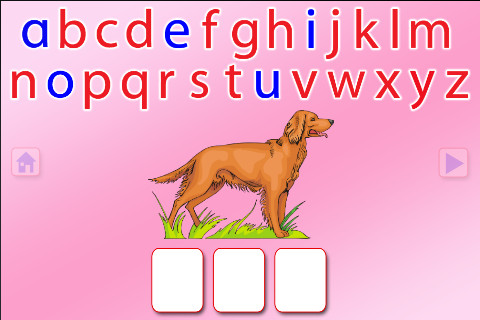
This FREE app for the iPhone/iPad concentrates on teaching kids to spell short vowel words with 3 sounds. There are 2 ways to play. Word Jumble provides the  child with the letters of the word and the child puts them in order. Moveable Alphabet has the entire alphabet across the top of the page and the child must find the correct letters to spell the word. If a child touches a picture, the app reads the word. If a child touches a letter, the app gives the sound for that letter. Each vowel is taught in isolation but there is also a shuffle option which provides mixed practice. Vowels are printed in blue and consonants are in red so you can reinforce the CVC (consonant, vowel, consonant) pattern. This app does a nice job with the phonics of short vowel words.

Common Core Standards met:

  • K. RF.3 – Know and apply grade-level phonics and word analysis skills in decoding words. Demonstrate basic knowledge of one-to-one letter-sound correspondences by producing the primary sound or many of the most frequent sounds for each consonant. Associate the short sounds with common spellings (graphemes) for the five major vowels.

Recommended!

ABC SPELLING MAGIC Short Vowel Words - PRESCHOOL UNIVERSITY

0

Virtual Manipulatives

FREE for the iPad, this app contains math manipulatives for teaching fractions, decimals, and percents. Included are tiles/circles divided into halves, thirds, fourth, fifths, sixths, eighths, tenths, and twelveths AND their corresponding decimals and percentages! The manipulatives are color coded across the settings so that 1/2 is blue as is .50 and 50%. Kids drag tile pieces onto the work area to compare fractions/decimals/percentages. In the settings you can change from tiles to circles, make the pieces transparent, and hide the numbers on the pieces. Completed work can be easily saved to photos. Finding equivalent fractions has never been so slick – WOW!!

Common Core Standards met:

  • 3.NF.3 – Explain equivalence of fractions in special cases, and compare fractions by reasoning about their size. Understand two fractions as equivalent (equal) if they are the same size, or the same point on a number line.
  • 4.NF.1 – Explain why a fraction a/b is equivalent to a fraction (n × a)/(n × b) by using visual fraction models, with attention to how the number and size of the parts differ even though the two fractions themselves are the same size. Use this principle to recognize and generate equivalent fractions.

Highly Recommended!

Virtual Manipulatives! - ABCya.com

1

Chalkboard Math

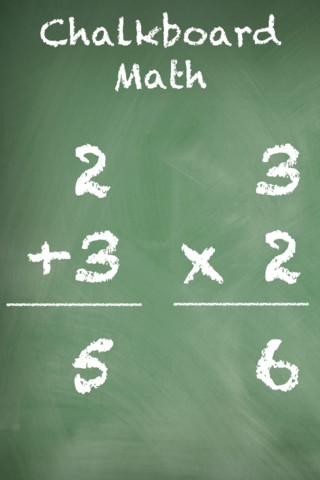
This FREE app for iPhone/iPad Helps kids practice their basic facts for addition, subtraction, multiplication, and division. First kids choose numbers (1-12) to work with, then the math operation/operations. The app generates practice in 2 modes: answer mode (enter the answers & get feedback) or flashcard mode (answer verbally then check). The game has no built-in sounds but there is positive reinforcement written at the top of the page. If a child misses a problem, it shows the correct answer. What I really like about this app is the ability to choose specific numbers to work on. Facts can be practiced in the order they are taught. I also like the ability to choose more than one operation to practice – it makes kids pay attention to the signs of operation and see the relationships between operations. This app is simple but effective – if you loaded this app on your iPhone, kids could easily practice flashcards on their way to after school lessons 🙂

Common Core Standards met:

  • 1.OA.6 – Add and subtract within 20, demonstrating fluency for addition and subtraction within 10.
  • 2.OA.2 – Fluently add and subtract within 20 using mental strategies. By end of Grade 2, know from memory all sums of two one-digit numbers.
  • 3.OA.7 – Fluently multiply and divide within 100, using strategies such as the relationship between multiplication and division or properties of operations. By the end of Grade 3, know from memory all products of two one-digit numbers.

Recommended!

Chalkboard Math - 22nd Century Software LLC

0

Love to Count by Pirate Trio

This iPhone/iPad app is FREE today. Designed for 4 – 7 years olds, it introduces math concepts (such as counting, ordering, addition, subtraction, shapes) using a pirate theme. Kids earn and collect rewards for their treasure chest as they progress through the 700 math tasks included in this app. More than one child can be added to the program and parents or teachers can monitor their children’s progress. The statistics section shows what tasks have been completed and which were completely correctly on the first attempt. Nicely done app!

Common Core Standards met:

  • K.CC.2 – Correctly name shapes regardless of their orientations or overall size.
  • K.CC.4 – Understand the relationship between numbers and quantities; connect counting to cardinality.
  • K.OA.1 – Represent addition and subtraction with objects, fingers, mental images, drawings, sounds (e.g., claps), acting out situations, verbal explanations, expressions, or equations.
  • K.G.2.  – Correctly name shapes regardless of their orientations or overall size.

Recommended!

Love to Count by Pirate Trio - Next is Great

0

ZOOLA Opposites

I originally posted a review of this app on July 6. At that time this app was FREE as the developer worked out a few known bugs. I discovered today that it had been updated again on July 9 and it works perfectly!! The cost is now $1.99. Designed to teach preschoolers the concept of opposites, this app is simple to use. Kids can flip 35 cards which have pairs of opposites on the front/back. The illustrations are nicely done and appealing. The opposite words are pronounced for the kids and the written words are show. This app is great for teaching young kids about opposites!

Common Core Standards met:

  • K.L.5 – With guidance and support from adults, explore word relationships and nuances in word meanings. Demonstrate understanding of frequently occurring verbs and adjectives by relating them to their opposites (antonyms).

Recommended!

ZOOLA Opposites - Best kids Apps

0

Bluster

Bluster is a FREE app for the iPad developed by McGraw-Hill. It was designed to teach vocabulary and word development to students in grades 2 – 4. Topics covered are rhyming, prefixes & suffixes, word roots, synonyms, homophones, and adjectives. There are 3 modes of play – single, team, and versus. Team mode permits collaboration with a friend. Versus mode allows head-to-head play with the ability to disrupt your opponent by causing weather related attacks. Kids start by choosing their mode of play, grade level, and word match type. They then swipe through the list to match 3 words with the same meaning, rhyme, prefix, suffix, or word root. There are 10 groups of 3 to match in each round of play. What a fun way to present over 800 vocabulary words!

Common Core Standards met:

  • 2.L.4 – Determine the meaning of the new word formed when a known prefix is added to a known word (e.g., happy/unhappy, tell/retell). Use a known root word as a clue to the meaning of an unknown word with the same root (e.g., addition, additional).
  • 3.L.4 – Determine the meaning of the new word formed when a known affix is added to a known word (e.g., agreeable/disagreeable, comfortable/uncomfortable, care/careless, heat/preheat). Use a known root word as a clue to the meaning of an unknown word with the same root (e.g., company, companion).
  • 4.L.4 –  Use common, grade-appropriate Greek and Latin affixes and roots as clues to the meaning of a word (e.g., telegraph, photograph, autograph).
  • 4.L.5. Demonstrate understanding of words by relating them to their opposites (antonyms) and to words with similar but not identical meanings (synonyms).

Recommended!

Bluster! - McGraw-Hill School Education Group

0

Grammar Jammers Primary Edition

This FREE app for the iPhone/iPad teaches 5 parts of speech: adjectives, contractions, nouns, pronouns, verbs. Kids listen to an animated song about each part of speech. A 3-point quiz follows each song to check understanding. This app also teaches ending punctuation for the four kinds of sentences. The 3-point quiz for this section requires kids to know that different kinds of sentences end in different punctuation. Finally, there is a section on sentences. It teaches that a sentence has 2 parts and is a complete thought (statement or a question). It also teaches that a sentence begins with a capital letter & ends with punctuation. It does not mention commands or exclamations as it did in the punctuation section. For the quiz, the child only has to look at the capitalization & punctuation to determine which group of words is the sentence. Instead, I wish that the focus of this quiz would have been reading to determine if the words formed a complete thought. All in all, this is a good app that could be used to introduce parts of speech and/or to review them. Worth downloading!

Common Core Standards met:

  • 3.L.1 – Demonstrate command of the conventions of standard English grammar and usage when writing or speaking. Explain the function of nouns, pronouns, verbs, adjectives, and adverbs in general and their functions in particular sentences.

Recommended!

Grammar Jammers Primary Edition - Pearson Education, Inc.

0

Cartoon ABC

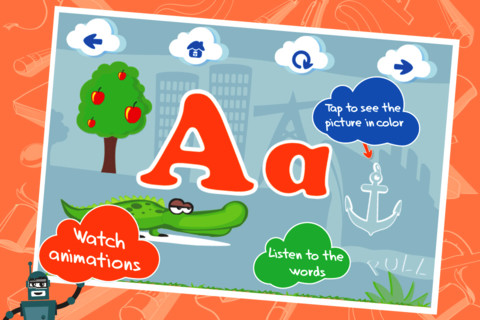
This ABC app for the iPhone/iPad is FREE for a limited time. It is designed to teach 2 – 5 year olds the letters of the alphabet and their sounds. Kids may explore the alphabet in any order that they wish. There are over 100 animations which correspond to the letters of the alphabet. The 3 words for each letter are pronounced and spelled. The illustrations are animated cartoons. Pages for each letter are uncluttered – simply presented but engaging. The app also has a parent section that shows how often your child has visited each letter. Nicely done!

Common Core Standards met:

  • K.RF.1 – Demonstrate understanding of the organization and basic features of print. Recognize and name all upper and lowercase letters of the alphabet.

Check out how it works @http://www.kidsacademy.mobi/cartoon-abc/

Highly Recommended!

Cartoon ABC - Kids Academy Company

0

Rhyming Words

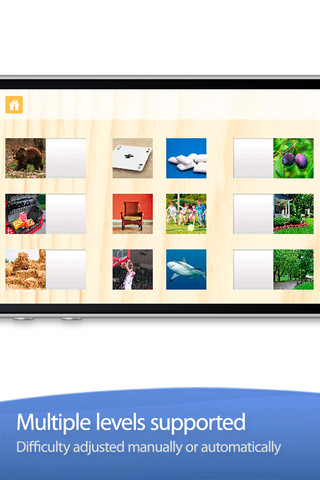
This FREE app is designed for the iPhone/iPad to help kids build phonological awareness by identify rhyming sounds. Included are over 200 photograph tiles that match-up to make  100+  pairs of rhyming words. The app starts out easy (only 2 sets to match) and increases to matching 8 sets. The settings allow a lot of flexibility – you can turn audio hints on or off, you can turn tile magnets on or off, and you can add your own voice.  What I really love about this app is that you can add your own sets of matching tiles. The app allows you to take your own photos or choose existing photos then record your own set of rhyming words! So once your child can identify rhyming sounds, you can take it to the next level and he/she can create their own! Wow!!

Common Core Standards met:

  • K.RF.2 – Demonstrate understanding of spoken words, syllables, and sounds (phonemes).  Recognize and produce rhyming words.

Highly recommended!

Rhyming Words - GrasshopperApps.com