0

Letter School Lite

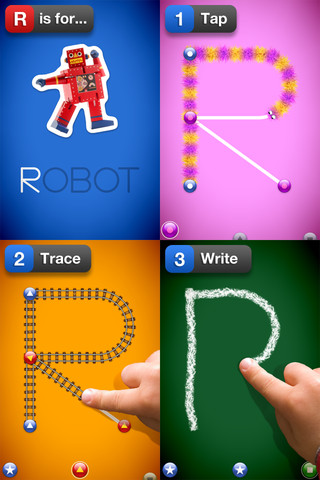
This letter writing app for the iPhone/iPad has a FREE lite version (a – e) that you can preview before you decided if  you want to purchase full version for $2.99.  It is designed to teach 4 – 6 year olds how to write upper & lower case letters and numbers. It starts by showing the shape of the letter, naming it, giving its sound and a word that starts with that sound. The child learns where to start and end the letter. Then the child traces the letter. Finally, the child tries to write the letter from memory. At the end of these three exercises for each letter, there are fireworks. The graphics are simply done but very appealing. I like the size of the letters  – nice and big for little hands. The app has 3 typefaces (Zaner-Bloser, HWT, D’Nealian) in the settings. This app is nicely done and from what I see in this lite version, I am assuming that the full version is worth $2.99.

Common Core Standards met:

  • K.RF.1 – Recognize and name all upper and lowercase letters of the alphabet.

Recommended!

LetterSchool Lite - Boreaal

0

Counting Money

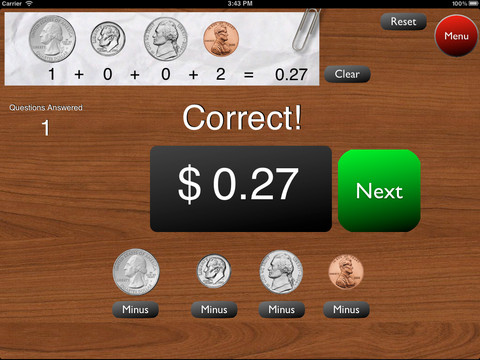
This is a great FREE app for the iPad to give kids practice counting coins. It has two modes: practice and quiz. In the practice mode, the child must answer the question correctly to proceed. In the quiz mode, 10 questions are generated with only one chance to answer correctly. There are two levels of difficulty: beginner (up to $2.00) and normal (up to $4.00). Users can select the number of questions (10, 20, 30 or 40) and decide if they would like to be graded (based on percentage). As the children count coins to reach a specified total, the app can be set to total the coins as they are being counted (if you wish). This app is easy to use with a lot of flexibility.

Common Core Standards met:

  • 2.MD.8 – Solve word problems involving dollar bills, quarters, dimes, nickels, and pennies, using $ and ¢ symbols appropriately.

Highly recommended!

Counting Money - King's Apps

0

Verb Mayhem Free

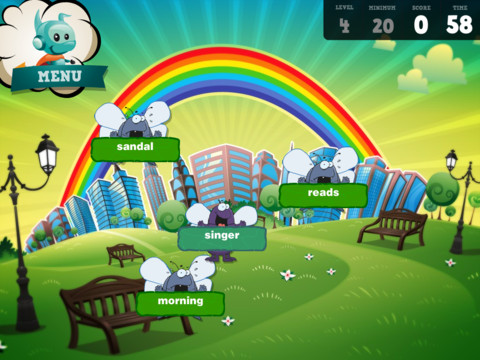
There are 3 levels of this app available for FREE for the iPad. Level 1 is for 7 year olds. Level 2 is for 8 – 9 year olds. Level 3 is for 10 – 12 year olds. Each FREE version gives you one level of play but you can continue to practice (at that level) by pressing the menu button in the upper right hand corner. That button will take you back to the start of the game and the app will generate more practice in a different scene.

The object of the game is simple – just tap to eliminate any word that is NOT a verb. The game is fast paced and would be fun played with a partner. It provides good practice for recognizing verbs.

Common Core Standards met:

  • 2.L.1 – Form and use the past tense of frequently occurring irregular verbs (e.g., sat, hid, told).
  • 3.L.1 – Form and use regular and irregular verbs.AND Form and use the simple (e.g., I walked; I walk; I will walk) verb tenses.

Recommended!

Verb Mayhem HD Level 2 FREE - Generate Learning

1

SpellingCity

Oh my – I am SO excited 🙂 Spelling City has a FREE app for the iPhone/iPad and the update just came out today! I LOVE Spelling City. It is a phenomenal website where teachers can input their weekly spelling lists so kids can go online to practice their spelling in so many fun ways – hang mouse, match it, which word, sentence unscramble, etc. I used Spelling City in my classroom for the last 3 years and the kids & parents loved it. The app has several preloaded lists and the best part…..kids can access the their teacher’s list (providing that he/she uses Spelling City, of course) by using their zip code, school name, and teacher’s name. Practice spelling in the car on a way to a soccer game or while waiting in the dentist’s office. AWESOME!!

Common Core Standards met:

  • K.RF.3  – Distinguish between similarly spelled words by identifying the sounds of the letters that differ.
  • 1.RF.3 – Recognize and read grade-appropriate irregularly spelled words.
  • 2.RF.3 – Identify words with inconsistent but common spelling-sound correspondences. AND Recognize and read grade-appropriate irregularly spelled words.
  • 3.RF.3 – Read grade-appropriate irregularly spelled words.
  • 4.RF.3 – Use combined knowledge of all letter-sound correspondences, syllabication patterns, and morphology (e.g., roots and affixes) to read accurately unfamiliar multisyllabic words in context and out of context.
  • 5.RF.3 – Use combined knowledge of all letter-sound correspondences, syllabication patterns, and morphology (e.g., roots and affixes) to read accurately unfamiliar multisyllabic words in context and out of context.

Highly recommended!

SpellingCity - SpellingCity

0

Class Bingo

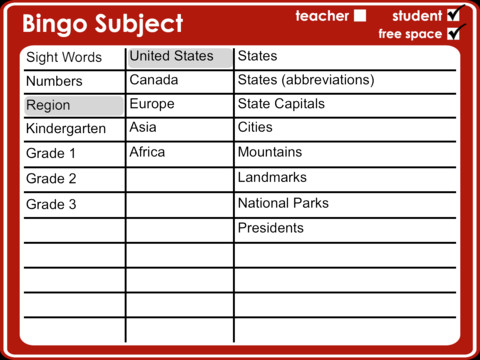
Classroom Bingo is an iPad app designed for teachers & students in grades K – 3. This app comes preloaded with educational content – Dolch and Fry sight words, written & numeric numbers to 100, regions (see above screenshot), K spelling (word families) & letters (upper case, lower case, mixed), grade 1 – 3 spelling words. A built-in random generator produces different bingo cards for each student. Kids tap the square when a word is called and a dot appears over the word. The teacher’s call sheet makes it easy to keep track of the game as it progresses. This app can be used in its simplest form (word recognition) or made more challenging by the way the teacher calls the game. For example – “I am the state that is Ohio’s neighbor to the west” OR “I am the product of 9 X 99”. The graded spelling lists are organized in alphabetical order and would be great for word study. The teacher could give a hint like – “I am a compound word” and allow for all of correct possibilities on her call sheet. Lots of possibilities for using this app!

Common Core Standards met:

  • K.RFS.3 – Know and apply grade-level phonics and word analysis skills in decoding words.
  • 1.RFS.3 – Know and apply grade-level phonics and word analysis skills in decoding words.
  • 2.RFS.3 – Know and apply grade-level phonics and word analysis skills in decoding words.
  • 3.RFS.3 – Know and apply grade-level phonics and word analysis skills in decoding words.

Highly Recommended!

Classroom Bingo HD - Tapfun Inc.

0

Times Table Bubble

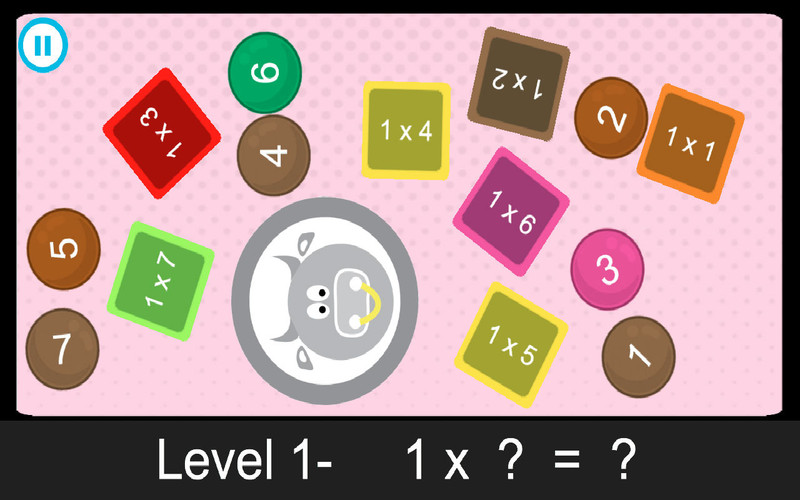
This simple to use app  sells for $1.99 but I was able to download it when it was offered for FREE. It drills kids on their basic multiplication facts and beyond. In level 1 kids learn 1×1 – 1×12, in level 2 they learn 2×1 – 2×12, this continues all the way through level 100! Kids tap to match the problem in the square with the answer in the circle until all the problems have disappeared. They can play on their own or they can play against another student (which third graders would love).

As simple as this game appears to be, there is a lot of potential here. I like how a teacher or parent can choose which sets of problems kids should work on – start with the 1’s, 2’s, and 5’s then add the 3’s & 4’s etc. I like the fact that the larger numbers are available for kids who are ready for a challenge. This app could provide teachers/parents with an easy way to give their student 10 minutes of fun drill each day. Just assign a level or two to play with a friend. Teachers could also create a tournament to encourage math fluency. As for home use, I always told my third graders to practice their math facts during commercials  – this app makes it easy to do that. One improvement I would suggest is to include zero. Recognizing that zero X anything is always zero is an important concept.

Common Core Standards met:

  • 3.OA.7 – Fluently multiply and divide within 100. …………… By the end of Grade 3, know from memory all products of two one-digit numbers.

times table bubble HD - Mintmomeg

0

Common Core Standards

The Common Core Standards are coming!! Already adopted by 45 states, the Common Core Standards provide a consistent clear understanding of what students are expected to learn by subject and grade level. This FREE app puts the language arts and math standards (K – 12) at your fingertips.

Highly recommended for teachers!

Common Core Standards - MasteryConnect

0

Adding Apples

This iPhone/iPad app usually sells for $.99 but at times is if offered for FREE. It is from the creators of Subtracting Sardines (see review July 17). It is geared for preschoolers/grades (K-1) and it meets Common Core Standards for kindergarten and first graders in the area of addition. Kids add (up to 18) using apples. The apples are displayed on a keyboard with domino-like keys (number on the left/picture on the right). The child chooses an addition problem and the apples appear at the top of the screen. Here’s how it works: If a child chooses 6 + 7: 6 green apples appear then 7 yellow apples appear. As the child counts the apples to find the answer, they are wrapped in purple paper. Children earn gold coins as they work. Nicely done app that helps kids with the beginning concept of addition.

Common Core Standards met:

  • K.OA.2  – Add and subtract within 10, e.g., by using objects or drawings to represent the problem.
  • 1.OA.6 – Add and subtract within 20, demonstrating fluency for addition and subtraction within 10.

Recommended!

Adding Apples HD - Operatio


0

Sushi Monster

This FREE app for the iPhone/iPad was developed by Scholastic for kids to practice, reinforce and extend their math facts. There are 12 levels in all – 7 addition and 5 multiplication. A chef places numbered plates of sushi on the counter. Kids have to combine the numbers on the plates to reach the target number (worn by the sushi monster). If the combination is correct, the monster gobbles up the sushi. If it is wrong, the monster throw a tantrum. Each round has 14 target numbers. Successfully completing one level unlocks the next. As kids progress through the levels they are expected to extend their thinking beyond the basic facts. At each level a strategy is provided to help kids succeed.

Common Core Standards met:

  • 3.OA.7 – By the end of Grade 3, know from memory all products of two one-digit numbers.
  • 3.NTB.3 – Multiply one-digit whole numbers by multiples of 10 in the range 10–90 (e.g., 9 × 80, 5 × 60) using strategies based on place value and properties of operations.

Great for math fluency – highly recommended!

Sushi Monster - Scholastic

0

Number Sense HD

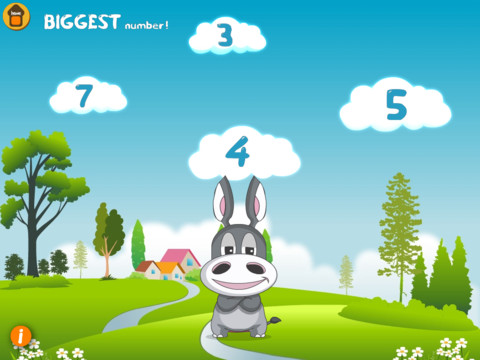
This iPad app is FREE today and designed for kindergarten. There are 5 games in this app. Bouncing Balls & Do the Dotty help kids count to 30. Numberella has kids compare written numbers from 1 – 10. Fishoonka develops the concepts of greater than, less than and equal to. In order to play Toot Toot Train kids need to decide whether to add or subtract. As they play, kids earn rewards to add to their “My Stuff” shelves.

All games are consistent with expectations for kindergarten in the Common Core Standards; however, the standards for counting are a bit more rigorous than the content presented in the 2 counting games. The standards expect kids to count to 100 by ones & tens and to able to begin from any given number within that sequence (instead of always starting at 1). The 2 games that compare numbers are well matched to the standards, as is the addition/subtraction game. Nicely done!!

Common Core Standards met:

  • K.CC.6 –  Identify whether the number of objects in one group is greater than, less than, or equal to the number of objects in another group, e.g., by using matching and counting strategies.1
  • K.CC.7 – Compare two numbers between 1 and 10 presented as written numerals.
  • K.OA.2 – Add and subtract within 10, e.g., by using objects or drawings to represent the problem.

Recommended!

Number Sense HD - Emantras Inc