0

What Time Is It Mr. Wolf

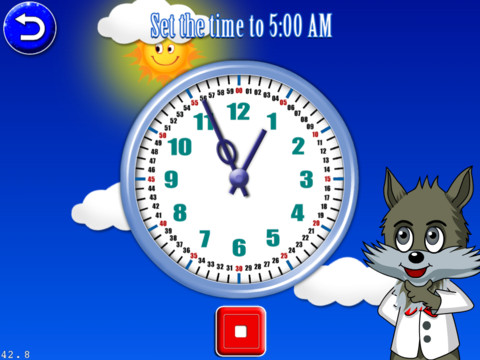
This iPad app is FREE for the next three days. Its 8 games are geared towards primary students (grades K – 3) who are learning to tell time. There are 4 levels: easy (to the hour), normal (15 minute intervals), hard (5 minute intervals) and super (by the minute). These levels are similar to Common Core Standards which expect first graders to tell time to the 1/2 hour, second graders to tell time in 5 minute intervals (AM and PM), and third graders to tell time to the minute. In the games, kids have to set the time on both digital and analog clocks, match digital & analog clocks, put clocks in time sequence, and more. Clocks must be set to either AM or PM by making sure the background lighting matches the time. The settings allow this app to be in either a 12 hour format or a 24 hour format. The app is also supported in 4 different languages.

The analog clocks in the app have every minute labeled which gives kids practice knowing exactly where the hands go when setting the time. But once they have practiced, there should be realistic clocks (only numbered 1 – 12) for the kids to set. Kids need to understand that numbers on the clock represent 5 minute intervals & that the unlabeled dashes in between each stand for a minute. The watches in the matching games are realistic so kids get some practice reading unlabeled timepieces. Worth downloading for some practice but could be more rigorous.

Common Core Standards met:

  • 1.MD.3 – Tell and write time in hours and half-hours using analog and digital clocks.
  • 2.MD.7 – Tell and write time from analog and digital clocks to the nearest five minutes, using a.m. and p.m.
  • 3.MD.1 – Tell and write time to the nearest minute (first portion of the standard).

What Time is it, Mr. Wolf? - Joy Preschool Game


0

Motion Math: Hungry Fish

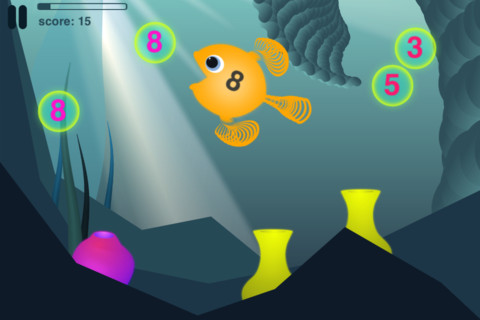
The trial version of this app is FREE for the iPhone/iPad. Designed for kids ages 4+, this app has 18 different levels. Later levels require knowledge of regrouping so it is suitable for preschool through grades 3 or 4. It fits the Common Core Standards for addition through grade 2. The concept is simple but engaging – kids need to feed the fish in order to keep it alive. The faster it is fed, the bigger it grows.  If it is not fed fast enough it gets smaller and smaller until it disappears. Each fish has a number on its body. It only eats that number. Kids pinch numbers together to create the sum their fish needs. Bonus fish colors and fins become available when a level is successfully completed. Additional levels of addition, subtraction, and negative numbers are available as in-app purchases.

Common Core Standards met in this trial version:

  • 1.OA.6 – Add and subtract within 20
  • 2.OA.1 -Use addition and subtraction within 100

This is a fun app – I found myself playing it a little longer than necessary to review it 😉

Highly recommended!

Motion Math: Hungry Fish - Motion Math

0

Subtracting Sardines

This iPhone/iPad app is currently FREE in the iTunes store. It is geared for preschoolers/grades (K-1). It meets Common Core Standards for kindergarten but please note that the standards are more rigorous for first graders who are expected to add & subtract within 20. With the help of a cute little penguin, kids subtract (up to 9) using sardines. There are a lot of good things about this app. The sardines are displayed on a keyboard with domino like keys (number on the left/picture on the right). The child chooses a subtraction problem and the sardines appear at the top of the screen. Here’s how it works: If a child chooses 7 – 2: 7 sardines appear then 2 sardines are taken away. As the child counts the remaining fish, they are encased in ice. Only the bones left behind of the subtracted fish and they disintegrate if touched. The app even allows for subtraction problems with negative answers (red fish joins the left over bones). Children earn gold coins as they work. Nicely done app that helps kids with the beginning concept of subtraction.

Common Core Standards met:

  • K.OA.2  – Add and subtract within 10, e.g., by using objects or drawings to represent the problem.

Highly Recommended!

Subtracting Sardines HD - Operatio

0

iWriteWords Lite

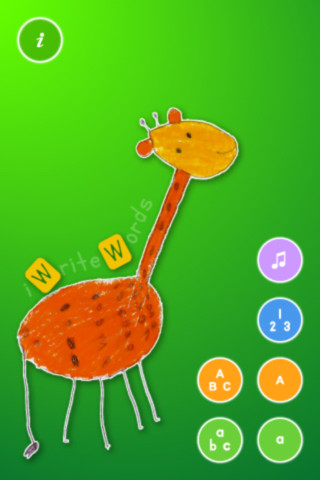
This app is the FREE preview version of iWriteWords, a handwriting app for toddlers for the iPhone/iPad. Kids drag their fingers to help Mr. Crab collect numbered balls and learn to write the letters of the alphabet as they do so. Once all of the letters in a word are drawn properly, a child-created drawing appears. Numbers, upper and lower case letters are taught. In the settings, additional letter styles and voices (Spanish, French, Italian, German) are available. There is even an option to slightly adjust the app for left-handed kids. This app is nicely done and from what I see in this lite version, I am assuming that the full version is worth $2.99.

Common Core Standards met:

  • K.RF.1 – Recognize and name all upper and lowercase letters of the alphabet.

Recommended!

iWriteWords Lite - gdiplus