0

Paper Camera

Paper Camera

FREE today only – Paper Camera, an app that permits you to add special effects to your photos in real-time. Just open the app, choose camera or video, then choose one of the 12 special effects – comic boom, sketch up, acquarello, old printer, con tours, neon cola, bleaching, gotham noir, half ton, granny’s paper, pastel perfect or andy pop. The effects are applied to your photo as you make the shot! You can point you camera at a scene and toggle between effects to decide which one to use. The app also permits you to “paper-ize” existing photos from your photo library/camera roll. Very slick!!

SO many educational ideas for this app… Video your kids playing using the cartoon mode. Add special effects to digital artwork. Create party invitation using the andy mode. The list could go on and on – so creative!!

Paper Camera - JFDP Labs Limited

0

Paperless – Draw, Paint, Sketch

Paperless

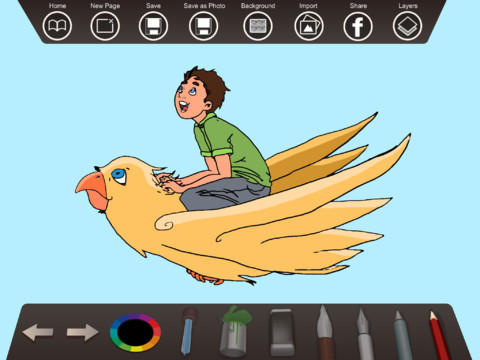
Paperless – Draw, Paint, Sketch is FREE for a limited timeThis easy-to-use educational app changes your iPad into a drawing tablet. The app comes with 6 tools: a water-color brush, a pencil brush, an ink pen, an eraser, a paint bucket, and a color picker. The drawing line can be customized for size, opacity, smoothing, and thickness. The color picker allow you to choose any color then gives you 6 variances of that color. There are 12 backgrounds are available within the app or you can pull backgrounds from your camera roll. Your drawings, paintings, and sketching can be saved and shared! Slick and simple to use – this app would be great for young artists!

Paperless - Draw, paint, sketch. - Jérémie Klemke

0

Let’s Learn How to Draw

Let's Learn How to Draw

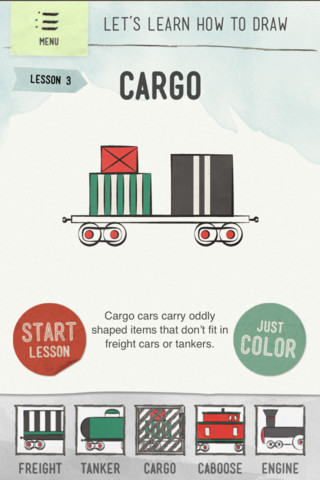
FREE today only – Let’s Learn How to Draw.This educational app provides interactive drawing lessons for kids. Lessons are taught by breaking the drawings into individual strokes. Kids build their drawings one stroke at a time by following the app’s visual and written instructions. There is an “assist mode” that automatically corrects the strokes as they are made. The assist mode can also be turned off so that the child can practice drawing on their own. Personally, I prefer this option. 🙂 Both modes have lightly dotted lines for the child to draw over. There are currently 4 modules of this app – monsters, trains, and dogs. Each module has five lessons with slightly increasing difficulty; but, all lessons are fairly simple with step-by-step instructions. Kids can also color their creations when they are finished drawing. The app also includes a scratchpad for open-ended drawing and coloring. Finished creations can be exported into your photos. This app is a nicely done for your budding artist! FREE today – tomorrow it will be back to $1.99.

Let's Learn How To Draw - Playtend Apps LLP

0

Draw Along with Stella and Sam for iPad

FREE for a limited time – Draw Along with Stella & Sam, an adorable & educational app for preschoolers. This app is based on the television show and book series by Marie-Louise Gay. The Stella and Sam books have been translated into 15 languages and have sold over a million copies. Disney Junior Canada sponsored a Draw Along Contest using this app last summer. Winners were featured on a special Stella and Sam event. What a cool opportunity for kids!

Kids choose one of 10 shapes to color, stamp, and/or add pictures to. Finalized creations can be shared with family and friends as images or animated videos clips. Here is a link to a You Tube video showing how this app works: Draw Along with Stella and Sam for iPad – YouTube.

5 other Stella and Sam Adventures are available on iTunes and are sold for $2.99 each: Into the Snow We Go, Rainy Days and Rainbows, Backyard at Twilight, Go There Square, Cocoons and Caterpillars. OR… you can purchase all 5 titles for $6.99  in the Stella and Sam Story Pack. These apps are also supported in French. Don’t miss this one!!

Highly Recommended for preschoolers.

Draw Along with Stella and Sam - zinc Roe

0

Sand Drawing

Sand Drawing

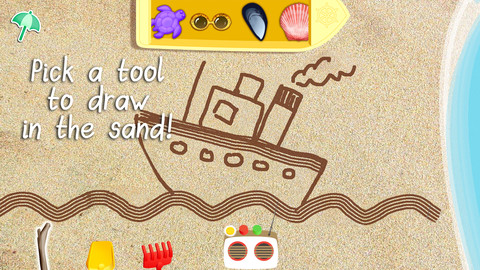
FREE for a limited time – Sand Drawing by Timbuktu. Kids can relax on the virtual beach by drawing in the sand. The app comes with 3 drawing tools and 12 decorations that kids choose to mix, rotate and resize. I wish sand drawings could be saved – then kids’ drawings could be pulled into a story writing app. Perhaps “saving” will be possible in an updated version. Waves clear the beach so to make way for new creations. Simple to use and fun!

Sand Drawing - by Timbuktu - Timbuktu Labs, Inc.

0

PBS KIDS Photo Factory

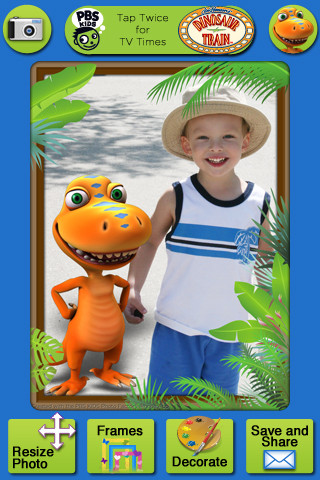
Very cute FREE educational app for the iPhone/iPad from PBS KIDS. Add your favorite PBS character to your child’s picture in 3 easy steps. First take a picture or choose one from your photo library. The edit it as needed – zoom, rotate, or resize. Lastly frame it and decorate it by adding your favorite PBS characters. You can share the results on Facebook, Twitter, via email or save them into your photo library.

There are lots of fun ways to use this app. Take pictures of kids with the characters at a themed party based on one of the shows. Take pictures of students with Curious George, Arthur, or Clifford after reading books featuring those characters. Pull those pictures into a story writing app to create a new adventure of the PBS character and the student. Add the characters to settings – pictures of the school playground, pictures of the classroom etc. – use your pictorial creations as  springboards to creative writing. Pull your pictures into TellPic (see review July 31) and have the child explain. Fun!!

Recommended!

PBS KIDS Photo Factory - PBS KIDS

0

Easy Studio – Animate with Shapes!

Easy Studio

FREE today only – Easy Studio – Animate with Shapes, an educational app that teaches kids how to animate! This app uses geometric shapes to explain and to teach kids about animation. The app has two levels – “easy” mode and “expert” mode. The “easy” mode starts with a step-by-step tutorial. There are 5 additional levels that contain predefined patterns to guide kids through the animation process. The “expert”mode also has a variety of shapes and pre-defined templates but there is no longer guidance provided. Older students will be able to create more sophisticated animations in this mode using their own imaginations. The app contains a library to store, view and edit saved animations. The library also has 4 examples of completed animations – very cool. The app can be set for 11 different languages: English, French, German, Italian, Dutch, Spanish, Japanese, Chinese, Portuguese, Russian, and Korean. What a GREAT app for the kids 6 and older – hours of creative fun await them!!

Easy Studio - Animate with Shapes! - Les Trois Elles Interactive

0

EyePaint MyDairy & EyePaint Animals

eyepaint

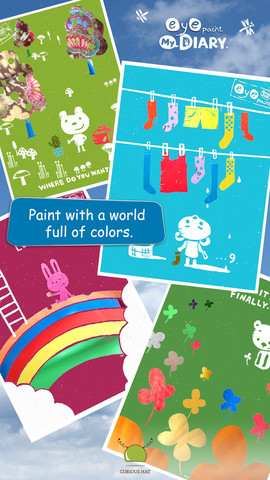
Eye Paint MyDairy and EyePaint Animals are FREE again for a limited time for iPhone/iPad. These educational apps let your child paint illustrations from Japanese artist, Mitsue Haya, in a very unique way. Kids”paint” using their cameras to capture the colors, textures, patterns around them. To begin, a child chooses one of the 10 included illustrations. He/she taps to select the area to be filled in and the creativity begins! Work can be saved to the photo library for sharing or printing. Easy, fun, and very creative!!

EyePaint MyDIARY - Curious Hat EyePaint MyDairy            Eye Paint Animals - Curious Hat EyePaint Animals

0

How to Draw

There are several apps with this name. This review refers to the one by Mind the Kids Ltd.

This app gives kids step-by-step visual and verbal instructions for 12 drawing episodes. Episodes teach how to draw things such as a dog, a princess, and the space shuttle. In the “I am watching” mode, kids can use paper and pencil. In the “I am drawing” mode, the program verbally explains as it draws in red lines for the child to draw over on the iPad or iPhone.  Then the red lines disappear leaving only the child-drawn image behind. There is an option to color and add additional details or background to your drawing. Drawings can be emailed or saved in your photos.

A couple of issues – I think it would be difficult to use this program on anything smaller than an iPad. I also wish there was the option of a blank sheet so that kids could create their own original drawing. It is possible to create your own drawing but… you have to go into an episode and basically ignore the instructions to do your own thing.

All in all, it is somewhat limited but it is also FREE and fun.

How to draw - Mind the Kids Ltd

0

Musical Paint

Musical Paint

FREE for a limited time – Musical Paint a creative, multi-sensory app for the iPhone/iPad. Kids are welcomed into an art museum by a friendly blue walrus with a French accent. There is also an ensemble of  lively musicians (underwater animals) at the museum. Kids are invited to paint a picture on a canvas. Each color is a musical tone so when the kids paint, they are painting music! If the child chooses to save his/her painting, it is hung in the museum – a very cute feature. They even get to sign their work!! Kids can also share their paintings via email. What fun it would be for kids to send Grandma a picture of their masterpiece that is in a museum!! The app also has a lesson plan section for teachers & parents. Nicely done app for younger kids!!

Musical Paint - Building Blocks Media LLC