0

Artkive

Now that it is almost summer, you may want to create a digital book of your child’s latest year in school. You can use Artkive, a productivity app, to do so. You may have heard of  this app because it has been featured on THE TODAY SHOW and in Real Simple magazine.

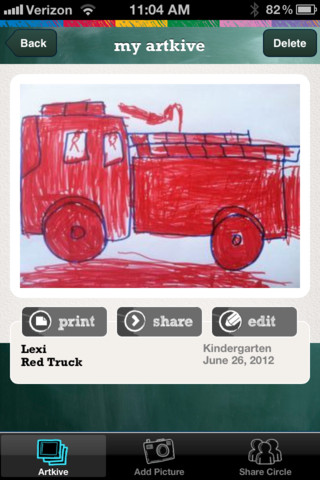
Artkive makes it easy to digitally store, share, and print your children’s artwork/schoolwork. Originally released on August 11, 2012  – this app for the iPhone/iPad is FREE again. It is very easy to use…. First you create an account. Then enter the first names of your children. Take photos of their artwork/schoolwork or upload existing photos from your camera roll. Tag the photo with a child’s name, age or grade, the date, and a title. So simple! You can then share their art with family & friends. You will also be able to have Artkive create digital books & other products using your child’s artwork/schoolwork. You can even order a few holiday presents while you’re at it. 🙂 Artkive makes it easy to collect, store, and share your children’s artwork.

What a great idea! As a parent, you can use it to create books for your children, of any age. I plan to make gift books for my adult children of the art/work that I have saved for years – yay, no more clutter!! As a teacher, you could use it to create digital portfolios of children’s work. Lots of possibilities with this one…. try it yourself while it is free!

To learn more @ http://www.artkiveapp.com/

Recommended!

Artkive - The Kive Company

0

ZoLo

ZoLo

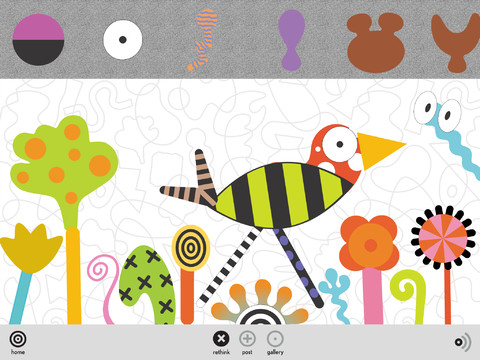
“ZoLo – knobby, blobby, skinny, squatty, square and round, plain or spotty!”

Chosen as New & Noteworthy in the App Store and FREE – ZoLO•ooLo™  ZoLo play sets were first introduced to the world by the Museum of Modern Art in NYC in 1986. Now 20+ years later, ZoLo has been recognized by the Toy Industry of America in their book – 100 Years of the Power of Play. The app is a virtual ZoLo play set with a palette of colorful shapes. Kids (and adults) can mix, rotate, resize, or shift them to make a unique creations. Creations can be saved in “my gallerio” – a personal gallery and in “globo” – a shared gallery. Once a creation is saved it can be shared via email, Twitter, and Facebook. Love this app but I wish there was an option in the settings to disable some of the sharing. ZoLo is a great app for open-ended, imaginative play!!

ZoLO - UZU Ltd

0

Puppet Workshop

Puppet Workshop

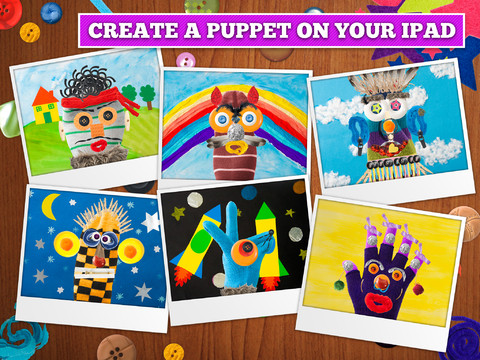
FREE again for a limited time (normally $2.99) –  Puppet Workshop. Kids use their creativity to turn a sock or a glove into a virtual puppet using this app. They first choose their sock or glove. Then they create the puppet’s eyes, nose, mouth, & hair from an assortment of buttons, ribbons, strings, etc. The puppet can be placed on a background from the app or a background from your camera roll. Or… your child can also create his/her own background! You can also save a picture of your child’s puppet to your camera roll or it ca be stored in the application. The app includes 20 different socks & gloves, 150+ enhancements, and 18 different backgrounds – enough “stuff” for a whole lot of creating!! Very fun 🙂

Puppet Workshop - Creativity App for Kids - Sebastian Bachorzewski

0

EyePaint MyDairy

eyepaint

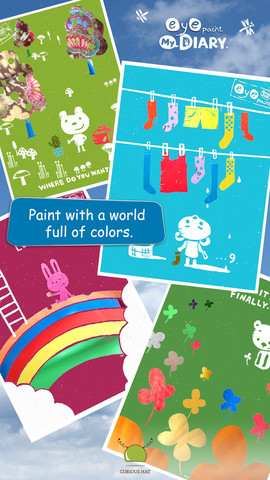
Eye Paint MyDairy is FREE again for a limited time for iPhone/iPad. This app lets your child paint illustrations from Japanese artist, Mitsue Haya, in a very unique way. Kids”paint” using their cameras to capture the colors, textures, patterns around them. To begin, a child chooses one of the 10 included illustrations. He/she taps to select the area to be filled in and the creativity begins! Work can be saved to the photo library for sharing or printing. Easy, fun, and very creative!!

Also available from this developer are EyePaint Animals and EyePaint Monsters. EyePaint Monsters is also FREE right now. EyePaint Animals is $.99.

EyePaint MyDIARY - Curious Hat EyePaint MyDairy           EyePaint Monsters - Curious Hat EyePaint Monsters

0

Snowflake Station

Snowflake Station

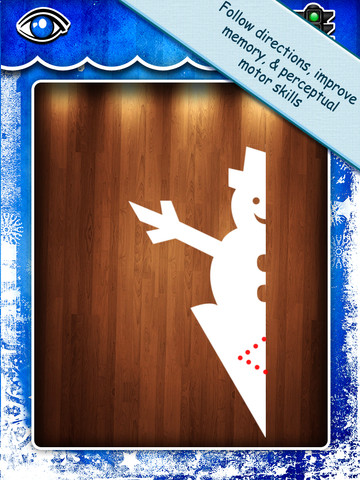
Purple glittery snowflakes !! FREE again for a limited time, Snowflake Station for the iPad helps kids discover the beauty of symmetry – a key concept in math, science, art, & architecture. The app has 3 sections: Trace a Flake, Creation Station, and Make it Snow. Trace a Flake includes step-by-step instructions for cutting 36 different snowflakes/other symmetrical shapes. In the Creation Station, kids create their own flakes/shapes. There are six different folds, 10 different colored paper, and 10 different colors of glitter to choose from. Kids make “cuts” with their fingers. The tape button works as an undo button. Kids can monitor their progress in the upper left hand corner of the cutting board. Creations can be saved to use in the Make it Snow section of the app which does exactly that! Kids use their creations to make it snow in a photo of their choosing. They can use the iPad’s camera to take a picture or use an already saved photo from the camera roll. There are also 10 winter scenes included in the app. Another option in this app is the ability to set up a Juddly (a safe, secure email) account for your child to share his/her creations with you. Very creative & very fun – all while learning about symmetry 🙂

Common Core Standards:

  • 1.G.3 – Partition a shape into four equal shares, describe the shares using the words halves, fourths, and quarters, and use the phrases half of, fourth of, and quarter of. Describe the whole as two of, or four of the shares. Understand for these examples that decomposing into more equal shares creates smaller shares.
  • 4.G.3. Recognize a line of symmetry for a two-dimensional figure as a line across the figure such that the figure can be folded along the line into matching parts. Identify line-symmetric figures and draw lines of symmetry.

Not only does this app meet CCSS in math, it can also be used in creative writing – The Day It Snowed Orange, Alien Invasion, etc. Awesome – highly recommended!

Snowflake Station - Mrs. Judd's Games, LLC

0

Animal Origami

Animal Origami

Animal Origami FREE for a limited time. Origami is the art of Japanese paper-folding. This app shows kids and/or adults how to fold paper into 16 different animal heads. It is nicely done with easy-to-follow, step-by-step directions – a fun activity to help kids learn how to follow directions!

Animal Origami HD - Centerwave Inc.

0

iLuv Drawing Dinosaurs HD – Learn how to draw dinosaurs step by step

iLuv Drawing Dinosaurs

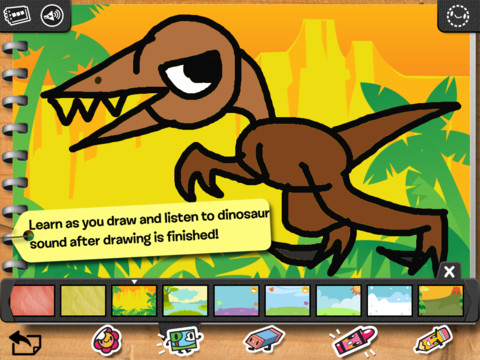
FREE for a limited time  – iLuv Drawing Dinosaurs HD. Kids learn to draw 19 dinosaurs by tracing over step by step templates. After finishing the drawing, your child can color it, add a background, stickers, etc. The editing tools (eraser, undo, redo, start over) make this app easy to use! There are also blank pages so that your child can create his/her own drawings. Finished works can be saved, printed, or shared via email. Drawings saved into the drawing book can be edited later. Use this app to have your child create cards, greetings for loved ones!

iLuv Drawing Dinosaurs HD - Learn how to draw dinosaurs step by step - MyVijan LLC


0

Animal Origami

Animal Origami

Animal Origami was FREE for a limited time (earlier this week). It is now priced at $1.99. Origami is the art of Japanese paper-folding. This app shows kids and/or adults how to fold paper into 16 different animal heads. It is nicely done with easy-to-follow, step-by-step directions. Keep reading my blog to find out when apps like this go FREE again!

Animal Origami HD - Centerwave Inc.

0

Puppet Workshop

Puppet Workshop

FREE for a limited time (normally $2.99) –  Puppet Workshop. Kids use their creativity to turn a sock or a glove into a virtual puppet using this app. They first choose their sock or glove. Then they create the puppet’s eyes, nose, mouth, & hair from an assortment of buttons, ribbons, strings, etc. The puppet can be placed on a background from the app or a background from your camera roll. Or… your child can also create his/her own background! You can also save a picture of your child’s puppet to your camera roll or it ca be stored in the application. The app includes 20 different socks & gloves, 150+ enhancements, and 18 different backgrounds – enough “stuff” for a whole lot of creating!! Very fun 🙂

Puppet Workshop - Creativity App for Kids - Sebastian Bachorzewski

0

iLuv Drawing People HD – Learn how to draw kids doing their favorite things

iLuv Drawing People HD

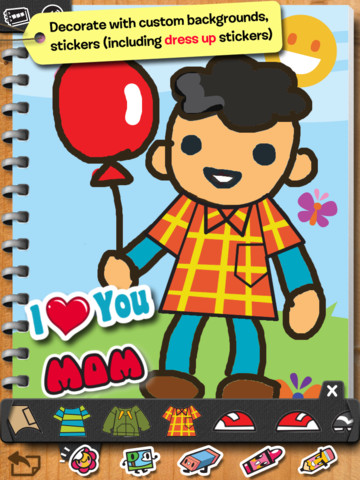
FREE for a limited time  – iLuv Drawing People HD. Kids learn to draw 20 people by tracing over step by step templates. After finishing the drawing, your child can color it, add a background, stickers, etc. The editing tools (eraser, undo, redo, start over) make this app easy to use! There are also blank pages so that your child can create his/her own drawings. Finished works can be saved, printed, or shared via email. Drawings saved into the drawing book can be edited later. Use this app to have your child create cards, greetings for loved ones!

iLuv Drawing People HD - Learn how to draw kids doing their favorite things - MyVijan LLC