0

Doodle Buddy – Paint, Draw, Scribble, Sketch – It’s Addictive

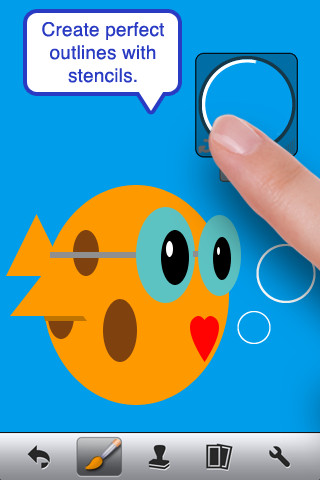
The FREE version of Doodle Buddy (for the iPhone/iPad) is great for drawing and creating pictures. It comes with five kinds of tools. The drawing tool has several options – a brush, chalk, glitter, smudge, an eraser, and a color picker with thousands of colors. The stamper tool includes 80+ stamps with the option of making them small or large. Each stamper makes a funny sound when used. The stencil tool comes 6 stencils (basic shapes) with the option to buy other sets as an in-app purchase. Sets available to purchase are theme-based such as fashion, beach, cars, princess, dinosaurs, Christmas, and more. The text tool has 4 fonts with the ability to resize them. Text can be written in any color you choose. The background tool has about 30 backgrounds to choose from or you have the ability to pull in your own photos. Armed with such great tools, you can only imagine the fun you or your child will have creating a works of art! And…. the finished masterpieces can be saved to your photo album and/or shared via email. Fun!!!

There are so many fun ways to use this app. Kids can use it to illustrate their stories because saved illustrations can easily be pulled into a story writing app such as My Story – see my review from June 27. Have kids draw pictures of their vacation then save into photos and use as additional pictures or backgrounds for a photo vacation booklet created on Snapfish, etc. Make a book for Father’s Day, Mother’s Day, a grandparent, etc. – incorporating your child’s drawings and family photos. If creating a family cookbook, have kids do the illustrations. The list goes on……

Highly recommended!

Doodle Buddy for iPad – Paint, Draw, Scribble, Sketch – It’s Addictive! - Pinger, Inc.

0

More Halloween Apps

FREE today – Scrap It: Halloween HD for the iPad. You (or your child) can add a Halloween touch to your photos with this app. First take a photo or use an existing one. Using the photo editor, you can crop it and/or add an effect (about 40 filters available).  Then its time to get creative – add stickers, change the papers & tiles, add letters & numbers/ribbons/word art, and add & manipulate text using the text editor. Items can be resized, shadowed, sent to the back, sent to the front, etc. Creations are saved in My Scrap Pages. They can also be shared on Facebook, Twitter, Tumblr, via email. They can be saved to your camera roll or printed. I think kids would love decorating pictures of themselves, their family & friends, and the family pet 🙂 You could also create an electronic postcard or invitation with this app. Lots of possibilities!!

Scrap It: Halloween HD - Dirk Bost

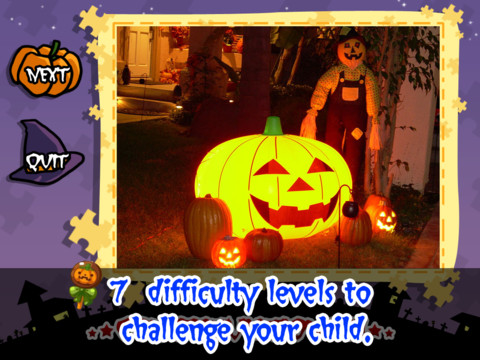
Halloween Jigsaw Puzzles is FREE for the iPad. It includes 18 puzzles with the option to purchase more. There are 7 levels of difficulty ranging from 4 to 49 pieces per puzzle. Most puzzle images are appropriate for younger kids but there are a few that are a bit iffy: scary-faced pumpkins, a few skeletons, and a witch in questionable attire. So if your child loves puzzles, check it out and be selective if your child scares easily.

Halloween Jigsaw Puzzles! - Toy Box

Dibu’s Monster Maker Lite is FREE for the iPhone/iPad. Dibu is a little boy who loves monsters so he created a machine to build them – I think this is how Dr. Frankenstein got started 🙂 The Monster Maker has hundreds of combinations of monsters waiting to be made. The lite version has 2 bodies to choose for the base.Then kids add hair, eyes, noses, mouths, hats & horns, tops, bottoms, and shoes. There is also a random monster generator which creates a monster with one tap. Finished monsters can be named then saved, printed, made into a puzzle, or emailed. This app also has a child lock that hides all promotional buttons and disables printing & emailing. And… there is a “parents only” button which gives written instructions for access to the app store. The developer does not want young children to end up there accidentally – how refreshing!

This app would be great to use with elementary aged kids. They could create a monster then write a descriptive paragraph about it. They could create two monsters and do a Venn diagram comparing and contrasting the monsters. Lots of possibilities!

Dibu's Monster Maker Lite - Playtend Apps LLP

0

Artkive

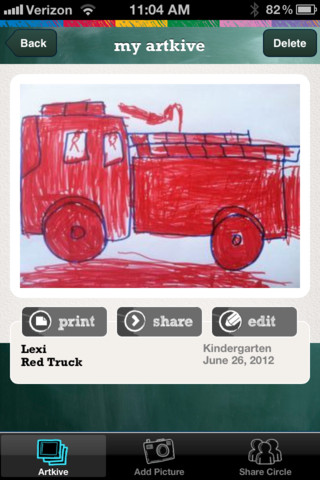
This newly released (August 11, 2012) app for the iPhone/iPad is FREE for a limited time. Artkive makes it easy to digitally store, share, and print (coming in an update) your children’s artwork/schoolwork.  First you create an account. Then enter the first names of your children. Take photos of their artwork/schoolwork or upload existing photos from your camera roll. Tag the photo with a child’s name, age or grade, the date, and a title. Very easy to do! You can then share their art with family & friends. You will also be able to have Artkive create digital books & other products with your child’s artwork/schoolwork. I am anxious to see how their products will compare in quality & price to existing photography sites. Artkive certainly makes it easy to collect and store your children’s artwork in one place.

What a great idea! I just downloaded this app and registered this evening. I am thinking about using it to create books for my adult children of their childhood projects (currently stored in boxes). I could also see it being used to create digital portfolios of children’s work. I will update this post as I work with the app, but in the meantime, you may want to try it yourself while it is free 🙂

Watch the video to learn more @ http://www.artkiveapp.com/

Recommended to try!

Artkive - The Kive Company

0

Chalk_Board

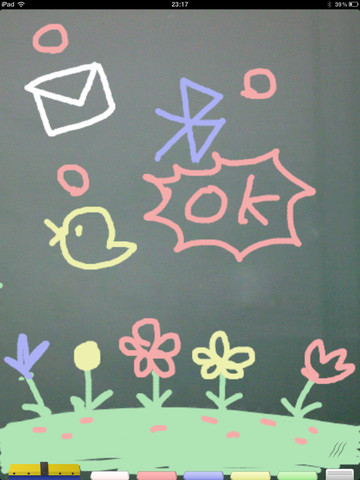
This FREE app for the iPad changes your device into a chalkboard. It has five colors of chalk and three erase options (undo, erase with finger, erase all). It even sounds like you are writing on a chalkboard as you use it! When you have finished your work, you can share it 5 different ways – publish on a shared list, save it to photos, tweet it, email it, or share via bluetooth. Unfortunately, the ability to publish to a shared list makes this app a problem for classroom use. Anyone can draw anything and submit it to be voted on. So kids using this app can see those drawing – appropriate or not. 😦  So sad, because this app could have taken the place of whiteboards in your classroom – no need for dry erase markers/erasers.

If there was a way to disable parts of this app I would highly recommend it but until then….use cautiously if at all.

CHALK_BOARD - conol, Inc.

0

PBS KIDS Photo Factory

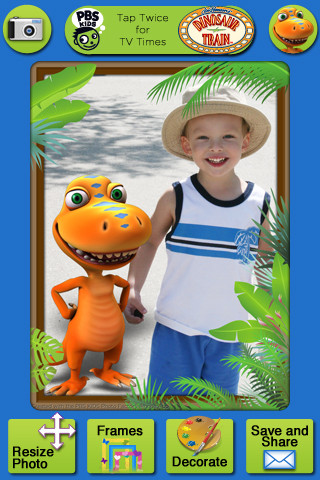
Very cute FREE app for the iPhone/iPad from PBS KIDS. Add your favorite PBS character to your child’s picture in 3 easy steps. First take a picture or choose one from your photo library. The edit it as needed – zoom, rotate, or resize. Lastly frame it and decorate it by adding your favorite PBS characters. You can share the results on Facebook, Twitter, via email or save them into your photo library.

There are lots of fun ways to use this app. Take pictures of kids with the characters at a themed party based on one of the shows. Take pictures of students with Curious George, Arthur, or Clifford after reading books featuring those characters. Pull those pictures into a story writing app to create a new adventure of the PBS character and the student. Add the characters to settings – pictures of the school playground, pictures of the classroom etc. – use your pictorial creations as  springboards to creative writing. Pull your pictures into TellPic (see review July 31) and have the child explain. Fun !!

Recommended!

PBS KIDS Photo Factory - PBS KIDS

0

123 Color, International Edition

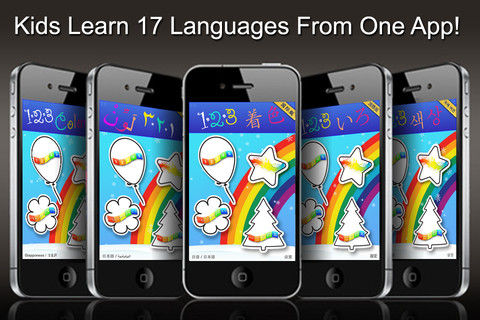
123 Color, International Edition Talking Coloring Book, With Words Spoken in 17 Languages for the iPhone/iPad is FREE today. It names numbers, letters, & colors and shows the spelling of numbers & colors (in 17 different languages). In the settings you can choose a primary & secondary language so each number, letter, and color will be spoken/spelled in both languages. Or, you can disable the secondary language option and choose only one language. Kids start by choosing 1 of 4 areas to practice – numbers, colors, upper case letters, or lower case letters. Then they can choose one of the 11 themed sets of coloring pages, photo painting, stationery, letter writing, or number writing. There are two color palettes available – 10 colors or 30 colors. The photo painting and stationery pages can be framed. All artwork can be printed, emailed or saved to photos.

This nicely done app was featured in Women’s Day and New York Times.

Recommended!

123 Color, International Edition Talking Coloring Book, With Words Spoken in 17 Languages - Steve Glinberg

0

TellPic

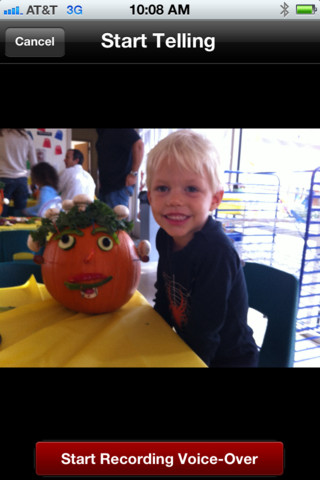
This FREE app for the iPhone/iPad is simple but powerful. It allows you to record your voice to explain a picture that you are sending via email or posting to Facebook. First you choose a picture from your photo library or take a new picture. Press start recording, followed by stop recording, then share – so simple!

The power in this app is in how you choose to use it. Take a picture of a child’s creation and have him/her explain it. Then send it to parents or grandparents. Take a picture of your child and voice over him/her singing to a loved one on a special occasion. Send pictures with voice messages about vacation experiences. And… because you can use anything saved in your photo library, you can pull in artwork etc. created in other apps  –  opening up all sorts of possibilities for sharing work created in class. The possibilities are endless!

Highly recommended!

TellPic - TellPic LLC

0

Draw Along with Stella and Sam for iPad

This adorable iPad app is currently $1.99 but I was able to download it on a day that it was FREE. This app is based on the television show and book series by Marie-Louise Gay. The Stella and Sam books have been translated into 15 languages and have sold over a million copies. Disney Junior Canada sponsored a Draw Along Contest using this app earlier last month. Winners were featured on a special Stella and Sam event on July 1. What a cool opportunity for kids!

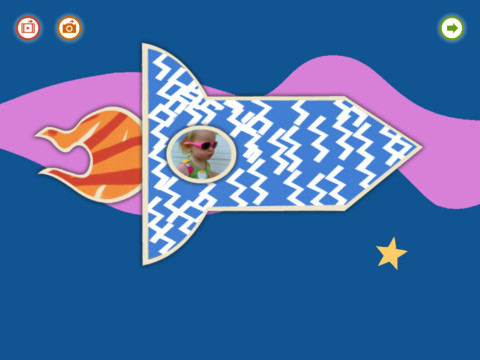
Kids choose one of 10 shapes to color, stamp, and/or add pictures to. Finalized creations can be shared with family and friends as images or animated videos clips. Here is a link to a You Tube video showing how this app works: Draw Along with Stella and Sam for iPad – YouTube.

5 other Stella and Sam Adventures are available on iTunes and are sold for $2.99 each: Into the Snow We Go, Rainy Days and Rainbows, Backyard at Twilight, Go There Square, Cocoons and Caterpillars. OR… you can purchase all 5 titles for $6.99  in the Stella and Sam Story Pack. These apps are also supported in French. To use the French version you would need to go into your settings and set the language from English to French under General> International> Language.

Highly Recommended for preschoolers.

Draw Along with Stella and Sam - zinc Roe

0

My Coloring Book Free

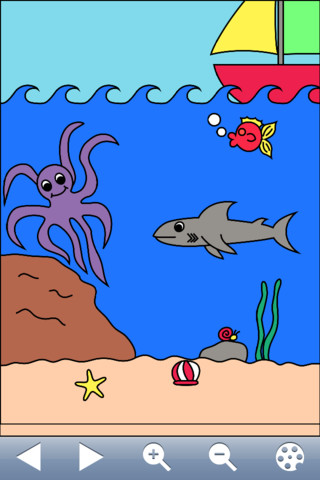
This FREE app for the iPad, iPhone, or iPod seems to be popular.  The current version has 4 stars after 365 ratings. There are 75 pictures to color and it has some nice features –  it zooms in and out for small areas, it saves automatically, it’s easy to clear and start over, and it saves to the Photos library for sharing or to be used as wallpaper. The app also claims to develop eye-hand coordination. However, the only coloring tool within the app works like a paint can. Kids choose & touch a color, then choose & touch the area of the picture they want that color. The app does the rest as it color-fills that area. There is no possibility of coloring out of the lines so I am not sure of how much eye-hand coordination is involved. There is no possibility of making stripes, polka-dots, plaid, or any other fun design within an area so I am not sure how creative it is either. That being said, several people have commented that their kids like it and the price is certainly right 🙂

My Coloring Book Free - Gortz Media

0

Paint Sparkles Draw – my first colors HD

additional coloring pages to purchase

According to iTunes, this FREE coloring app for the iPad/iPhone has been downloaded 2.5 million times. Designed for 2 – 4-year-old kids, this app names each colors as it is chosen. As children fingerpaint, sparkles spread across the screen – a cool effect I am sure little ones will love. Tools include 3 brush sizes, a fill bucket, an eraser and a camera to take a picture of  the child’s creation. Included in the app are 8 different colors of background paper and 7 free coloring pages.  The other 140+ coloring pages are sold separately.  You can get all pictures for $3.99 or purchase separate packages which would cost you a lot more in the long run. This app would be fun for little ones and worth checking out.

Paint Sparkles Draw - my first colors HD ! - Kids Games Club