0

Compare a Twist

Compare a Twist

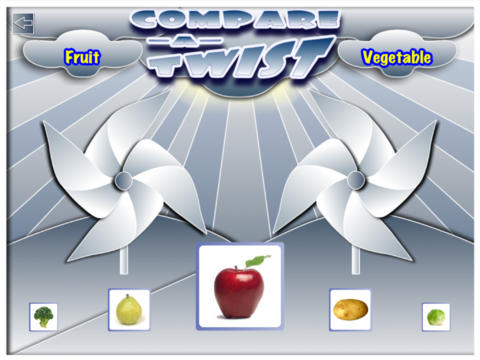
FREE for a limited time – Compare a Twist, an educational app. This easy-to-use app allows teachers and/or students to create lessons that compare/contrast or categorize items. The app supports the use of text and images making it useable for multiple levels of students. Compare/contrast or categorizing lessons can be created across the curriculum: Language Arts – long/short vowel sound, synonyms & antonyms, characteristics of the main characters; Math – factors of numbers, equivalent fractions, characteristics of geometric shapes; Science – living or nonliving, characteristics of animals. The possibilities are endless. The app gives students get instant feedback when they have completed the activity. Teachers can also use that information to check students’ understanding.

They say that the best way to learn something is to teach it… I think kids would really enjoy creating quizzes to share with their peers.

Download link: https://itunes.apple.com/us/app/compare-a-twist/id510922341?mt=8&uo=4
0

Homework+

Homework+

FREE again, for a limited time – Homework+, a simple to use homework/test planner. This educational app is geared towards older students who are taking multiple classes. It could also be used with younger kids as an electronic assignment book. It’s never too early to teach kids how to be organized. 🙂

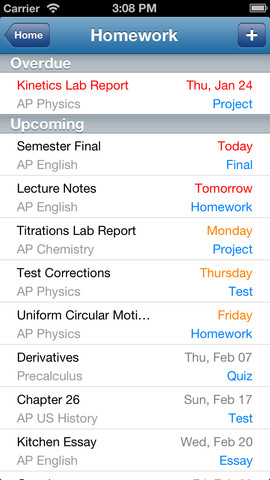
To set up the app, first edit the subject list & category lists to reflect what you are studying. After that, it is very easy to add assignments to the calendar – just give the assignment a title, choose the subject & category, put in the due date, choose a level of priority, and save. As you finish an assignment, mark it as complete and the app moves it to the finished list. App badges show you how many assignments you have and how many you have finished. Notifications can be set (1 or 2 days before) to remind you of an upcoming assignment. The app also keeps track of overdue assignments. Very slick and intuitive – great for teaching kids to be organized!!

Homework+ - Chijang Huang

0

Bitsboard – Education, Games, and Flashcards for Learning Reading, Spelling, and more

Bitsboard

Bitsboard is a FREE app for education with so many uses – it’s ideal for teaching languages, vocabulary, sight words, spelling, and more. This educational app comes with three games: Flashcards (10,000+ free flash cards with fully customizable settings), Explore (reviews all flashcards), and Photo Touch (spot the correct item game). There are 7 additional games available as in-app purchases. Bitsboard is easy to use and fully customizable so you can use it to create games for whatever you are teaching. And as an extra added bonus, you can see what other people have created – the app includes FREE access to the Bitsboard catalog which includes thousands of flashcards with lessons covering a variety of topics. If all of that hasn’t convinced you that you need this app, this feature certainly will –  Bitsboard supports multiple users and keeps track of their progress!!

Recommended – a great app with loads of potential!!

Bitsboard - Education, Games, and Flashcards for Learning Reading, Spelling, and more - GrasshopperApps.com

0

Popboardz

Popboardz

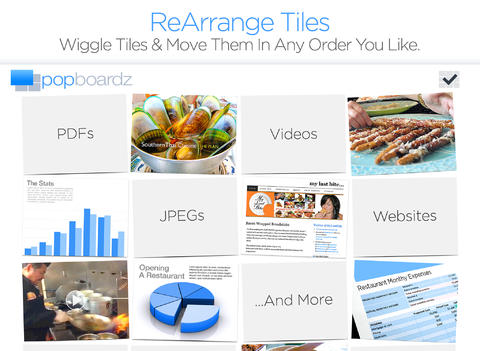
Recently updated and FREE for a limited time – Popboardz, a productivity tool that normally sells for $4.99.  Popboardz makes it easy to organize, store, and present information. Each board is a grid with 16 spaces for content so that all of your PDFs, images, videos, websites, can be arranged on one screen. Unlike other presentation tools, Popboardz makes it easy to customize your presentation to meet the needs of your group. Just click on the grid space that contains the example, information, or link that you would like present next! It’s easy to skip around. This app would be fabulous to use in the classroom. A teacher could organize all his/her digital resources for a unit on one board. That board can be saved so it is always ready to present! It is also easy to edit and/or rearrange boards so that lessons can be tweaked as new resources become available. Students could also use Popboardz – to organize information, to present projects, to give reports, and more. What a great educational app!

Download link: https://itunes.apple.com/us/app/popboardz/id563989511?mt=8&uo=4

0

Trading Cards

trading cards

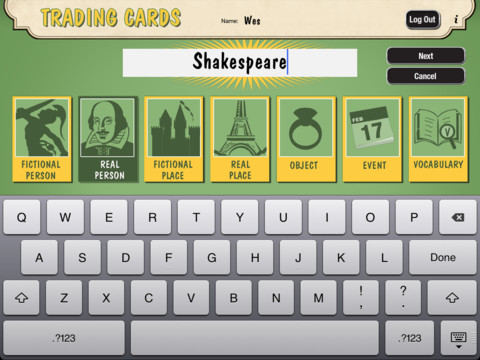
Fabulous educational app!!! ReadWriteThink’s Trading Cards is powerful FREE app developed by the International Reading Association. This educational app provides a unique way for kids to share their understanding of topics, generate their own study aids, create a fictional world to use in their writing, make their own trading cards, and more. There are 7 categories of cards available within the app: fictional person, real person, fictional place, real place, object, event, and vocabulary. Kids start by choosing a category and typing in the title of the card. Each category has specific questions which help kids create information-rich trading cards. Images can be added by using the device’s camera or by accessing pictures in the photo library. Kids can also sort their cards into collections such as characters from a book, heroes or villains, landmarks, the 50 states, vocabulary by subject, etc. The possibilities are endless! Cards can be shared via email, saved to the photo library, or printed on a wireless printer. And… the kid appeal is tremendous. Kids will LOVE trading their cards with their classmates 🙂

Highly recommended!!

Trading Cards - International Reading Association

0

Homework+

Homework+

FREE again, for a limited time – Homework+, a simple to use homework/test planner. This educational app is geared towards older students who are taking multiple classes. It could also be used with younger kids as an electronic assignment book. It’s never too early to teach kids how to be organized. 🙂

To set up the app, first edit the subject list & category lists to reflect what you are studying. After that, it is very easy to add assignments to the calendar – just give the assignment a title, choose the subject & category, put in the due date, choose a level of priority, and save. As you finish an assignment, mark it as complete and the app moves it to the finished list. App badges show you how many assignments you have and how many you have finished. Notifications can be set (1 or 2 days before) to remind you of an upcoming assignment. The app also keeps track of overdue assignments. Very slick and intuitive – great for teaching kids to be organized!!

Homework+ - Chijang Huang

0

ScreenChomp

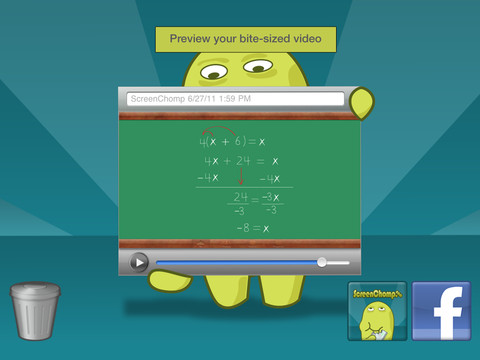
ScreenChomp is a powerful tool that can be used in so many ways and it’s FREE!! It is basically turns your iPad into a recordable whiteboard. You can use it to sketch out and record ideas for yourself or to share with others. Teachers can send tutorial videos home with kids. Kids can create videos to help each other. The possibilities for this educational app are only limited by one’s imagination.

Here is a link to a You Tube video that explains how it works: What is ScreenChomp? The iPad app to Record. Sketch. Share! – YouTube.

Highly recommended!

ScreenChomp - TechSmith Corporation

0

Too Noisy

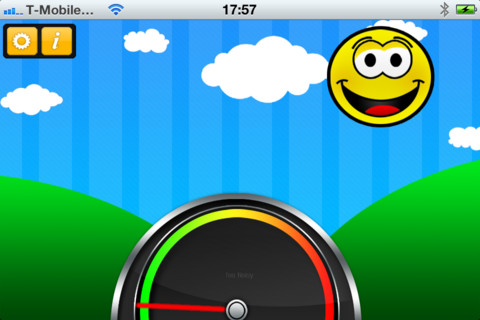
Too Noisy is a FREE noise meter for iPhone/iPad. It measures the level of noise in a room and graphically displays whether it is at an acceptable level or not. If the level is acceptable, a smiling face is displayed. If the noise level increases beyond a level of acceptability, the graphic changes to indicate that the noise level is NOT acceptable. In the settings, a teacher/adult can adjust the sensitivity of the meter to go with the activity. A testing situation could be set at a 99% sensitivity level and group work could be set at a much lower sensitivity level. The meter worked when I tried it but, I was not in a large room with a group of kids. I would think that the FREE version is worth a try to see if it works for your situation. There is also a PRO version available for $.99. By using an Apple Digital AV adapter or a VGA adapter, Too Noisy can be projected on a TV or monitor so kids can learn what noise level is acceptable – cool idea! Another great FREE educational app!

Too Noisy - Walsall Academy

0

Record of Reading

Record of Reading

Record of Reading by Clemson University is a FREE educational app that was most recently updated on April 24, 2013. The app provides an electronic form for taking running records (an assessment of oral reading developed by Marie M. Clay). The teacher still needs to do the coding and the analysis of the child’s reading. But… the app has formulas for accuracy and self-corrections embedded in it so that there is no need for a calculator!! The app also records the student’s voice as the teacher is taking the record. After the running record is completed, it can be saved and/or emailed! If you are an elementary school teacher who regularly uses running records, you are going to want to check this educational app out. 🙂

A fabulous tool for elementary teachers – thank you Clemson!!

Record of Reading - Clemson University

0

Trading Cards

trading cards

Fabulous educational app!!! ReadWriteThink’s Trading Cards is powerful FREE app developed by the International Reading Association. This educational app provides a unique way for kids to share their understanding of topics, generate their own study aids, create a fictional world to use in their writing, make their own trading cards, and more. There are 7 categories of cards available within the app: fictional person, real person, fictional place, real place, object, event, and vocabulary. Kids start by choosing a category and typing in the title of the card. Each category has specific questions which help kids create information-rich trading cards. Images can be added by using the device’s camera or by accessing pictures in the photo library. Kids can also sort their cards into collections such as characters from a book, heroes or villains, landmarks, the 50 states, vocabulary by subject, etc. The possibilities are endless! Cards can be shared via email, saved to the photo library, or printed on a wireless printer. And… the kid appeal is tremendous. Kids will LOVE trading their cards with their classmates 🙂

Highly recommended!!

Trading Cards - International Reading Association