0

Lists for Writers – ideas for creative writing

Designed for the iPhone/iPad this app is $1.99 but was FREE last week. As the name suggests, this app has many lists that would be helpful to writers as they brainstorm/develop their stories. Categories of lists included: CHARACTER (common first & last names, clothing, occupations, people’s roles & relationships), PERSONALITY (phobias, philias, obsessions, character traits, hobbies, emotions), PLOT (7 basic plots, 36 dramatic situations, conflicts, issues), SETTING (locations, cities, landforms/geography, weather), WORDS (verbs, nouns, etc.) and 7 miscellaneous lists. Several of the lists (such as phobias, 7 basic plots, & color words) include definitions. The updated version includes a notepad for writers to collect, edit, email, and/or print their ideas. This app would be a valuable tool for anyone trying to write a story. The lists would also provide great examples when teaching the elements of a story (characters, setting, etc.), character traits, parts of speech, etc. Great resource!!

Keep reading my blog to find out when apps are offered for FREE!

Recommended!

Lists for Writers - ideas for creative writing - Thinkamingo

0

Easy Board

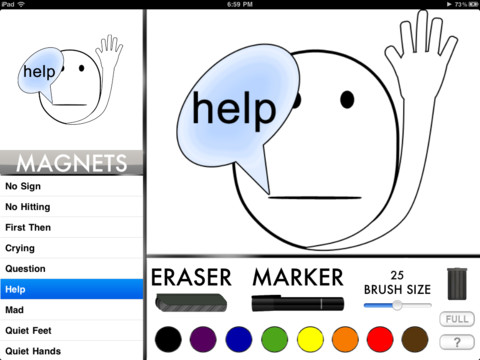
This iPad app is currently FREE but usually sells for $.99. It turns your iPad into a whiteboard with 8 colored markers. Kids can show their work without the messiness of mini-whiteboards, markers, & erasers. Also included are 35 “magnets” offering visual supports with phrases like: help, question, sit down, thirsty, restroom, list, write, etc.  This app could be very useful in any classroom – especially with special needs kids who could benefit from the structure and visual supports. It would be even better if kids could save their work to share with others AND if teachers/students could create/customize their own magnets.

Recommended!

Easy Board - Red Ape Mobile

0

K12 Timed Reading Practice Lite

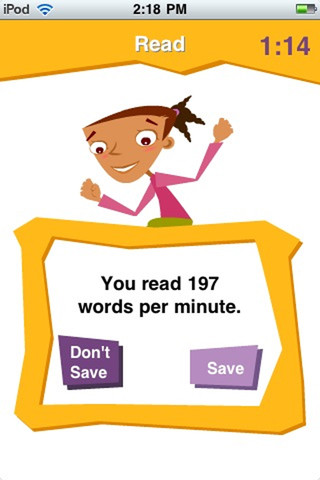
I download the FREE version of this app for iPhone/Pad to try. Kids read short, timed stories to determine their reading rate. Words-per-minute and a percentage (above or below the average rate) are reported. Stories can be reread to improve the scores. The full version (for $1.99) allows you to keep track of multiple students and has 250 leveled stories.The app’s description says that there are 46 Flesch-Kincaid levels of reading between 0.0 and 4.7 but only a general grade level (K, 1, 2, 3, 4) is marked in the lite version. Perhaps the full version is more specific.

Reading rate is important – if kids read too slowly their comprehension is compromised. But true reading fluency includes reading rate as well as the ability to read with accuracy and expression. This app tests rate in isolation. If the app had a record option, an adult could go back and listen for accuracy and expression. As it is, it could be useful depending on the needs of your child/children. If you have a child that is an accurate but slow reader, this app could be helpful to increase his/her reading rate.

K12 Timed Reading Practice Lite - K12 Inc.

0

Chalk_Board

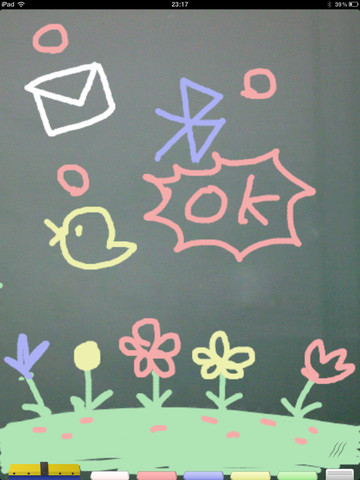
This FREE app for the iPad changes your device into a chalkboard. It has five colors of chalk and three erase options (undo, erase with finger, erase all). It even sounds like you are writing on a chalkboard as you use it! When you have finished your work, you can share it 5 different ways – publish on a shared list, save it to photos, tweet it, email it, or share via bluetooth. Unfortunately, the ability to publish to a shared list makes this app a problem for classroom use. Anyone can draw anything and submit it to be voted on. So kids using this app can see those drawing – appropriate or not. 😦  So sad, because this app could have taken the place of whiteboards in your classroom – no need for dry erase markers/erasers.

If there was a way to disable parts of this app I would highly recommend it but until then….use cautiously if at all.

CHALK_BOARD - conol, Inc.

0

TellPic

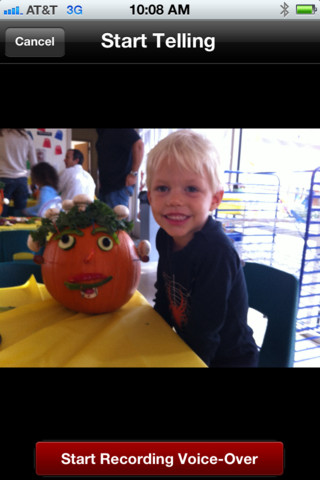
This FREE app for the iPhone/iPad is simple but powerful. It allows you to record your voice to explain a picture that you are sending via email or posting to Facebook. First you choose a picture from your photo library or take a new picture. Press start recording, followed by stop recording, then share – so simple!

The power in this app is in how you choose to use it. Take a picture of a child’s creation and have him/her explain it. Then send it to parents or grandparents. Take a picture of your child and voice over him/her singing to a loved one on a special occasion. Send pictures with voice messages about vacation experiences. And… because you can use anything saved in your photo library, you can pull in artwork etc. created in other apps  –  opening up all sorts of possibilities for sharing work created in class. The possibilities are endless!

Highly recommended!

TellPic - TellPic LLC