0

gFlash+ Flashcards & Tests

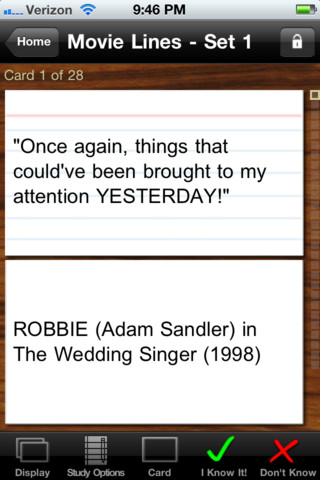
GFlash+ Flashcards & Tests is currently FREE. This educational app allows you to create, download, and manipulate flashcards for everything that you can imagine. You can create your cards in a Google docs spreadsheet and download it into the app or you can create your cards within the app. There is no limit on how many card sets you can have. Card sets created by leading educational publishers (Kaplan, Barron’s, McGraw-Hill, Wiley Publishing, etc.) are available as in-app purchases. You can also download and share sets from the gWhiz catalog. You must have an active wireless connection to download card sets or to use card sets with videos.

Once you have your cards ready, studying becomes simple. First choose box configuration or classic configuration. Both configurations keep track of the cards that are known & unknown. The box configuration has an unknown box, a known box, and a mastered box. As you go through the cards, the app keeps track of how many cards are in each box. In the classic mode, there is line of small cards on the right side of the screen. If you know a card, the little card turns green and if you do not know it, it turns read. It’s a nice visual for younger kids. A study score (percentage) is also given. Teachers of younger students could create the cards in Google docs for kids to download and study. This app is such a valuable tool for students of all ages to use in so many ways. I wish it would have been available when my kids were studying for the SAT and GRE. 🙂

Highly recommended!

gFlash+ Flashcards & Tests - gWhiz, LLC

0

Photo Mapo

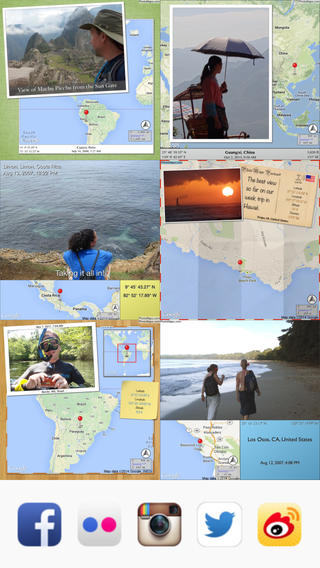
photo mapoFREE today – Photo Mapo, an easy-to-use photography app/fabulous tool for classroom projects. This app easily transforms any photo into a mapped masterpiece. The app features twenty-three styles. Projects can be customize by changing the background, map type, & zoom level. There is also an option to add a 180 character description. Finished projects can be shared by email or saved to the camera roll. How fabulous!! Kids can use this app to connect events (real or make-believe) to their settings. They can use it with: pictures of grandparents/great-grandparents to show their native countries, with scanned drawings of story scenes to show the setting, with pictures/drawing of animals to show their habitats, with historical photos to show locations, etc. Kids could also create virtual postcards with this app. Photo Mapo has loads of potential for classroom use!

Direct Link: https://itunes.apple.com/us/app/photo-mapo-add-map-to-your/id525258687?mt=8

0

TeleStory

telestory

FREE for a limited time – Telestory, another fabulously creative app from Launchpad Toys, the creators of Toontastic. Kids can write, direct, and star in their own TV shows with this educational app. Kids choose a theme to start: The News, Star Adventure, Eye Spy, or their own creation. Then they mix and match scenes to create their story. Next they craft a script using the prompts within the app or their own ideas. Then it’s time for the show! Kids choose one of fifty digital costumes for their performance.They perform and record their show which includes animated scenes and special effects. Recordings can be saved to the camera roll to be shared with classmates, family, and friends. How fun!!

Teachers, check out “The News” theme for use in your classroom. Kids can choose to be different types of reporters: The Beat, The Sports Roundup, The News Desk, The Weather, The Critic, or The Eye in the Sky. Then the learning begins. They read, summarize and report about current events. Or, they can learn the science behind the weather and explain it to their viewers. Or they can write reviews of the literature that they are reading. Telestory’s News is a great tool for getting kids excited about non-fiction. Make it a part of your weekly routine. Kids could produce a new show every Friday. 🙂

Download link: https://itunes.apple.com/us/app/telestory/id915378506?mt=8&uo=4

0

Stickyboard 2

stickyboard-2-ipad-appFREE for a limited time – Stickyboard 2, a giant whiteboard with a never-ending stack of sticky notes. If you are looking to capture ideas in your classroom or at your next meeting, check out the electronic version of this classic organizer. Unlike their paper counterparts, these sticky notes don’t fall off or get lost. And, they are more environmentally friendly. The app also feature Magic Arrange which makes arranging and rearranging the notes much simpler. Entire boards can be emailed as PDF files – great for sharing ideas. Check out this fabulous tool while it’s FREE!

Download link: https://itunes.apple.com/us/app/stickyboard-2/id466102928?mt=8&uo=4

0

Photo Mapo

photo mapoFREE today – Photo Mapo, an easy-to-use photography app/fabulous tool for classroom projects. This app easily transforms any photo into a mapped masterpiece. The app features twenty-three styles. Projects can be customize by changing the background, map type, & zoom level. There is also an option to add a 180 character description. Finished projects can be shared by email or saved to the camera roll. How fabulous!! Kids can use this app to connect events (real or make-believe) to their settings. They can use it with: pictures of grandparents/great-grandparents to show their native countries, with scanned drawings of story scenes to show the setting, with pictures/drawing of animals to show their habitats, with historical photos to show locations, etc. Kids could also create virtual postcards with this app. Photo Mapo has loads of potential for classroom use!

Direct Link: https://itunes.apple.com/us/app/photo-mapo-add-map-to-your/id525258687?mt=8

0

Smart Whiteboard HD

super white boardFREE – Smart Whiteboard HD, an educational app that is super simple to use! One finger writes, 2 fingers erase, 3 fingers clears all. Press the save button or shake your device to save an image. Writing can be done in black, blue, or red with 3 width choices. The app also includes a simple voice recorder. Just press record, talk, stop & name your file, and it is saved to a list. You can then email your recording if you wish to share it. Teachers can get rid of their classroom whiteboards, markers, and erasers! Have kids show their work, explain their thoughts, etc. with this simple educational app!

Smart White Board HD - Pad read

0

Back to School Classroom Tools

Looking to try something new in your classroom this year? Consider trying these 7 apps. 🙂 They will help you grade student work, keep in contact with parents, establish class discipline/routines, track student progress with ePortfolios, organize your lessons, and create tutorial videos.

1. Socrative 

Still FREE and getting better with every upgrade – Socrative, an app that turns any device with a web browser into a student response clicker. I have been a fan of Socrative since I first discovered it three years ago. It’s one of those apps that I wish had been around when I was still in the classroom. Socrative has added two additional quiz features. # 1 – Teachers can now add images to their questions. #2 – The system can now grade short answer questions. Teachers just input the acceptable answers and the system does the rest. 🙂

The Socrative website and app are unbelievably cool – they turn any device with a web browser (iPhone, iPad, laptops) into a student response clicker. If a teacher has access to any kind of wireless lab, he/she can engage the entire class in a game or quiz and watch the results in real-time. Teachers begin by using their teacher app or logging into t.socrative.com with their email and password. Once logged in, teachers are assigned a room number to share with their students. Students log in using their student app or at m.socrative.com and enter the “virtual room number” provided by the teacher. Teachers initiate an activity and students respond on their devices. Multiple choice and short answer quizzes are easy to create – types of questions can be mixed. Teachers can also choose to run the quiz as a Space Race game. The students’ responses are visible to the teacher in real-time. Teachers can see what each child answered individually as well as what the group answered collectively. And the best part is… the app grades, graphs the results, and generates a report as an Excel spreadsheet or an email.

What a powerful tool for teachers – a short quiz at the end of a lesson can pinpoint what students understand and what needs to be reviewed. Hours of grading and analyzing test results are done immediately. Every student is involved – wow!
Link to new user guide: http://www.socrative.com/materials/SocrativeUserGuide.pdf

Teacher app Teacher Clicker - Socrative - Socrative           Student app Student Clicker - Socrative - Socrative

2. Remind

Used by over 700,000 teachers…

Remind is a FREE iPhone/iPad app that provides a safe way for teacher to text or email parents/students. To start, a teacher goes to the Remind website to add his/her class list. A unique code is generated and the teacher shares that code with parents/students. The parent or student then sends a text message with the code to subscribe to the teacher’s class. From that point on, the parent/student will receive any message that the teacher sends from Remind. Teachers can text or email their entire class in minutes – homework assignments, field trip reminders, etc. All phone numbers remain private –  students never see the teacher’s phone # and the teachers never see the students’ numbers. This app has been written about by NBC, NPR, Huffington Post, Edutopia, and Edweek. Wow – what a great tool for improving communications but maintaining your privacy!

Remind101 - remind101

3. Class Dojo

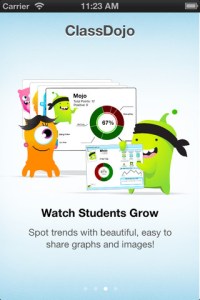
ClassDojo is a FREE & fabulous tool that helps improve classroom behaviors. Rewarding good behavior in real-time is easy – all it takes is a click. To use ClassDojo, you only need one device (computer, smart phone, a laptop, or a tablet) and an internet connection. It is very easy to set up. Each student on your class list is assigned a cute, monster-like avatar. Kids earn points for positive behaviors and lose points for negative behaviors. ClassDojo is also fully customizable so you can delete behaviors from the original list and/or add your own behaviors. As you use it, it automatically logs any data that you input. This data can be used to generate behavior reports to share with parents and administrators. How awesome is that? You can go into a meeting/conference with reports in hand! And now, parents can check online to see what kind of day their child is having.

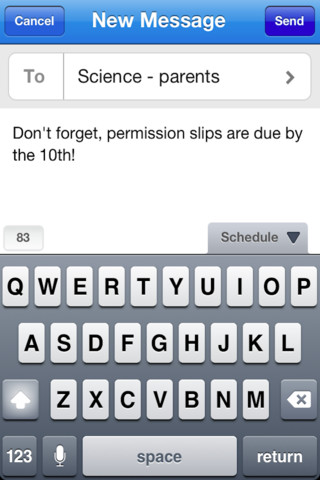
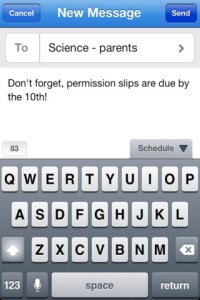
And, ClassDojo just keeps getting better. FREE messaging has been added to the app. Teachers can now send “direct” messages and/or photos to individual parents or they can “broadcast” a message to all parents. Sending reminders, assignments, homework, permission slips, etc. just became easier! Another newer addition to ClassDojo the option of creating groups. Teachers can now put students into groups – making it simple to award table points, team points etc. Fostering a collaborative classroom culture is simple with ClassDojo.

If I were still in the classroom, I would enter my class list twice – once for data on work/study habits and the other for data on behaviors. I would make my habits/behaviors match exactly what was on my report cards. Then as I used the app, I would also be gathering data for my report cards. At the end of the grading period, I would just print out the date and enter it on the report cards – how easy!  I would also have the data (in a printed report) to be able to back up any grade on the card.  “As you can see Mrs. Doe, Jane only turned in her homework 56% of the time.”  Instant data would also be available for the RTI process, IEPs or any other team meeting on a child. What a powerful tool for teachers! An educational app that has the ability to positively impact the learning environment – LOVE it!!

Check out the website for more information: www.classdojo.com

ClassDojo - Class Twist Inc

4. ZipGrade

zip grade 2FREE to try – ZipGrade, a slick app that grades multiple choice tests & quizzes instantly by using your device’s camera as a scanner. It’s very easy to use. First go to ZipGrade.com to download an answer sheet for any size test – 1 to 100 questions. Print as many as you need. A 100 scan demo is FREE with the download. Click new quiz and enter your answer key. Start scanning/grading. ZipGrade can scan up to 20 tests per minute. The app can be set up to use student ID numbers or student names. Results are organized for reporting/exporting via PDF and Excel. They can also be synced between devices. Students will love the instant feedback and teachers will love the item analysis. This app would be especially great for high school/college teachers who have overwhelming numbers of test/quizzes to grade. Check out the FREE version today! The full version of the app is $1.99 for 2 months or $6.99 for 1 year.

Download link: https://itunes.apple.com/us/app/zipgrade-grade-paper-tests/id635077270?mt=8&uo=4

5. Popboardz

Popboardz

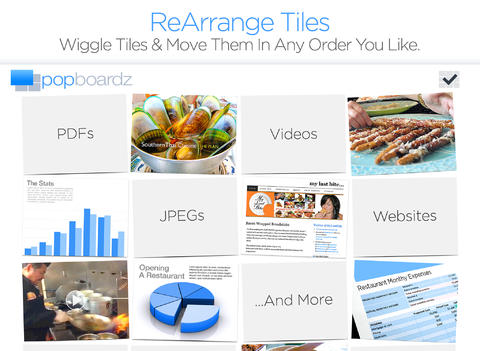
FREE with in-app purchases – Popboardz, a productivity tool. Popboardz makes it easy to organize, store, and present information. Each board is a grid with 16 spaces for content so that all of your PDFs, images, videos, websites, can be arranged on one screen. Unlike other presentation tools, Popboardz makes it easy to customize your presentation to meet the needs of your group. Just click on the grid space that contains the example, information, or link that you would like present next! It’s easy to skip around. This app would be fabulous to use in the classroom. A teacher could organize all his/her digital resources for a unit on one board. That board can be saved so it is always ready to present! It is also easy to edit and/or rearrange boards so that lessons can be tweaked as new resources become available. Students could also use Popboardz – to organize information, to present projects, to give reports, and more. What a great educational app!

Download link: https://itunes.apple.com/us/app/popboardz/id563989511?mt=8&uo=4

6. Easy Portfolio

eportfolios

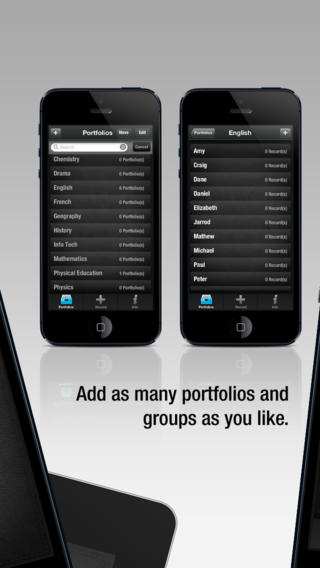
Currently $1.99 – Easy Portfolio – ePortfolio Tool for Students & Teachers. Download this educational app today to start getting organized for the upcoming school year. Easy Portfolio makes it simple for teachers to create ePortfolios for individuals, groups, or subjects. Individual student portfolios can be used to track student progress, highlight student achievement, monitor classroom behavior/work habits, and more. Subject portfolios can be used to organize teacher resources – videos, websites, images, etc. Imagine having everything you need to teach a unit or to make a presentation in one portfolio. The possibilities for using Easy Portfolio are endless.

Easy Portfolio is very simple to use. Just name your portfolios to begin. Then it’s easy to add videos, images, audio recordings or music, notes, URLs and digital documents. Added files are stored by type and can be sorted by date or ABC order. Files can also be shared via email or Dropbox. How wonderful it would be to have a digital portfolio for every student in your class. It would make getting ready for parent-teacher conferences or a IEP meeting a breeze! Capture and share your students’ learning this year with Easy Portfolio🙂

Download link: https://itunes.apple.com/us/app/easy-portfolio-eportfolio/id516212900?mt=8&uo=4

7. Educreations 

Educreations is great FREE app that turns your iPad into a recordable whiteboard. You can create tutorial videos for a variety of purposes: teach a lesson, create example math problems, explain a diagram, add commentary to your photos, etc. This educational app records & replays your voice, handwriting and/or drawings.Educreations is simple to use and permits you to build lessons with multiple pages. The editing tools allow you to: add text to any page, add photos, resize and move images, easily erase drawing mistakes, create “animated playback” by dragging objects as you record, and more.

But the best thing about this app is the ability to share your work. Free accounts are available at http://www.educreations.com where you can share your work as well as look at lessons created by others. Students can be given online access to the lessons that you have created there. Or, you can embed your lessons on your class blog/website. Students can watch a lesson before class or review a lesson after class. Absent students can watch from home. You can post information to help students with their homework. You can tutor someone online. Parents can log in to find out what is going on in class so they can help their children. What a powerful tool!! This app is being used at all levels of education including the college level. The features of Educreations make it a standout among the recordable whiteboard apps!

Educreations Interactive Whiteboard - Educreations, Inc

0

ClassDojo

ClassDojo is a FREE & fabulous tool that helps improve classroom behaviors. Rewarding good behavior in real-time is easy – all it takes is a click. To use ClassDojo, you only need one device (computer, smart phone, a laptop, or a tablet) and an internet connection. It is very easy to set up. Each student on your class list is assigned a cute, monster-like avatar. Kids earn points for positive behaviors and lose points for negative behaviors. ClassDojo is also fully customizable so you can delete behaviors from the original list and/or add your own behaviors. As you use it, it automatically logs any data that you input. This data can be used to generate behavior reports to share with parents and administrators. How awesome is that? You can go into a meeting/conference with reports in hand! And now, parents can check online to see what kind of day their child is having.

And, ClassDojo just keeps getting better. FREE messaging has been added to the app. Teachers can now send “direct” messages and/or photos to individual parents or they can “broadcast” a message to all parents. Sending reminders, assignments, homework, permission slips, etc. just became easier! Another newer addition to ClassDojo the option of creating groups. Teachers can now put students into groups – making it simple to award table points, team points etc. Fostering a collaborative classroom culture is simple with ClassDojo.

If I was still in the classroom, I would enter my class list twice – once for data on work/study habits and the other for data on behaviors. I would make my habits/behaviors match exactly what was on my report cards. Then as I used the app, I would also be gathering data for my report cards. At the end of the grading period, I would just print out the date and enter it on the report cards – how easy!  I would also have the data (in a printed report) to be able to back up any grade on the card.  “As you can see Mrs. Doe, Jane only turned in her homework 56% of the time.”  Instant data would also be available for the RTI process, IEPs or any other team meeting on a child. What a powerful tool for teachers! An educational app that has the ability to positively impact the learning environment – LOVE it!!

Check out the website for more information: www.classdojo.com

ClassDojo - Class Twist Inc

0

Photo Mapo

photo mapoFREE today – Photo Mapo, an easy-to-use photography app/fabulous tool for classroom projects. This app easily transforms any photo into a mapped masterpiece. The app features twenty-three styles. Projects can be customize by changing the background, map type, & zoom level. There is also an option to add a 180 character description. Finished projects can be shared by email or saved to the camera roll. How fabulous!! Kids can use this app to connect events (real or make-believe) to their settings. They can use it with: pictures of grandparents/great-grandparents to show their native countries, with scanned drawings of story scenes to show the setting, with pictures/drawing of animals to show their habitats, with historical photos to show locations, etc. Kids could also create virtual postcards with this app. Photo Mapo has loads of potential for classroom use!

Direct Link: https://itunes.apple.com/us/app/photo-mapo-add-map-to-your/id525258687?mt=8

0

Number Pieces

number piecesFREE educational app – Number Pieces from Math Learning Center. This educational app is the digital version of place value manipulatives, hands-on tools used to help students understand place value. Using the place value models within this app, kids can visualize the process of adding and subtracting ones, tens, and hundreds. The app has a function that permits kids to break apart pieces or join them together. This feature is fabulous for kids who need concrete examples. The app also includes expanding edge pieces which can be used to introduce arrays. Other features of the app include: three colors for identifying groups, drawing tools for labeling, a text tool for writing number sentences, zooming & scrolling for larger numbers. Thanks to the Math Learning Center, teachers & their students have another great app to add to their digital toolkits!

Common Core Standards:

  • 1.NBT.6. Subtract multiples of 10 in the range 10-90 from multiples of 10 in the range 10-90 (positive or zero differences), using concrete models or drawings and strategies based on place value, properties of operations, and/or the relationship between addition and subtraction; relate the strategy to a written method and explain the reasoning used.
  • 2.NBT.1 Understand that the three digits of a three-digit number represent amounts of hundreds, tens, and ones; e.g., 706 equals 7 hundreds, 0 tens, and 6 ones. Understand the following as special cases: a. 100 can be thought of as a bundle of ten tens — called a “hundred.” b. The numbers 100, 200, 300, 400, 500, 600, 700, 800, 900 refer to one, two, three, four, five, six, seven, eight, or nine hundreds (and 0 tens and 0 ones).

Download link: https://itunes.apple.com/us/app/number-pieces-by-math-learning/id605433778?mt=8&uo=4