0

ZipGrade – Grade Paper Tests and Exit Tickets

zip grade 1 zip grade 2

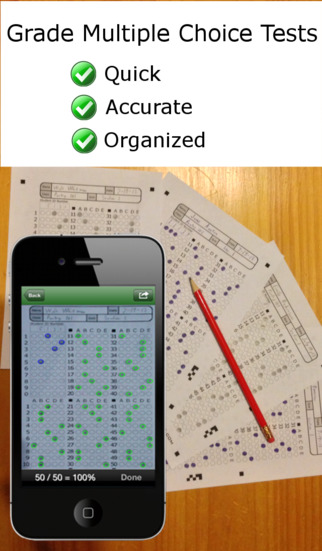
FREE to try – ZipGrade, a slick app that grades multiple choice tests & quizzes instantly by using your device’s camera as a scanner.  It’s very easy to use. First go to ZipGrade.com to download an answer sheet for any size test – 1 to 100 questions. Print as many as you need. A 100 scan demo is FREE with the download. Click new quiz and enter your answer key. Start scanning/grading. ZipGrade can scan up to 20 tests per minute. The app can be set up to use student ID numbers or student names. Results are organized for reporting/exporting via PDF and Excel. They can also be synced between devices. Students will love the instant feedback and teachers will love the item analysis. This app would be especially great for high school/college teachers who have overwhelming numbers of test/quizzes to grade. Check out the FREE version today! The full version of the app is $1.99 for 2 months or $6.99 for 1 year.

Download link: https://itunes.apple.com/us/app/zipgrade-grade-paper-tests/id635077270?mt=8&uo=4
0

Popboardz

Popboardz

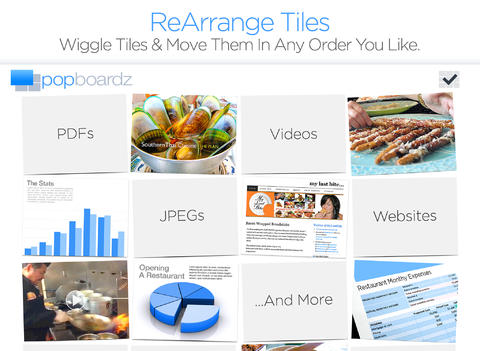
FREE again for a limited time – Popboardz, a productivity tool that normally sells for $4.99.  Popboardz makes it easy to organize, store, and present information. Each board is a grid with 16 spaces for content so that all of your PDFs, images, videos, websites, can be arranged on one screen. Unlike other presentation tools, Popboardz makes it easy to customize your presentation to meet the needs of your group. Just click on the grid space that contains the example, information, or link that you would like present next! It’s easy to skip around. This app would be fabulous to use in the classroom. A teacher could organize all his/her digital resources for a unit on one board. That board can be saved so it is always ready to present! It is also easy to edit and/or rearrange boards so that lessons can be tweaked as new resources become available. Students could also use Popboardz – to organize information, to present projects, to give reports, and more. What a great educational app!

Download link: https://itunes.apple.com/us/app/popboardz/id563989511?mt=8&uo=4

0

Sandbox and RabbleBrowser

FREE again for a limited time – 2 great web browsing/sharing tools from Float Mobile Learning. Check them out while they are FREE. 🙂

sandbox

Sandbox Web Browser allows teachers/administrators to customize the appearance of the user interface on students’ devices. By using Sandbox, teachers can restrict students to a predetermined list of websites (called a whitelist) – perfect for classroom research. Bookmarks for approved sites can also be added. A passcode is set to prevent students from changing the settings. Sandbox also returns to a preset home page when the device goes idle. This app can be used to configure an individual device or it can be used to configure multiple devices by using a property list file. The app includes extensive instructions for configuring Sandbox to meet the specific your needs. It also includes instructions for restricting access to Safari, the App Store, You Tube, and other built-in apps through your device.

Download link: https://itunes.apple.com/us/app/sandbox-web-browser/id562054411?mt=8&uo=4

rabble

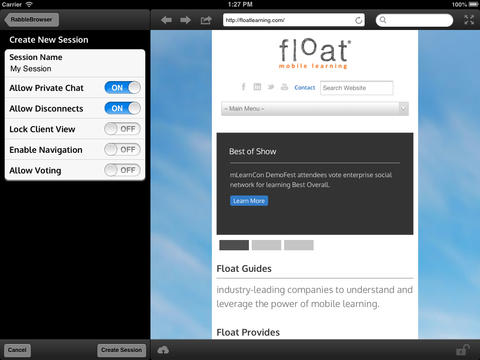
RabbleBrowser is a collaborative web browsing and file sharing tool. A teacher or student leader can facilitate a shared web-browsing/file-sharing experience with an unlimited number of locally connected others in their group. Other features of this app include: integrating chats, saving bookmarks, sharing of personal files, social sharing via email/Facebook/Twitter, and printing. This app looks fantastic for teacher collaboration – meetings, professional development days, college classes, etc.

Download link: https://itunes.apple.com/us/app/rabblebrowser/id432616026?mt=8&uo=4

1

MyScript Calculator

myscript

Named by Apple as 1 of  10 Apps That WOW and FREE  – MyScript Calculator is an amazing app. It performs mathematical operations literally by hand! You write the problem … it solves the problem! The app is very simple to use. Just write the mathematical equation on the screen. MyScript technology converts the symbols and numbers to digital text and delivers the answers. It supports the following operations: basic operations (+, -, x, ÷, +/‒, 1/x), additional operations ( %, √, x!, |x|), powers/exponentials (ℯx, xy , x2), trigonometry, and more. Winner of the Mobile App Showdown at CES 2013, MyScript Calculator has been redesigned to work with iOS7. The update also allows automatic calculation to be disabled and replaced by a “calculate” button. Love this app – numbers have to be written somewhat legibly for it to work. 🙂

MyScript Calculator - Vision Objects

0

Hanx Writer

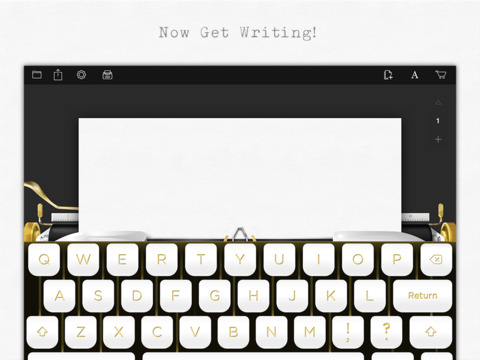
hanxLooking for a fun way to get your students to write? Try Hanx Writer, a FREE app created by Tom Hanks. Hanx Writer recreates the experience of typing on a manual typewriter – without the hassle! Students can enjoy the look, feel, and sound of a good old-fashioned typewriter coupled with the ease and speed of an iPad. Created documents can be messaged, emailed or printed. This app would also be great for teaching students how to keyboard. With in-app purchases, you can add ribbon colors, background colors, and more. Check out the FREE version. If you grew up using a typewriter, you’ll feel quite nostalgic as you “type” your documents. 🙂

Download link: https://itunes.apple.com/us/app/hanx-writer/id868326899?mt=8&uo=4

0

Pattern Shapes

pattern shapes

pattern shapes 2

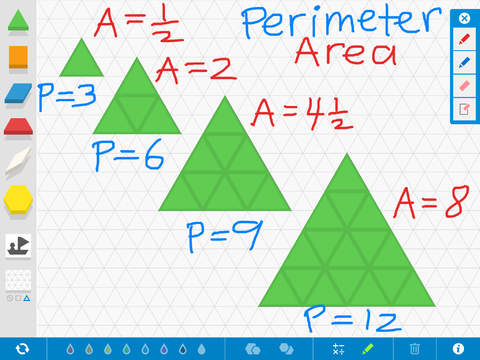
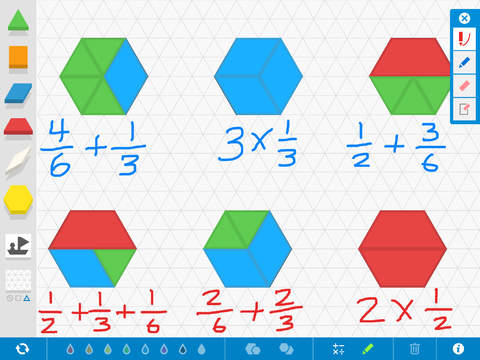
FREE educational app – Pattern Shapes is another great math manipulative from the Math Learning Center. The app features three backgrounds: blank, square grid, or triangular grid. Younger students can use Pattern Shapes to fill in outlines and/or create their own designs. Older students can use the app to explore a variety of math concepts: geometric relationships, fractions, perimeter & area, angles, symmetry, etc. The app has plenty of flexibility. Shapes can be rotated in 15 degree increments. Their color and size can be changed and/or duplicated. There are drawing tools & text tools available so students can explain their work. After using the app to show their understanding, students can screen shot their work to email to their teacher. Or, how about creating a digital math portfolio in a writing/diary app? Then students could add their work to their portfolios. Another fantastic tool for your digital math toolkit!

Download link: https://itunes.apple.com/us/app/pattern-shapes-by-math-learning/id908511013?mt=8&uo=4

0

Grid Diary

grid diary

FREE for a limited time – Grid Diary – Questionnaire Diary, Gratitude Journal, Private, Secret and Simple. This educational app was featured by Apple in New & Noteworthy and What’s Hot. Grid Diary is a unique way of keeping a learning journal, health journal, gratitude journal, etc. The app is made up questions/prompts that are arranged in a grid. You can customize the number of questions/prompts and the content of those questions/prompts. Students can use Grid Diary to reflect on their thoughts or on their learning. They could jot down what they know, what they want to know, what they learned – a personal KWL chart! They could reflect on their understanding of the day’s lessons. They could ask questions that they still have. Teachers could use this app to get feedback from their students on what they learned each day – a daily grid of exit slips. 🙂  Students can email or print their entries one at a time. They can also screen shot their grid to email or print all of their entries at once. Teachers could also use this app as a teaching journal about their lessons, students, etc. Grid Diary could be used in the classroom in so many ways. Check it out this FREE version today.

Download link: https://itunes.apple.com/us/app/grid-diary-questionnaire-diary/id597077261?mt=8&uo=4

0

Number Line, by the Math Learning Center

number lineNumber Line, by the Math Learning Center is a fantastic FREE app that will help kids visualize number patterns and understand number operations. The app is well-designed with several useful features. The number line can be set by ones, twos, fives, tens, twenty-fives, and hundreds. It can also be customized to show multiples of any whole number from 1 to 100. This feature is perfect for skip counting and/or for visualizing multiplication. The app permits kids to add and manipulate forward & backward jumps – a great feature for teaching addition & subtraction. This feature also helps kids visualize multiplication as repeated addition of the same number and division as repeated subtraction of the same number. Teachers are able to hide or reveal numbers on the number line. This feature can be used to challenge kids to apply what they know in order to figure out the missing number/numbers. Teachers can also use this feature to teach kids how to solve more difficult patterns that are missing several numbers; such as 4, __, __, 16.  Kids can use the drawing tools to show what they know. They can write equations and expressions with the text tool. They can screen shot their work and use it as an exit slip after a lesson. Add this one to your virtual toolkit today – “seeing math” helps kids understand it. 🙂

Download Link: https://itunes.apple.com/us/app/number-line-by-math-learning/id751816884?mt=8&uo=4

0

Halftone

Half Tone

FREE again for a limited time – Halftone, a photography app with many educational uses. Named by Apple as a favorite photo app of 2011, Halftone makes it easy to turn your photos into vintage-looking comics that your friends and family will love! It’s simple to add paper styles, captions, speech balloons, graphic stamps, and fonts to your photos. Because it is so easy to use, this app would be great for creating the art to go with classroom projects – stories, book reports, newsletters, etc. Lots of creative uses for this educational app!

Halftone - Juicy Bits

0

Trading Cards

trading cards

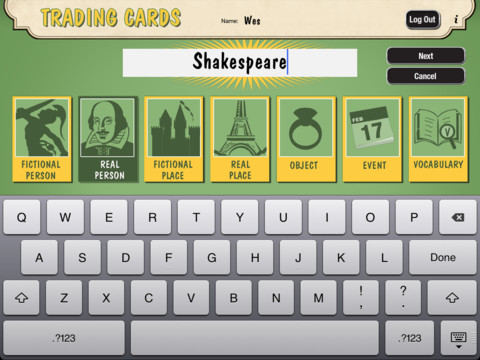
Fabulous educational app!!! ReadWriteThink’s Trading Cards is powerful FREE app developed by the International Reading Association. This educational app provides a unique way for kids to share their understanding of topics, generate their own study aids, create a fictional world to use in their writing, make their own trading cards, and more. There are 7 categories of cards available within the app: fictional person, real person, fictional place, real place, object, event, and vocabulary. Kids start by choosing a category and typing in the title of the card. Each category has specific questions which help kids create information-rich trading cards. Images can be added by using the device’s camera or by accessing pictures in the photo library. Kids can also sort their cards into collections such as characters from a book, heroes or villains, landmarks, the 50 states, vocabulary by subject, etc. The possibilities are endless! Cards can be shared via email, saved to the photo library, or printed on a wireless printer. And… the kid appeal is tremendous. Kids will LOVE trading their cards with their classmates. 🙂

Highly recommended!!

Trading Cards - International Reading Association