0

Socrative

Socrative has been acquired by MasteryConnect. Read the press release here: https://www.masteryconnect.com/learn-more/press_releases/MasteryConnect-Acquires-Socrative.pdf

Still FREE and getting better with every upgrade – Socrative, an app that turns any device with a web browser into a student response clicker. I have been a fan of Socrative since I first discovered it two years ago. It’s one of those apps that I wish had been around when I was still in the classroom. Last July, Socrative added two additional quiz features. # 1 – Teachers can now add images to their questions. #2 – The system can now grade short answer questions. Teachers just input the acceptable answers and the system does the rest. 🙂

The Socrative website and app are unbelievably cool – they turn any device with a web browser (iPhone, iPad, laptops) into a student response clicker. If a teacher has access to any kind of wireless lab, he/she can engage the entire class in a game or quiz and watch the results in real-time. Teachers begin by using their teacher app or logging into t.socrative.com with their email and password. Once logged in, teachers are assigned a room number to share with their students. Students log in using their student app or at m.socrative.com and enter the “virtual room number” provided by the teacher. Teachers initiate an activity and students respond on their devices. Multiple choice and short answer quizzes are easy to create – types of questions can be mixed. Teachers can also choose to run the quiz as a Space Race game. The students’ responses are visible to the teacher in real-time. Teachers can see what each child answered individually as well as what the group answered collectively. And the best part is… the app grades, graphs the results, and generates a report as an Excel spreadsheet or an email.

What a powerful tool for teachers – a short quiz at the end of a lesson can pinpoint what students understand and what needs to be reviewed. Hours of grading and analyzing test results are done immediately. Every student is involved – wow!

Link to new user guide: http://www.socrative.com/materials/SocrativeUserGuide.pdf

Highly recommended!

Teacher app Teacher Clicker - Socrative - Socrative           Student app Student Clicker - Socrative - Socrative

0

ProCollage – Photo Collage Maker & Photo Stitch Creator

procollage

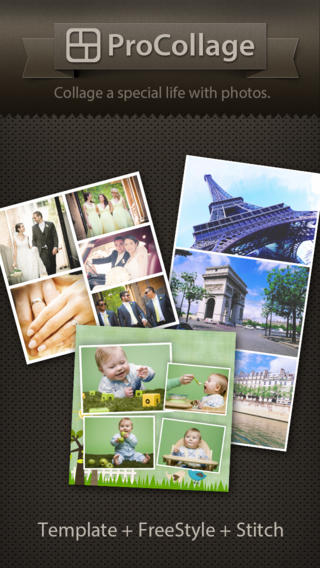
FREE today only – ProCollage – Photo Collage Maker & Photo Stitch Creator, a wonderful app for creating collages! With ProCollage you can easily make creative collages with your photos and/or pictures from the internet – basically, any images that you have saved in your camera roll/photo stream. This app is incredibly intuitive and easy to use. There are three collage modes to choose from – template collage, freestyle collage, and stitching photo. All modes support up to 9 photos. In all modes it’s easy to: flip and rotate photos, add/replace photos, add text (60 colors & patterns), customize borders, corners & backgrounds, and more.
There are SO many fun uses of this app for education. Teachers, use ProCollage to make a collage of a student’s work or a collage of the school year’s highlights. Add collages of what’s happening in your classroom to your class newsletter, website, or blog. Have students use ProCollage to introduce themselves at the start of the year. Send students on a scavenger hunt of geometric shapes then have them make a ProCollage of what they found. Add a ProCollage to a report or make a ProCollage representing the main character of a book, etc. The list is only limited by your imagination! I LOVE educational apps like this – open-ended with great potential for creativity! WOW!!

Download link: https://itunes.apple.com/us/app/procollage-photo-collage-maker/id593389475?mt=8&uo=4

0

Too Noisy Lite

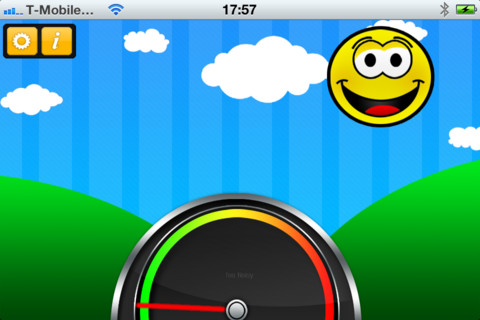
Too Noisy Lite is a FREE noise meter for iPhone/iPad. It measures the level of noise in a room and graphically displays whether it is at an acceptable level or not. If the level is acceptable, a smiling face is displayed. If the noise level increases beyond a level of acceptability, the graphic changes to indicate that the noise level is NOT acceptable. In the settings, a teacher/adult can adjust the sensitivity of the meter to go with the activity. A testing situation could be set at a 99% sensitivity level and group work could be set at a much lower sensitivity level. The meter worked when I tried it but, I was not in a large room with a group of kids. By using an Apple Digital AV adapter or a VGA adapter, Too Noisy can be projected on a TV or monitor so kids can learn what noise level is acceptable – cool idea! I would think that the LITE version is worth a try to see if it works for your situation. There is also a PRO version and themed versions available for $.99 each. Check out this great FREE educational app!

Too Noisy - Walsall Academy

0

Still Shot

still shot

Ever wish that you could capture a still shot from a video? Well now you can. 🙂

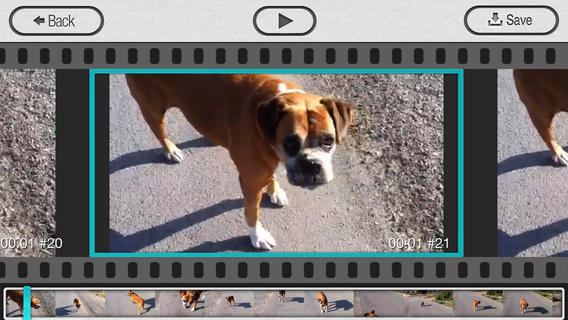
FREE today – Still Shot from the makers of Group Shot. This photography app can be used to catch the moment when your subject is on the move – perfect for kids and pets! It’s extremely easy to use – just load a video, choose your favorite frame, and save it to your camera roll. Your “still shot” will have the same resolution as the video. Once the picture has been saved, it can be printed, shared, pulled into another app, etc. There are so many ways to use this app in an educational setting. Freeze and save – scenes from play, moments from a field trip, segments of a demonstration, etc. Teachers/coaches can capture kids in action then analyze their movements frame by frame. Fabulous and FREE today!!

Download link: https://itunes.apple.com/us/app/stillshot/id520436425?mt=8&uo=4

0

Remind 101

Used by over 700,000 teachers…

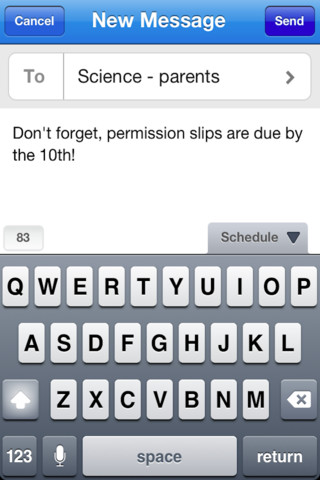
Remind 101 a FREE iPhone/iPad app that provides a safe way for teacher to text or email parents/students. To start, a teacher goes to the Remind 101 website to add his/her class list. A unique code is generated and the teacher shares that code with parents/students. The parent or student then sends a text message with the code to subscribe to the teacher’s class. From that point on, the parent/student will receive any message that the teacher sends from Remind 101. Teachers can text or email their entire class in minutes – homework assignments, field trip reminders, etc. All phone numbers remain private –  students never see the teacher’s phone # and the teachers never see the students’ numbers. This app has been written about by NBC, NPR, Huffington Post, Edutopia, and Edweek. Wow – what a great tool for improving communications but maintaining your privacy!

Remind101 - remind101

0

Pocketbooth – the photobooth that fits in your pocket

pocketbooth

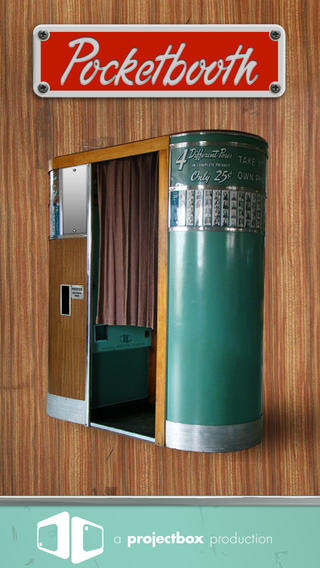
FREE today – Pocketbooth – the photobooth that fits in your pocket, an app that turns your iPhone/iPad into a 1950s-era vintage photobooth. Pocketbooth takes a series of photos (a few seconds apart) to create photo strips of your special events. The app includes five photo effects (1975, antique, B&W, color, sepia), two paper types, and two border styles. There are additional filters/borders available as in-app purchases. Pocketbooth can use either the front or the rear facing camera of your device. Photo strips can be shared via Facebook, Twitter, email, or they can be saved to your camera roll. They can  be printed on a wireless printer or you can have them professionally printed/mailed to your friends for an additional charge. Pocketbooth was chosen Starbuck’s App of the Week, featured as New and Noteworthy” by Apple, and listed as one of 2010’s Hottest Apps – iTunes Rewind. What a fabulous app to have for your next birthday party, family reunion, etc.

And teachers… how cool would it be to have a photobooth in your classroom? It would be perfect for taking pictures of special events – Dr. Seuss Day, St. Patrick’s Day, Halloween, Wacky Hair Day, Silly Hat Day, etc. The kids could help make the props. 🙂 It would also be great for special projects – animal reports (kids dress as their animal), biographies (kids dress as their person), the 100th day (kids dress as if they are 100 years old), etc. How fun!!

Download link: https://itunes.apple.com/us/app/pocketbooth-photobooth-that/id385145330?mt=8&uo=4

0

Tellagami

Telegami

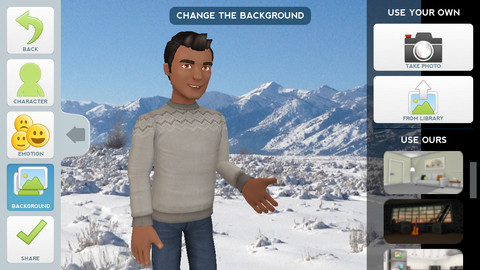
Currently FREE, Tellagami (rhymes with origami) is a unique storytelling app. Short stories called gamis are easy to create. First you select and customize a character by choosing his/her skin tone, eye color, hair color, and clothing. Then you choose an emotion – happy, sad, surprised, angry, scared, silly. Next you choose a background from the app, from your photo library, or create one by using your camera. You are now ready to create your gami. You can record your gami in you own voice or choose the text button to type in what your character will say  – the limit is 450 characters. Gamis can be shared via email, messaging, Facebook, or Twitter.

This educational app is fabulous!! Its uses are only limited by your imagination!! Kids can use gamis to introduce themselves at the beginning of the year. They can customize gamis to look like themselves and be reporters, scientists, teachers, etc. They can create the character (and setting) from a book they are reading. They can message or email a parent to explain what they are learning in class. Teachers could use gamis as interactive exit slips. The list is endless. Kids will LOVE creating gamis!

Tellagami ™ - Tellagami Inc.

0

Halftone

Half Tone

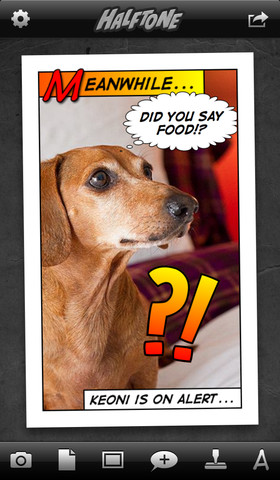
FREE for a limited time – Halftone, a photography app with many educational uses. Named by Apple as a favorite photo app of 2011, Halftone makes it easy to turn your photos into vintage-looking comics that your friends and family will love! It’s simple to add paper styles, captions, speech balloons, graphic stamps, and fonts to your photos. Because it is so easy to use, this app would be great for creating the art to go with classroom projects – stories, book reports, newsletters, etc. Lots of creative uses for this educational app!

Halftone - Juicy Bits

1

Trading Cards

trading cards

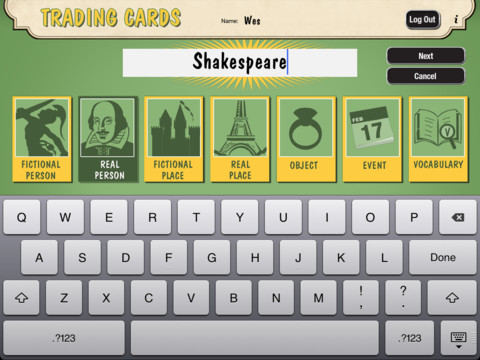
Fabulous educational app!!! ReadWriteThink’s Trading Cards is powerful FREE app developed by the International Reading Association. This educational app provides a unique way for kids to share their understanding of topics, generate their own study aids, create a fictional world to use in their writing, make their own trading cards, and more. There are 7 categories of cards available within the app: fictional person, real person, fictional place, real place, object, event, and vocabulary. Kids start by choosing a category and typing in the title of the card. Each category has specific questions which help kids create information-rich trading cards. Images can be added by using the device’s camera or by accessing pictures in the photo library. Kids can also sort their cards into collections such as characters from a book, heroes or villains, landmarks, the 50 states, vocabulary by subject, etc. The possibilities are endless! Cards can be shared via email, saved to the photo library, or printed on a wireless printer. And… the kid appeal is tremendous. Kids will LOVE trading their cards with their classmates. 🙂

Highly recommended!!

Trading Cards - International Reading Association

0

Equivalent Fractions

equivalent fractions

From the National Council of Teachers of Mathematics comes a FREE app called Equivalent Fractions. Kids create equivalent fractions by dividing and shading squares or circles. Circles can be divided into 24ths. Squares can be divided into 144ths. In the play mode, a fraction is shown and kids must create 2 additional fractions that are equivalent. All 3 fractions must have different denominators. The app also places the fractions on a number line – a great visual for comparing! There is also a “build your own” mode which would be fabulous to use for guided exploration & practice. Kids could also use this section as a virtual manipulative when working independently. This app is an excellent resource for the classroom!

Common Core Standards met:

  • 3.NF.3 – Explain equivalence of fractions and compare fractions by reasoning about their size. Understand two fractions as equivalent (equal) if they are the same size, or the same point on a number line. Recognize and generate simple equivalent fractions, e.g., 1/2 = 2/4, 4/6 = 2/3). Explain why the fractions are equivalent, e.g., by using a visual fraction model.

Equivalent Fractions - National Council of Teachers of Mathematics