0

Musical Paint

Musical Paint

FREE for a limited time – Musical Paint a creative, multi-sensory app for the iPhone/iPad. Kids are welcomed into an art museum by a friendly blue walrus with a French accent. There is also an ensemble of lively musicians (underwater animals) at the museum. Kids are invited to paint a picture on a canvas. Each color is a musical tone so when kids paint, they are painting music! If the child chooses to save his/her painting, it is hung in the museum – a very cute feature. They even get to sign their work. Kids can also share their paintings via email. What fun it would be for kids to send Grandma a picture of their masterpiece that is in a museum!! The app also has a lesson plan section for teachers & parents. Nicely done app for younger kids!!

Musical Paint - Building Blocks Media LLC

0

Tinycards – Flashcards by Duolingo

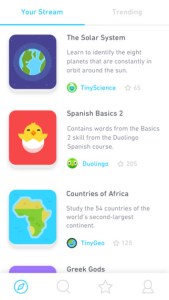
tinycardsTinycards – Flashcards by Duolingo is a new FREE app from the creators of Duolingo. When you first sign in, you are asked to choose three+ flashcard creators to follow. Choices include Duolingo, Tiny Science, Tiny History, Tiny Geo or Chineasy. The app generates lessons based on your choices. There are lessons on collective nouns, country capitals, history, constellations, famous inventions, Greek Gods, and much more! There are also vocabulary lessons in Portuguese, Spanish, French, and German. Vocabulary flashcard sets include word pronunciations.

The app is appealing, simple to use, and 100% FREE. It uses repetition and other learning techniques to help you remember new material. And, it checks your newly-learned knowledge in multiple ways. If you want to learn or teach something that is not included in the ready-made collections, then you can create and publish your own decks of flashcards. The process is simple and intuitive. Start by searching the web for images or using images from your own photo library. Then add the text to go with your image and you’re done! This app is a fabulous learning tool for kids of all ages. Check it out and imagine its possibilities for teaching & learning.

Direct Link: https://itunes.apple.com/us/app/tinycards-flashcards-by-duolingo/id1109425556?mt=8

0

Artkive

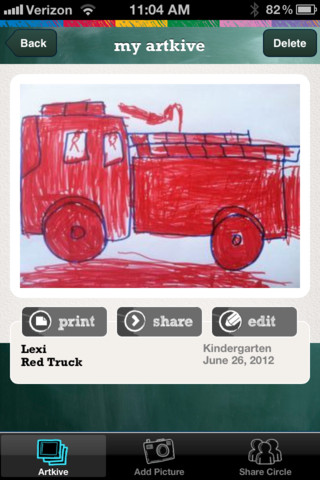
As featured on THE TODAY SHOW, Artkive makes it easy to digitally store, share, and print your children’s artwork/schoolwork.  Originally released on August 11, 2012  – this app for the iPhone/iPad is FREE again for a limited time. It is very easy to use…. First, you create an account. Then enter the first names of your children. Take photos of their artwork/schoolwork or upload existing photos from your camera roll. Tag the photo with a child’s name, age or grade, the date, and a title. So simple! You can then share their art with family & friends. You will also be able to have Artkive create digital books & other products with your child’s artwork/schoolwork. Artkive makes it easy to collect and store your children’s artwork in one place.

What a great idea! As a parent, you can use it to create books for your children, of any age. I plan to make gift books for my adult children of their art/work that I have saved!  As a teacher, you could use it to create digital portfolios of children’s work. Lots of possibilities…. try it yourself while it is free. 🙂

To learn more @ http://www.artkiveapp.com/

Artkive - The Kive Company

0

Summertime Apps

Those lazy, crazy days of summer have arrived. Here are some summer-themed apps for kids to enjoy.

sand drawing

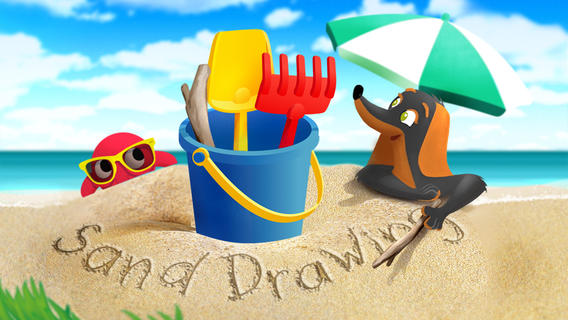
Sand Drawing by Timbuktu is currently $2.99 but it was FREE when I downloaded it. Kids can relax on the virtual beach by drawing in the sand. The app comes with 3 drawing tools and 12 decorations that kids can choose to use. Decorations can easily be mixed, rotated, and resized. Waves clear the beach so to make way for new creations. Simple to use and fun!

I wish the app had a save feature built-in – perhaps that will be an option in an updated version. The good news is that you can save your child’s sand drawing by taking a screen shot of your iPad. Here’s how: 1. Have your child’s creation open. 2. Find your Sleep/Wake button (top right of the iPad). 3. Find your home button (centered on the bottom your iPad’s screen). 4. Hold down both buttons together – it only takes a second. 5. Release them and you should hear a camera shutter sound and see a white screen. 6. Check your Camera Roll – the image should be there!

Now the fun begins… use your creations to as illustrations in story apps, as backgrounds for photo albums of your vacation, as postcards to grandma & grandpa, etc. Get creative!!

Sand Drawing - by Timbuktu - Timbuktu Labs, Inc.

Ice Cream Truck Game

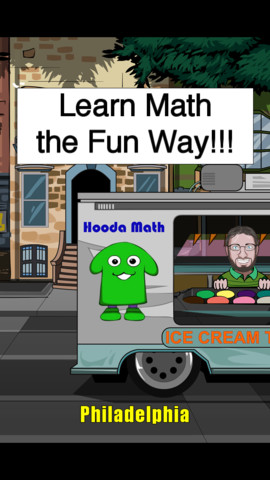
Ice Cream Truck Game is another cute, educational app for only $2.99 –  Kids utilize their math skills while operating an ice cream truck in this game. They begin by purchasing the right amount of ingredients (cones, ice cream, and toppings) for each day. All ingredients are sold in metric measurement – liters or grams. Then, kids choose a cone size  and set a price for the treats. Sales are affected by price and by the popularity of the treats. At the end of each day, the child sees a graph of liquid assets and a graph of customer satisfaction. They can assess what works or what does not work and make the necessary adjustments for the next day. Kids have 10 days in each city. The goal is to make enough money to move to the next city (level). The levels get progressively more difficult. Lots of math skills are woven into this game – money, measurement, estimating, reading a graph, etc. I could see third, fourth, & fifth graders having fun with this one!

Ice Cream Truck Game - Hooda MathI Like Summer

Preschool Books – I Like Summer from Grasshopper Apps is FREE! Written for preschoolers, this book is 1 of 20 books in the “I Like” series. Kids will enjoy listening to the story that highlights the joys of summer. They will also love looking at story’s photos. The best part of this educational app is that it can be customized. You can record the existing story in your child’s voice (or your voice). Or… you can completely change the text and record the new story in your child’s voice/your voice. How fun  – have your child make up a story to go with the pictures!

Preschool Books - I Like Summer - GrasshopperApps.com

Stella adn Sam Storypack

4 out of 5 of these stories are about summer!

Now only $3.99 – Stella and Sam Story Pack, a wonderful educational app that was selling for $6.99. The story pack contains 5 Stella and Sam apps (Into the Snow We Go, Rainy Days and Rainbows, Backyard at Twilight, Go There Square, and Cocoons & Caterpillars). They are also sold individually for $1.99 each. Stella and Sam apps are based on the television show and book series by Marie-Louise Gay. The Stella and Sam books have been translated into 15 languages and have sold over a million copies. All Stella and Sam apps are also supported in French.

I love how all of the stories focus on getting kids outside to enjoy the beauty of nature. They are beautifully animated, creatively presented, and such fun for preschoolers!

Into the Snow We Go: In this adventure, kids join Stella and Sam to make pictures in the snow, decorate a snowman, and discover what’s hidden under the snow.

Rainy Days and Rainbows: Once again, kids join Stella, Sam and their dog Fred. They paint with Fred, dig through leaves looking for treasures, and have a pine cone race across Puddle Lake.

Backyard at Twilight: In this adventure, kids play along with Stella, Sam, and their dog Fred as they spend the night camping out in the backyard. They look for bugs, learn about shapes from fireflies, and discover the constellations.

Go There Square: Stella and Sam find magical places with the help of their go-there-square. Kids go along to pop musical bubbles, collect dandelions and build a bridge out of flowers.

Cocoons & Caterpillars: In this adventure, kids play along with Stella, Sam, and their dog Fred to discover the joys of nature – butterflies, birds, and clouds.

Download link: https://itunes.apple.com/us/app/stella-and-sam-story-pack/id441939700?mt=8&uo=4
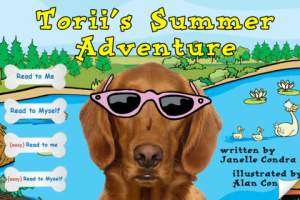
torii

Now $1.99 – Torii’s Summer Adventure, a cute interactive book written by an elementary school teacher. Torii is a lovable & curious golden retriever who loves exploring – especially when her family takes her to the lake! Kids will enjoy reading about her adventures. They will have fun discovering the interactivity & sound effects on every page. The book has “read to me” or “read by myself” options. It also has a choice of reading levels – a very cool feature. Kids can search for Torii’s bone throughout the story and the app keeps track along the way. The app also includes additional activity/coloring pages at the end of the story. Who wouldn’t love a dog in pink sunglasses? 🙂

Download link: https://itunes.apple.com/us/app/toriis-summer-adventure-interactive/id579935507?mt=8&uo=4

0

Stickyboard 2

stickyboard-2-ipad-appFREE for a limited time – Stickyboard 2, a giant whiteboard with a never-ending stack of sticky notes. If you are looking to capture ideas in your classroom or at your next meeting, check out the electronic version of this classic organizer. Unlike their paper counterparts, these sticky notes don’t fall off or get lost. And, they are more environmentally friendly. The app also feature Magic Arrange which makes arranging and rearranging the notes much simpler. Entire boards can be emailed as PDF files – great for sharing ideas. Check out this fabulous tool while it’s FREE!

Download link: https://itunes.apple.com/us/app/stickyboard-2/id466102928?mt=8&uo=4

0

Universal Zoom: All About Sizes and Distances

image

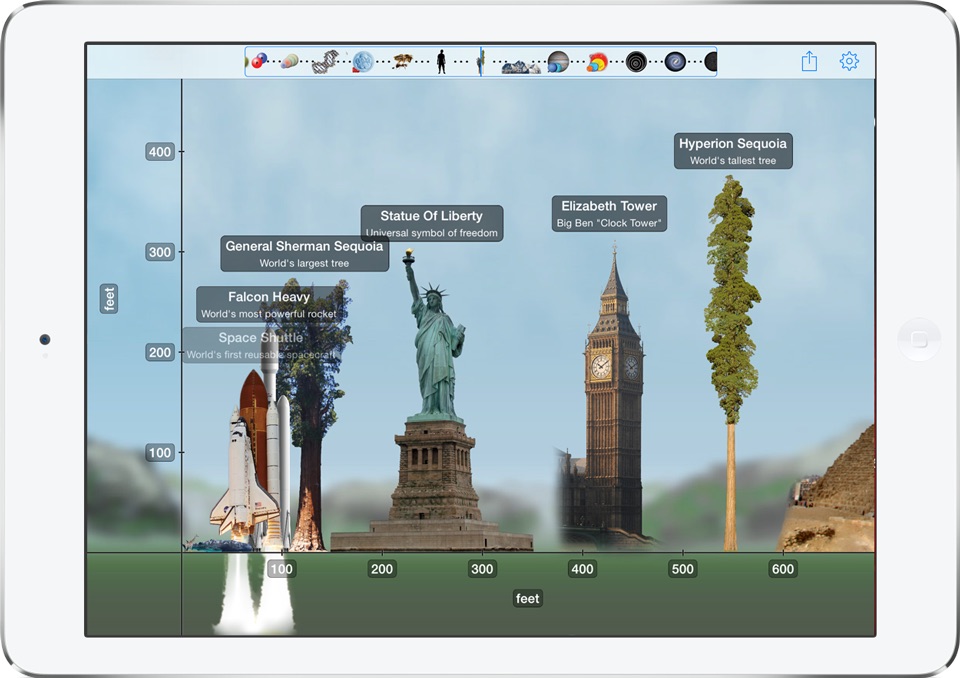
FREE for a limited time – Universal Zoom: All About Sizes and Distances, a very cool scientific app. Teachers and parents can use this educational app to help kids compare and contrast the size of natural and man-made objects in our universe. The app features about 200 objects presented to scale. Included are things like the world’s tallest buildings, the largest trees, animals, mountains, the planets of our Solar System. Kids can compare the size of a man to an ostrich, the size of a whale to an airplane, the size of the planets and more. And, there are also interesting facts about each object. VERY cool!

Direct link: https://itunes.apple.com/us/app/universal-zoom-all-about-sizes/id807673066?mt=8

0

Toca Builders

Toca Builders

FREE for a limited time (and for the first time) – Toca Builders, another wonderfully creative app from Toca Boca. Kids (ages 5+) create things with the help of 6 builder friends: Blox, Cooper, Vex, Stretch, Connie, and Jum-Jum. Each builder has unique skills which kids can control with simple gestures. The builders help move, stack, drop, spray, smash, paint, & lift blocks as kids create/construct new objects.The educational app also has a snapshot feature and an autosave feature to share & save the world that your child has created. If your child can imagine it, he/she can build it with the help of the Toca Builders – creative fun for your budding engineer/builder!

Download link: https://itunes.apple.com/us/app/toca-builders/id652077009?mt=8&uo=4

0

Non-Scary, Educational Apps About Sharks

Discovery Channel’s Shark Week starts tomorrow. It’s a week of TV programs dedicated to sharks that began in 1988 and is now broadcast in over 70 countries.

Here are some educational apps about these creatures who capture the interest of so many people – young and old!

Shark Goes to the Doctor

FREE – SeaWorld: Ruckus Reader presents – Shark Goes to the Doctor, an engaging story that follows a sand tiger shark as it is checked by vets. Kids learn interesting facts about sharks’ lives.

Download link for SeaWorld: Ruckus Readerhttps://itunes.apple.com/us/app/seaworld-ruckus-reader/id515220048?mt=8&uo=4


shark track 1

shark track 2

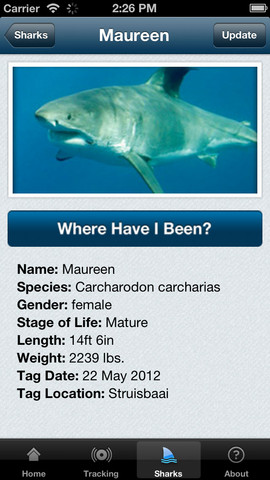
FREE – Global Shark Tracker lets you follow the navigational pattern of sharks that have been tagged with satellite tracking technology.  The purpose of this tracking is for shark conservation and the collection of data on the health of sharks. Very cool!

Download link for Global Shark Tracker:https://itunes.apple.com/us/app/global-shark-tracker/id570772231?mt=8&uo=4


Currently, $3.99, Treasure Kai and the Lost Gold of Shark Island is an adventure story of a 10-year-old treasure hunter named Kai. Kai is always dreaming about treasure and looking for it in his parents’ store: The Treasure Shop. Kai’s dreams magically transport him to Shark Island where he finds a treasure chest. And so the adventure begins…. Kids help in the hunt for gold by choosing from 8 different treasure chests. Each chest reveals another clue – leading Kai through more adventures. Along the way, there are animations to discover, great sound effects, and an original score. This digital story is similar to the “choose your own adventure” books with an “Indiana Jones” feel to it. It is different every time it is read with thousands of ways to find the treasure. This app would be great for kids who are a bit older and becoming independent readers. Very cool 🙂

Visit the website for a preview http://treasurekai.com/. After reading the story, your child can go back to the website for a variety of extras: watch fun fact videos, go behind the scenes, play a video game, work some puzzles and more.

Treasure Kai and the Lost Gold of Shark Island - Interactive Book App for Kids - Treasure Bound Books

ocean

Currently $1.99 – Ocean – Animal Adventures for Kids, an educational app for preschoolers. Kids will become sea life experts as they explore 3 ocean scenes – a coral reef, a shark reef, and the deep-sea. The app has two modes – one for tapping/interacting with the creatures and the other for listening to/learning facts about them. Kids will learn fun facts about more than 30 animals and be delighted with the 60+ animations. The app is narrated in 12 languages – English, German, French, Spanish, Russian, Swedish, Japanese, Chinese, Portuguese (Brazilian), Turkish, Dutch and Italian. Check out this cute interactive book for your 1 – 5-year-old today. 🙂

Download link: https://itunes.apple.com/us/app/ocean-animal-adventures-for/id819165012?mt=8&uo=4

0

9 Tiggly Apps are FREE!

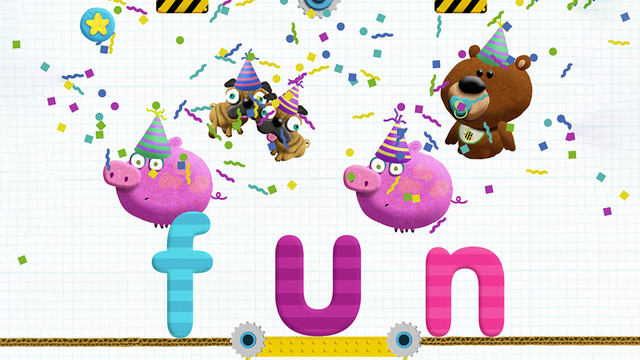
Tiggly StoryTiggly Story Maker: Build Words and Record Your Own Tales makes creating three-letter words (with the CVC pattern) fun. Two consonants sit on the bottom of the screen with space in between them. The five vowels dangle above the space. Kids drop a vowel into the space to see if they can make a word. If a word is made, the animated object appears on the screen. If a word is not made, the vowel springs off the page. This app is great for reinforcing short vowel sounds and the CVC pattern – a nice addition to a kindergarten or first-grade classroom. Tiggly apps are unique because they can be used with or without Tiggly Word & Shape Toys which are available for purchase within the app.

Direct Link https://itunes.apple.com/us/app/tiggly-story-maker-build-words/id969256436?mt=8

Here are links to other Tiggly Apps that are now FREE. I have not reviewed these apps.

Tiggly Doctor: Check up on your verbs in this fun spelling game. Direct link: https://itunes.apple.com/us/app/tiggly-doctor-check-up-on/id971257252?mt=8

Tiggly Safari  shapes to create animals. Direct link:  https://itunes.apple.com/us/app/tiggly-safari/id716679050?mt=8

Tiggly Submarine Preschool ABC Game  Direct link: https://itunes.apple.com/us/app/tiggly-submarine-preschool/id966609991?mt=8

Tiggly Addventure: Number Line & Math Learning Game for Preschool. Direct link: https://itunes.apple.com/us/app/tiggly-addventure-number-line/id923545246?mt=8

Tiggly Chef: Preschool Math Cooking Game. Direct Link https://itunes.apple.com/us/app/tiggly-chef-preschool-math/id923367559?mt=8

Tiggly Cardtoons: Learn to Count with 25 Interactive Kids Stories. Direct link: https://tunes.apple.com/us/app/tiggly-cardtoons-learn-to/id923540012?mt=8

Tiggly Draw. Direct link: https://itunes.apple.com/us/app/tiggly-draw/id718952421?mt=8

Tiggly Stamp. Direct link: https://itunes.apple.com/us/app/tiggly-stamp/id716727860?mt=8

0

Synonym Match, Antonym Match & Homophone Match

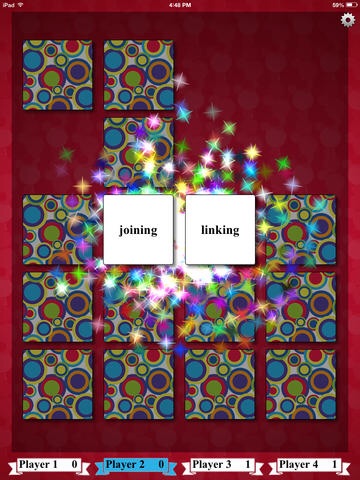
imageFREE for a limited time – Synonym Match, Antonym Match and Homophone Match. These three educational apps each feature a classic card matching game that helps kids with vocabulary development. Each matching game can be played by one to four people. Players can choose to match twelve, sixteen, twenty, or twenty-four cards. There are three levels of difficulty – easy, medium and difficult. When a match is made, fireworks appear. These apps would be great in a shared iPad classroom setting because they support multiple players and multiple student levels. Check them out while they are FREE!!

Direct Link: https://itunes.apple.com/us/app/synonym-match/id778611894?mt=8

Direct Link: https://itunes.apple.com/us/app/antonym-match/id786868905?mt=8

Direct Link: https://itunes.apple.com/us/app/homophone-match/id794723450?mt=8