0

Snowflake Station

Snowflake Station

Winter seems to have arrived early this year.

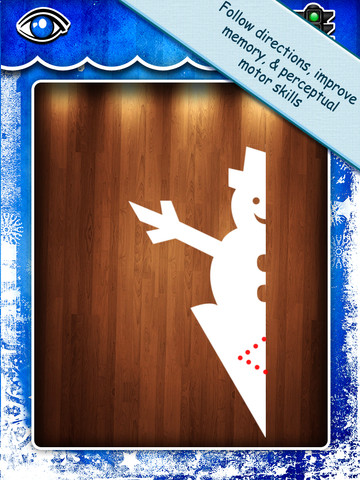
Purple glittery snowflakes – this educational app is only $.99!! Snowflake Station for the iPad helps kids discover the beauty of symmetry – a key concept in math, science, art, & architecture. The app has 3 sections: Trace a Flake, Creation Station, and Make it Snow. Trace a Flake includes step-by-step instructions for cutting 36 different snowflakes/other symmetrical shapes. In the Creation Station, kids create their own flakes/shapes. There are six different folds, 10 different colored paper, and 10 different colors of glitter to choose from. Kids make “cuts” with their fingers. The tape button works as an undo button. Kids can monitor their progress in the upper left hand corner of the cutting board. Creations can be saved to use in the “Make it Snow” section of the app which does exactly that! Kids use their creations to make it snow in a photo of their choosing. They can use the iPad’s camera to take a picture or use an already saved photo from the camera roll. There are also 10 winter scenes included in the app. Another option in this app is the ability to set up a Juddly (a safe, secure email) account for your child to share his/her creations with you. Very creative & very fun – all while learning about symmetry. 🙂

Common Core Standards:

  • 1.G.3 – Partition a shape into four equal shares, describe the shares using the words halves, fourths, and quarters, and use the phrases half of, fourth of, and quarter of. Describe the whole as two of, or four of the shares. Understand for these examples that decomposing into more equal shares creates smaller shares.
  • 4.G.3. Recognize a line of symmetry for a two-dimensional figure as a line across the figure such that the figure can be folded along the line into matching parts. Identify line-symmetric figures and draw lines of symmetry.

Not only does this app meet CCSS in math, it can also be used in creative writing – The Day It Snowed Orange, Alien Invasion, etc. What a great educational app!

Snowflake Station - Mrs. Judd's Games, LLC

0

Chatterbox

chatterboxFREE today – Chatterbox: funny talking videos from photos of pets!, a fun app that turns any photo into a funny animation that you can save or share. It’s simple to use – just pick one of your photos or take a new one. Next line up the eyes, mouth, and chin for the animation. Then record your message. You can adjust the pitch of your voice to be deep like a bear or high like a squirrel. Tap to play your animation. 🙂 Your creation can be saved (and altered later) or shared. There are so many fun things that you could do with this app – birthday greetings, holiday cards, etc. It could also be used for a variety of class projects. FUN!!

Download link: https://itunes.apple.com/us/app/chatterbox-funny-talking-videos/id894760829?mt=8&uo=4

0

Pepi Tree

pepi tree

FREE for a limited time – Pepi Tree, an educational app for preschoolers. Kids travel up and down a tree to learn about the  tree-dwelling animals that make their homes there. The app features six educational games with six musical soundtracks. Kids will enjoy hunting like an owl, making a web like a spider, feeding squirrels, growing food for a hedgehog, helping a mole through tunnels to find his way home, and feeding caterpillars then watching them turn into a butterflies. As kids play, they will learn facts about the animals living in the tree – what they look like, what they eat, how they get their food, and specifically where they live in the tree. Cute fun for little ones!!

Download link: https://itunes.apple.com/us/app/pepi-tree/id587360671?mt=8&uo=4

0

Monki Animal Builder

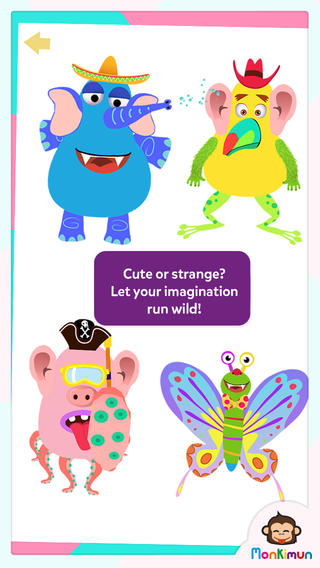
animal builderFREE again – Monki Animal Builder, a creative & fun app for kids. Kids use their imaginations to build unique animals. They start cracking open one of 6 eggs. Inside each egg is a different character – each having its own personality. There’s Hairy Ball who is grumpy, Pear who loves to be ticked, Slug who is dreamy, and 3 other interesting animals. Then kids add body parts (over 30 to choose from) and accessories (15 in all) such as a pirate hat, sunglasses, a sombrero. Animations bring everything to life. Kids can save their animals to play with later or share them with kids around the world. They can also save a picture to their device. Saved pictures can be printed and use for creative writing – descriptions, stories, compare/contrast, etc. Whether kids use this app to create, play, save, share, and/or write, it’s sure to bring smiles!

Download link: https://itunes.apple.com/us/app/monki-animal-builder/id836529548?mt=8&uo=4

0

Puppet Workshop

Puppet Workshop

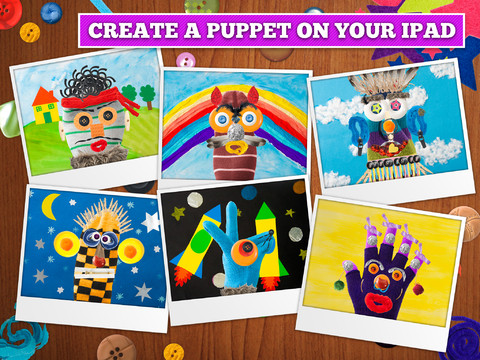
FREE again for a limited time (normally $2.99) –  Puppet Workshop. Kids use their creativity to turn a sock or a glove into a virtual puppet using this educational app. They first choose their sock or glove. Then they create the puppet’s eyes, nose, mouth, & hair from an assortment of buttons, ribbons, strings, etc. The puppet can be placed on a background from the app or a background from your camera roll. Or… your child can also create his/her own background! You can also save a picture of your child’s puppet to your camera roll or it ca be stored in the application. The app includes 20 different socks & gloves, 150+ enhancements, and 18 different backgrounds – enough “stuff” for a whole lot of creating!! Very fun. 🙂

Puppet Workshop - Creativity App for Kids - Sebastian Bachorzewski

0

Petting Zoo

Petting

Over a million downloads and on sale for only $.99 – Petting Zoo, an adorable app for kids and adults who are kids at heart. 🙂 This educational app combines the charm of Christoph Niemann’s humorous animations with state of the art technology as one scene morphs into the next. The app is simple to use – just swipe and tap the 21 animals to see how they react. The results are delightfully surprising! Kids will discover what an elephant would do in the bathroom, if a dog can breakdance, how monkeys play soccer, and more. This app is suitable for kids of all languages because there are no spoken words. It’s perfect for discussion and predicting what will happen next. It would also be great for story writing. A really fun storybook app – creative, silly, and sure to delight!

Download link: https://itunes.apple.com/us/app/petting-zoo-animal-animations/id602773895?mt=8&uo=4

0

Draw with Curious George

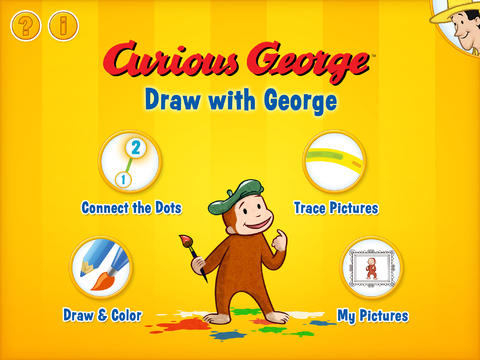
curious George - drawFREE for a limited time – Draw with Curious George, a drawing and coloring app for preschoolers. Curious George has been entertaining kids since 1941 when his first adventure was published. The app is narrated by George’s friend, the Man With the Yellow Hat. Kids can choose to connect-the-dots, trace, draw, and/or color with Curious George in this fun app which has a great a selection of tools, colors, backgrounds, stamps, and stickers. Draw with Curious George has everything your child needs to create a masterpiece. When the art work is complete, he/she can then save it into the art gallery and/or share it with loved ones through a kid-friendly email system. The email system is quite unique. You add a photo, name, & email address for each person that your child can email – up to three. The email is sent from your child through your account. Grandparents will love it getting your child’s artwork and your child will have  hours of fun creating it.

Download link: https://itunes.apple.com/us/app/draw-with-curious-george/id585588104?mt=8&uo=4

0

Imagination Box

FREE for a limited time – Imagination Box, a creative art app for kids. What child doesn’t love creating with play dough? Hours of creative play awaits your child and there is no mess to clean up! It’s perfect for a trip to the doctor, a ride in the car, etc. The app includes 62 pieces of play dough (in 9 colors) including uppercase letters, numbers, and shapes. There are 12 backgrounds available for your child’s creations. Or, you can use your own photos as a background. Make a hat for the family dog or a play dough mustache for grandpa – how fun! There are also 10 markers available in the app adding even more possibilities for creativity. The app could also be used as a take-along “design center” for play dough. Kids could design their creations on the iPad, then actually recreate it with the real stuff. So many possibilities… get it today! 🙂

Download link: https://itunes.apple.com/us/app/imagination-box-colors-shapes/id698092635?mt=8&uo=4

0

Pepi Doctor

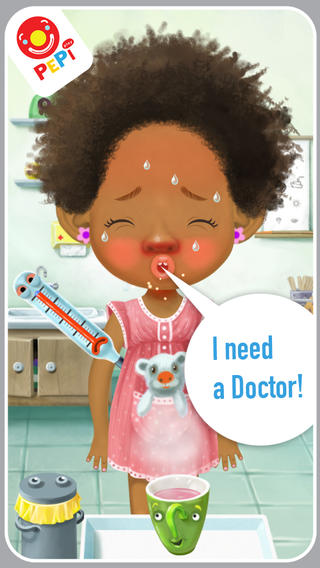
pepiFREE for  limited time – Pepi Doctor, a role-playing game for preschoolers. Kids get to play doctor and treat 3 different patients – Milo, Amber, or Eva. These patients come to the doctor with one of 5 ailments: an earache, a toothache, a fever, scrapes, or a broken leg. “The doctor” gets to use a variety of tools (20 +) to help the patient and he/she is awarded with smiles & applause when the patient feels better. This educational app is very intuitive, lots of fun, and sure to make your child feel more comfortable about his/her own visit to the doctor. 🙂

Download link: https://itunes.apple.com/us/app/pepi-doctor/id733788136?mt=8&uo=4

0

Math Blast

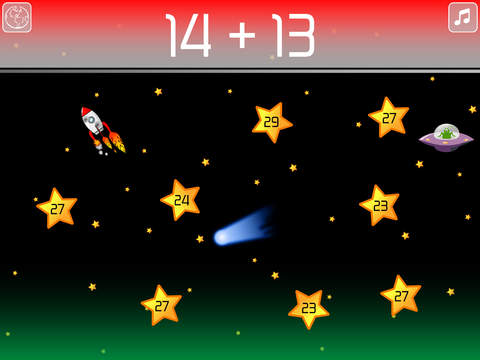
math blastFREE for a limited time – Math Blast, a fun math game for kids. The object of the game is to complete missions by answering math questions as quickly as possible. Players need to guide their rockets to avoid comets. If they catch UFOs, their rockets get an extra speed boost to save time. There are two modes of play: mission control or training center. Mission Control has 3 levels of play – easy, medium & hard. Training Center allows teachers/parents to create customized missions for students – an easy way to differentiate instruction. Multiple games can be saved – perfect for sharing devices. These features make Math Blast a great choice for the classroom. After using the app, kids can graph their scores. By doing so, they can track their improvement and learn to collect data in the process. This educational app is perfect for getting kids to practice their facts in a fun way!.

Common Core Standards met:

1.OA.6 – Add and subtract within 20, demonstrating fluency for addition and subtraction within 10.
2.OA.2 – Fluently add and subtract within 20 using mental strategies. By end of Grade 2, know from memory all sums of two one-digit numbers.
3.OA.7 – Fluently multiply and divide within 100, using strategies such as the relationship between multiplication and division or properties of operations. By the end of Grade 3, know from memory all products of two one-digit numbers.

Download link: https://itunes.apple.com/us/app/math-blast/id911803805?mt=8&uo=4