0

3 FREE Virtual Math Manipulatives

Geoboard by The Math Learning Center (a nonprofit organization dedicated to K – 12 education) is a FREE app that turns your iPhone/iPad into a virtual geoboard. Geoboards can be used as tools to teach mathematical concepts such as polygons, perimeter, area, line segments, angles, congruent shapes, symmetry, fractions, etc. Shapes are created by stretching bands on the geoboard’s pegs. There are 5 colors of bands in the iPhone version and 8 in the iPad version. There is also a tool to fill in shapes. On the iPad version, you can switch from the standard 25 peg board to a 150 peg board to create more complex shapes. This is a great app with the potential to be used in so many ways.

Highly recommended for your virtual math tool kit!

Geoboard, by The Math Learning Center - Clarity Innovations

FREE for the iPad, Virtual Manipulatives contains math manipulatives for teaching fractions, decimals, and percents. Included are tiles/circles divided into halves, thirds, fourth, fifths, sixths, eighths, tenths, and 12ths AND their corresponding decimals and percentages! The manipulatives are color coded across the settings so that 1/2 is blue as is .50 and 50%. Kids drag tile pieces onto the work area to compare fractions/decimals/percentages. In the settings you can change from tiles to circles, make the pieces transparent, and hide the numbers on the pieces. Completed work can be easily saved to photos. Finding equivalent fractions has never been so slick – WOW!!

Common Core Standards

  • 3.NF.3 – Explain equivalence of fractions in special cases, and compare fractions by reasoning about their size. Understand two fractions as equivalent (equal) if they are the same size, or the same point on a number line.
  • 4.NF.1 – Explain why a fraction a/b is equivalent to a fraction (n × a)/(n × b) by using visual fraction models, with attention to how the number and size of the parts differ even though the two fractions themselves are the same size. Use this principle to recognize and generate equivalent fractions.

Highly Recommended!

Virtual Manipulatives! - ABCya.com

equivalent fractions

From the National Council of Teachers of Mathematics comes a FREE app called Equivalent Fractions. Kids create equivalent fractions by dividing and shading squares or circles. Circles can be divided into 24ths. Squares can be divided into 144ths. In the play mode, a fraction is shown and kids must create 2 additional fractions that are equivalent. All 3 fractions must have different denominators. The app also places the fractions on a number line – a great visual for comparing! There is also a “build your own” mode which would be fabulous to use for guided exploration & practice. Kids could also use this section as a virtual manipulative when working independently. This app is an excellent resource for the classroom !!

Common Core Standards met:

  • 3.NF.3 – Explain equivalence of fractions and compare fractions by reasoning about their size. Understand two fractions as equivalent (equal) if they are the same size, or the same point on a number line. Recognize and generate simple equivalent fractions, e.g., 1/2 = 2/4, 4/6 = 2/3). Explain why the fractions are equivalent, e.g., by using a visual fraction model.

Highly Recommended!
Equivalent Fractions - National Council of Teachers of Mathematics

0

Educreations

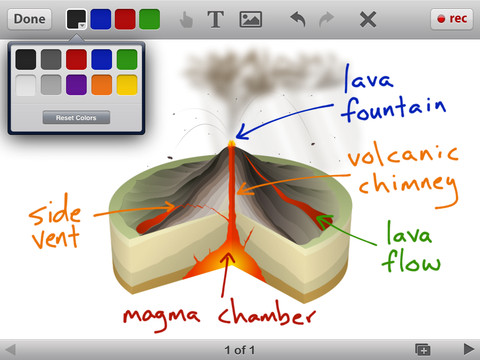
Educreations is great FREE app that turns your iPad into a recordable whiteboard. The app was just updated a few days ago – November 22, 2013. It is simple to use and permits you to build lessons with multiple pages or slides. The editing tools in Educreations allow you to resize and move images as well as create “animated playback” by dragging objects as you record.

Another bonus of this app is that free accounts are available at http://www.educreations.com. There users can share their work as well as look at lessons created by others. This app is being used at all levels of education including the college level. The features of Educreations make it a standout among the recordable whiteboard apps! What a fabulous educational app!!

Highly recommended!

Educreations Interactive Whiteboard - Educreations, Inc

0

Friendly Shapes and Friendly Christmas

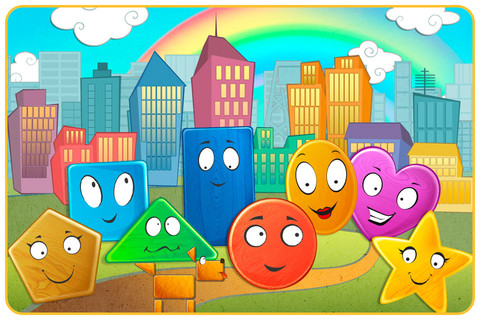
FREE app for the iPad and iPhone – Friendly Shapes. This cute little story for toddlers/preschoolers starts as Circle goes looking for his friend, Star. Along the way he meets other shapes: Triangle, Square, Rectangle, Pentagon, Heart, and Oval. As each shape joins the search, the group morphs into more complicated vehicles. There are three modes: auto-play, read-it-to-myself and play. There is also an option to record your own voice as you read. Each page also has fun animations, and/or puzzles in addition to the story. All in all, this is a nicely done app for little ones to learn shapes, colors, left/right, etc. So how can it be FREE? Well, this app that gives you the option of removing the ads for $.99. The ads are placed at the bottom of each page between the backward and the forward arrows. I think little fingers would end up hitting the ad bar somewhat regularly which could be frustrating. Check it out and decide for yourself. Recommended!

Friendly Shapes - funny interactive adventure HD. - TabTale LTD

Also FREE – Friendly Christmas.

Download link: https://itunes.apple.com/us/app/friendly-christmas-funny-shape/id562847602?mt=8&uo=4

0

Doodle Buddy – Paint, Draw, Scribble, Sketch – It’s Addictive

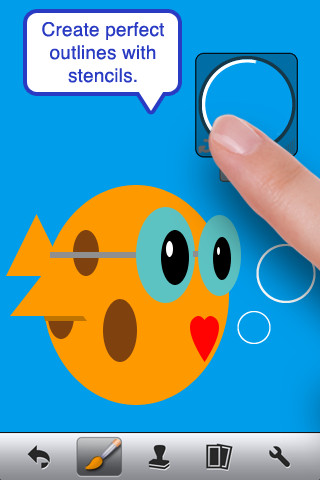
FREE – Doodle Buddy (for the iPhone/iPad), a great educational app for drawing and creating pictures. It comes with five kinds of tools. The drawing tool has several options – a brush, chalk, glitter, smudge, an eraser, and a color picker with thousands of colors. The stamper tool includes 80+ stamps with the option of making them small or large. Each stamper makes a funny sound when used. The stencil tool comes 6 stencils (basic shapes) with the option to buy other sets as an in-app purchase. Sets available to purchase are theme-based such as fashion, beach, cars, princess, dinosaurs, Christmas, and more. The text tool has 4 fonts with the ability to resize them. Text can be written in any color you choose. The background tool has about 30 backgrounds to choose from or you have the ability to pull in your own photos. Armed with such great tools, you can only imagine the fun you or your child will have creating a works of art! And…. the finished masterpieces can be saved to your photo album and/or shared via email. Fun!!!

There are so many fun ways to use this app. Kids can use it to illustrate their stories because saved illustrations can easily be pulled into a story writing app such as My Story – see my review from June 27. Have kids draw pictures of their vacation then save into photos and use as additional pictures or backgrounds for a photo vacation booklet created on Snapfish, etc. Make a book for Father’s Day, Mother’s Day, a grandparent, etc. – incorporating your child’s drawings and family photos. If creating a family cookbook, have kids do the illustrations. The list goes on……

Highly recommended!

Doodle Buddy for iPad – Paint, Draw, Scribble, Sketch – It’s Addictive! - Pinger, Inc.

0

Tellagami

Telegami

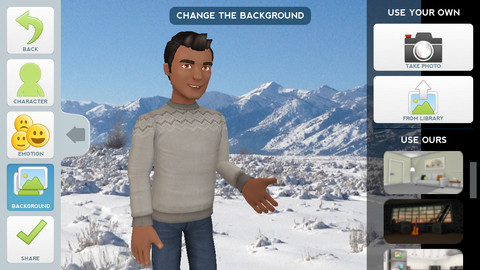
Currently FREE, Tellagami (rhymes with origami) is a unique storytelling app. Short stories called gamis are easy to create. First you select and customize a character by choosing his/her skin tone, eye color, hair color, and clothing. Then you choose an emotion – happy, sad, surprised, angry, scared, silly. Next you choose a background from the app, from your photo library, or create one by using your camera. You are now ready to create your gami. You can record your gami in you own voice or choose the text button to type in what your character will say  – the limit is 450 characters. Gamis can be shared via email, messaging, Facebook, or Twitter.

This educational app is fabulous!! Its uses are only limited by your imagination!! Kids can use gamis to introduce themselves at the beginning of the year. They can customize gamis to look like themselves and be reporters, scientists, teachers, etc. They can create the character (and setting) from a book they are reading. They can message or email a parent to explain what they are learning in class. Teachers could use gamis as interactive exit slips. The list is endless. Kids will LOVE creating gamis!

Tellagami ™ - Tellagami Inc.

0

Spelling City

Spelling City  – a FREE educational app for the iPhone/iPad! I LOVE Spelling City. It is a phenomenal website where teachers can input their weekly spelling lists so kids can go online to practice their spelling in so many fun ways – hang mouse, match it, which word, sentence unscramble, etc. I used Spelling City in my classroom for the last several years and the kids & parents loved it. The app has several preloaded lists and the best part…..kids can access the their teacher’s list (providing that he/she uses Spelling City, of course) by using their zip code, school name, and teacher’s name. Practice spelling in the car on a way to a soccer game or while waiting in the dentist’s office. AWESOME!!

Common Core Standards met:

  • K.RF.3  – Distinguish between similarly spelled words by identifying the sounds of the letters that differ.
  • 1.RF.3 – Recognize and read grade-appropriate irregularly spelled words.
  • 2.RF.3 – Identify words with inconsistent but common spelling-sound correspondences. AND Recognize and read grade-appropriate irregularly spelled words.
  • 3.RF.3 – Read grade-appropriate irregularly spelled words.
  • 4.RF.3 – Use combined knowledge of all letter-sound correspondences, syllabication patterns, and morphology (e.g., roots and affixes) to read accurately unfamiliar multisyllabic words in context and out of context.
  • 5.RF.3 – Use combined knowledge of all letter-sound correspondences, syllabication patterns, and morphology (e.g., roots and affixes) to read accurately unfamiliar multisyllabic words in context and out of context.

Highly recommended!

SpellingCity - SpellingCity

0

Teacher Clicker – Socrative / Student Clicker – Socrative

Still FREE and now even better!! Socrative has added two additional quiz features: # 1 – Teachers can now add images to their questions. #2 – The system can now grade short answer questions. Teachers just input the acceptable answers and the system does the rest.  🙂

This website and app are unbelievably cool – they turn any device with a web browser (iPhone, iPad, laptops) into a student response clicker. If a teacher has access to any kind of wireless lab, he/she can engage the entire class in a game or quiz and watch the results in real-time. Teachers begin by using their teacher app or logging into t.socrative.com with their email and password. Once logged in, teachers are assigned a room number to share with their students. Students log in using their student app or at m.socrative.com and enter the “virtual room number” provided by the teacher. Teachers initiate an activity and students respond on their devices. Multiple choice and short answer quizzes are easy to create – types of questions can be mixed. Teachers can also choose to run the quiz as a Space Race game. The students’ responses are visible to the teacher in real-time. Teachers can see what each child answered individually as well as what the group answered collectively. And the best part is… the app grades, graphs the results, and generates a report as an Excel spreadsheet or an email.

What a powerful tool for teachers – a short quiz at the end of a lesson can pinpoint what students understand and what needs to be reviewed. Hours of grading and analyzing test results are done immediately. Every student is involved – wow!

Highly recommended!

Teacher app Teacher Clicker - Socrative - Socrative           Student app Student Clicker - Socrative - Socrative

0

Super Duper Idioms

Super Duper 2

Super Duper

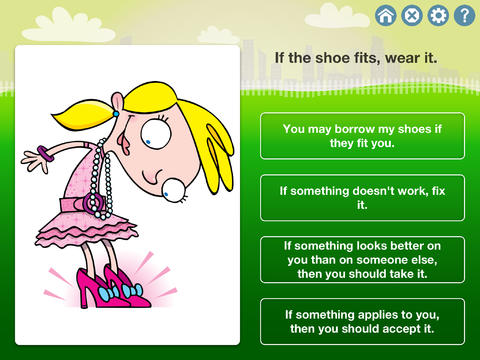
Newly released educational app – Super Duper Idioms helps kids (and adults) understand 500 common English idioms. Try the first 50 for FREE. You may purchase additional packs of 50 for $2.99 per pack. The app is cutely illustrated and features 4 fun games: multiple choice, super-duper secret decoder, fill in the blank, and search & circle. The questions are written but there is also audio support for students who have difficulty reading. The level of difficulty can be adjusted by choosing to have  2, 3, or 4 choice answers. The app can be set to read the correct answer after incorrect and/or correct response which is helpful to students who are learning the meanings. An unlimited number of players are permitted – making this app perfect for use in the classroom. And the best part…. it keeps track of data so teachers and parents can see student progress over time. The app uses graphs which can be emailed, printed, and/or shared – awesome!  This app would be great for kids as well as adult ESL students who are learning English idioms – nicely done!

Common Core Standards met:

  • 4.L.5b and 5.L.5b Demonstrate understanding of figurative language, word relationships, and nuances in word meanings. b. Recognize and explain the meaning of common idioms, adages, and proverbs.

https://itunes.apple.com/us/app/super-duper-idioms/id657415898?mt=8&uo=4

0

Miku’s Picnic, Let’s Color, and Squiggles – apps by Lazoo

Miku's Picnic

FREE again for a limited time – Miku’s Picnic, an adorable interactive story designed to support creative thinking. Kids join Bobu, the monkey & Miku, the rabbit on a chase after some jumping beans. The two need help capturing the beans before they bounce away! Along the way kids learn about using their imaginations and creative problem solving as the Bobu & Moku use “Squiggles” to… make a car go faster, make springs to get to the top of a tree, make binoculars to look for the beans, make a rocket zoom to the moon, and more. This educational app has 2 reading modes – “Read to Me” and “Read it Myself” as well as an option to record your own voice as the narrator. The story ends with a link to the FREE Squiggles app for kids so kids can “take a turn” drawing. Super creative and super cute!

Download link for Miku’s Picnichttps://itunes.apple.com/us/app/lazoo-mikus-picnic/id652945863?mt=8&uo=4

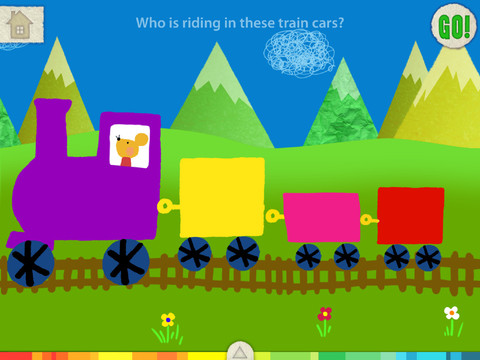
Also FREE again for a limited time – Let’s Color, an educational app that encourages creativity! The app includes an animated short in which the characters – Bobu, the monkey & Miku, the rabbit use their imaginations to turn triangles into a strawberry, a dog, a mountain, etc. Then kids are encouraged to color different things to complete a page: what is coming out of a hose, who is riding in the train, etc. Once the coloring is completed, they press GO and the drawings come alive. There are 17 coloring pages as well as a blank page for your child to create his/her own pictures. Additional coloring pages can be purchased within the app. Tools included are stickers, markers, paint, chalk, a ketchup bottle, as well as 10 colors & a mystery color wheel. Work can be saved into the gallery of the parents’ section by pressing the piggy bank. This app is super cute!! It encourages children to be imaginative & creative. :)

Highly recommended!

Let's Color! - Lazoo Worldwide, Inc

squiggles

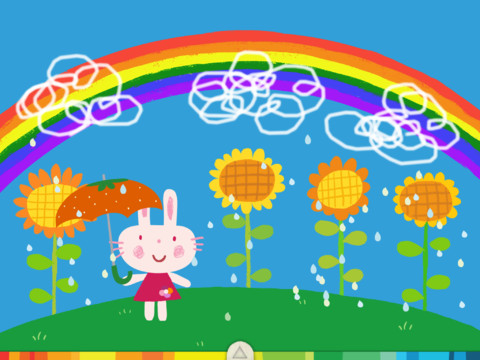
Squiggles – This FREE educational app for the iPad is adorable! Kids are encourages to draw squiggles to create: rain clouds (to water flowers), waves (to help fish swim), wool on sheep, cotton candy, etc. Once the squiggles are drawn, they press GO and the drawings come alive. The app includes an interactive storybook and an animated short which introduces the characters – Bobu, the monkey  & Miku, the rabbit. It also includes 14 drawing pages (just add the squiggles) as well as a blank page for your child to create his/her own pictures. Tools included are stickers, markers, paint, chalk, a ketchup bottle, as well as 10 colors & a mystery color wheel. Work can be saved into the gallery of the parents’ section by pressing the piggy bank. This app is super cute!! It encourages children to be imaginative & creative – one of my favorites. 🙂

Highly recommended!

Squiggles! - Lazoo Worldwide, Inc

0

MyCQs (Multiple Choice Questions)

test maker

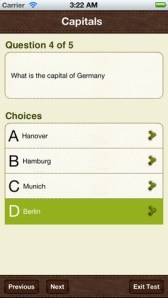
Create multiple choice quizzes/tests with this FREE educational app  – My CQs (Multiple Choice Questions). Teachers/parents can create multiple choice tests (with pictures, explanations, and unlimited questions) to help kids learn or review any subject. Since the app includes 6 lessons on how to write good multiple choice questions, older students can learn to create their own quizzes to help them study. Once a quiz/test has been created, kids can take and retake it and the app tracks their growth over time. Tests can also be shared with other members of the MyCQs community. LOTS of possibilities for using this app with every age-group of students!

My CQs (Multiple Choice Questions) was featured in The Guardian’s ‘Best iOS Apps This Week’, and listed in: Top 10 Free Education Apps – US, Top 10 Free Education Apps – Canada, Top 5 Free Education Apps – India, Top 30 Free Education Apps – UK.

MyCQs (Test Maker) - James Gupta