0

K12 Timed Reading Practice Lite

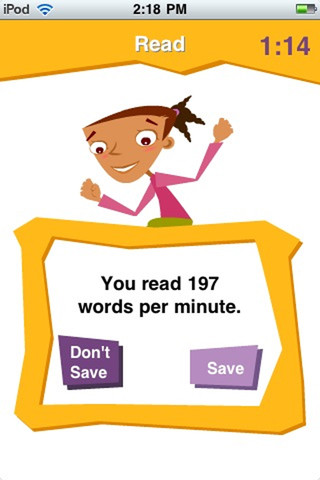
I download the FREE version of this app for iPhone/Pad to try. Kids read short, timed stories to determine their reading rate. Words-per-minute and a percentage (above or below the average rate) are reported. Stories can be reread to improve the scores. The full version (for $1.99) allows you to keep track of multiple students and has 250 leveled stories.The app’s description says that there are 46 Flesch-Kincaid levels of reading between 0.0 and 4.7 but only a general grade level (K, 1, 2, 3, 4) is marked in the lite version. Perhaps the full version is more specific.

Reading rate is important – if kids read too slowly their comprehension is compromised. But true reading fluency includes reading rate as well as the ability to read with accuracy and expression. This app tests rate in isolation. If the app had a record option, an adult could go back and listen for accuracy and expression. As it is, it could be useful depending on the needs of your child/children. If you have a child that is an accurate but slow reader, this app could be helpful to increase his/her reading rate.

K12 Timed Reading Practice Lite - K12 Inc.

0

Find the Synonym

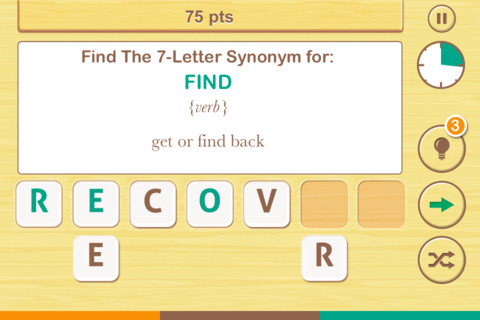
This FREE app designed for the iPhone/iPad was just released today. It is listed as a game app rather than an educational app but it would be great for kids in upper elementary school/junior high. A word is shown with its part of speech and definition. You are directed to create a 4 – 7 letter synonym of that word using the letters provided. Points are awarded based on the length of the word, the time involved, whether clues are used, and/or if any mistakes are made. Badges are earned as the game is played. It’s simply designed  – not a lot of bell & whistles but it is heavy on content. There are a total of 1000 synonyms in the app. After you find 250 of them, antonyms are unlocked. There are 500 antonyms in the app.

I realize that this app was not designed for kids per se but it is educational. More flexibility in the settings would make it more suitable for classroom use. I could not find a way to restart the game. The game picks up where it left off & points are cumulative, so only one person can play. Also, having access to both synonyms and antonyms would be a plus. I am sure that teachers will come up with creative ways to use this resource 🙂

Recommended!

Find The Synonym - FreshLogo

0

ZOOLA Opposites

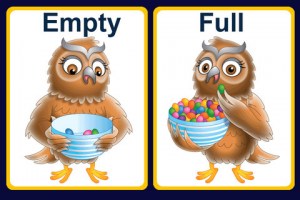
I originally posted a review of this app on July 6. At that time this app was FREE as the developer worked out a few known bugs. I discovered today that it had been updated again on July 9 and it works perfectly!! The cost is now $1.99. Designed to teach preschoolers the concept of opposites, this app is simple to use. Kids can flip 35 cards which have pairs of opposites on the front/back. The illustrations are nicely done and appealing. The opposite words are pronounced for the kids and the written words are show. This app is great for teaching young kids about opposites!

Common Core Standards met:

  • K.L.5 – With guidance and support from adults, explore word relationships and nuances in word meanings. Demonstrate understanding of frequently occurring verbs and adjectives by relating them to their opposites (antonyms).

Recommended!

ZOOLA Opposites - Best kids Apps

0

Opposites 1

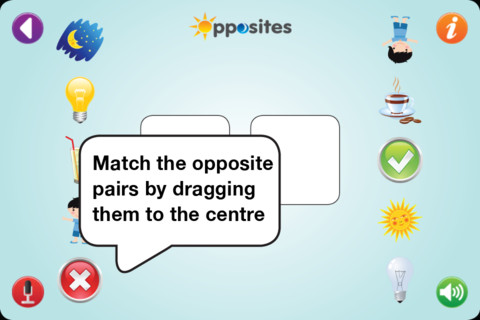
This app for the iPhone/iPad is designed for kids ages 2.5+ to help develop the concept of opposites. Two levels are unlocked in the FREE version with 10 additional levels available if you purchase the full version. Each level has 4 sets of opposites to match. Kids find 2 pictures that show opposites and drag them into the box. As they do so, the written word appears underneath. If correctly matched, they disappear making the each choice simpler. You can add your own voice (or even better, your child’s voice) reading the words. This option is important for younger kids who cannot read the words plus it helps them make the text-to-print connection. Before adding sound however you’ll need to make sure you know what word will appear under the picture because that information in not on the recording page. I had trouble recording 4 out of the 16 words in the first 2 levels. The app would freeze and have to be restarted. I think young children would really enjoy hearing themselves “read” the words to go with the pictures so I am hoping that the developer can fix the bugs.


0

Bluster

Bluster is a FREE app for the iPad developed by McGraw-Hill. It was designed to teach vocabulary and word development to students in grades 2 – 4. Topics covered are rhyming, prefixes & suffixes, word roots, synonyms, homophones, and adjectives. There are 3 modes of play – single, team, and versus. Team mode permits collaboration with a friend. Versus mode allows head-to-head play with the ability to disrupt your opponent by causing weather related attacks. Kids start by choosing their mode of play, grade level, and word match type. They then swipe through the list to match 3 words with the same meaning, rhyme, prefix, suffix, or word root. There are 10 groups of 3 to match in each round of play. What a fun way to present over 800 vocabulary words!

Common Core Standards met:

  • 2.L.4 – Determine the meaning of the new word formed when a known prefix is added to a known word (e.g., happy/unhappy, tell/retell). Use a known root word as a clue to the meaning of an unknown word with the same root (e.g., addition, additional).
  • 3.L.4 – Determine the meaning of the new word formed when a known affix is added to a known word (e.g., agreeable/disagreeable, comfortable/uncomfortable, care/careless, heat/preheat). Use a known root word as a clue to the meaning of an unknown word with the same root (e.g., company, companion).
  • 4.L.4 –  Use common, grade-appropriate Greek and Latin affixes and roots as clues to the meaning of a word (e.g., telegraph, photograph, autograph).
  • 4.L.5. Demonstrate understanding of words by relating them to their opposites (antonyms) and to words with similar but not identical meanings (synonyms).

Recommended!

Bluster! - McGraw-Hill School Education Group

0

Grammar Jammers Primary Edition

This FREE app for the iPhone/iPad teaches 5 parts of speech: adjectives, contractions, nouns, pronouns, verbs. Kids listen to an animated song about each part of speech. A 3-point quiz follows each song to check understanding. This app also teaches ending punctuation for the four kinds of sentences. The 3-point quiz for this section requires kids to know that different kinds of sentences end in different punctuation. Finally, there is a section on sentences. It teaches that a sentence has 2 parts and is a complete thought (statement or a question). It also teaches that a sentence begins with a capital letter & ends with punctuation. It does not mention commands or exclamations as it did in the punctuation section. For the quiz, the child only has to look at the capitalization & punctuation to determine which group of words is the sentence. Instead, I wish that the focus of this quiz would have been reading to determine if the words formed a complete thought. All in all, this is a good app that could be used to introduce parts of speech and/or to review them. Worth downloading!

Common Core Standards met:

  • 3.L.1 – Demonstrate command of the conventions of standard English grammar and usage when writing or speaking. Explain the function of nouns, pronouns, verbs, adjectives, and adverbs in general and their functions in particular sentences.

Recommended!

Grammar Jammers Primary Edition - Pearson Education, Inc.

0

Sock Puppets

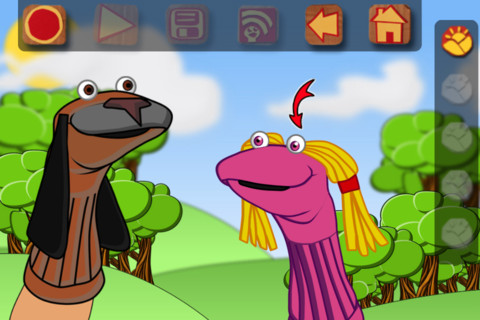
This FREE app for the iPhone/iPad lets you create lip-synched videos. Choose your puppets, backgrounds, and props then start to create. Kids can easily create and record conversations between the puppets. They just have to tap from puppet to puppet as they are recording. More than one background can be chosen so that the puppets can move to different places. Kids will love how their voices can be changed in the app so that all of the puppets do not sound the same. The FREE version only permits you to record for 30 seconds but you can extend your time to 90 seconds with an in-app purchase. Other in-app purchases allow you to import your own backgrounds, save to photos, plus add additional content. Having the ability to pull in your own backgrounds would be fun – the puppets could explain or have a conversation about student created work 🙂 Be aware that final creations can be shared on You Tube or Facebook if kids have accounts & passwords.

Recommended! but kids with You Tube & Facebook accounts can link to them from this app.

Sock Puppets - Smith Micro Software, Inc.; Consumer Division

0

Cartoon ABC

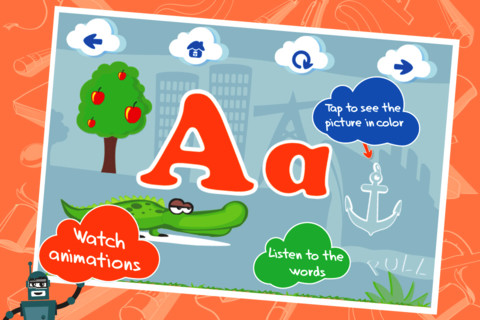
This ABC app for the iPhone/iPad is FREE for a limited time. It is designed to teach 2 – 5 year olds the letters of the alphabet and their sounds. Kids may explore the alphabet in any order that they wish. There are over 100 animations which correspond to the letters of the alphabet. The 3 words for each letter are pronounced and spelled. The illustrations are animated cartoons. Pages for each letter are uncluttered – simply presented but engaging. The app also has a parent section that shows how often your child has visited each letter. Nicely done!

Common Core Standards met:

  • K.RF.1 – Demonstrate understanding of the organization and basic features of print. Recognize and name all upper and lowercase letters of the alphabet.

Check out how it works @http://www.kidsacademy.mobi/cartoon-abc/

Highly Recommended!

Cartoon ABC - Kids Academy Company

0

Zoo Champs – Sports Guide for Kids

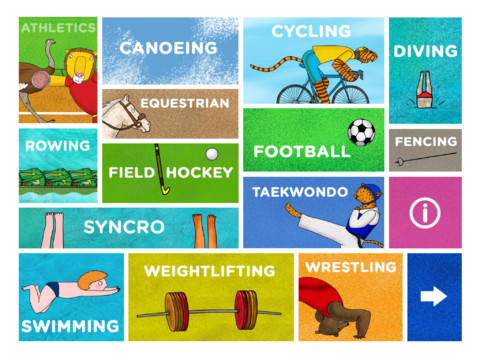
Just in time for the second week of the Olympics – Zoo Champs: Sports Guide for Kids is FREE today only. This iPad app (designed for kids 4 -8 years old) has 30 pages of animations and activities that teach about a wide variety of sports. Every sport has a narrated section and a read-only or Q & A section. Historical and amazing facts are presented in a very appealing way. Very cute!

Click here to preview and learn more: http://www.zoochamps.com/

Highly Recommended!

Zoo Champs - sports guide for kids - Bookva Press

0

Identifying Things

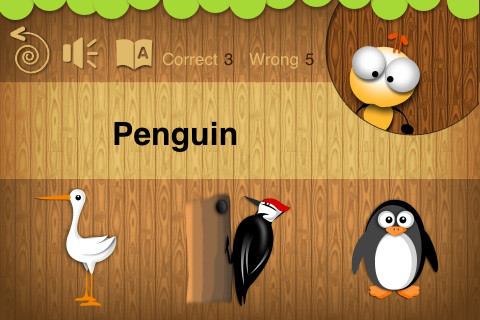
This FREE app for the iPhone/iPad is geared towards toddlers and has two modes – game and learning. In the learning mode, kids are shown a picture then the word is pronounced. In the game mode, kids tap on the word to have it pronounced then choose the correct picture. Only about 20 animals from two categories (aquatic animals & birds) are available without an in-app purchase. It is supported in two languages – English and Vietnamese. A major problem with the app is that the English pronunciations are not clear – shark sounds like shrock, penguin sounds like pengin – not recommended for this reason.