0

Rhyming Words

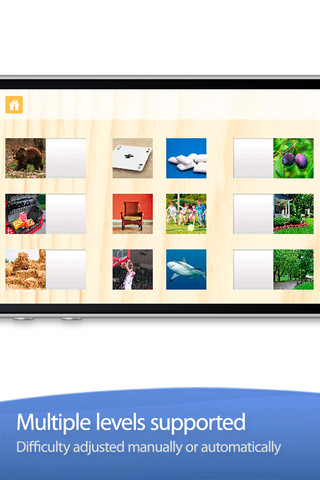
This FREE app is designed for the iPhone/iPad to help kids build phonological awareness by identify rhyming sounds. Included are over 200 photograph tiles that match-up to make  100+  pairs of rhyming words. The app starts out easy (only 2 sets to match) and increases to matching 8 sets. The settings allow a lot of flexibility – you can turn audio hints on or off, you can turn tile magnets on or off, and you can add your own voice.  What I really love about this app is that you can add your own sets of matching tiles. The app allows you to take your own photos or choose existing photos then record your own set of rhyming words! So once your child can identify rhyming sounds, you can take it to the next level and he/she can create their own! Wow!!

Common Core Standards met:

  • K.RF.2 – Demonstrate understanding of spoken words, syllables, and sounds (phonemes).  Recognize and produce rhyming words.

Highly recommended!

Rhyming Words - GrasshopperApps.com

0

SparkleFish

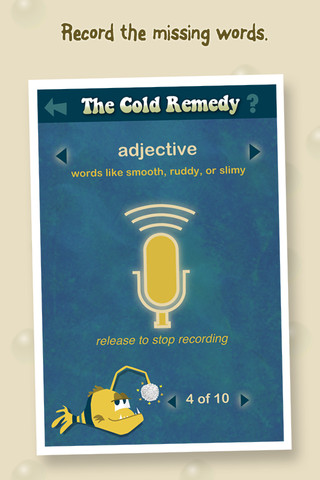
SparkleFish is a FREE app for iPhone/iPad that works like a digital version of Mad Libs. Four stories are included in the app with others available as in-app purchases. Kids are asked to provide words from a specific category (animal, body part, etc.) or a specific part of speech (adjectives, nouns, adverbs, past tense verbs, etc.). If the child cannot think of a good word, he/she can get suggestions from SparkleFish by touching the word. Instead of writing the words, kids record their choices in their own voice. Their words are played back in the reading of the story. Kids can save their recordings and listen to them later. There is also a “Chum It!” feature that allows posting comments to Facebook. I am not sure why this is an option in a game seemingly geared towards kids. It would be nice if there were a way to disable it in the settings for use in schools. This app allows kids to practice parts of speech in a fun way. Kids love Mad Libs because the results can be hilarious. I am sure they will feel the same way about SparkleFish 🙂

Recommended with reservations (because of the Facebook link).

SparkleFish - Whosagoodboy Partners

0

Toddlers First Words: 6 in 1

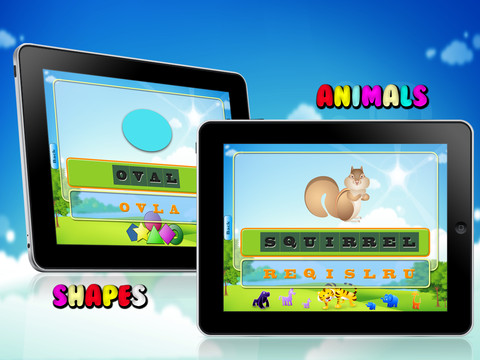
This FREE app for the iPad has toddlers/young learners making 200+ words for objects in 6 different categories – animals, colors, shapes, vehicles, vegetable & fruits, and common words. A picture is show with the word spelled under it (in black). Under the black spelled word are all the letters that make up that word (in orange) but they are scrambled. The child is supposed to drag the orange letters onto the black letters to spell the word (the correct order is not required). As he/she does, each letter is named. When the entire word is complete the word is spelled and named. Nice features: If the child touches the picture, the word is spelled then pronounced. If the child touched a black letter, that letter is named and the corresponding orange letter below twists. I wish the app required the child to spell the words in order – that would help emphasize that words are written from left to right. Lots of letter practice is built into this app but I wish developers would also include lower case letters when creating an app for kids.

Worth downloading to see if this app is something your child would enjoy but the Common Core Standards for kindergarten require recognition and naming of all upper and lower case letters.

Toddlers First Words : 6 in 1 - Deepak Demiwal

0

Letter School Lite

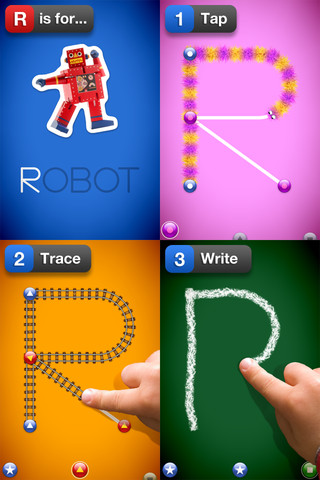
This letter writing app for the iPhone/iPad has a FREE lite version (a – e) that you can preview before you decided if  you want to purchase full version for $2.99.  It is designed to teach 4 – 6 year olds how to write upper & lower case letters and numbers. It starts by showing the shape of the letter, naming it, giving its sound and a word that starts with that sound. The child learns where to start and end the letter. Then the child traces the letter. Finally, the child tries to write the letter from memory. At the end of these three exercises for each letter, there are fireworks. The graphics are simply done but very appealing. I like the size of the letters  – nice and big for little hands. The app has 3 typefaces (Zaner-Bloser, HWT, D’Nealian) in the settings. This app is nicely done and from what I see in this lite version, I am assuming that the full version is worth $2.99.

Common Core Standards met:

  • K.RF.1 – Recognize and name all upper and lowercase letters of the alphabet.

Recommended!

LetterSchool Lite - Boreaal

0

PBS KIDS Photo Factory

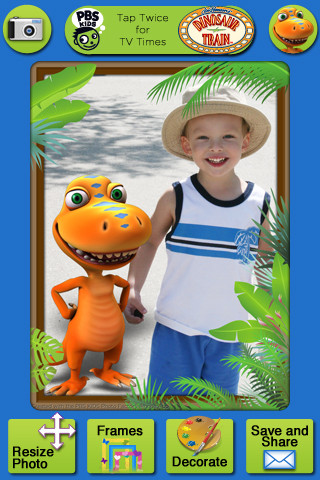
Very cute FREE app for the iPhone/iPad from PBS KIDS. Add your favorite PBS character to your child’s picture in 3 easy steps. First take a picture or choose one from your photo library. The edit it as needed – zoom, rotate, or resize. Lastly frame it and decorate it by adding your favorite PBS characters. You can share the results on Facebook, Twitter, via email or save them into your photo library.

There are lots of fun ways to use this app. Take pictures of kids with the characters at a themed party based on one of the shows. Take pictures of students with Curious George, Arthur, or Clifford after reading books featuring those characters. Pull those pictures into a story writing app to create a new adventure of the PBS character and the student. Add the characters to settings – pictures of the school playground, pictures of the classroom etc. – use your pictorial creations as  springboards to creative writing. Pull your pictures into TellPic (see review July 31) and have the child explain. Fun !!

Recommended!

PBS KIDS Photo Factory - PBS KIDS

0

123 Color, International Edition

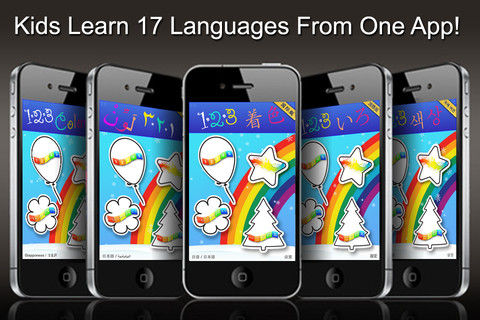
123 Color, International Edition Talking Coloring Book, With Words Spoken in 17 Languages for the iPhone/iPad is FREE today. It names numbers, letters, & colors and shows the spelling of numbers & colors (in 17 different languages). In the settings you can choose a primary & secondary language so each number, letter, and color will be spoken/spelled in both languages. Or, you can disable the secondary language option and choose only one language. Kids start by choosing 1 of 4 areas to practice – numbers, colors, upper case letters, or lower case letters. Then they can choose one of the 11 themed sets of coloring pages, photo painting, stationery, letter writing, or number writing. There are two color palettes available – 10 colors or 30 colors. The photo painting and stationery pages can be framed. All artwork can be printed, emailed or saved to photos.

This nicely done app was featured in Women’s Day and New York Times.

Recommended!

123 Color, International Edition Talking Coloring Book, With Words Spoken in 17 Languages - Steve Glinberg

0

Verb Mayhem Free

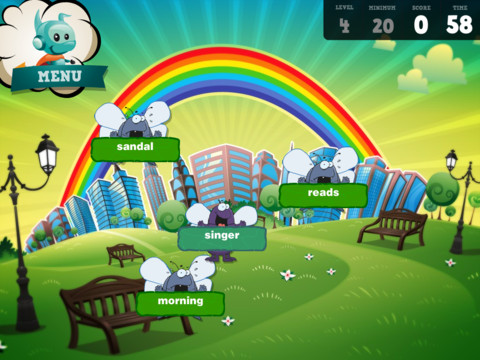
There are 3 levels of this app available for FREE for the iPad. Level 1 is for 7 year olds. Level 2 is for 8 – 9 year olds. Level 3 is for 10 – 12 year olds. Each FREE version gives you one level of play but you can continue to practice (at that level) by pressing the menu button in the upper right hand corner. That button will take you back to the start of the game and the app will generate more practice in a different scene.

The object of the game is simple – just tap to eliminate any word that is NOT a verb. The game is fast paced and would be fun played with a partner. It provides good practice for recognizing verbs.

Common Core Standards met:

  • 2.L.1 – Form and use the past tense of frequently occurring irregular verbs (e.g., sat, hid, told).
  • 3.L.1 – Form and use regular and irregular verbs.AND Form and use the simple (e.g., I walked; I walk; I will walk) verb tenses.

Recommended!

Verb Mayhem HD Level 2 FREE - Generate Learning

1

SpellingCity

Oh my – I am SO excited 🙂 Spelling City has a FREE app for the iPhone/iPad and the update just came out today! I LOVE Spelling City. It is a phenomenal website where teachers can input their weekly spelling lists so kids can go online to practice their spelling in so many fun ways – hang mouse, match it, which word, sentence unscramble, etc. I used Spelling City in my classroom for the last 3 years and the kids & parents loved it. The app has several preloaded lists and the best part…..kids can access the their teacher’s list (providing that he/she uses Spelling City, of course) by using their zip code, school name, and teacher’s name. Practice spelling in the car on a way to a soccer game or while waiting in the dentist’s office. AWESOME!!

Common Core Standards met:

  • K.RF.3  – Distinguish between similarly spelled words by identifying the sounds of the letters that differ.
  • 1.RF.3 – Recognize and read grade-appropriate irregularly spelled words.
  • 2.RF.3 – Identify words with inconsistent but common spelling-sound correspondences. AND Recognize and read grade-appropriate irregularly spelled words.
  • 3.RF.3 – Read grade-appropriate irregularly spelled words.
  • 4.RF.3 – Use combined knowledge of all letter-sound correspondences, syllabication patterns, and morphology (e.g., roots and affixes) to read accurately unfamiliar multisyllabic words in context and out of context.
  • 5.RF.3 – Use combined knowledge of all letter-sound correspondences, syllabication patterns, and morphology (e.g., roots and affixes) to read accurately unfamiliar multisyllabic words in context and out of context.

Highly recommended!

SpellingCity - SpellingCity

2

Fluency Timer

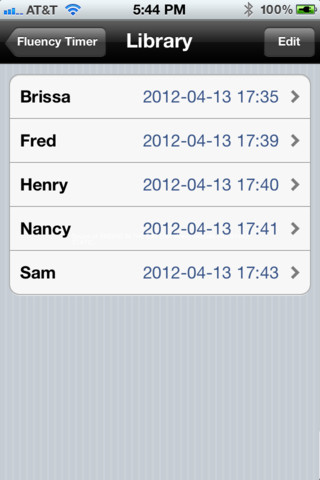
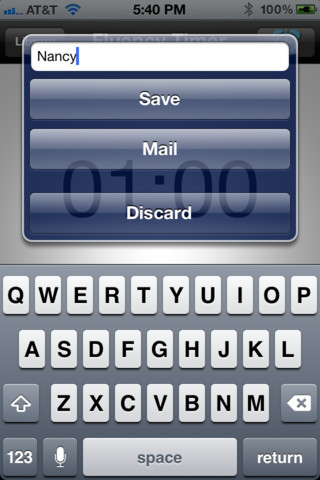
This FREE app is designed for the iPhone/iPad. It is very simple to use. It has an adjustable timer that allows you to record a child’s reading fluency for playback and/or sharing. Once a child has read, you simply name the file and save it into your library. The child can then listen to himself/herself read or you can email the file to a parent. This app is definitely useful  – kids listening to themselves read can be powerful. Teachers and parents can listen to determine where kids are having problems: Are they pausing for punctuation? Are they missing sight words? Is phonics/word structure an issue?

An issue with the program is that you have to preset it for a specific time period (between 10 seconds and 59 minutes & 50 seconds) rather than use it like a stopwatch. When it saves the recording in the library, it shows the date & time of the reading rather than the time it took to read the passage. If you are doing running records with 200 – 300 word readings, you still need a stop watch to record the actual reading time so you can figure out words per minute (reading rate). But, there is still a lot of good information that can be gathered by using this app.

There is also a pro version that transfers files to your computer.

Recommended!

Fluency Timer Free - Needleworks Software

0

ICDL (International Children’s Digital Library – Free Books for Children

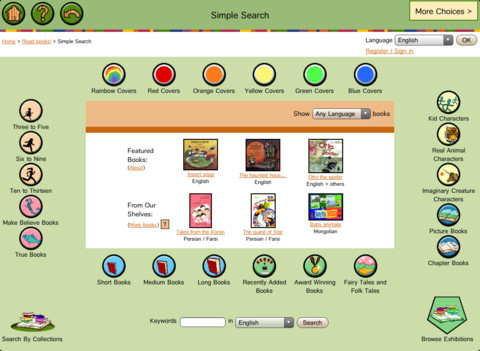
This app brings thousands of free children’s books from 60 different countries to the iPad – it’s truly a worldwide collection of books at your fingertips. Books can be searched in a variety of ways – by age appropriateness, length (short, medium, long), genre, ratings, awards, picture vs chapter, and more. You may register if you wish, but it is not necessary. Some advantages to registering include – saving favorite books on a personal bookshelf, returning to the last page that you were reading, and selecting the language you prefer to use.

The feature that I really like is the “Browse Exhibitions” section. The exhibitions are theme based collections of books from around the world. Examples of some current themes are: Celebrating Differences, Everyone Needs Water & Water Needs Everyone, and Forever Friendship. Within each exhibition is an overview of the theme, links to the books included, descriptions of why the books are included, and related activities (in pdf format). As the world becomes more mobile, school systems are facing language barriers. For example, Chicago Public Schools has over 70 languages spoken by their students. What an awesome resource to promote worldwide citizenship and understanding!

The mission of the International Children’s Digital Library Foundation (ICDL Foundation) is to support the world’s children in becoming effective members of the global community – who exhibit tolerance and respect for diverse cultures, languages and ideas — by making the best in children’s literature available online free of charge. The Foundation pursues its vision by building a digital library of outstanding children’s books from around the world and supporting communities of children and adults in exploring and using this literature through innovative technology designed in close partnership with children for children. 

Read more @ http://en.childrenslibrary.org/

Highly recommended!

ICDL - Free Books for Children - International Children's Digital Library - ICDL Foundation