0

Quick Math +

FREE for a limited time – Quick Math+, an educational app that encourages the development of mental math skills. Kids race against the clock to improve their scores. Handwriting recognition allows the players to write the answers directly on the screen – a very slick feature. There are 4 game modes: solve, memorize, compare, and swap. Each game has 4 levels: beginner, intermediate, advance, and extreme. At a beginning level, this app helps to develop math fluency. Once kids have mastered the basics, the app introduces order of operations & parenthesis, negatives numbers, and indices. LOTS of great practice for multiple levels of math students in this app. It can be shared among students and it tracks each student’s progress – perfect for the classroom. The math gets progressively harder as students improve their skills. I love how the app encourages self-improvement and legible writing! Teachers could assign 10 minutes of practice each day for their students. I am sure the results would be significant. What a fabulous tool for the classroom!

Download link: https://itunes.apple.com/us/app/quick-math+/id703287370?mt=8&uo=4

0

Grandpa’s Workshop

FREE today for Grandpa’s birthday – Grandpa’s Workshop, an adorable educational app for preschoolers. Kids join dancing grandpa in his workshop. There they play 7 educational games such as Puzzle Fix-Up and Paint the Project. They also watch short videos of real tools in action. Kids will love helping grandpa build and they will learn in the process. Concepts addressed through the games are: colors, numbers (1 -12), fractions (1/2, 1/4, 1/3), spatial relationships, measuring, observation skills, and vocabulary. I love this app – it seamlessly integrates important educational content into fun games. And, little ones will learn how things work. I especially like the when Grandpa asks for a high-five – so cute!

Highly recommended!

Download link: https://itunes.apple.com/us/app/grandpas-workshop/id555310530?mt=8&uo=4

0

Bug Games HD

bug games

Singing crickets! Bug Games HD is FREE for a limited time. This super cute educational app for preschoolers has 4 sections: Cricket Concert, Bee Word Builder, Ant Tunnel Builder, and Spider Dot-to-Dot. In the Cricket Concert section, kids can select a song to hear the crickets sing together or they can tap on each cricket to play the song on their own. In Bee Word Builder, kids hear the phonic pronunciation of individual letters as they use them to put words together. Ant Tunnel Builder requires kids to rotate puzzle pieces so that the ants can march through a completed tunnel. Spider Dot-to-Dot has kids connecting dots in numerical order. Kids collect sticker rewards along the way. This app has a nice combination of learning games for preschoolers – cute, fun, & engaging! Who knew playing with bugs could be so much fun. 🙂

Bug Games HD - by Busy Bee Studios - Busy Bee Studios

0

Math vs Zombies – Math Games Grade K – 5

Zombies

Just in time for Halloween – Math vs Zombies is FREE for a limited time. Kids become highly trained scientists with the mission of saving the world from zombies. Using their math skills, they transform the zombies back into humans. The app has four worlds – addition, subtraction, multiplication, and division. Each world has 7 levels which can be set to easy, medium, or hard – making this app suitable for multiple grade levels. Kids will love the “spooky” music, howling wind, and “scary” zombies. The combination turns math practice into a Halloween treat!

Download link: https://itunes.apple.com/us/app/math-vs-zombies-math-games/id470896560?mt=8&uo=4

0

Pre-School Counting 123’s with Bear and Duck

Preschool

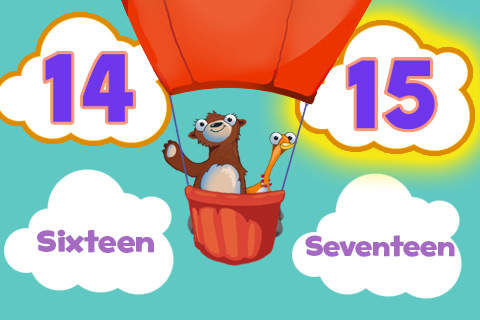
FREE for a limited time – Pre-School Counting 123’s with Bear and Duck. Kids learn to count with Bear and Duck in this educational app. There are 2 levels: basic and advanced. At the basic level, kids are asked to order numbers 1 – 10 using, numbers, words, dots, or fingers. In the advanced level, kids order numbers in a variety of ways: 11 – 20 by numbers or words, 20 – 50 by numbers, 2 – 20 by twos, 5 – 50 by fives, 10 – 100 by tens. 100 – 1000 by hundreds. The cute little characters and happy music make this simple-to-use app appealing to preschoolers.

Download link: https://itunes.apple.com/us/app/pre-school-counting-123s-bear/id391294319?mt=8&uo=4

0

Digital Math Tool Kit – 3 FREE apps

Three for FREE – great digital math tools for your classroom.
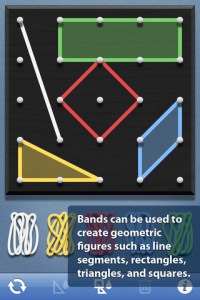
Geoboard by The Math Learning Center (a nonprofit organization dedicated to K – 12 education) is a FREE educational app that turns your iPhone/iPad into a virtual geoboard. Geoboards can be used as tools to teach mathematical concepts such as polygons, perimeter, area, line segments, angles, congruent shapes, symmetry, fractions, etc. Shapes are created by stretching bands on the geoboard’s pegs. There are 5 colors of bands in the iPhone version and 8 in the iPad version. There is also a tool to fill in shapes. On the iPad version, you can switch from the standard 25 peg board to a 150 peg board to create more complex shapes. This is a great app with the potential to be used in so many ways.
Highly recommended!

Geoboard, by The Math Learning Center - Clarity Innovations

FREE for the iPad, Virtual Manipulatives, an educational app that features math manipulatives for teaching fractions, decimals, and percents. Included are tiles/circles divided into halves, thirds, fourth, fifths, sixths, eighths, tenths, and 12ths AND their corresponding decimals and percentages! The manipulatives are color coded across the settings so that 1/2 is blue as is .50 and 50%. Kids drag tile pieces onto the work area to compare fractions/decimals/percentages. In the settings you can change from tiles to circles, make the pieces transparent, and hide the numbers on the pieces. Completed work can be easily saved to photos. Finding equivalent fractions has never been so slick – WOW!!

Common Core Standards

  • 3.NF.3 – Explain equivalence of fractions in special cases, and compare fractions by reasoning about their size. Understand two fractions as equivalent (equal) if they are the same size, or the same point on a number line.
  • 4.NF.1 – Explain why a fraction a/b is equivalent to a fraction (n × a)/(n × b) by using visual fraction models, with attention to how the number and size of the parts differ even though the two fractions themselves are the same size. Use this principle to recognize and generate equivalent fractions.

Highly Recommended!
Virtual Manipulatives! - ABCya.com

equivalent fractions

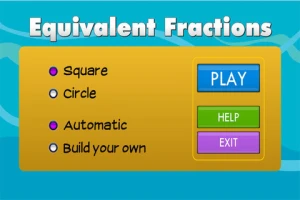
From the National Council of Teachers of Mathematics comes a FREE educational app called Equivalent Fractions. Kids create equivalent fractions by dividing and shading squares or circles. Circles can be divided into 24ths. Squares can be divided into 144ths. In the play mode, a fraction is shown and kids must create 2 additional fractions that are equivalent. All 3 fractions must have different denominators. The app also places the fractions on a number line – a great visual for comparing! There is also a “build your own” mode which would be fabulous to use for guided exploration & practice. Kids could also use this section as a virtual manipulative when working independently. This app is an excellent resource for the classroom !!

Common Core Standards met:

  • 3.NF.3 – Explain equivalence of fractions and compare fractions by reasoning about their size. Understand two fractions as equivalent (equal) if they are the same size, or the same point on a number line. Recognize and generate simple equivalent fractions, e.g., 1/2 = 2/4, 4/6 = 2/3). Explain why the fractions are equivalent, e.g., by using a visual fraction model.

Highly Recommended!

Equivalent Fractions - National Council of Teachers of Mathematics

0

Sushi Monster

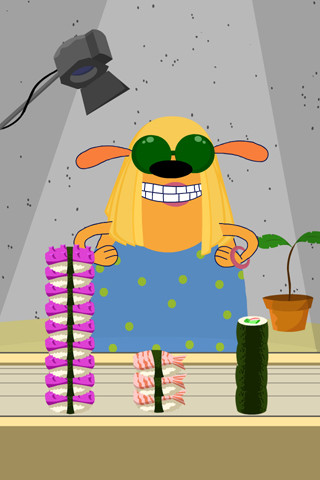
Sushi Monster is a FREE educational app for the iPhone/iPad developed by Scholastic. It helps kids practice, reinforce, and extend their knowledge of math facts. There are 12 levels of play – 7 addition levels and 5 multiplication levels. A chef places numbered plates of sushi on the counter. Kids have to combine the numbers on the plates to reach the target number (worn by the sushi monster). If the combination is correct, the monster gobbles up the sushi. If it is wrong, the monster throw a tantrum. Each round has 14 target numbers. Successfully completing one level unlocks the next. As kids progress through the levels they are expected to extend their thinking beyond the basic facts. At each level a strategy is provided to help kids succeed. This educational app provides a lot of practice and kids will love the silly sushi chef!

Common Core Standards met:

  • 3.OA.7 – By the end of Grade 3, know from memory all products of two one-digit numbers.
  • 3.NTB.3 – Multiply one-digit whole numbers by multiples of 10 in the range 10–90 (e.g., 9 × 80, 5 × 60) using strategies based on place value and properties of operations.

Great for math fluency – highly recommended!

Sushi Monster - Scholastic

0

Dinorama

Dinorama

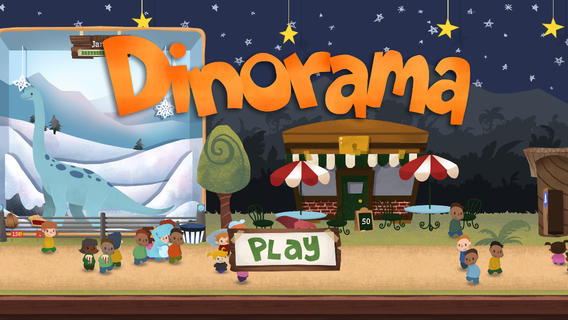
App of the Week and FREE for a limited time – Dinorama, an educational game app. Kids learn about money and time management as they build and maintain their own dinosaur theme parks. They start with one dinosaur and a few visitors. As they earn money, kids can add additional dinosaur displays, a popcorn stand, a photo booth, etc. They are in charge of everything – buying food, keeping the park clean, selling popcorn, hiring employees. Kids learn to save for unpredictable events: rainstorms that affect ticket sales, crop shortages that raise food prices, and flat tires that maroon valuable tourists. Interactive features include: feeding the dinosaurs with your finger, hiring a tour guide to learn more, popping popcorn, inflating balloons, photographing visitors, and more. There are many fun things to do! There’s even a virtual bank where kids can earn interest. It’s no wonder that this educational app was named New & Noteworthy by Apple, an Editor’s Choice of USA Today, an Editor’s Pick of Common Sense Media, and rated 5/5 Awesome by MacLife Magazine. Very cool, very fun, and educational!!

Teachers – this app would not only be be great for math but you could also use it to encourage journalling. Have kids keep “the books” and write daily entries about the status of their parks. They also could make up ads for their parks. There are lots of possibilities for integrated learning. 🙂

Download link: https://itunes.apple.com/us/app/dinorama/id611016610?mt=8&uo=4

0

Math Duel

Math Duel

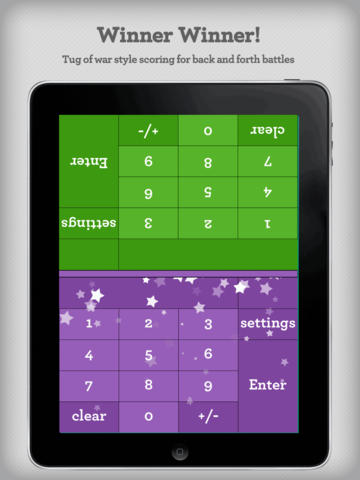
FREE for a limited time – Math Duel-2 Player Mathematical Game.This educational app pits two players against each other on the same device which makes it perfect for sharing iPads in the classroom. The app has a split screen interface – students sit facing each other on either end of the iPad. As kids answer math equations, the app keeps separate scores for each student. The best thing about this app is that it is fully customizable (on both sides) which makes it a fabulous tool for individualizing instruction for a wide range of students. Equations can be set with 1 – 5 terms. Largest numbers possible can be from 1 – 100. Negative numbers can be turned on/off. Kids can practice addition, subtraction, multiplication, division or any combination of these operations. Fabulous and fun for daily classroom math practice in multiple grades!

Common Core Standards met:

  • 1.OA.6 – Add and subtract within 20, demonstrating fluency for addition and subtraction within 10.
  • 2.OA.2 – Fluently add and subtract within 20 using mental strategies. By end of Grade 2, know from memory all sums of two one-digit numbers.
  • 3.OA.7 – Fluently multiply and divide within 100, using strategies such as the relationship between multiplication and division or properties of operations. By the end of Grade 3, know from memory all products of two one-digit numbers.

Download link: https://itunes.apple.com/us/app/math-duel-2-player-mathematical/id495077699?mt=8&uo=4

0

Fetch! Lunch Rush

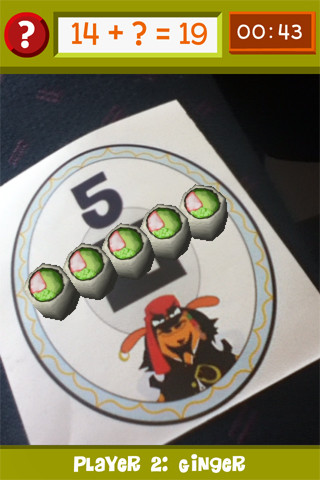
From our friends at PBS comes Fetch! Lunch Rush, a very unique FREE math game app for iPhone/iPad.  In this multi-player game, it is the students’ task to keep up with the lunch orders from Ruff Ruffman’s movie crew. The challenge is to keep track of how many pieces of sushi everyone wants by adding and subtracting. Before the game begins, game pieces have to be printed from the PBS website and distributed around the room. As the sushi orders come in, students have to find the game piece with the correct answer to the problem. Using the camera lens on their device, they focus in on then tap the sushi. The sushi pieces magically move to the table in front of their character (as seen above). Students have to think fast and keep moving to fill all of the sushi orders before their friends do. What a fun educational app!

Common Core Standards met:

  • 1.OA.6 – Add and subtract within 20, demonstrating fluency for addition and subtraction within 10.
  • 2.OA.2 – Fluently add and subtract within 20 using mental strategies. By end of Grade 2, know from memory all sums of two one-digit numbers.

Highly recommended!

FETCH! LUNCH RUSH - PBS KIDS