0

Counting Dots

Counting Dots

FREE today – Counting Dots, a counting app for young iPad users. Kids learn to recognize/count numbers by popping colorful dots in this simple but visually appealing game. The app has three settings – counting by one, fives, or tens. There are also settings for sound, hinting, and enabling vibrations (iPhone only). The app is advertised as helping kids count from one to a million. I counted by ones to 20 and by tens to 100  – didn’t quite make it to a million 🙂 This app is by the same developer that did Rain Dots (see my March 1 review).

Counting Dots - Helping kids count from one to one million! - Ellie's Games, LLC

0

Snowflake Station

snowflake

Purple glittery snowflakes !! FREE again for a limited time, Snowflake Station for the iPad helps kids discover the beauty of symmetry – a key concept in math, science, art, & architecture. The app has 3 sections: Trace a Flake, Creation Station, and Make it Snow. Trace a Flake includes step-by-step instructions for cutting 36 different snowflakes/other symmetrical shapes. In the Creation Station, kids create their own flakes/shapes. There are six different folds, 10 different colored paper, and 10 different colors of glitter to choose from. Kids make “cuts” with their fingers. The tape button works as an undo button. Kids can monitor their progress in the upper left hand corner of the cutting board. Creations can be saved to use in the Make it Snow section of the app which does exactly that! Kids use their creations to make it snow in a photo of their choosing. They can use the iPad’s camera to take a picture or use an already saved photo from the camera roll. There are also 10 winter scenes included in the app. Another option in this app is the ability to set up a Juddly (a safe, secure email) account for your child to share his/her creations with you. Very creative & very fun – all while learning about symmetry 🙂

Common Core Standards:

  • 1.G.3 – Partition a shape into four equal shares, describe the shares using the words halves, fourths, and quarters, and use the phrases half of, fourth of, and quarter of. Describe the whole as two of, or four of the shares. Understand for these examples that decomposing into more equal shares creates smaller shares.
  • 4.G.3. Recognize a line of symmetry for a two-dimensional figure as a line across the figure such that the figure can be folded along the line into matching parts. Identify line-symmetric figures and draw lines of symmetry.

Not only does this app meet CCSS in math, it can also be used in creative writing – The Day It Snowed Orange, Alien Invasion, etc. Awesome – highly recommended!

Snowflake Station - Mrs. Judd's Games, LLC

0

Sail Through Math

sail through math

Ahoy there!! FREE again (normally $1.99), Sail through Math from McGraw Hill – a fun way for students to practice their math facts/skills. There are 3 levels of play for addition, subtraction, multiplication, and division facts. Other areas covered are addition equations. subtraction equations, multiplication equations, two-step equations, names for numbers, patterns/factors/multiples, and compare numbers. This app provides of great practice built around a pirate theme – complete with music and firing cannonballs! At the end of each game, the child can see what problems he/she missed as well as a percentage score. What a fun way to learn basic facts – in the classroom, at home, in the car on a way to an evening activity. I used to tell my students to practice during commercials – 10 to 15 minutes a day works wonders. This app provides a fun way to accomplish that goal 🙂

Common Core Standards met:

  • 1.OA.6 – Add and subtract within 20, demonstrating fluency for addition and subtraction within 10.
  • 2.OA.2 – Fluently add and subtract within 20 using mental strategies. By end of Grade 2, know from memory all sums of two one-digit numbers.
  • 3.OA.7 – Fluently multiply and divide within 100, using strategies such as the relationship between multiplication and division or properties of operations. By the end of Grade 3, know from memory all products of two one-digit numbers.

Sail Through Math - McGraw-Hill School Education Group

0

Marble Math

Marble Math

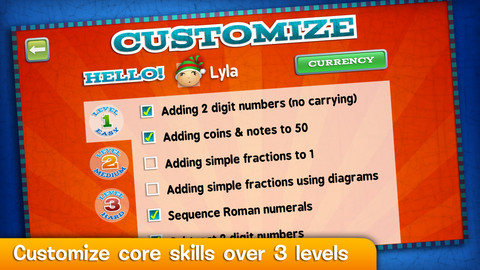
FREE today only – Marble Math. There are lots of good reviews of this app for 9 – 12 year olds which was selected by Apple as New & Noteworthy. Kids solve a variety of math problems as they navigate their way through a series of marble mazes. Concepts included are addition/subtraction/multiplication/division, adding/sequencing fractions with different denominators, factoring, adding/subtracting negative integers and more! The game supports multiple players and it allows you to customize specific skills for each player – what a great option! Another great thing about this app  – when a player answers incorrectly, he/she can choose of 3 options: try again, show me, or next problem. Kids earn marbles as they answer correctly and high scores are recorded. This game blends fun with the practice of common core skills. Worth downloading!

Common Core Standards met:

  • 3.OA.7 Fluently multiply and divide within 100, using strategies such as the relationship between multiplication and division
  • 4.OA.4 Find all factor pairs for a whole number in the range 1–100.
  • 4.NF.3 Understand a fraction a/b with a > 1 as a sum of fractions 1/b. a. Understand addition and subtraction of fractions as joining and separating parts referring to the same whole.

Marble Math - Artgig Studio

0

Language Adventure Quiz Game Show/ Math Quiz Game Show

language adventure

Math Quiz

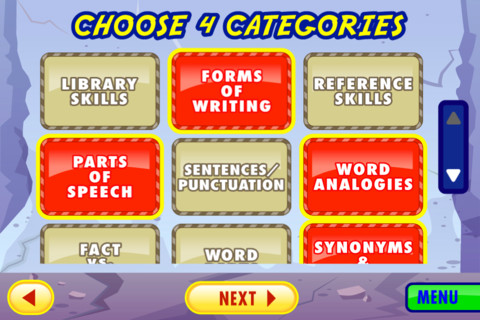
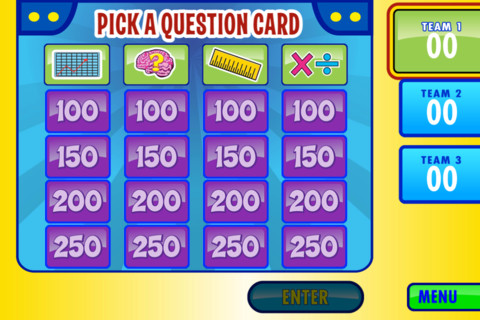
FREE until March 11, 4 new apps from Lakeshore – Language Adventure Quiz game Show 1 – 3, Language Adventure Quiz game Show 4 – 6, Math Quiz Game Show 1 – 3, and Math Quiz Game Show 4 – 6. All four of these games are presented in a “Jeopardy-like” format. You begin by choosing the number of teams that will be playing. Then you choose 4 categories of questions that you would like on the board. Just like on Jeopardy, the player gets to choose the category and value of the question he/she will answer. The app even has its own game show host and game show music – cute! Kids love playing these sorts of games. I would suggest downloading them now (while they are FREE) then decide how you might use them. They could work for a one iPad classroom or for small independent groups when the teacher is working with others. Kids may even like using this app during indoor recess!

Language Adventure Quiz game Show 1 – 3   Language Adventures Quiz Game Show - Gr. 1-3 - Lakeshore Learning Materials

Language Adventure Quiz game Show 4 – 6   Language Adventures Quiz Game Show - Gr. 4-6 - Lakeshore Learning Materials

Math Quiz Game Show 1 – 3   Math Quiz Game Show - Gr. 1-3 - Lakeshore Learning Materials

Math Quiz Game Show 4 – 6   Math Quiz Game Show - Gr. 4-6 - Lakeshore Learning Materials

0

Oh No Fractions!

on no fractrions

Oh No Fractions! is a great FREE iPhone/iPad app for comparing and exploring fractions. The app is simple to use – kids just swipe to the right or the left to indicate whether one fraction is “greater than” or “less than” the other. After the child answers, there is an opportunity to “prove it” – see above picture. The “prove it” section of the app is fabulous because it allows the child to visualize his/her answer. I would love to see the developer add an “equal to” option to this app to make it even better!

Common Core Standards met:

3.NF.3 – Explain equivalence of fractions and compare fractions by reasoning about their size. Understand two fractions as equivalent (equal) if they are the same size. Recognize and generate simple equivalent fractions, e.g., 1/2 = 2/4, 4/6 = 2/3).

Recommended!

Oh No Fractions! - Curious Hat Lab - Curious Hat

0

All About Shapes by Tiny Tapps

all about shapes

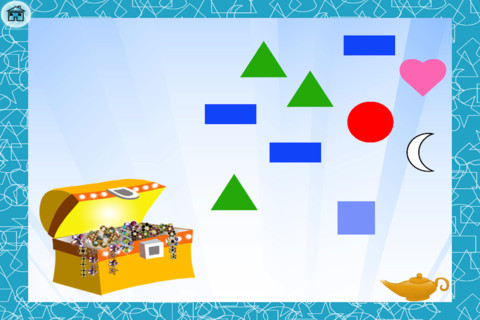
All About Shapes by Tiny Taps is FREE for a limited time for the iPhone/iPad. In this app, a genie and her magic lamp helps your preschooler learn about 13 shapes through activities such as songs, tracing, puzzles, and games. This app has a nice variety of practice. I especially like the shape section of the app because each shape is named/spelled and two examples are given. One caution about this app – the cone is not drawn as a 3D object. The other 3D shapes (cube, pyramid, cylinder) in the app are drawn as 3D shapes. Hopefully the developer will correct this in the next upgrade 🙂

All About Shapes by Tinytapps - Altaf rehmani

0

Tiny Fractions

tiny fractions

Just released today and FREE for a limited time – Tiny Fractions. This app teaches identifying, comparing, ordering, finding equivalents, simplifying, adding, and subtracting fractions using vials of liquid. It starts out simple and gets more difficult as kids progress through the app. It also keeps track of the student’s progress – showing teachers/parents specifically which fractions were missed. Simply done and easy to use, this app does a great job helping kids visualize and learn fractions!

Common Core Standards met:

  • 3.NF.1. Understand a fraction 1/b as the quantity formed by 1 part when a whole is partitioned into b equal parts; understand a fraction a/b as the quantity formed by a parts of size 1/b.
  • 3.NF.3 – Explain equivalence of fractions and compare fractions by reasoning about their size. Understand two fractions as equivalent (equal) if they are the same size. Recognize and generate simple equivalent fractions, e.g., 1/2 = 2/4, 4/6 = 2/3).
  • 4.NF.3 – a. Understand addition and subtraction of fractions as joining and separating parts referring to the same whole.

Highly Recommended!!

Tiny Fractions - TapToLearn Software

0

MyScript Calculator

myscript

FREE for your iPhone/iPad, MyScript Calculator is an amazing app. It performs mathematical operations using your handwriting! The app is simple to use and intuitive. Just write the mathematical equation on the screen. MyScript technology converts the symbols and numbers to digital text and delivers the answers. It supports the following operations: basic operations (+, -, x, ÷, +/‒, 1/x), additional operations ( %, √, x!, |x|), powers/exponentials (ℯx, xy , x2), trigonometry, and more. Very cool!!

MyScript Calculator - Vision Objects

0

Equivalent Fractions

equivalent fractions

From the National Council of Teachers of Mathematics comes a FREE app called Equivalent Fractions. Kids create equivalent fractions by dividing and shading squares or circles. Circles can be divided into 24ths. Squares can be divided into 144ths. In the play mode, a fraction is shown and kids must create 2 additional fractions that are equivalent. All 3 fractions must have different denominators. The app also places the fractions on a number line – a great visual for comparing! There is also a “build your own” mode which would be fabulous to use for guided exploration & practice. Kids could also use this section as a virtual manipulative when working independently. This app is an excellent resource for the classroom !!

Common Core Standards met:

  • 3.NF.3 – Explain equivalence of fractions and compare fractions by reasoning about their size. Understand two fractions as equivalent (equal) if they are the same size, or the same point on a number line. Recognize and generate simple equivalent fractions, e.g., 1/2 = 2/4, 4/6 = 2/3). Explain why the fractions are equivalent, e.g., by using a visual fraction model.

Equivalent Fractions - National Council of Teachers of Mathematics