0

Giggle Ghosts

This counting iPad app for toddlers is FREE today – just in time for Halloween! The giggle ghosts are very cute – kids will love to hear them laugh. Kids help 20 ghosts get the party by bouncing them across rooftops. In the first level the sky is clear and they have to bounce 5 ghosts. The app counts to 5 and shows the written numbers. The second level is the same but there are leaves blowing in the sky. In the third level there are clouds in the sky and in the fourth level it is raining – both provide additional practice counting from 1- 5. At the end, all 20 ghosts at the party are counted. This app is great for little ones at Halloween – nothing scary, just fun & friendly ghosts going to a party. 🙂

Giggle Ghosts - by Busy Bee Studios - Busy Bee Studios

0

Squeebles Fractions

From England and FREE today – this app for the iPhone/iPad is designed to teach fractions to 7 – 11 year olds. The Squeebles want to enter a cake making contest but their ingredients have been stolen by the Math Monster. By working on the app’s 4 games, kids help the Squeebles earn back their ingredients. In Piece of Cake, kids drag the fractional part of a cake to a Squeebles when he asks for it. The easy mode covers halves, fourths, thirds. The hard mode cover fractions to tenths. In Tricky Pairs, kids have to match pairs of equivalent fractions. In the easy mode they match 4 pairs and in the hard mode they match up to 9 pairs. Think Big has kids feeding cake to the Squeeble that calls out the biggest fraction. The easy mode covers halves, fourths, thirds. The hard mode cover fractions to twelfths. Super Sums requires kids to add fractions as quickly as they can and has three levels of difficulty. After earning ingredients, kids can create cakes and enter them in The Cake Show – fun! Another great thing about this app is that you can have more than one player. My only concern is that the easy mode of Piece of Cake requires kids to know some equivalent fractions – for example, it asked kids to pick 3/4 of a cake divided into 8 pieces, 1/3 of a cake divided into 6 pieces, etc. I wish it would have required a basic knowledge of fractions in the easy mode then moved on to equivalent fractions in the hard mode. This app is cute, fun, and provides great practice for a wide spectrum of kids.

Common Core Standards met:

  • 3.NF.3 – Explain equivalence of fractions and compare fractions by reasoning about their size. Understand two fractions as equivalent (equal) if they are the same size, or the same point on a number line. Recognize and generate simple equivalent fractions, e.g., 1/2 = 2/4, 4/6 = 2/3).
  • 4.NF.3 – a. Understand addition and subtraction of fractions as joining and separating parts referring to the same whole.

Recommended!

Squeebles Fractions - KeyStageFun

0

i Learn With Poko: Fun Counting & Addition

Toddlers and preschoolers (ages 3 – 6) learn how to count and add numbers with this app for the iPhone/iPad. There are 3 games included: Bowling (counting & adding to 6), Building Blocks (adding to 10), and Poko’s Toys (add toys up to 15). Each game is divided into 3 levels of increasing difficulty. All i Learn With apps have the option for children to register so that they can earn rewards to play with on Planet Boing (a FREE central app that goes with the i Learn With series). Registration also allows parents to track their child’s progress. Detailed reports are generated telling parents the number of attempts for each game as well as the rate of success. The report also allows a parent to compare their child’s progress with other children of the same age. The i LearnWith program is brought to you by the developers of PBS KIDS PLAY and CBC Wonderworld online learning programs.

Common Core Standards met:

  • K.OA.2  – Add and subtract within 10, e.g., by using objects or drawings to represent the problem.

This app is currently $1.99. Keep reading my blog to find out when it is offered for FREE.

Recommended.

i Learn With Poko: Fun Counting and Addition! - Tribal Nova

0

Submarine Math Race

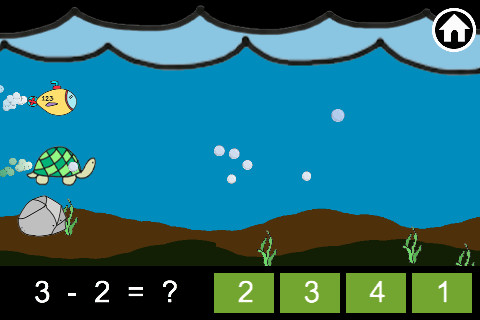
Submarine Math Race is FREE for a limited time. Kids can practice the 4 basic operations – addition, subtraction, multiplication, and division by racing their submarine against various sea animals. There are two modes in this app – play and practice. In the practice mode you can choose the operation and level of difficulty. The child taps the answer to advance the submarine and win the race. After completing 10 problems, a score is given followed by number right vs number wrong (which was not always accurate). Then there is the “try again” screen – sometimes that came up instead of number right vs number wrong, sometimes it came up instead of advancing to the next level of the game or as a new level was supposed to begin. Also, the app is connected to the Game Center so it constantly reminds you to log in – whether you want to or not. I had lots of problems using this app so I cannot recommend downloading at this time.

0

Geoboard by Math Learning Center


From The Math Learning Center (a nonprofit organization dedicated to K – 12 education) comes this FREE app that turns your iPhone/iPad into a virtual geoboard. Geoboards can be used as tools to teach mathematical concepts such as polygons, perimeter, area, line segments, angles, congruent shapes, symmetry, fractions, etc. Shapes are created by stretching bands on the geoboard’s pegs. There are 5 colors of bands in the iPhone version and 8 in the iPad version. There is also a tool to fill in shapes. On the iPad version, you can switch from the standard 25 peg board to a 150 peg board to create more complex shapes. This is a great app with the potential to be used in so many ways.

Highly recommended for your virtual math tool kit!

Check out my August 12 review of Virtual Manipulatives for another great app to add to your virtual math tool kit.

Geoboard, by The Math Learning Center - Clarity Innovations

0

TimePairs

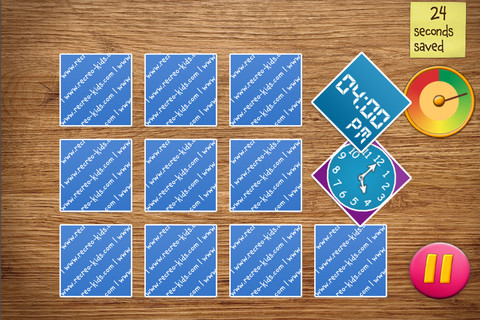
This app for the iPhone/iPad gives kids practice matching times on an analog clock with times on a digital clock in a “memory style” card game with a pirate theme. Clocks can be set as 12-hour clocks or 24-hour clock. Kids can take their time and choose the practice mode or get 30 seconds to match the cards in the “defeat the captain” mode. When the cards are matched successfully, the pirate cries – which I grew tired of very quickly but kids may think is funny. I played several games and the difficulty of the game did not seem to increase as I advanced – very basic, no time to the exact minute. Within the game there were also several cards with pictures only to match. All in all, this app seems more like a matching game than a telling time game.

0

Toca Store

Turn you iPhone or iPad into play store for your preschooler and a friend with this app. This app permits your child to choose which items to sell (34 choices), set prices for the items, invite a friend to shop, count money, bag the items, etc. It’s a very cute simulation that teaches: taking turns, cooperation, and basic counting.  Toca Boca apps are very popular and usually sell for $1.99. Toca Store is FREE today 🙂

Recommended!

Toca Store - Toca Boca

0

Bubbling Math

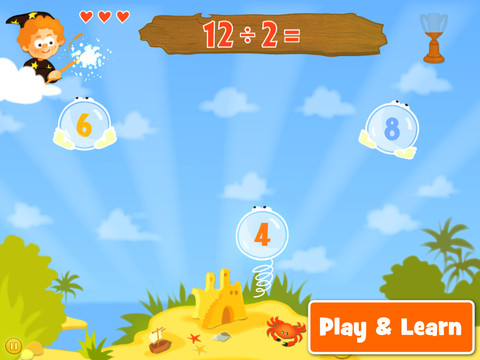
Bubbling Math for the iPad helps students in grades 1 – 4 become proficient in basic math skills – addition, subtraction, multiplication, division. In the Task Configuration section of the app, parents/teachers choose the operations & the levels of difficulty (easy, medium, hard, expert). Descriptions tell specifically what kinds of problems are included in each level. The ability to customize what a child needs to practice makes this app very powerful. Another plus is that the levels can be set differently for each operation. The other powerful section of this app is the “parents section” where a child’s progress is reported by the date, the operations and levels practiced, the number right & wrong, the specific problems missed, and percent correct.

As for the actual game – there are 9 levels that unlock as the child makes progress. There are trophies awarded for doing well. The graphics and music are nicely done. The speed of the game can be adjusted  – slow, normal, fast. But…what makes this app stand out is the ability to truly personalize it. Unfortunately, I don’t think the app tracks more than one child’s data. The data can be reset but the results for the first child would be lost. Regardless, this app is great!

Common Core Standards met:

  • 1.OA.6 – Add and subtract within 20, demonstrating fluency for addition and subtraction within 10.
  • 2.OA.2 – Fluently add and subtract within 20 using mental strategies. By end of Grade 2, know from memory all sums of two one-digit numbers.
  • 3.OA.7 – Fluently multiply and divide within 100, using strategies such as the relationship between multiplication and division or properties of operations. By the end of Grade 3, know from memory all products of two one-digit numbers.

This app was FREE last week but is currently selling for $.99. Keep watching my blog to find out when apps are offered for free.

Highly Recommended!

Bubbling Math - TappyTaps s.r.o.

0

i Learn With Boing: Savannah Adventures

For a limited time, all i Learn With Boing apps are being offered for $.99 and i Learn With Boing: Savannah Adventures is FREE.  These apps are geared towards 3 – 6 year olds. All i Learn With apps have the option for children to register so that they can earn rewards to play with on Planet Boing (a FREE central app that goes with the i Learn With series). Parents can also track their child’s progress if the child registers.

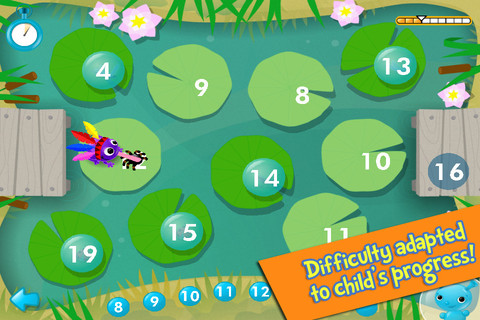
i Learn With Boing: Savannah Adventures has three math games: counting, ordering, and calculating. In the counting game, kids are asked to help the meerkat make soup by matching the pictured amount of ingredients with the written numeral (1 – 20). If kids touch any of the items, the total is named. Instead, I wish app counted the items (for kids who still need that) with the option to disable. In the ordering game, kids guide a frog across the pond by choosing the next number (1 – 20). The ordering doesn’t always start at 1 and there is variety in this game. Numbers may be ascending, descending or in a simple pattern (by 2’s or 10’s). In the calculating game, kids add the correct number of ostriches to a truck to reach a total. This game can be played alone or with a friend. Overall, this app is cute and nicely done. It would be fun for young kids who already know their numbers and are ready for some beginning math skills. The i Learn With program is brought to you by the developers of PBS KIDS PLAY and CBC Wonderworld online learning programs.

Common Core Standards met:

  • K.OA.2  – Add and subtract within 10, e.g., by using objects or drawings to represent the problem.
  • 1.OA.6 – Add and subtract within 20, demonstrating fluency for addition and subtraction within 10.

Recommended.

i Learn With Boing: Savannah Adventures! - Tribal Nova

0

Fetch! Lunch Rush

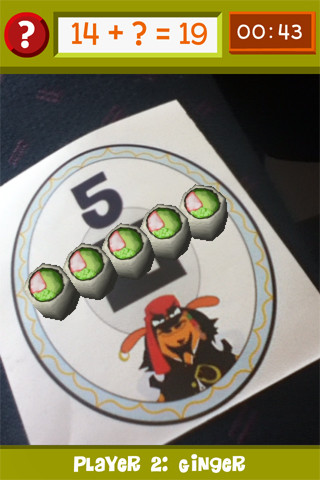
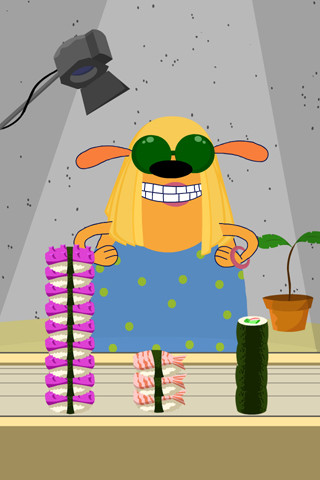
From our friends at PBS comes this very unique FREE math game app for iPhone/iPad.  In this multi-player game, it is the students’ task to keep up with the lunch orders from Ruff Ruffman’s movie crew. The challenge is to keep track of how many pieces of sushi everyone wants by adding and subtracting. Before the game begins, game pieces have to be printed from the PBS website and distributed around the room. As the sushi orders come in, students have to find the game piece with the correct answer to the problem. Using the camera lens on their device, they focus in on then tap the sushi. The sushi pieces magically move to the table in front of their character (as seen above). Students have to think fast and keep moving to fill all of the sushi orders before their friends do. What fun !!

Common Core Standards met:

  • 1.OA.6 – Add and subtract within 20, demonstrating fluency for addition and subtraction within 10.
  • 2.OA.2 – Fluently add and subtract within 20 using mental strategies. By end of Grade 2, know from memory all sums of two one-digit numbers.

Highly recommended!

FETCH! LUNCH RUSH - PBS KIDS