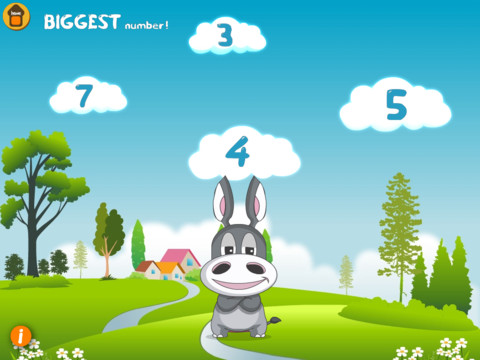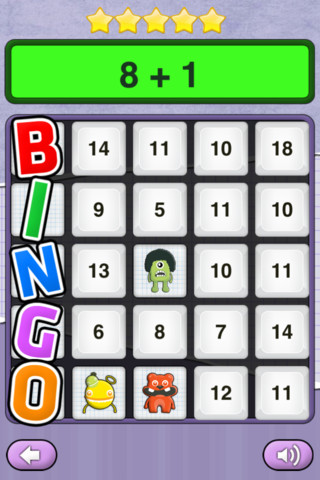
This app for the iPhone/iPad is FREE for a limited time. Math Monsters – Bingo has 4 games: addition, subtraction, multiplication and division. Each game has 3 levels: beginner, amateur, and professional. Kids answer math problems until they get BINGO or run out of stars (they lose a star for each problem missed). I don’t understand the scoring. I purposely missed 5 in a row and earned 200 points. The next round I correctly answered 12 in a row, got BINGO, and earned 300 points. Also included in this app is a Monster Jump Game which I had problems with – it would start then go to a different screen, it froze and I had to quit the app.
Category Archives: math apps
Amazing Coin (USD) Free
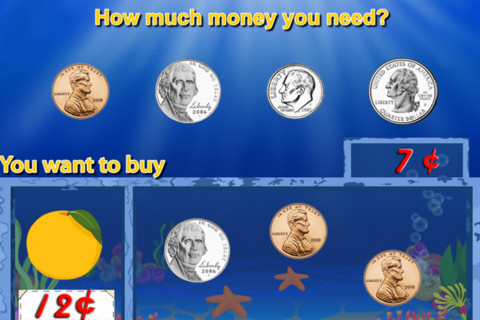
I downloaded the FREE version of this coin app for the iPhone/iPad. The iTunes preview says that it has 8 games included but there are only 4 – patterns, greatest value or least value, match the coins, and pay for items (see above). The screen shots featured in the iTunes preview show 4 out of 5 games that are NOT included in the FREE version. It’s disappointing to see such a disconnect between how this version of the app is presented on the iTunes Preview page and what you actually get to try in the free download.
Before I would recommend this app, I would have to see more of it.
Counting Money
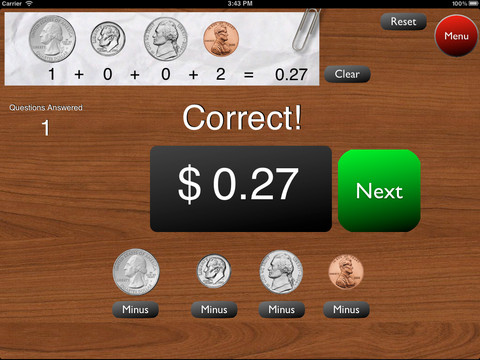
This is a great FREE app for the iPad to give kids practice counting coins. It has two modes: practice and quiz. In the practice mode, the child must answer the question correctly to proceed. In the quiz mode, 10 questions are generated with only one chance to answer correctly. There are two levels of difficulty: beginner (up to $2.00) and normal (up to $4.00). Users can select the number of questions (10, 20, 30 or 40) and decide if they would like to be graded (based on percentage). As the children count coins to reach a specified total, the app can be set to total the coins as they are being counted (if you wish). This app is easy to use with a lot of flexibility.
Common Core Standards met:
- 2.MD.8 – Solve word problems involving dollar bills, quarters, dimes, nickels, and pennies, using $ and ¢ symbols appropriately.
Highly recommended!
Cash Cow Lite
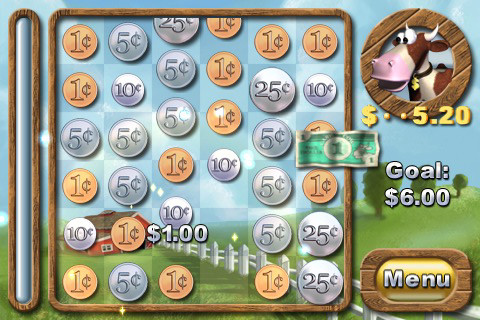
This is the lite version of Cash Cow for the iPhone/iPad. Kids/adults help Buck the Cow save the farm by counting and combining coins to reach a monetary goal. By successfully completing a level, money is earned to purchase items to improve the farm. This app falls more under the game category than educational but it does require kids to understand the value of pennies, nickels, dimes, quarters and dollars. The lite version only has three levels but if you are using it to teach kids to count and combine coins, you probably don’t need any more than that. Cute game! – I love the secret language of the cow and pig 🙂
Worth downloading if your child needs practice counting money.
Times Table Bubble
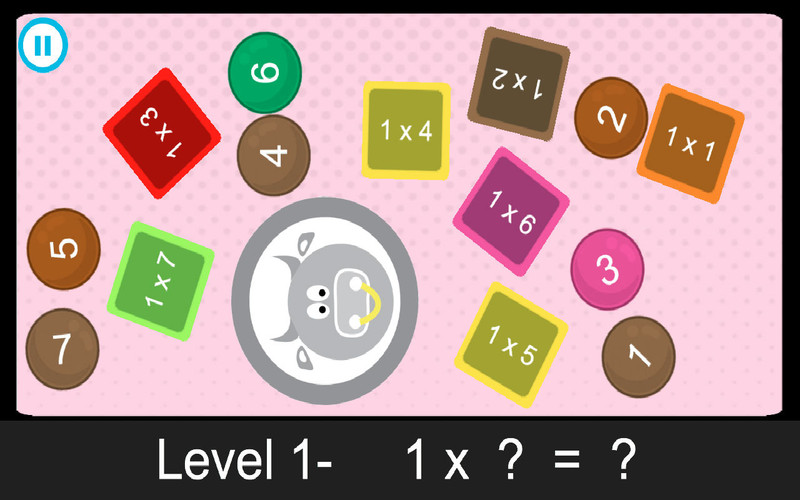
This simple to use app sells for $1.99 but I was able to download it when it was offered for FREE. It drills kids on their basic multiplication facts and beyond. In level 1 kids learn 1×1 – 1×12, in level 2 they learn 2×1 – 2×12, this continues all the way through level 100! Kids tap to match the problem in the square with the answer in the circle until all the problems have disappeared. They can play on their own or they can play against another student (which third graders would love).
As simple as this game appears to be, there is a lot of potential here. I like how a teacher or parent can choose which sets of problems kids should work on – start with the 1’s, 2’s, and 5’s then add the 3’s & 4’s etc. I like the fact that the larger numbers are available for kids who are ready for a challenge. This app could provide teachers/parents with an easy way to give their student 10 minutes of fun drill each day. Just assign a level or two to play with a friend. Teachers could also create a tournament to encourage math fluency. As for home use, I always told my third graders to practice their math facts during commercials – this app makes it easy to do that. One improvement I would suggest is to include zero. Recognizing that zero X anything is always zero is an important concept.
Common Core Standards met:
- 3.OA.7 – Fluently multiply and divide within 100. …………… By the end of Grade 3, know from memory all products of two one-digit numbers.
Common Core Standards
The Common Core Standards are coming!! Already adopted by 45 states, the Common Core Standards provide a consistent clear understanding of what students are expected to learn by subject and grade level. This FREE app puts the language arts and math standards (K – 12) at your fingertips.
Highly recommended for teachers!
Adding Apples
This iPhone/iPad app usually sells for $.99 but at times is if offered for FREE. It is from the creators of Subtracting Sardines (see review July 17). It is geared for preschoolers/grades (K-1) and it meets Common Core Standards for kindergarten and first graders in the area of addition. Kids add (up to 18) using apples. The apples are displayed on a keyboard with domino-like keys (number on the left/picture on the right). The child chooses an addition problem and the apples appear at the top of the screen. Here’s how it works: If a child chooses 6 + 7: 6 green apples appear then 7 yellow apples appear. As the child counts the apples to find the answer, they are wrapped in purple paper. Children earn gold coins as they work. Nicely done app that helps kids with the beginning concept of addition.
Common Core Standards met:
- K.OA.2 – Add and subtract within 10, e.g., by using objects or drawings to represent the problem.
- 1.OA.6 – Add and subtract within 20, demonstrating fluency for addition and subtraction within 10.
Recommended!
Sushi Monster
This FREE app for the iPhone/iPad was developed by Scholastic for kids to practice, reinforce and extend their math facts. There are 12 levels in all – 7 addition and 5 multiplication. A chef places numbered plates of sushi on the counter. Kids have to combine the numbers on the plates to reach the target number (worn by the sushi monster). If the combination is correct, the monster gobbles up the sushi. If it is wrong, the monster throw a tantrum. Each round has 14 target numbers. Successfully completing one level unlocks the next. As kids progress through the levels they are expected to extend their thinking beyond the basic facts. At each level a strategy is provided to help kids succeed.
Common Core Standards met:
- 3.OA.7 – By the end of Grade 3, know from memory all products of two one-digit numbers.
- 3.NTB.3 – Multiply one-digit whole numbers by multiples of 10 in the range 10–90 (e.g., 9 × 80, 5 × 60) using strategies based on place value and properties of operations.
Great for math fluency – highly recommended!
Number Sense HD
This iPad app is FREE today and designed for kindergarten. There are 5 games in this app. Bouncing Balls & Do the Dotty help kids count to 30. Numberella has kids compare written numbers from 1 – 10. Fishoonka develops the concepts of greater than, less than and equal to. In order to play Toot Toot Train kids need to decide whether to add or subtract. As they play, kids earn rewards to add to their “My Stuff” shelves.
All games are consistent with expectations for kindergarten in the Common Core Standards; however, the standards for counting are a bit more rigorous than the content presented in the 2 counting games. The standards expect kids to count to 100 by ones & tens and to able to begin from any given number within that sequence (instead of always starting at 1). The 2 games that compare numbers are well matched to the standards, as is the addition/subtraction game. Nicely done!!
Common Core Standards met:
- K.CC.6 – Identify whether the number of objects in one group is greater than, less than, or equal to the number of objects in another group, e.g., by using matching and counting strategies.1
- K.CC.7 – Compare two numbers between 1 and 10 presented as written numerals.
- K.OA.2 – Add and subtract within 10, e.g., by using objects or drawings to represent the problem.
Recommended!
What Time Is It Mr. Wolf
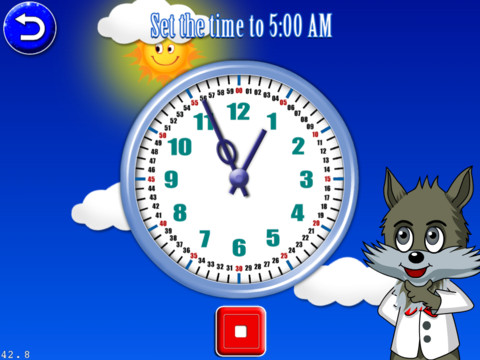
This iPad app is FREE for the next three days. Its 8 games are geared towards primary students (grades K – 3) who are learning to tell time. There are 4 levels: easy (to the hour), normal (15 minute intervals), hard (5 minute intervals) and super (by the minute). These levels are similar to Common Core Standards which expect first graders to tell time to the 1/2 hour, second graders to tell time in 5 minute intervals (AM and PM), and third graders to tell time to the minute. In the games, kids have to set the time on both digital and analog clocks, match digital & analog clocks, put clocks in time sequence, and more. Clocks must be set to either AM or PM by making sure the background lighting matches the time. The settings allow this app to be in either a 12 hour format or a 24 hour format. The app is also supported in 4 different languages.
The analog clocks in the app have every minute labeled which gives kids practice knowing exactly where the hands go when setting the time. But once they have practiced, there should be realistic clocks (only numbered 1 – 12) for the kids to set. Kids need to understand that numbers on the clock represent 5 minute intervals & that the unlabeled dashes in between each stand for a minute. The watches in the matching games are realistic so kids get some practice reading unlabeled timepieces. Worth downloading for some practice but could be more rigorous.
Common Core Standards met:
- 1.MD.3 – Tell and write time in hours and half-hours using analog and digital clocks.
- 2.MD.7 – Tell and write time from analog and digital clocks to the nearest five minutes, using a.m. and p.m.
- 3.MD.1 – Tell and write time to the nearest minute (first portion of the standard).