0

Educreations

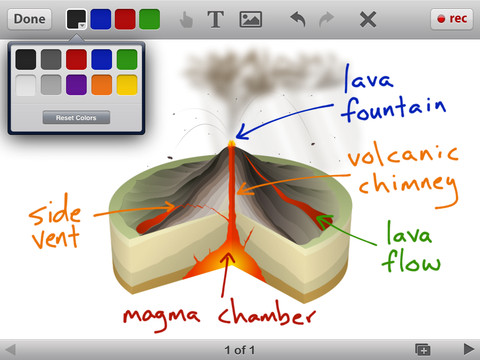
Educreations is another FREE app that turns your iPad into a recordable whiteboard (see earlier review on Screen Chomp). The app was just updated a few days ago – June 22, 2012.  Like Screen Chomp it is simple to use. Unlike Screen Chomp, you can build lessons with multiple pages or slides. And, the editing tools in Educreations allow you to resize and move images as well as create “animated playback” by dragging objects as you record.

Another bonus of this app is that free accounts are available at http://www.educreations.com where users can share their work as well as look at lessons created by others. This app is being used at all levels of education including the college level. I love Screen Chomp for younger kids but Educreations has more features.

Highly recommended!

Educreations Interactive Whiteboard - Educreations, Inc

0

Evernote

Evernote is an amazing FREE app. which allows you take notes and save ideas from multiple sources – the internet, emails, photos, recordings, etc.  It syncs your notes to a server so that all of your saved information is accessible on multiple devices and if that’s not amazing enough – it’s searchable.

Here is a short video from the company: Watch our videos to learn more about using Evernote. | Evernote.

There are limitless uses for Evernote. One of the things I use it for personally is a recipe file. I use the Evernote web clipper so my recipes are in computer, on my iPad, AND in my phone (when I get to the store to buy ingredients). You can use Evernote to organize your ideas if you are planning a party, redecorating a room, looking for a new house, etc.

Students can use Evernote too. I have friends whose kids use Evernote to organize information for school reports and/or tests. Evernote for School promotes the many ways that the program is being used in classrooms.

Evernote is one of those apps that are FREE but you can pay for an upgrade if you find that you want more space and/or features.

This app has a 4 star rating in the app store after being rated by over 100,000 people.

Highly recommended!

Evernote - Evernote

0

ScreenChomp

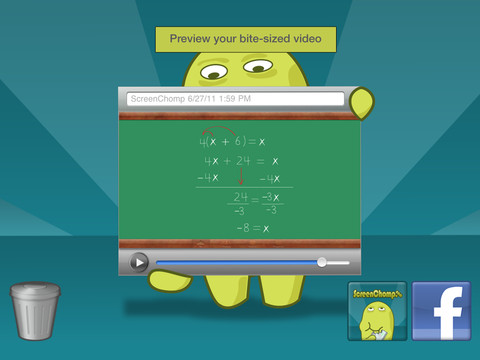
This app is one of those FREE seemingly simple apps with tremendous potential. It is basically turns your iPad into a recordable whiteboard. You can use it to sketch out and record ideas for yourself or to share with others. Teachers can send tutorial videos home with kids. Kids can create videos to help each other. There are so many ways this program can be used.

Here is a link to a You Tube video that explains how it works: What is ScreenChomp? The iPad app to Record. Sketch. Share! – YouTube.

Highly recommended for younger students. Also refer to my June 25 posting on Educreations for information about another great screencasting app.

ScreenChomp - TechSmith Corporation

0

GroupShot

Have you ever taken a family photo and have everyone looking great except for one person? With Group Shot you can swap out a face of a person who is not smiling, has closed eyes, is not looking at the camera, etc.

Start by selecting two or more pictures. The app will select and display the best one with the others on the right. Then color over the face that needs replaced and Group Shot will allow you to swap it for a better one from an alternative shot. Needless to say, the more similar the original shots are, the better the results.

I could have used this when I was trying to get pictures of the kids 🙂

GroupShot - Macadamia Apps