0

Artkive

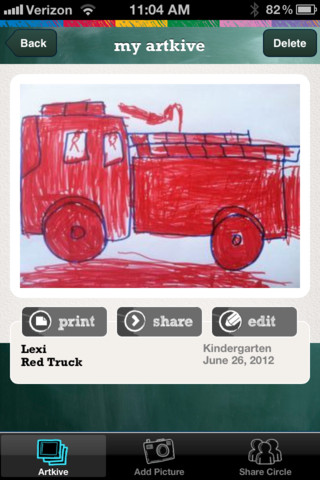
This newly released (August 11, 2012) app for the iPhone/iPad is FREE for a limited time. Artkive makes it easy to digitally store, share, and print (coming in an update) your children’s artwork/schoolwork.  First you create an account. Then enter the first names of your children. Take photos of their artwork/schoolwork or upload existing photos from your camera roll. Tag the photo with a child’s name, age or grade, the date, and a title. Very easy to do! You can then share their art with family & friends. You will also be able to have Artkive create digital books & other products with your child’s artwork/schoolwork. I am anxious to see how their products will compare in quality & price to existing photography sites. Artkive certainly makes it easy to collect and store your children’s artwork in one place.

What a great idea! I just downloaded this app and registered this evening. I am thinking about using it to create books for my adult children of their childhood projects (currently stored in boxes). I could also see it being used to create digital portfolios of children’s work. I will update this post as I work with the app, but in the meantime, you may want to try it yourself while it is free 🙂

Watch the video to learn more @ http://www.artkiveapp.com/

Recommended to try!

Artkive - The Kive Company

0

SparkleFish

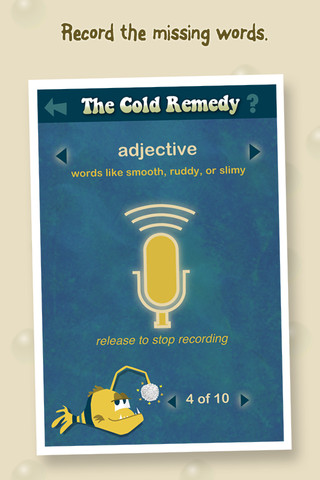
SparkleFish is a FREE app for iPhone/iPad that works like a digital version of Mad Libs. Four stories are included in the app with others available as in-app purchases. Kids are asked to provide words from a specific category (animal, body part, etc.) or a specific part of speech (adjectives, nouns, adverbs, past tense verbs, etc.). If the child cannot think of a good word, he/she can get suggestions from SparkleFish by touching the word. Instead of writing the words, kids record their choices in their own voice. Their words are played back in the reading of the story. Kids can save their recordings and listen to them later. There is also a “Chum It!” feature that allows posting comments to Facebook. I am not sure why this is an option in a game seemingly geared towards kids. It would be nice if there were a way to disable it in the settings for use in schools. This app allows kids to practice parts of speech in a fun way. Kids love Mad Libs because the results can be hilarious. I am sure they will feel the same way about SparkleFish 🙂

Recommended with reservations (because of the Facebook link).

SparkleFish - Whosagoodboy Partners

0

TellPic

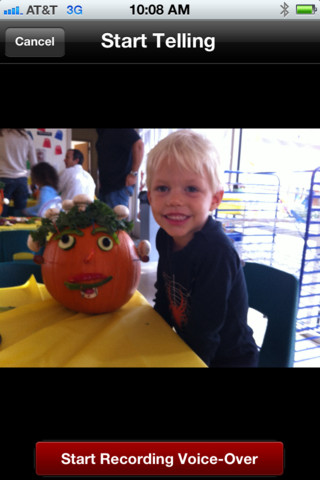
This FREE app for the iPhone/iPad is simple but powerful. It allows you to record your voice to explain a picture that you are sending via email or posting to Facebook. First you choose a picture from your photo library or take a new picture. Press start recording, followed by stop recording, then share – so simple!

The power in this app is in how you choose to use it. Take a picture of a child’s creation and have him/her explain it. Then send it to parents or grandparents. Take a picture of your child and voice over him/her singing to a loved one on a special occasion. Send pictures with voice messages about vacation experiences. And… because you can use anything saved in your photo library, you can pull in artwork etc. created in other apps  –  opening up all sorts of possibilities for sharing work created in class. The possibilities are endless!

Highly recommended!

TellPic - TellPic LLC

2

Fluency Timer

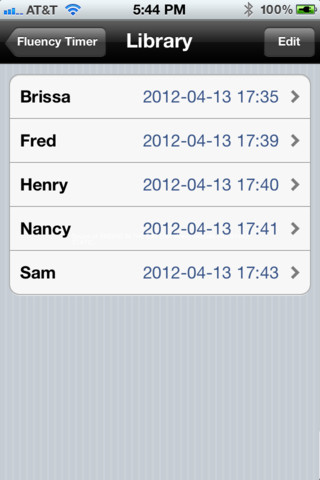
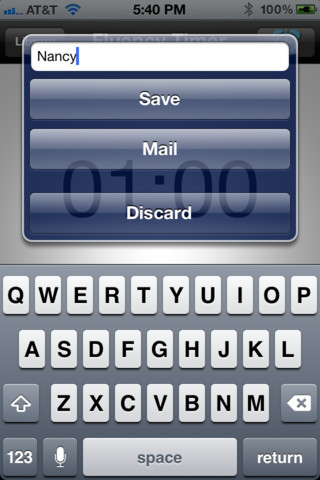
This FREE app is designed for the iPhone/iPad. It is very simple to use. It has an adjustable timer that allows you to record a child’s reading fluency for playback and/or sharing. Once a child has read, you simply name the file and save it into your library. The child can then listen to himself/herself read or you can email the file to a parent. This app is definitely useful  – kids listening to themselves read can be powerful. Teachers and parents can listen to determine where kids are having problems: Are they pausing for punctuation? Are they missing sight words? Is phonics/word structure an issue?

An issue with the program is that you have to preset it for a specific time period (between 10 seconds and 59 minutes & 50 seconds) rather than use it like a stopwatch. When it saves the recording in the library, it shows the date & time of the reading rather than the time it took to read the passage. If you are doing running records with 200 – 300 word readings, you still need a stop watch to record the actual reading time so you can figure out words per minute (reading rate). But, there is still a lot of good information that can be gathered by using this app.

There is also a pro version that transfers files to your computer.

Recommended!

Fluency Timer Free - Needleworks Software

0

ICDL (International Children’s Digital Library – Free Books for Children

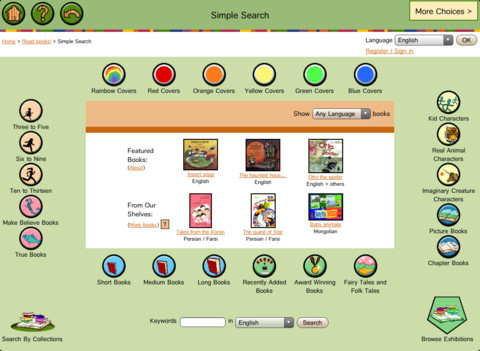
This app brings thousands of free children’s books from 60 different countries to the iPad – it’s truly a worldwide collection of books at your fingertips. Books can be searched in a variety of ways – by age appropriateness, length (short, medium, long), genre, ratings, awards, picture vs chapter, and more. You may register if you wish, but it is not necessary. Some advantages to registering include – saving favorite books on a personal bookshelf, returning to the last page that you were reading, and selecting the language you prefer to use.

The feature that I really like is the “Browse Exhibitions” section. The exhibitions are theme based collections of books from around the world. Examples of some current themes are: Celebrating Differences, Everyone Needs Water & Water Needs Everyone, and Forever Friendship. Within each exhibition is an overview of the theme, links to the books included, descriptions of why the books are included, and related activities (in pdf format). As the world becomes more mobile, school systems are facing language barriers. For example, Chicago Public Schools has over 70 languages spoken by their students. What an awesome resource to promote worldwide citizenship and understanding!

The mission of the International Children’s Digital Library Foundation (ICDL Foundation) is to support the world’s children in becoming effective members of the global community – who exhibit tolerance and respect for diverse cultures, languages and ideas — by making the best in children’s literature available online free of charge. The Foundation pursues its vision by building a digital library of outstanding children’s books from around the world and supporting communities of children and adults in exploring and using this literature through innovative technology designed in close partnership with children for children. 

Read more @ http://en.childrenslibrary.org/

Highly recommended!

ICDL - Free Books for Children - International Children's Digital Library - ICDL Foundation

0

Cash Cow Lite

This is the lite version of Cash Cow for the iPhone/iPad. Kids/adults help Buck the Cow save the farm by counting and combining coins to reach a monetary goal. By successfully completing a level, money is earned to purchase items to improve the farm. This app falls more under the game category than educational but it does require kids to understand the value of pennies, nickels, dimes, quarters and dollars. The lite version only has three levels but if you are using it to teach kids to count and combine coins, you probably don’t need any more than that. Cute game!  –  I love the secret language of the cow and pig 🙂

Worth downloading if your child needs practice counting money.

Cash Cow Lite - Chillingo Ltd

0

Common Core Standards

The Common Core Standards are coming!! Already adopted by 45 states, the Common Core Standards provide a consistent clear understanding of what students are expected to learn by subject and grade level. This FREE app puts the language arts and math standards (K – 12) at your fingertips.

Highly recommended for teachers!

Common Core Standards - MasteryConnect

0

Leaf Snap

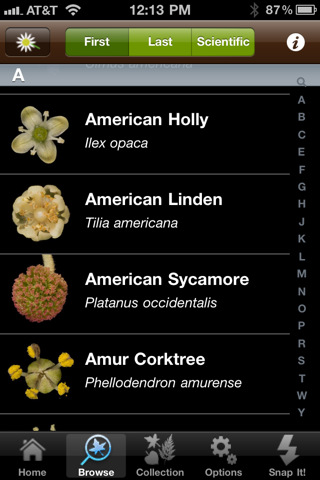
Leafsnap is an electronic field guide being developed by researchers at Columbia University, University of Maryland, and the Smithsonian Institution. The FREE app for the iPhone/iPad utilizes visual recognition software to help identify the species of a tree by taking a picture of its leaf. In the browse mode you can find high-resolution images of the leaves, bark, fruit, seeds and petiole of 184 trees in the United States. I love the idea of this app – it turns citizens into scientists. A walk in the woods with your child can become a science lesson. There is also a place within the app to “collect” your own leaves reinforcing the idea that when visiting nature we should ” take only picture and leave only footprints.” There are also 4 games in this app which test your knowledge of leaves, flowers, and fruits.

According to the Leafsnap website, in order for the leaf to be recognized, it must be a single leaf on a white background. You also must have a working internet connection when you press “snap-it” because the picture has to be sent to a server for processing. These criteria could be little tricky if you are on a walk in the woods. I headed to my backyard with my Smartphone and a square of white paper to check it out. I was able to snap a picture and get it to send. As technology moves forward this app will continue to improve. In the meantime, it’s exciting to be part a scientific collaborative effort!

Recommended!

Leafsnap - Columbia University, University of Maryland, and Smithsonian Institution

0

Word Lens

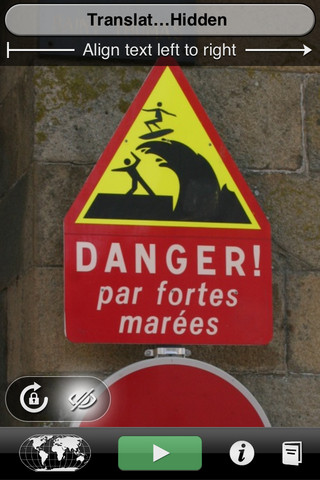
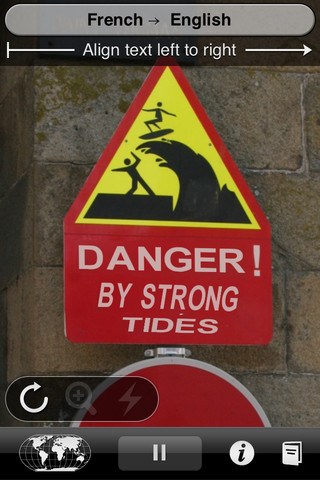
Word Lens is a very cool app for the iPad/iPhone. It uses your built-in camera to translate on the go. There are 3 language options available (Spanish, French & Italian). Each language is sold separately for $4.99 as an in-app purchase. To see how the technology works you can download the app and try the included mode which reverses words. There is no network required and it is easy to use.  The developers acknowledge that it is not perfect but it certainly would give you the general meaning of the text. It works best with clearly printed text and does not recognize handwriting or fancy fonts.

I would definitely try this app if I were traveling to a country that spoke one of the available languages 🙂

Word Lens - Quest Visual

0

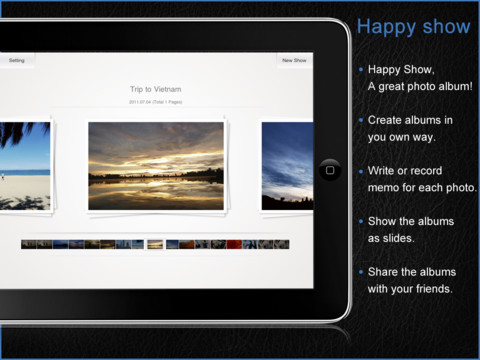
Happy Show HD

This iPad app normally sells for $2.99 but I was able to download it on a day that it was FREE. It allows you to easily create photo albums/slide shows. You can create multiple albums from your Photos or take photos with your iPad 2. You can write memos on the back of your photos (like in iPhoto) or record up to 30 second voice memos. Each page can hold up to 5 photos which can be rotated & zoomed or imported as a background. You can add text to each page and easily change its color and font. You can share your albums with friends via Facebook, Twitter, email, or download them from iPad to iPad over Wifi……or so they say.  I found the sharing options to be where the “bugs” are found.  It didn’t seem that you were really able to save or share “albums.” Rather, you could save and share single pages of your albums. Also, while trying the different share options, the app would freeze. I had to double-click the iPad home button to make all my open apps jiggle before I could completely close Happy Show.

This app was updated in December of 2011. I think I would wait for the next update before buying it. Hopefully the bugs will be worked out because it does have potential 🙂