0

Shadow Puppet

Shadow Puppet

FREE for a limited time – Shadow Puppet, a photography app that was featured by Apple as one of the “Best New Apps” for 4 weeks in a row! Using this app, it’s easy to create “puppets” – recorded explanations of your photos. First you choose your photos and put them in the order. Then you talk about your pictures. Everything is recorded. Finished “puppets” can be shared via email, SMS, Facebook and/or Twitter. There are so many ways for everyone to use Shadow Puppet: to teach something new, to share adventures with friends, to record children talking about their experiences, to tell the story behind old family photos, etc.

And… the classroom uses for this app are only limited by your imagination: Take pictures of a child’s work and have him/her explain it to parents. Send pictures and voice recordings of the class field trip. Have kids give a step-by-step explanation of what happened in a science experiment. Draw & sequence pictures to retell a story. Make a “talking timeline” by sequencing photos of historical events. Have kids use it to present mini reports on any subject. Have virtual “pet day” – kids bring in pictures/recordings of their pets. Because you can use anything saved to your photo library, you can explain photos from the web, artwork created in other apps, and so much more. The possibilities for using this educational app are endless. What a fabulous resource!!

Download link: https://itunes.apple.com/us/app/shadow-puppet/id700902833?mt=8&uo=4

0

Comic Book

Comic Book

On sale for only $.99 – Comic Book. This app was named Best Photo App of 2011 and was the App of the Week in 12 different countries! Using the app’s selection of image filters, comic fonts, customizable captions, classic comic graphics and page layouts, you can easily change your photos into comics. So many creative uses for the classroom!! Download now, brainstorm uses for this educational app later!!

ComicBook! - 3DTOPO Inc.

1

Shadow Puppet

Shadow Puppet

FREE for a limited time – Shadow Puppet, a photography app currently featured as one of the “Best New Apps” by Apple. Using this app, it’s easy to create “puppets” – recorded explanations of your photos. First you choose your photos and put them in the order. Then you talk about your pictures. Everything is recorded. Finished “puppets” can be shared via email, SMS, Facebook and/or Twitter. There are so many ways for everyone to use Shadow Puppet: to teach something new, to share adventures with friends, to record children talking about their experiences, to tell the story behind old family photos, etc.

And… the classroom uses for this app are only limited by your imagination: Take pictures of a child’s work and have him/her explain it to parents. Send pictures and voice recordings of the class field trip. Have kids give a step-by-step explanation of what happened in a science experiment. Draw & sequence pictures to retell a story. Make a “talking timeline” by sequencing photos of historical events. Have kids use it to present mini reports on any subject. Have virtual “pet day” – kids bring in pictures/recordings of their pets. Because you can use anything saved to your photo library, you can explain photos from the web, artwork created in other apps, and so much more. The possibilities for using this educational app are endless. What a fabulous resource!!

Download link: https://itunes.apple.com/us/app/shadow-puppet/id700902833?mt=8&uo=4

0

Pic Collage

Pic Collage

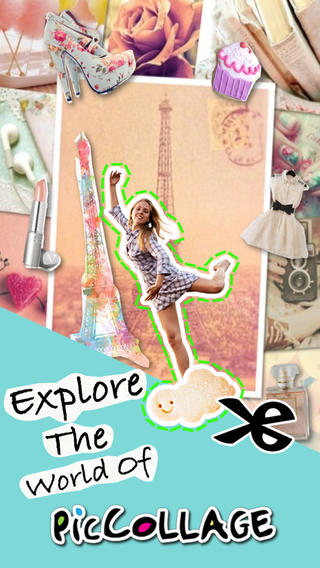
FREE with in-app purchases – Pic Collage, a fabulous app for creating collages! With PicCollage you easily create creative collages with your pictures and/or pictures from the internet. You can change photos into backgrounds, clip them into cutouts, apply filters, add borders, and more! You can also add stickers and text.  So many fun uses of this app for education – have students make a Pic Collage to introduce themselves at the start of the year, send students on a scavenger hunt of geometric shapes then have them make a Pic Collage of what they found, add a PIc Collage to a science report, Make a Pic Collage representing the main character of a book, etc. The list is only limited by your imagination! I LOVE educational apps like this – open-ended with great potential for creativity! WOW!!

Download link: https://itunes.apple.com/us/app/pic-collage/id448639966?mt=8&uo=4

0

Paper Camera

Paper Camera

FREE today only – Paper Camera, an app that permits you to add special effects to your photos in real-time. Just open the app, choose camera or video, then choose one of the 12 special effects – comic boom, sketch up, acquarello, old printer, con tours, neon cola, bleaching, gotham noir, half ton, granny’s paper, pastel perfect or andy pop. The effects are applied to your photo as you make the shot! You can point you camera at a scene and toggle between effects to decide which one to use. The app also permits you to “paper-ize” existing photos from your photo library/camera roll. Very slick!!

SO many educational ideas for this app… Video your kids playing using the cartoon mode. Add special effects to digital artwork. Create party invitation using the andy mode. The list could go on and on – so creative!!

Paper Camera - JFDP Labs Limited

0

PBS KIDS Photo Factory

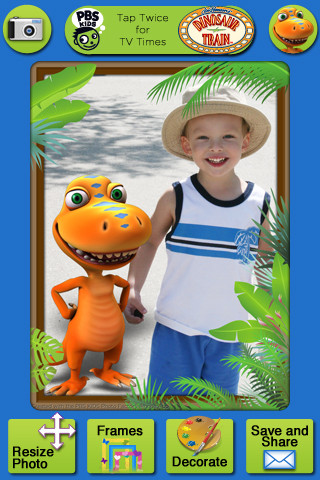
Very cute FREE educational app for the iPhone/iPad from PBS KIDS. Add your favorite PBS character to your child’s picture in 3 easy steps. First take a picture or choose one from your photo library. The edit it as needed – zoom, rotate, or resize. Lastly frame it and decorate it by adding your favorite PBS characters. You can share the results on Facebook, Twitter, via email or save them into your photo library.

There are lots of fun ways to use this app. Take pictures of kids with the characters at a themed party based on one of the shows. Take pictures of students with Curious George, Arthur, or Clifford after reading books featuring those characters. Pull those pictures into a story writing app to create a new adventure of the PBS character and the student. Add the characters to settings – pictures of the school playground, pictures of the classroom etc. – use your pictorial creations as  springboards to creative writing. Pull your pictures into TellPic (see review July 31) and have the child explain. Fun!!

Recommended!

PBS KIDS Photo Factory - PBS KIDS

0

Halftone

Half Tone

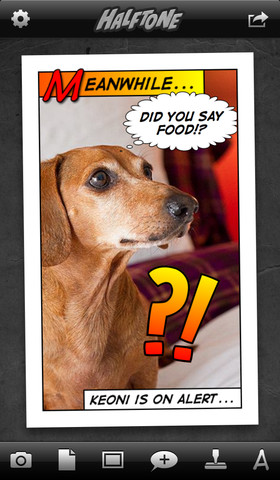
Halftone was FREE over the weekend but is now back to $.99. Named by Apple as a favorite photo app of 2011, Halftone makes it easy to turn your photos into vintage-looking comics that your friends and family will love!  It’s simple to add paper styles, captions, speech balloons, graphic stamps, and fonts to your photos. Because it is so easy to use, this app would be great for creating the art to go with classroom projects – for stories, book reports, newsletters, etc. Lots of creative uses for this educational app!

Keep reading my blog to find out when this app goes FREE again!

Halftone - Juicy Bits

1

ToonCamera

ToonCamera

FREE for a limited time – ToonCamera, a very cool photography app that turns photos and videos into cartoons. Using this app you can apply real-time cartoon effects to record videos, snap photos, or convert existing videos/photos. Your artistic creations can be saved or shared through email, Facebook, Twitter, Flickr, Tumblr, Instagram, and YouTube. There are multiple effects that you can apply to your photos – cartoon, pencil, stipple, & ink. Easy to use, this app would be great for creating the art to go with classroom projects – for stories, book reports, newsletters, etc. VERY COOL!!

ToonCamera - Code Organa

1

Comic Book

Comic Book

FREE for the first time ever – Comic Book. This app was named Best Photo App of 2011 and was the App of the Week in 12 different countries! Using the app’s selection of image filters, comic fonts, customizable captions, classic comic graphics and page layouts, you can easily change your photos into comics. So many creative uses for the classroom!! Download now, brainstorm uses later!!

ComicBook! - 3DTOPO Inc.

0

Elf Yourself

elf yourselfElf Yourself is back for 2012!! This FREE app is incredibly easy to use. Just upload up to 5 pictures of yourself, family, or friends. The app will transform all of you into hip hop dancing elves  – the stars of your own video. Other dance themes (80’s, Charleston, Soul, etc.) are also available. The results are hilarious! Videos can be shared via email with family and friends. Last year, I turned the students in my class into elves and used the videos as class motivators. The kids LOVED them!! This year, I made the family dog into a dancing elf  🙂 Spread some holiday cheer!!

ElfYourself by OfficeMax - Magic Mirror LLC