0

Marco Polo Ocean

marco polo

This Parents’ Choice Gold Award winner is FREE for a limited time. Marco Polo Ocean is a fun & educational app for preschoolers. Kids learn about Earth’s oceans through build & explore activities (puzzles) or through free play. There are 5 build and explore activities: coral reef, killer whale, herring, boat, and submersible. As kids add parts to each puzzle, they build their vocabulary and learn fun facts. During free play, kids can: explore from the shore to the sea floor, steer their vehicles through ocean waters, add creatures to the water to see how they interact with each other, and more. Marco Polo Ocean uses self-directed discovery to expose kids to STEM education (science, technology, engineering, and math) in a fun, engaging way. Kids will learn about the ocean structure, the species that live there, characteristics of the fish/marine mammals, etc. It’s no wonder that Marco Polo Ocean was named App Store Editors’ Choice in 15 Countries!! Do not miss this one. It’s learning and fun rolled into one! 🙂

Download link: https://itunes.apple.com/us/app/marcopolo-ocean/id797157312?mt=8&uo=4

0

Small Science Experiments HD AND Small Chemistry Experiments HD

experiments

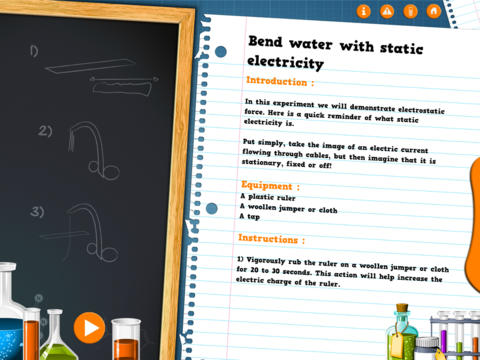
FREE again for a limited time – Small Science Experiments HD. This educational app features fun, easy science experiments for kids to do at home. Each experiment is written up with 4 parts: introduction, equipment, instructions, and explanation. The experiments are also demonstrated in step-by-step videos. There are a total of 25 experiments. Some examples are: make an engine with a candle, turn a tea bag into a rocket, extract DNA from a pear, make a mini jet boat from a chemical reaction. As you can tell from the titles, these experiments need to be done under the supervision of an adult. A warning to that effect is included in the app. The app also includes a quiz with a limited number of multiple choice questions such as: Who invented the first electric battery? and What was the first name of Einstein? Personally, I would skip the quiz. I think kids would benefit more from journaling about their experiments – what they observed, what they learned, etc. Check it out for your budding scientist!

Download link: https://itunes.apple.com/us/app/small-experiments-hd/id586218241?mt=8&uo=4

Also FREE – Small Chemistry Experiments HD. This educational app features more fun & easy experiments for kids to do at home. Just like Small Science Experiments HD, each experiment in this app is written up with 4 parts: introduction, equipment, instructions, and explanation. The experiments are also demonstrated in step-by-step videos. There are a total of 10 experiments. Some examples are: making magic ink, dissolving an eggshell, making a soap powered boat. These experiments are also meant to be done under the supervision of an adult. This app also includes a short quiz. Again, I would recommend that kids journal about their experiments rather than take the quiz. I love that these apps encourage adults and kids to do the experiments together – how fun!  🙂

Download link: https://itunes.apple.com/us/app/small-chemistry-experiments/id689598627?mt=8&uo=4

0

Code Blast

image

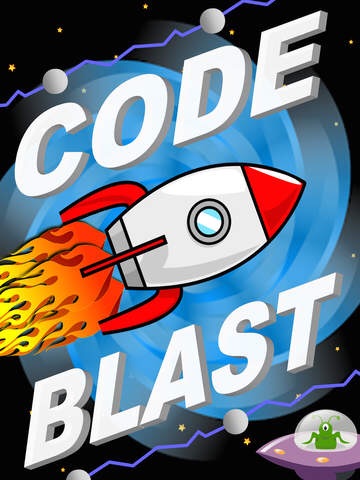
FREE for a limited time – Code Blast, an educational app that introduces young kids to coding. Kids program a rocket to complete its course. They do so by dragging and dropping instructions in the correct sequence. Along the way they must also avoid UFOs and electric barriers. As they program the rockets, kids will recognize the need to be precise and correctly order the instructions. The app permits kids to test their program and remove any “bugs” that they find. Stars are awarded for missions completed without any mistakes. The app features 36 missions and two modes: level mode (ordered missions) and custom mode. Certificates are awarded for levels that have been completed. They can be saved to the camera roll for printing or emailing. The app supports multiple players – perfect for shared devices at school.

Download link: https://itunes.apple.com/us/app/code-blast/id953601961?mt=8&uo=4

0

Khan Academy

khan (new)

A fabulous educational app just got better!!

Khan Academy is an amazing FREE educational app! Whoever said the best things in life are FREE was absolutely correct. With Khan Academy students can learn almost anything and the app is completely FREE! It has a library of over 5,000 videos which covers a wide range of subjects such as K – 12 math, biology, chemistry, the humanities, and more. And now, Khan Academy‘s iPad app includes over 150,000 interactive, Common Core aligned math exercises with instant feedback and step-by-step hints. Kids can review what they are learning in school or practice at their own pace.

With Khan Academy, anyone can review a subject that they have already studied or they can choose to learn something completely new! Videos can be watched online or downloaded to watch offline. All videos are subtitled so that students can read along, skip ahead, or go back. If students log in to their Khan Academy account, they can track their progress. The app gives credit for watching the videos and allows students to see their achievements. Badges and points are earned for learning. Teachers can access their students’ data – as a class or individually. Khan Academy is an incredible resource for all kinds of learners – students, teachers, principals, home-schoolers, adults returning to school, and lifelong learners. It is truly one of the best educational apps available – at any price!

Khan Academy - Khan Academy

0

The Foos

foos

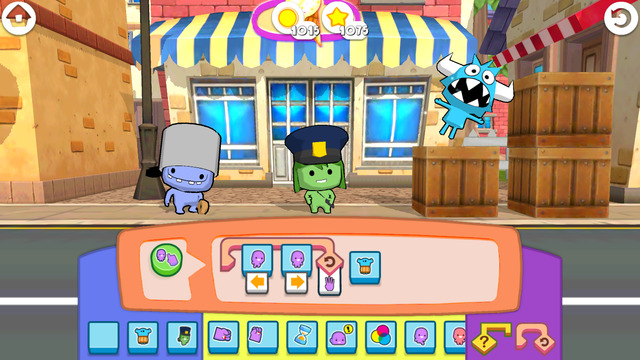
The Foos: Code for an Hour edition is a kid-friendly app that was created for Hour of Code, a nationwide initiative by Computer Science Education Week and Code.org. The purpose of Hour of Code is to introduce millions of students to one hour of computer science and computer programming. The app introduces coding to “kids” of all ages who have no experience programming, Players learn programming logic as they code their way through 24 levels of adventure. The Foos are cute little creatures (such as cops, chefs, ninjas) that encourage kids to create by programming. Coding skills taught include: how to debug programs, loops and conditionals. As kids learn programming, they will also be using core concepts such as pattern recognition, problem solving, sequencing, and visualization. The more kids play, the more persistent they will become in pursuit of solutions. I love the way they have to use patterning and logic to figure things out! The Foos is based on curriculum from MIT and Exploring Computer Science at UCLA. The app is completely FREE and available in over 135 countries. Check it out for some coding fun!

Download link: https://itunes.apple.com/us/app/foos-code-for-hour-free-girls/id923441570?mt=8&uo=4

0

Hopscotch HD

Hopscotch HD

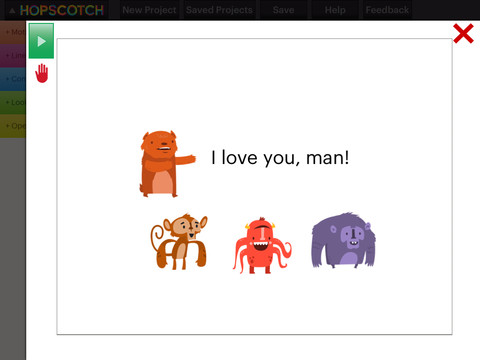
FREE – Hopscotch HD, an educational app that teaches kids how to program their own games and animations! Introduce kids to computer science with this app. 🙂 Kids drag and drop “method blocks” into scripts. When they are done, they can press play to see their code in action! Why teach kids coding? According to the developer – there will be about 1.4 million computer jobs by 2020 and only 400,000 computer science students. Many coders first fell in love with coding when they were  8-12 year old children. Hopscotch is based on a visual programming language named Scratch which was developed by MIT. It promotes STEM education (science, technology, engineering and math) in a fun way – by making coding kid-friendly! LOVE it! And apparently so do others… Hopscotch was featured by Apple in the App Store, won a 2013 Parents’ Choice Gold Award, and was featured in 2014 Children’s Technology Review: Best Educational Technology. 

Hopscotch HD - Hopscotch Technologies

And, as an extra added bonus… here is a link to an iBook called Hopscotch Lesson Ideas. Thanks Apple. 🙂

Download link: https://itunes.apple.com/us/book/hopscotch-lesson-ideas/id939801491?mt=11&uo=4

1

Coding for Kids – 3 FREE & Fabulous Apps

Why teach kids to code? Coding is what makes computer software work. Understanding the basics of programming will help your child be prepared for the jobs of the future. And, in the process your child will be using logic, solving problems, and having fun! Check out these apps and try coding yourself. Then try it with your students. We are living in creative, exciting times – be part of it!! 🙂

Here are fabulous FREE resources to use:
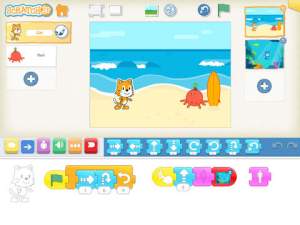
scratch jrFREE app – ScratchJr is designed to teach kids how to code their own stories and/or games. Specifically developed for younger children, ScratchJr is based on Scratch programming language (http://scratch.mit.edu) which is used by millions around the world. The app includes an introduction video and examples of sample projects. Once the add button is pressed, the app opens to a page with a friendly looking cat in a blank square surrounded by programming tools. Then the fun begins. Kids snap together programming blocks to make the cat move – forward, backward, right, left, hop, etc. They can choose to add a setting to their story/game by selecting one of the twenty-eight different backgrounds. They can add additional characters and/or objects to their scenes. They can make their character talk either by using word bubbles or by recording their own voices. They can control timing, speed, and the sequencing of events. The app can be simple but it becomes more complex as kids start to figure things out. For example, they can learn to program multiple characters to move in sequence, move together, etc. Kids can also add themselves to the story. They simply choose one of the fifteen “faceless” characters then add in their own face using the iPad’s built-in camera. How cool is that? As kids learn to program, they are also learning to problem solve, design projects, and be creative on the computer. LOVE this app!

Download link: https://itunes.apple.com/us/app/scratchjr/id895485086?mt=8&uo=4
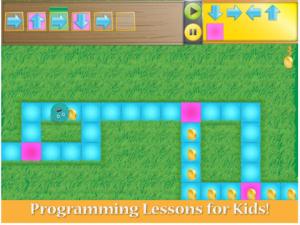
kodableFREE for iPad – Kodable, an introduction to programming for kids 5+. The fuzzFamily has crashed their spaceship on Smeeborg. Kids help the fuzzes through Smeeborg’s mazes by creating drag & drop instructions for them to follow. As they code, kids need to remember that fuzzes follow instructions exactly as they are written. After coding the instructions, kids hit play to watch the fuzzes roll through the maze. They are rewarded with stars, coins, and extra members of the fuzzFamily if they are successful. This educational app comes with 45 free levels which become progressively more difficult. Additional content is available as an in-app purchase.

Download link: https://itunes.apple.com/us/app/kodable/id577673067?mt=8&uo=4
Hopscotch HD

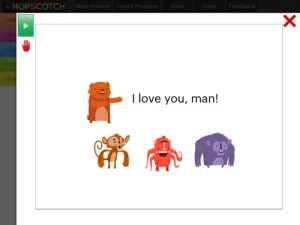
Hopscotch HD is an educational app that teaches kids how to program their own games and animations! Introduce kids to computer science with this app. 🙂 Kids drag and drop “method blocks” into scripts. When they are done, they can press play to see their code in action! Why teach kids coding? According to the developer – there will be about 1.4 million computer jobs by 2020 and only 400,000 computer science students. Many coders first fell in love with coding when they were  8-12 year old children. Hopscotch is based on a visual programming language named Scratch which was developed by MIT. It promotes STEM education (science, technology, engineering and math) in a fun way – by making coding kid-friendly!  LOVE it!!

Hopscotch HD - Hopscotch Technologies

0

Pepi Tree

pepi tree

FREE for a limited time – Pepi Tree, an educational app for preschoolers. Kids travel up and down a tree to learn about the  tree-dwelling animals that make their homes there. The app features six educational games with six musical soundtracks. Kids will enjoy hunting like an owl, making a web like a spider, feeding squirrels, growing food for a hedgehog, helping a mole through tunnels to find his way home, and feeding caterpillars then watching them turn into a butterflies. As kids play, they will learn facts about the animals living in the tree – what they look like, what they eat, how they get their food, and specifically where they live in the tree. Cute fun for little ones!!

Download link: https://itunes.apple.com/us/app/pepi-tree/id587360671?mt=8&uo=4

0

Curious George at the Zoo

Curious George at the Zoo is currently FREE (again) for iPhone/iPad. Designed for preschoolers, this educational app has kids helping Curious George wake, clean, and feed animals in the zoo. Introduced by the Man with the Yellow Hat (of course), the app then asks your child where he/she would like to go. But, buyer beware  –  there is only one section of zoo (Sunny Safari) included with the initial purchase of the app – normally $.99.

There are 5 animals for kids to learn about in this app – the hippo. giraffe, lion, parrot, and elephant. First they wake the animal up, then they clean it and feed it – fairly simple activities. Also included are age-appropriate video clips about each animal. Kids can play a game (Safari Showers) and collect stickers.

I have always loved Curious George books – the stories are timeless and can be enjoyed by kids from preschool through first/second grade. The simplicity of this app makes it most appropriate for Curious George’s youngest fans (2 – 3 year olds). I am disappointed that kids are given “a choice” of where they would like go in the app when there is only one area available without additional purchases. Choices are presented in a cute pop-up book but 3 out of 4 pages are covered by a huge “tap here to purchase” button. It feels similar to having the candy in the checkout line of the grocery story. That being said, if you have a 2 or 3-year-old that loves Curious George, you may want to download this app.

Curious George at the Zoo for iPad - Houghton Mifflin Harcourt

0

Khan Academy

Khan 2

Khan Academy

Khan Academy – an amazing FREE educational app! Whoever said the best things in life are FREE was absolutely correct. With Khan Academy you can learn almost anything and the app is completely FREE! It has a library of over 4,200 videos which covers a wide range of subjects such as K – 12 math, biology, chemistry, the humanities, and more. You can use the app to review a subject that you have already studied or to learn something completely new! You can watch the videos online or you can download  them to watch offline at your own pace. The videos are subtitled so that you can read along, skip ahead, or go back. If you log in with your Khan Academy account, you can track your progress. The app gives you credit for watching the videos and allows you to see your achievements. Badges and points are earned for learning. Teachers can access their students’ data – as a class or individually. Khan Academy is an incredible resource for all kinds of learners – students, teachers, principals, home-schoolers, adults returning to school, and anyone committed to be a lifelong learner. It is truly one of the best educational apps available – at any price!

Khan Academy - Khan Academy