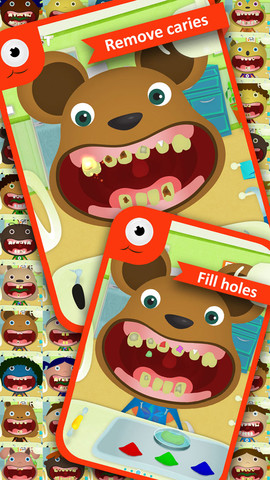
FREE again – Tiny Dentist. Kids get to be a dentist for a day with this educational app that teaches about dental treatments and instruments. Dozens of patients with dental problems need fixed. The “dentist” has the tools to: remove cavities & fill in the hole, remove plaque, use water & air sprays, remove decayed teeth, put on braces, and more! The app was developed to alleviate children’s fear of the dentist. Visual instructions for using the different tools are found in the grown-ups section. Another fun feature of the app is the ability to take before and after pictures of the patient. 🙂 Check it out!!
Sago Mini – Forest Flyer
FREE for  limited time – Sago Mini Forest Flyer. Young children guide Robin on an adventure through the forest. The fun begins at Robin’s birdhouse where kids ring the doorbell inviting Robin out to play. From there they fly though the forest looking for the yellow markers that trigger 20+ animations. Along the way Robin dances, sings, and plays. Kids can make up stories to go with Robin’s travels. A small caution – one of the animations is the little bird burping after drinking from the pond. Parents can use this scene to have a dialog about using good manners. All in all, the educational app is very cute and fun for little ones!
Brain Quest
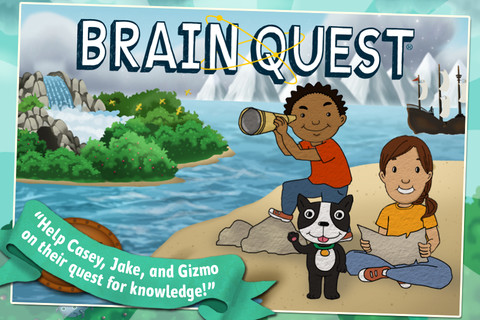
36 million kids can’t be wrong!  Brain Quest® started as a series of flashcards that quizzed kids on academics – language, science, math, and more. Kids, parents, and teachers have loved it since its release. Their motto – It’s Fun to Be Smart!® still rings true 20 years later! And now, Brain Quest has been released as an educational app! Kids join Casey, Jake, and Gizmo on their quest to learn. The app covers 5 grade levels and includes 100 questions per level for FREE. Additional questions can be unlocked as in-app purchases. The game is fun for the whole family and permits the tracking of scores for up to 3 kids. We took Brain Quest® flashcards with us on many family vacations – it’s perfect for a long road trip! It also works well in the classroom when you have a few minutes to spare at the end of the day, before lunch, etc. Check out the FREE questions and see for yourself.
Robots for iPad
Who doesn’t love robots? Robots for iPad is FREE for a limited time. This educational app was listed as “New & Noteworthy” by Apple. It was also reviewed or mentioned in the NY Times, Mashable, Wired, CNET and more! Kids (and adults) can explore real-world robots with this fun app which is chock full of interactivity, animations, photos, videos, & articles. The app introduces over 150 robots from 19 countries. Kids can swipe each robot for a 360° view then tap the robot to interact with it. There are also hundreds of videos and 500+ pictures. The app has information about all kinds of robots (drones, androids, etc.) as well as information about some famous robots – Honda’s humanoid Asimo, a NASA Mars rover, and Google’s self-driving car. VERY cool and very informative!
Teachers, there are lots of possibilities for using this app in your classroom. After exploring, use it for writing activities – descriptive paragraphs, write about a robot you would invent, pick a robot and write a story, etc. The app’s ratings section could be used for graphing activities. There is also a great timeline included as well as a section on how to get started in robotics. I can see how kids will love this app. 🙂
I Hear Ewe – Animal Sounds for Toddlers
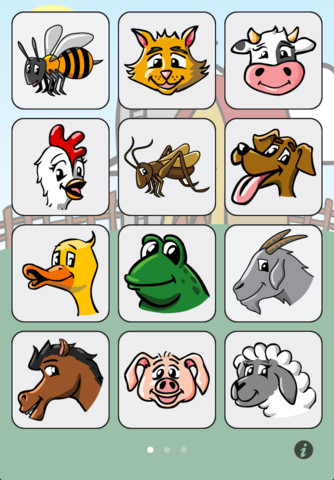
I Hear Ewe – Animal Sounds for Toddlers is a FREE educational app for toddlers. When your child taps on an animal’s picture, a voice says “This is the sound a ____ makes” and the sound follows. This app is very easy to use with big buttons for little fingers. 24 animal sounds and 12 vehicle sounds are included. There are 5 language options: English, Spanish, Chinese, German, and Japanese. This app is perfect for little ones who love naming animals and imitating their sounds. 🙂
Lulu in the Amazon
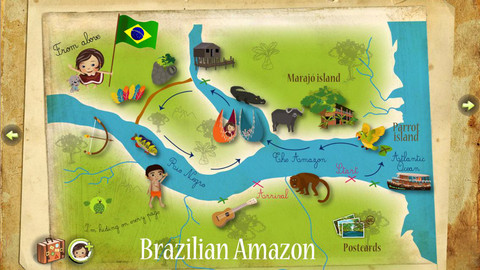
FREE today – Lulu in the Amazon, an interactive storybook in English or French. Lulu and her cat Zazou are taking a trip around the world. Kids join them in this third adventure that takes them on a boat trip on the Amazon River in Brazil. They visit the rainforest, meet some new animals, and more. There are also activities throughout the story. Kids can click on the characters to hear them speak, look for the green bird Chirpy on every page, collect souvenirs, and play games along the way. And… at the end of their adventure, they can make postcards personalized with their own photo. Fun educational app for kids 3 – 10!
Toca Band
Rock on… with Toca Band – FREE again!  This educational app for the iPhone/iPad encourages kids to explore music as they mix beats & sounds together to produce a hit song. The 16 characters in this app each have their own sound and rhythm. Kids drag different combinations of performers on stage to create their own musical band. How a character plays depends on where he/she is placed on the stage. Characters can also be chosen to give a solo performance. Even the names of the characters are fun: Bang Bang Chef on the drums, Dancy Nancy on the piano, Shaky McBones on the maracas,etc. Another great educational app from a developer that makes learning what it should be – fun, creative, and joyful!
Highly recommended!
Baby Musical Toys – 9 in 1 Games to Promote Baby’s Brain Development
FREE for a limited time – Baby Musical Toys – 9 in 1 Games to Promote Baby’s Brain Development. Designed for the youngest iPad users (6 months – 2 years), this educational app features 9 beautiful and colorful toys embedded with sounds from different instruments. There are piano sounds on the scales of the fish, guitar sounds on the fruits, drum beats on the turtle, etc. Visually appealing and nicely done!
iLuv Drawing Vehicles HD
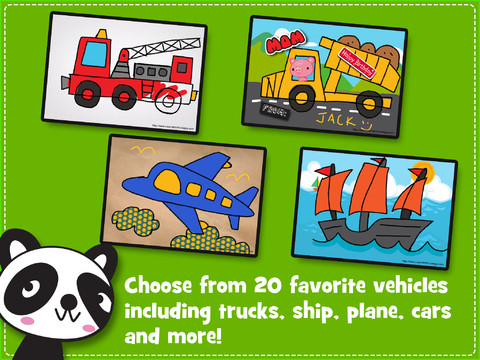
FREE for a limited time  – iLuv Drawing Vehicles HD. Kids learn to draw 20 cartoon style vehicles by tracing over step-by-step templates. So many great choices for kids that love “things that go” – the app includes: car, race car, dump truck, cement truck, pick up truck, fire truck, crane truck, helicopter, airplane, fighter jet, ambulance, bicycle, tricycle, motorcycle, train engine, jeep, boat, and ship. After finishing the drawing, your child can color it, add a background, stickers, etc. The editing tools (eraser, undo, redo, start over) make this app easy to use! There are also blank pages so that your child can create his/her own drawings. Finished works can be saved, printed, or shared via email. Drawings saved into the drawing book can be edited later. Use this educational app to have your child create cards, greetings for loved ones!
Artkive
Now that it is summer, you may want to create a digital book of your child’s latest year in school. You can use Artkive, a productivity app, to do so. You may have heard of  this app because it has been featured on THE TODAY SHOW and in Real Simple magazine.
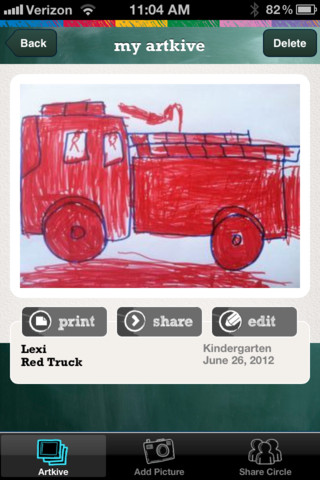
Artkive makes it easy to digitally store, share, and print your children’s artwork/schoolwork. Originally released on August 11, 2012  – this app for the iPhone/iPad is FREE again. It is very easy to use…. First you create an account. Then enter the first names of your children. Take photos of their artwork/schoolwork or upload existing photos from your camera roll. Tag the photo with a child’s name, age or grade, the date, and a title. So simple! You can then share their art with family & friends. You will also be able to have Artkive create digital books & other products using your child’s artwork/schoolwork. You can even order a few holiday presents while you’re at it. 🙂 Artkive makes it easy to collect, store, and share your children’s artwork.
What a great idea! As a parent, you can use it to create books for your children, of any age. I plan to make gift books for my adult children of the art/work that I have saved for years – yay, no more clutter!! As a teacher, you could use it to create digital portfolios of children’s work. Lots of possibilities with this one…. try it yourself while it is free!
To learn more @Â http://www.artkiveapp.com/
Recommended!