1

On This Day

On This Day

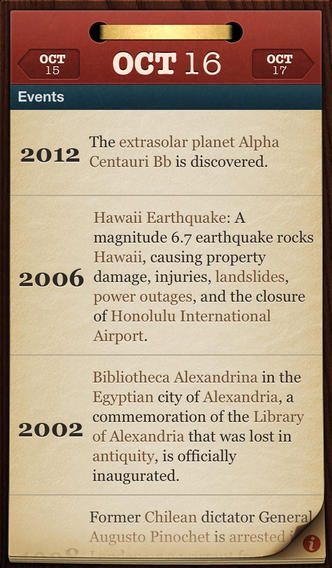
FREE for a limited time – On This Day, an educational app that let’s you view historical events, births, & deaths for any day of the year. There are hundreds of entries for every date linked to related Wikipedia articles which open right within the app. When I was teaching, I had students correct punctuation, capitalization, & spelling in two sentences every morning while I took attendance, did lunch count, etc. This educational app would have been helpful because I always used information about something interesting that happened that day. After correcting the sentences, we would talk about that day’s history. You may want use this educational app as part of your classroom’s morning routine. It would also be fun to see what famous people share birthdays with your students!

Download link: https://itunes.apple.com/us/app/on-this-day…/id317064309?mt=8&uo=4

0

Disney Creativity Studio

Disney

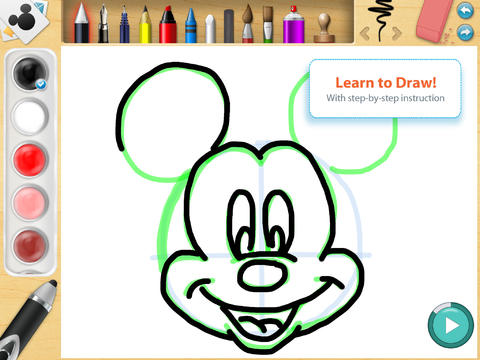
FREE for a limited time – Disney Creativity Studio, an educational app that turns an iPad into an artist’s studio. There are 4 sections of this app: Learn to Draw, Activities, Draw Your Own, and My Artwork. In the Learn to Draw section, Disney artists teach kids how to draw favorite Disney characters with step-by-step instructions. The activities section includes tracing, connecting dots, and coloring pages. The Draw Your Own section provides kids with blank pages for drawing & creating. Or, your child can use the app’s fun backgrounds & Disney character stickers to create their own scenario! Finally, the My Artwork section automatically saves anything created in the app. For an additional $.99 you can purchase a stylus that magically interacts with the Creativity Studio App. If your child is a Disney fan who loves to draw, you may want to check out this app.

https://itunes.apple.com/us/app/disney-creativity-studio/id557238273?mt=8&uo=4

0

Wubbzy’s Dance Party

Wubbzy

FREE today – Wubbzy’s Dance Party, a storybook app featuring Wonder Wubbzy and Flower Power Daizy. This educational app was developed by Cupcake Digital in partnership with the producers of the Emmy® Award-winning Nick Jr. TV series Wow! Wow! Wubbzy!®.

 Kids dance and read along with Wubbzy and his pals as they plan the most Wubbtastic Dance Party ever! Along the way kids will discover animations & interactivity on every page! The app also has educational games and sing-along music videos. The Grown Up’s Corner has 2 sets of questions about the story. The questions address literal understanding of the story (thin questions) as well as extended meaning (fat questions). Also included in the Grown-Up Corner is information about the Common Core Standards addressed by this app which are predominately kindergarten standards. Print-outs and activities to supplement the story are available online at cupcakedigital.com. What is not to love about this educational app? – Cute story packed with interactivity, educational games, sing-along videos, standards-based, and a guide for adults!

Download link: https://itunes.apple.com/us/app/wubbzys-dance-party/id635871029?mt=8&uo=4

0

FriendStrip Kids Pro

Friendstrip

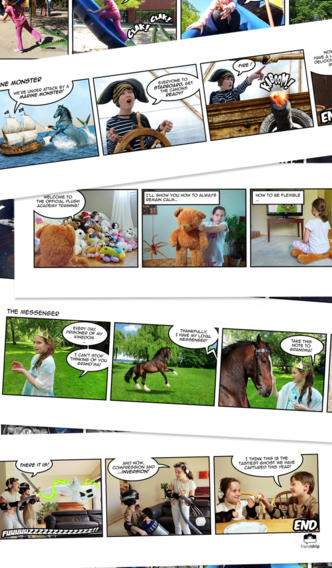
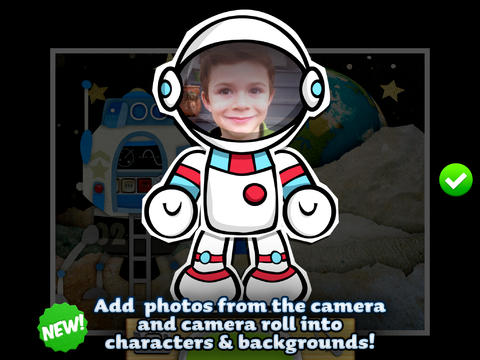
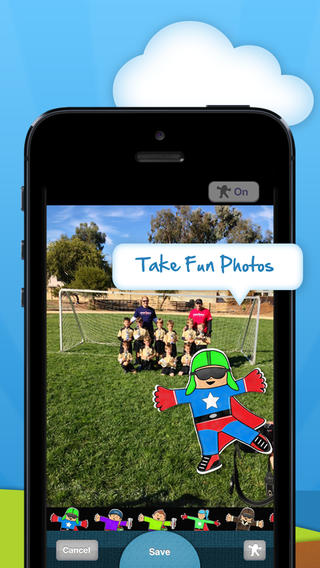
FREE for a limited time – FriendStrip Kids Pro, a cool photography app that turns your child into the star of his/her own comic strip! This educational app is easy to use. First kids pick one of the app’s 85 scenarios (created by true comic book artists) from categories such as fairy tales, space, stuffed animals, dinosaurs, and more. Frame by frame they set up a scene, strike a pose, and snap the picture. Before you know it, your child is the start of his/her own comic strip! Fully customizable texts give the app even greater flexibility. Final creations can be shared via email or Facebook – there are parental controls for this option.

This app would be so much fun to use in a classroom! It would help kids understand the elements of a story (setting, characters, problem, sequence of events, and conclusion) in a simple and fun way. And kids would LOVE presenting their comic strips to their peers. Super cute!!

Download link: https://itunes.apple.com/us/app/friendstrip-kids-pro/id687451368?mt=8&uo=4

0

Sago Mini Bug Builder

bug buider

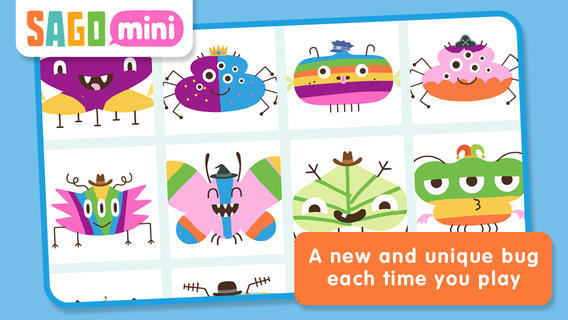
FREE for a limited time – Sago Mini Bug Builder, an educational app for toddlers/preschoolers. Kids create, hatch, and play with cute little critters. They can transform 1 of 8 shapes into a colorful bug, add some color, then bring it to life. They can also add a funny hat, feed it a snack, clean up its mess, and take its picture. Kids can make unlimited number of unique bugs using this app – very cute & creative!

Download link: https://itunes.apple.com/us/app/sago-mini-bug-builder/id657821775?mt=8&uo=4

0

Toontastic Jr. Shrek and Toontastic

Shrek

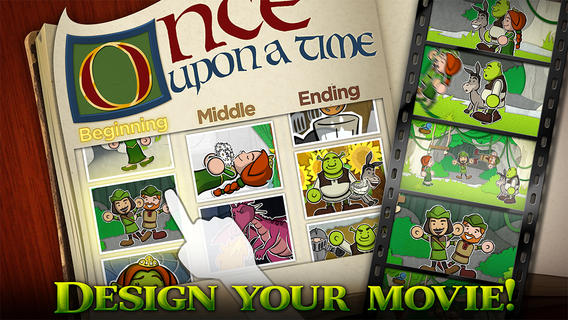
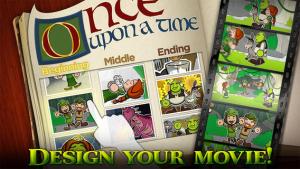
Toontastic Jr. Shrek is FREE for a limited time. This storytelling app, from the creators of Toontastic, has kids creating their own Shrek cartoons. They start by choosing a beginning, middle, and ending. Then they animate the story by moving the characters and recording their voices at the same time. The educational app features 12 classic Shrek scenes and a cast of characters to get kids started. If kids would like to create a story with friends or family, they can utilize StoryShare, a new feature in Toontastic Jr. which is very cool! It enables kids to talk & create stories with friends or family anywhere in the world!

Download link: https://itunes.apple.com/us/app/toontastic-jr.-shrek/id632359329?mt=8&uo=4

And if you haven’t tried the original Toontastic, do yourself a favor and check it out….

toontastic

Parents and teachers love Toontastic and kids can’t stop creating! Named by the NY Times as one of Top Ten iPad educational apps of 2011, Toontastic is a fabulously creative FREE app for kids. This app allows kids to draw, animate and share their own cartoons AND it teaches them the elements of a story! Kids are able to use backgrounds and characters from the app or create their own with the drawing tools that are provided. The basic app is FREE but there are several in-app purchases available. Final creations can be shared online via ToonTube, Toontastic’s global storytelling network. Over 2 million cartoons have been created in over 150 countries. Unleash your child’s creativity with this great educational app!!

Here is a link to more information: Toontastic: Play, Create, Learn on the iPad!.

Not only are the possibilities for using this app are endless but a child’s work can be shared with parents, grandparents, other classes, etc.

Toontastic - Launchpad Toys

0

Flat Stanley

Flat Stanley

FREE for a limited time – Flat Stanley. Teachers around the world have been using the Flat Stanley Project since 1995 to help children learn about travel, cultures, and the love of books. This educational app makes creating, sharing, & sending Flat Stanleys easier and safer for teachers, kids, and parents. Kids start by creating their own Flat Stanleys/Flat Stellas with different shirts, pants, and shoes etc. Then Flat Stanley/Stella is ready for adventure! Kids can send, receive, and share their favorite photos and Flat Stanleys. Teachers and parents will be happy to know that any content uploaded through the app is the monitored and approved by the “Flatter World” team members. If you have ever participated in the Flat Stanley project, you will want to check out this app. Kids LOVE being involved in this project – it’s really fun!!

Download link: https://itunes.apple.com/us/app/flat-stanley/id382161936?mt=8&uo=4

0

Sleeping Genius Baby

sleeping

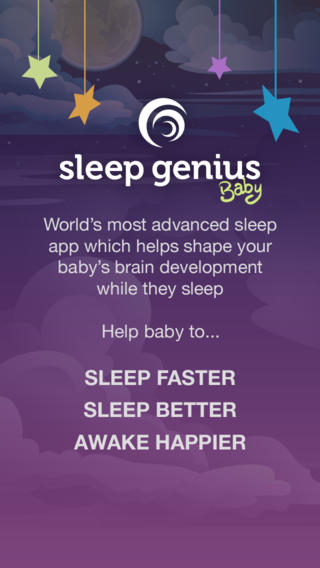
FREE today – Sleeping Genius Baby, an app which plays peaceful music for baby’s nap/sleeping. According to the developer, this app helps in 3 ways: it gets your baby to sleep faster, it improve your baby’s sleep quality, and it improves brain function. When you first open the app, it downloads the HD audio files. Then you can choose bed time or nap time music for your child. Information within the app includes: tips for success, how it works, benefits, and more. Or you can read that same information on the developer’s website: Home – Sleep Genius and decide for yourself before your download it. Many parents try to establish a consistent routine at bedtime for their children. The nice thing about using an app is that it is portable. You can easily take your bedtime music with you. 🙂

Download link: https://itunes.apple.com/us/app/sleep-genius-baby-calming/id669390302?mt=8&uo=4


0

Popboardz

Popboardz

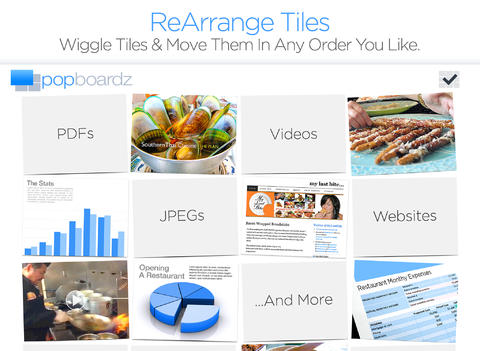
Recently updated and FREE for a limited time – Popboardz, a productivity tool that normally sells for $4.99.  Popboardz makes it easy to organize, store, and present information. Each board is a grid with 16 spaces for content so that all of your PDFs, images, videos, websites, can be arranged on one screen. Unlike other presentation tools, Popboardz makes it easy to customize your presentation to meet the needs of your group. Just click on the grid space that contains the example, information, or link that you would like present next! It’s easy to skip around. This app would be fabulous to use in the classroom. A teacher could organize all his/her digital resources for a unit on one board. That board can be saved so it is always ready to present! It is also easy to edit and/or rearrange boards so that lessons can be tweaked as new resources become available. Students could also use Popboardz – to organize information, to present projects, to give reports, and more. What a great educational app!

Download link: https://itunes.apple.com/us/app/popboardz/id563989511?mt=8&uo=4

0

Trading Cards

trading cards

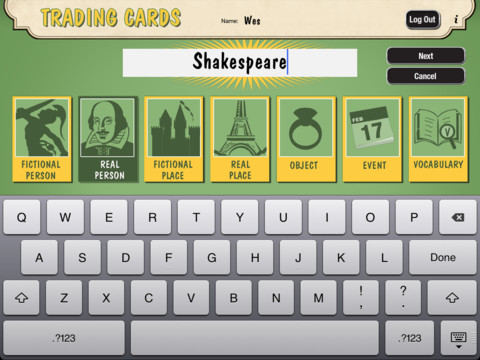
Fabulous educational app!!! ReadWriteThink’s Trading Cards is powerful FREE app developed by the International Reading Association. This educational app provides a unique way for kids to share their understanding of topics, generate their own study aids, create a fictional world to use in their writing, make their own trading cards, and more. There are 7 categories of cards available within the app: fictional person, real person, fictional place, real place, object, event, and vocabulary. Kids start by choosing a category and typing in the title of the card. Each category has specific questions which help kids create information-rich trading cards. Images can be added by using the device’s camera or by accessing pictures in the photo library. Kids can also sort their cards into collections such as characters from a book, heroes or villains, landmarks, the 50 states, vocabulary by subject, etc. The possibilities are endless! Cards can be shared via email, saved to the photo library, or printed on a wireless printer. And… the kid appeal is tremendous. Kids will LOVE trading their cards with their classmates 🙂

Highly recommended!!

Trading Cards - International Reading Association