The Hour of Code is a global movement that reaches millions of students in 180+ countries. There are 191,016 Hour of Code events happening around the world this week, December 7 – 13.
Why teach kids to code? Coding is what makes computer software work. Understanding the basics of programming will help your child be prepared for the jobs of the future. And, in the process your child will be learning to THINK by using logic, solving problems, and having fun! Check out these apps and try coding yourself. Then try it with your students. We are living in creative, exciting times – be part of it.
Here are fabulous FREE resources to use:
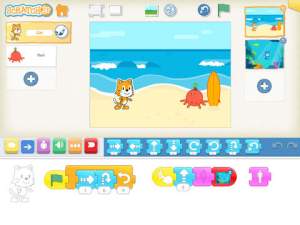 FREE app – ScratchJr is designed to teach kids how to code their own stories and/or games. Specifically developed for younger children, ScratchJr is based on Scratch programming language (http://scratch.mit.edu) which is used by millions around the world. The app includes an introduction video and examples of sample projects. Once the add button is pressed, the app opens to a page with a friendly looking cat in a blank square surrounded by programming tools. Then the fun begins. Kids snap together programming blocks to make the cat move – forward, backward, right, left, hop, etc. They can choose to add a setting to their story/game by selecting one of the twenty-eight different backgrounds. They can add additional characters and/or objects to their scenes. They can make their character talk either by using word bubbles or by recording their own voices. They can control timing, speed, and the sequencing of events. The app can be simple but it becomes more complex as kids start to figure things out. For example, they can learn to program multiple characters to move in sequence, move together, etc. Kids can also add themselves to the story. They simply choose one of the fifteen “faceless” characters then add in their own face using the iPad’s built-in camera. How cool is that? As kids learn to program, they are also learning to problem solve, design projects, and be creative on the computer. LOVE this app!
Download link: https://itunes.apple.com/us/app/scratchjr/id895485086?mt=8&uo=4
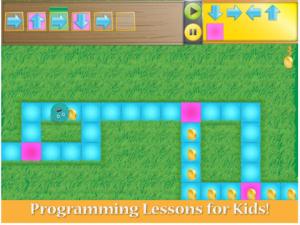 FREE for iPad – Kodable, an introduction to programming for kids 5+. The fuzzFamily has crashed their spaceship on Smeeborg. Kids help the fuzzes through Smeeborg’s mazes by creating drag & drop instructions for them to follow. As they code, kids need to remember that fuzzes follow instructions exactly as they are written. After coding the instructions, kids hit play to watch the fuzzes roll through the maze. They are rewarded with stars, coins, and extra members of the fuzzFamily if they are successful. This educational app comes with 45 free levels which become progressively more difficult. Additional content is available as an in-app purchase.
Download link: https://itunes.apple.com/us/app/kodable/id577673067?mt=8&uo=4
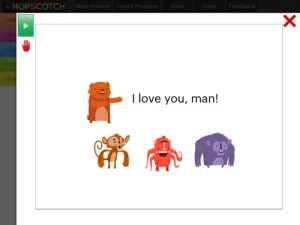
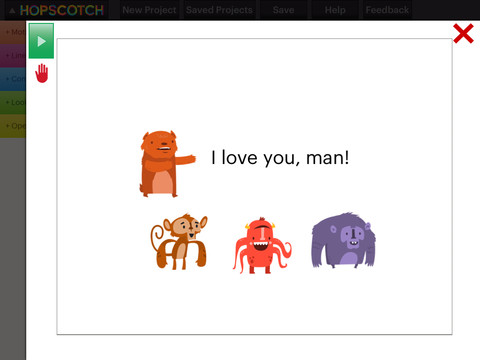
Hopscotch HD is an educational app that teaches kids how to program their own games and animations! Introduce kids to computer science with this app. 🙂 Kids drag and drop “method blocks” into scripts. When they are done, they can press play to see their code in action! Why teach kids coding? According to the developer – there will be about 1.4 million computer jobs by 2020 and only 400,000 computer science students. Many coders first fell in love with coding when they were 8-12 year old children. Hopscotch is based on a visual programming language named Scratch which was developed by MIT. It promotes STEM education (science, technology, engineering and math) in a fun way – by making coding kid-friendly! LOVE it!!


 Only $.99 – Toca Hair Salon Me, the newest addition to the popular Toca Hair Salon apps. Using this app, kids can create a whole new look for themselves and/or their family & friends. They simply import a picture from the camera roll and “the styling” can begin. The salon is equipped with all the right tools to style hair. They can cut it, comb it, make it grow, shave it, color it, etc. They can also wash it, blow it dry, curl it or straighten it. Great sound effects add to the fun! After they finish the styling, they can add fun accessories – glasses, bow, mustaches, etc. They can even use their own photos for the background. Kids or parents can take a photo of the finished creation and save it to their camera roll. What a great springboard for creative writing – give yourself a whole new look and write a story to go with it. What a fun activity for a Wacky Hair Day!!




 appydazeblog