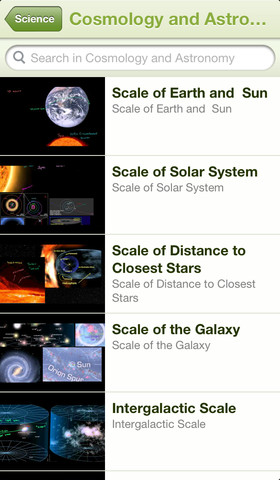
Khan Academy – an amazing FREE educational app! Whoever said the best things in life are FREE was absolutely correct. With Khan Academy you can learn almost anything and the app is completely FREE! It has a library of over 4,200 videos which covers a wide range of subjects such as K – 12 math, biology, chemistry, the humanities, and more. You can use the app to review a subject that you have already studied or to learn something completely new! You can watch the videos online or you can download them to watch offline at your own pace. The videos are subtitled so that you can read along, skip ahead, or go back. If you log in with your Khan Academy account, you can track your progress. The app gives you credit for watching the videos and allows you to see your achievements. Badges and points are earned for learning. Teachers can access their students’ data – as a class or individually. Khan Academy is an incredible resource for all kinds of learners – students, teachers, principals, home-schoolers, adults returning to school, and anyone committed to be a lifelong learner. It is truly one of the best educational apps available – at any price!

Tag Archives: apps for parents & teachers
ZipGrade – Grade Paper Tests and Exit Tickets
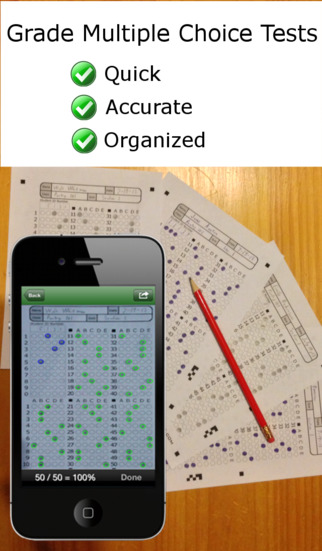
FREE to try – ZipGrade, a slick app that grades multiple choice tests & quizzes instantly by using your device’s camera as a scanner. It’s very easy to use. First go to ZipGrade.com to download an answer sheet for any size test – 1 to 100 questions. Print as many as you need. A 100 scan demo is FREE with the download. Click new quiz and enter your answer key. Start scanning/grading. ZipGrade can scan up to 20 tests per minute. The app can be set up to use student ID numbers or student names. Results are organized for reporting/exporting via PDF and Excel. They can also be synced between devices. Students will love the instant feedback and teachers will love the item analysis. This app would be especially great for high school/college teachers who have overwhelming numbers of test/quizzes to grade. Check out the FREE version today! The full version of the app is $1.99 for 2 months or $6.99 for 1 year.
Download link: https://itunes.apple.com/us/app/zipgrade-grade-paper-tests/id635077270?mt=8&uo=4
MyScript Calculator
Named by Apple as 1 of 10 Apps That WOW and FREE – MyScript Calculator is an amazing app. It performs mathematical operations literally by hand! You write the problem … it solves the problem! The app is very simple to use. Just write the mathematical equation on the screen. MyScript technology converts the symbols and numbers to digital text and delivers the answers. It supports the following operations: basic operations (+, -, x, ÷, +/‒, 1/x), additional operations ( %, √, x!, |x|), powers/exponentials (ℯx, xy , x2), trigonometry, and more. Winner of the Mobile App Showdown at CES 2013, MyScript Calculator has been redesigned to work with iOS7. The update also allows automatic calculation to be disabled and replaced by a “calculate” button. Love this app – numbers have to be written somewhat legibly for it to work. 🙂
Hanx Writer
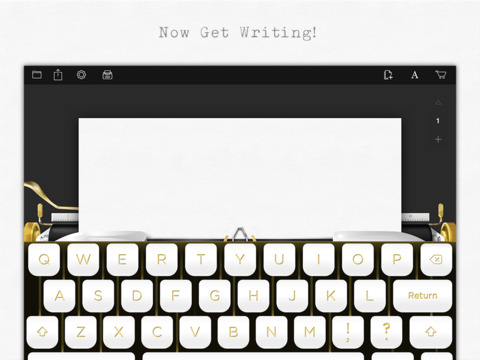
Looking for a fun way to get your students to write? Try Hanx Writer, a FREE app created by Tom Hanks. Hanx Writer recreates the experience of typing on a manual typewriter – without the hassle! Students can enjoy the look, feel, and sound of a good old-fashioned typewriter coupled with the ease and speed of an iPad. Created documents can be messaged, emailed or printed. This app would also be great for teaching students how to keyboard. With in-app purchases, you can add ribbon colors, background colors, and more. Check out the FREE version. If you grew up using a typewriter, you’ll feel quite nostalgic as you “type” your documents. 🙂
Download link: https://itunes.apple.com/us/app/hanx-writer/id868326899?mt=8&uo=4
TED – TED conferences and TEDiSUB – Enjoy TED videos with Subtitles!
Parents/Teachers – here is an app for you and the kids!
TED started in 1984 as a conference bringing together people from three worlds: Technology, Entertainment, and Design. It is now a nonprofit devoted to ideas worth spreading. Here is information on 2 apps that will bring the world of TED to the device of your choice!
Riveting talks by remarkable people and FREE to the world. Connect with the official TED app for iPhone/iPad. Access more than 1,700 TEDTalk videos with more added every week! When you open the app, you will see a wide variety of featured talks – Where is Google going next? by Larry Page, A new way to grow bone by Molly Steven, Teach teachers how to create magic by Christopher Emdin, and so on. There are about 60 talks to choose from. Click on a title that interests you to get additional information about that talk: the length of the talk, a short synopsis, related talks, and related tags. Then you can watch the talk, save it, bookmark it, or share it. The app permits you to browse the entire library at any time – even when you are offline. You can browse by tag or by language. TEDTalks are subtitled in over 100 languages! You can create your own playlist or the app can create one for you based on your mood and how much time you have to listen. A fabulous resource for lifelong learners!!
FREE for a limited time – TEDiSUB – Enjoy TED videos with Subtitles! This app enhances the TED experience with added control features. It also allows you to see two subtitles at once – great for a language classes.
Khan Academy
Khan Academy – an amazing FREE educational app! Whoever said the best things in life are FREE was absolutely correct. With Khan Academy you can learn almost anything and the app is completely FREE! It has a library of over 4,200 videos which covers a wide range of subjects such as K – 12 math, biology, chemistry, the humanities, and more. You can use the app to review a subject that you have already studied or to learn something completely new! You can watch the videos online or you can download them to watch offline at your own pace. The videos are subtitled so that you can read along, skip ahead, or go back. If you log in with your Khan Academy account, you can track your progress. The app gives you credit for watching the videos and allows you to see your achievements. Badges and points are earned for learning. Teachers can access their students’ data – as a class or individually. Khan Academy is an incredible resource for all kinds of learners – students, teachers, principals, home-schoolers, adults returning to school, and anyone committed to be a lifelong learner. It is truly one of the best educational apps available – at any price!
Pic Collage
Have kids create collages of their summer activities/vacations with Pic Collage!
FREE with in-app purchases – Pic Collage, a fabulous app for creating collages! With Pic Collage you easily create creative collages with your pictures and/or pictures from the internet. You can change photos into backgrounds, clip them into cutouts, apply filters, add borders, and more! You can also add stickers and text. So many fun uses of this app for education – have students make a Pic Collage to introduce themselves at the start of the year, send students on a scavenger hunt of geometric shapes then have them make a Pic Collage of what they found, add a PIc Collage to a science report, Make a Pic Collage representing the main character of a book, etc. The list is only limited by your imagination! I LOVE educational apps like this – open-ended with great potential for creativity! WOW!!
Download link: https://itunes.apple.com/us/app/pic-collage/id448639966?mt=8&uo=4
Shadow Puppet
Use the power of this app to create a unique travel log with your child. “How I Spent My Summer Vacation” goes digital!
Recently updated and still FREE – Shadow Puppet, a photography app which has been featured by Apple as one of the “Best New Apps” for over 6 months! Using this app, it’s easy to create “puppets” – recorded explanations of your photos. First you choose your photos and put them in the order. Then you talk about your pictures. Everything is recorded. Finished “puppets” can be shared via email, SMS, Facebook and/or Twitter. There are so many ways for everyone to use Shadow Puppet: to teach something new, to share adventures with friends, to record children talking about their experiences, to tell the story behind old family photos, etc.
The update has many new features. Now you can include video clips, add music, search the web for images, overlay text/stickers, and more! The FREE version of the app permits you to include up to 10 photos/video clips. For $1.99 you can get Puppet Essentials which allows you to add up to 100 items to each video and have access to more drawing & decorating tools. The update made this great app even better!
The classroom uses for this app are only limited by your imagination: Take pictures of a child’s work and have him/her explain it to parents. Send pictures and voice recordings of the class field trip. Have kids give a step-by-step explanation of what happened in a science experiment. Draw & sequence pictures to retell a story. Make a “talking timeline” by sequencing photos of historical events. Have kids use it to present mini reports on any subject. Have virtual “pet day” – kids bring in pictures/recordings of their pets. Because you can use anything saved to your photo library, you can explain photos from the web, artwork created in other apps, and so much more. The possibilities for using this educational app are endless. For more suggestions go to http://get-puppet.com/education. What a fabulous resource!!
Download link: https://itunes.apple.com/us/app/shadow-puppet/id700902833?mt=8&uo=4
Shadow Puppet
Use the power of this app to create a unique Father’s Day tribute or greeting!!
Recently updated and still FREE – Shadow Puppet, a photography app which has been featured by Apple as one of the “Best New Apps” for over 6 months! Using this app, it’s easy to create “puppets” – recorded explanations of your photos. First you choose your photos and put them in the order. Then you talk about your pictures. Everything is recorded. Finished “puppets” can be shared via email, SMS, Facebook and/or Twitter. There are so many ways for everyone to use Shadow Puppet: to teach something new, to share adventures with friends, to record children talking about their experiences, to tell the story behind old family photos, etc.
The update has many new features. Now you can include video clips, add music, search the web for images, overlay text/stickers, and more! The FREE version of the app permits you to include up to 10 photos/video clips. For $1.99 you can get Puppet Essentials which allows you to add up to 100 items to each video and have access to more drawing & decorating tools. The update made this great app even better!
The classroom uses for this app are only limited by your imagination: Take pictures of a child’s work and have him/her explain it to parents. Send pictures and voice recordings of the class field trip. Have kids give a step-by-step explanation of what happened in a science experiment. Draw & sequence pictures to retell a story. Make a “talking timeline” by sequencing photos of historical events. Have kids use it to present mini reports on any subject. Have virtual “pet day” – kids bring in pictures/recordings of their pets. Because you can use anything saved to your photo library, you can explain photos from the web, artwork created in other apps, and so much more. The possibilities for using this educational app are endless. For more suggestions go to http://get-puppet.com/education. What a fabulous resource!!
Download link: https://itunes.apple.com/us/app/shadow-puppet/id700902833?mt=8&uo=4
Brainfeed – Educational Videos for Kids
FREE one week trial of all content! Check out this great resource. 🙂
FREE (with in-app purchases) – Brainfeed – Educational Videos for Kids, a collection of 1000+ educational videos for kids (7+), tweens, teens, and life-long learners. The videos in this collection were picked by a team of educators from around the globe. To be included in the app, the video had to be: under 10 minutes, documentary style, curriculum-based, entertaining & engaging, visually stimulating, age-appropriate, and child-friendly. The videos are categorized by topic: This is Your World, Tech & Design, English, Arts & Music, The Human Body, Social Studies, Math, and Make Your Future. I watched several videos (Yellowstone Super Volcano, The Evolution of Life on Earth, Fun with Fractals, and How the Brain Works) and enjoyed all of them. The free version includes more than 100 titles – a great introduction to what the subscription ($14.99) has to offer. Teachers, this app could be a great source of video clips to supplement your curriculum. You can contact team@brainfeed.org to request a discounted teachers’ version to use in the classroom. Parents, your kids (and you) can learn interesting things about the world in your home, on the road, or any place that has a 3G or wireless connection. And, new videos added each week to spark children’s curiosity about their world. What a great resource!
Download link: https://itunes.apple.com/us/app/brainfeed-educational-videos/id727189716?mt=8&uo=4