1

Shadow Puppet

Shadow Puppet

FREE for a limited time – Shadow Puppet, a photography app currently featured as one of the “Best New Apps” by Apple. Using this app, it’s easy to create “puppets” – recorded explanations of your photos. First you choose your photos and put them in the order. Then you talk about your pictures. Everything is recorded. Finished “puppets” can be shared via email, SMS, Facebook and/or Twitter. There are so many ways for everyone to use Shadow Puppet: to teach something new, to share adventures with friends, to record children talking about their experiences, to tell the story behind old family photos, etc.

And… the classroom uses for this app are only limited by your imagination: Take pictures of a child’s work and have him/her explain it to parents. Send pictures and voice recordings of the class field trip. Have kids give a step-by-step explanation of what happened in a science experiment. Draw & sequence pictures to retell a story. Make a “talking timeline” by sequencing photos of historical events. Have kids use it to present mini reports on any subject. Have virtual “pet day” – kids bring in pictures/recordings of their pets. Because you can use anything saved to your photo library, you can explain photos from the web, artwork created in other apps, and so much more. The possibilities for using this educational app are endless. What a fabulous resource!!

Download link: https://itunes.apple.com/us/app/shadow-puppet/id700902833?mt=8&uo=4
0

Khan Academy

Khan 2

Khan Academy

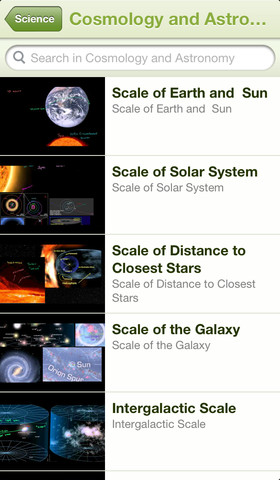
Khan Academy – an amazing FREE educational app! Whoever said the best things in life are FREE was absolutely correct. With Khan Academy you can learn almost anything and the app is completely FREE! It has a library of over 4,100 videos which covers a wide range of subjects such as K – 12 math, biology, chemistry, the humanities, and more. You can use the app to review a subject that you have already studied or to learn something completely new! You can watch the videos online or you can download  them to watch offline at your own pace. The videos are subtitled so that you can read along, skip ahead, or go back. If you log in with your Khan Academy account, you can track your progress. The app gives you credit for watching the videos and allows you to see your achievements. Badges and points are earned for learning. Teachers can access their students’ data – as a class or individually. Khan Academy is an incredible resource for all kinds of learners – students, teachers, principals, home-schoolers, adults returning to school, and anyone committed to be a lifelong learner. It is truly one of the best educational apps available – at any price!

Khan Academy - Khan Academy

0

ClassDojo

Start out your school year with ClassDojo, a FREE & fabulous tool that helps improve classroom behaviors. Teachers are using it in different ways: to give feedback in real-time, to track behavior, and to generate reports. Reward good behavior in real-time – all it takes is a click. You need one device (computer, smartphone, a laptop, or a tablet) and an internet connection. It is very easy to set up with your class list. Each student is assigned a cute, monster-like avatar. Kids earn points for positive behaviors and lose points for negative behaviors. ClassDojo is also fully customizable so you can delete behaviors from the original list and/or add your own behaviors. As you use it, it automatically logs any data that you input. This data can be used to generate behavior reports to share with parents and administrators. How awesome is that? You can go into a meeting/conference with reports in hand!

If I were still in the classroom, I would enter my class list twice – once for data on work/study habits and the other for data on behaviors. I would make my habits/behaviors match exactly what was on my report cards. Then as I used the app, I would also be gathering data for my report cards. At the end of the grading period, I would just print out the date and enter it on the report cards – how easy!  I would also have the data (in a printed report) to be able to back up any grade on the card.  “As you can see Mrs. Doe, Jane only turned in her homework 56% of the time.”  Instant data would also be available for the RTI process, IEPs or any other team meeting on a child. Wow – a fabulous educational app!!

Check out the website for more information: www.classdojo.com

Highly recommended !!

ClassDojo - Class Twist Inc

0

Pic Collage

Pic Collage

FREE with in-app purchases – Pic Collage, a fabulous app for creating collages! With PicCollage you easily create creative collages with your pictures and/or pictures from the internet. You can change photos into backgrounds, clip them into cutouts, apply filters, add borders, and more! You can also add stickers and text.  So many fun uses of this app for education – have students make a Pic Collage to introduce themselves at the start of the year, send students on a scavenger hunt of geometric shapes then have them make a Pic Collage of what they found, add a PIc Collage to a science report, Make a Pic Collage representing the main character of a book, etc. The list is only limited by your imagination! I LOVE educational apps like this – open-ended with great potential for creativity! WOW!!

Download link: https://itunes.apple.com/us/app/pic-collage/id448639966?mt=8&uo=4

0

Artkive

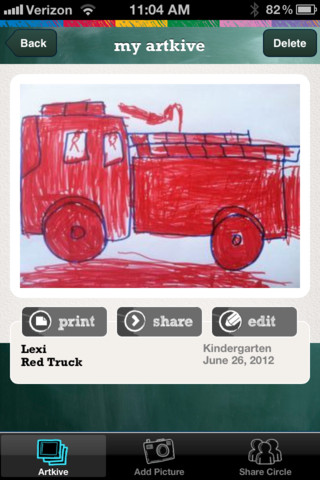
Now that it is summer, you may want to create a digital book of your child’s latest year in school. You can use Artkive, a productivity app, to do so. You may have heard of  this app because it has been featured on THE TODAY SHOW and in Real Simple magazine.

Artkive makes it easy to digitally store, share, and print your children’s artwork/schoolwork. Originally released on August 11, 2012  – this app for the iPhone/iPad is FREE again. It is very easy to use…. First you create an account. Then enter the first names of your children. Take photos of their artwork/schoolwork or upload existing photos from your camera roll. Tag the photo with a child’s name, age or grade, the date, and a title. So simple! You can then share their art with family & friends. You will also be able to have Artkive create digital books & other products using your child’s artwork/schoolwork. You can even order a few holiday presents while you’re at it. 🙂 Artkive makes it easy to collect, store, and share your children’s artwork.

What a great idea! As a parent, you can use it to create books for your children, of any age. I plan to make gift books for my adult children of the art/work that I have saved for years – yay, no more clutter!! As a teacher, you could use it to create digital portfolios of children’s work. Lots of possibilities with this one…. try it yourself while it is free!

To learn more @ http://www.artkiveapp.com/

Recommended!

Artkive - The Kive Company

0

ClassDojo

Recently updated, ClassDojo is a FREE & fabulous tool that helps improve classroom behaviors. Teachers are using it in different ways: to give feedback in real-time, to track behavior, and to generate reports. Reward good behavior in real-time – all it takes is a click. You need one device (computer, smartphone, a laptop, or a tablet) and an internet connection. It is very easy to set up with your class list. Each student is assigned a cute, monster-like avatar. Kids earn points for positive behaviors and lose points for negative behaviors. ClassDojo is also fully customizable so you can delete behaviors from the original list and/or add your own behaviors. As you use it, it automatically logs any data that you input. This data can be used to generate behavior reports to share with parents and administrators. How awesome is that? You can go into a meeting/conference with reports in hand!

If I were still in the classroom, I would enter my class list twice – once for data on work/study habits and the other for data on behaviors. I would make my habits/behaviors match exactly what was on my report cards. Then as I used the app, I would also be gathering data for my report cards. At the end of the grading period, I would just print out the date and enter it on the report cards – how easy!  I would also have the data (in a printed report) to be able to back up any grade on the card.  “As you can see Mrs. Doe, Jane only turned in her homework 56% of the time.”  Instant data would also be available for the RTI process, IEPs or any other team meeting on a child. Wow – a fabulous educational app!!!!

Check out the website for more information: www.classdojo.com

Highly recommended !!

ClassDojo - Class Twist Inc

0

Paper Camera

Paper Camera

FREE today only – Paper Camera, an app that permits you to add special effects to your photos in real-time. Just open the app, choose camera or video, then choose one of the 12 special effects – comic boom, sketch up, acquarello, old printer, con tours, neon cola, bleaching, gotham noir, half ton, granny’s paper, pastel perfect or andy pop. The effects are applied to your photo as you make the shot! You can point you camera at a scene and toggle between effects to decide which one to use. The app also permits you to “paper-ize” existing photos from your photo library/camera roll. Very slick!!

SO many educational ideas for this app… Video your kids playing using the cartoon mode. Add special effects to digital artwork. Create party invitation using the andy mode. The list could go on and on – so creative!!

Paper Camera - JFDP Labs Limited

0

Artkive

Now that it is almost summer, you may want to create a digital book of your child’s latest year in school. You can use Artkive, a productivity app, to do so. You may have heard of  this app because it has been featured on THE TODAY SHOW and in Real Simple magazine.

Artkive makes it easy to digitally store, share, and print your children’s artwork/schoolwork. Originally released on August 11, 2012  – this app for the iPhone/iPad is FREE again. It is very easy to use…. First you create an account. Then enter the first names of your children. Take photos of their artwork/schoolwork or upload existing photos from your camera roll. Tag the photo with a child’s name, age or grade, the date, and a title. So simple! You can then share their art with family & friends. You will also be able to have Artkive create digital books & other products using your child’s artwork/schoolwork. You can even order a few holiday presents while you’re at it. 🙂 Artkive makes it easy to collect, store, and share your children’s artwork.

What a great idea! As a parent, you can use it to create books for your children, of any age. I plan to make gift books for my adult children of the art/work that I have saved for years – yay, no more clutter!! As a teacher, you could use it to create digital portfolios of children’s work. Lots of possibilities with this one…. try it yourself while it is free!

To learn more @ http://www.artkiveapp.com/

Recommended!

Artkive - The Kive Company

0

Khan Academy

Khan 2

Khan Academy

For my 500th post, I wanted to write about an amazing app and this one certainly meets that criteria. Whoever said the best things in life are FREE was absolutely correct. With Khan Academy you can learn almost anything and the app is completely FREE! It has a library of over 4,100 videos which covers a wide range of subjects such as K – 12 math, biology, chemistry, the humanities, and more. You can use the app to review a subject that you have already studied or to learn something completely new! You can watch the videos online or you can download  them to watch offline at your own pace. The videos are subtitled so that you can read along, skip ahead, or go back. If you log in with your Khan Academy account, you can track your progress. The app gives you credit for watching the videos and allows you to see your achievements. Badges and points are earned for learning. Teachers can access their students’ data – as a class or individually. Khan Academy is an incredible resource for all kinds of learners – students, teachers, principals, home-schoolers, adults returning to school, and anyone committed to be a lifelong learner. It is truly one of the best apps available – at any price!

Khan Academy - Khan Academy

0

MyScript Calculator

myscript

Just named by Apple as 1 of  10 Apps That WOW and FREE  – MyScript Calculator is an amazing app. It performs mathematical operations literally by hand! You write the problem … it solves the problem! The app is very simple to use. Just write the mathematical equation on the screen. MyScript technology converts the symbols and numbers to digital text and delivers the answers. It supports the following operations: basic operations (+, -, x, ÷, +/‒, 1/x), additional operations ( %, √, x!, |x|), powers/exponentials (ℯx, xy , x2), trigonometry, and more. Very cool!! MyScript Calculator also won the Mobile App Showdown at CES 2013!!

MyScript Calculator - Vision Objects