0

TED – TED conferences and TEDiSUB – Enjoy TED videos with Subtitles!

Parents/Teachers – here is an app for you (and the kids)!

TED started in 1984 as a conference bringing together people from three worlds: Technology, Entertainment, and Design. It is now a nonprofit devoted to ideas worth spreading. Here is information on 2 apps that will bring the world of TED to the device of your choice!

TED - original

Riveting talks by remarkable people, FREE to the world. Connect with the official TED app for iPhone/iPad to more than 1,400 talk videos with more added every week! Subtitled in more than 90 languages. A fabulous resource for lifelong learners!!

TED - TED Conferences

Ted

FREE for one day only – TEDiSUB – Enjoy TED videos with Subtitles!  This app enhances the TED experience with added control features. It also allows you to see two subtitles at once – great for a language classes. 

TEDiSUB - Enjoy TED videos with Subtitles! - semix2

0

Psychobabble

Psychobabble

If you love crossword puzzles, you may want to check out Psychobabble, a game of connectionsThe first few puzzles are FREE . After that you can earn or buy credits to purchase additional puzzles within the app. To play you need to make word associations – cigar makes you think smoke, smoke makes you think fire, and so on. Keep thinking – dog to bark, bark  to tree, tree to trunk, trunk to elephant – the connections change as you go. A friendly psychologist named Dr. O’Babel reveals words then encourages you to make word connections. The developers teamed up with New York Times crossword contributor David Liben-Nowell to create puzzles full of twists, & turns! This word game is definitely a challenge – suited for older students/adults.

Psychobabble - Ultralingua, Inc.

0

ClassDojo for Teachers

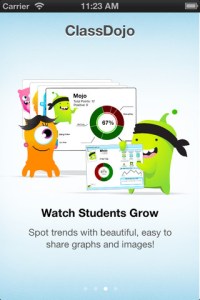
Recently updated, ClassDojo for Teachers is a FREE & fabulous tool that helps improve classroom behaviors. Teachers are using it in different ways: to give feedback in real-time, to track behavior, and to generate reports. Reward good behavior in real-time – all it takes is a click. You need one device (computer, smartphone, a laptop, or a tablet) and an internet connection. It is very easy to set up with your class list. Each student is assigned a cute, monster-like avatar. Kids earn points for positive behaviors and lose points for negative behaviors. ClassDojo is also fully customizable so you can delete behaviors from the original list and/or add your own behaviors. As you use it, it automatically logs any data that you input. This data can be used to generate behavior reports to share with parents and administrators. How awesome is that? You can go into a meeting/conference with reports in hand!

If I were still in the classroom, I would enter my class list twice – once for data on work/study habits and the other for data on behaviors. I would make my habits/behaviors match exactly what was on my report cards. Then as I used the app, I would also be gathering data for my report cards. At the end of the grading period, I would just print out the date and enter it on the report cards – how easy!  I would also have the data (in a printed report) to be able to back up any grade on the card.  “As you can see Mrs. Doe, Jane only turned in her homework 56% of the time.”  Instant data would also be available for the RTI process, IEPs or any other team meeting on a child. Wow !!!!

Check out the website for more information: www.classdojo.com

Highly recommended !!

ClassDojo - Class Twist Inc

0

Artkive

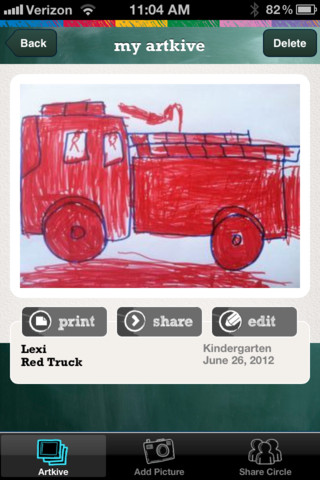
As featured on THE TODAY SHOW, Artkive makes it easy to digitally store, share, and print your children’s artwork/schoolwork.  Originally released on August 11, 2012  – this app for the iPhone/iPad is FREE again for a limited time. It is very easy to use…. First you create an account. Then enter the first names of your children. Take photos of their artwork/schoolwork or upload existing photos from your camera roll. Tag the photo with a child’s name, age or grade, the date, and a title. So simple! You can then share their art with family & friends. You will also be able to have Artkive create digital books & other products with your child’s artwork/schoolwork. Artkive makes it easy to collect and store your children’s artwork in one place.

What a great idea! As a parent, you can use it to create books for your children, of any age. I plans to make gift books for my adult children of their art/work that I have saved!  As a teacher, you could use it to create digital portfolios of children’s work. Lots of possibilities…. try it yourself while it is free 🙂

To learn more @ http://www.artkiveapp.com/

Recommended!

Artkive - The Kive Company

0

MyScript Calculator

myscript

FREE for your iPhone/iPad, MyScript Calculator is an amazing app. It performs mathematical operations using your handwriting! The app is simple to use and intuitive. Just write the mathematical equation on the screen. MyScript technology converts the symbols and numbers to digital text and delivers the answers. It supports the following operations: basic operations (+, -, x, ÷, +/‒, 1/x), additional operations ( %, √, x!, |x|), powers/exponentials (ℯx, xy , x2), trigonometry, and more. Very cool!!

MyScript Calculator - Vision Objects

0

Solar Walk – 3D Solar System Model

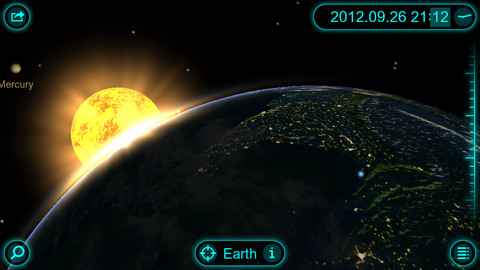
FREE today only, this app for the iPhone/iPad has you zooming through space to learn about our solar system and the Milky Way galaxy. Winner of a Parent’s Choice Gold Award and chosen by Apple as one of the Best App in 2010 & 201, this 3D model of the solar system will fascinate kids of all ages. This app features information about each of our planets (general information, figures, internal structure, & science missions), the planets’ moons (general information & figures), comets, dwarf planets and asteroids. Information and pictures of 8 satellites (such the Hubble Telescope and the ISS) are also included. 8 movies to explain some of Earth’s phenomena are included: Size Comparison, Earth’s Cycles, Solar Eclipse, Moon Phases, Tidal Phenomena, Major Circles of Latitude, Constellations, and Cassini-Huygens. The app permits you to zoom in for a close up view of each planet, moon, etc. or zoom out to get a view of our entire galaxy. If it’s in our solar system, you are going to be able to view it and learn about it with this app! Beautifully done 🙂

Solar Walk - 3D Solar System model - Vito Technology Inc.

Highly recommended!


0

Super Stretch Yoga

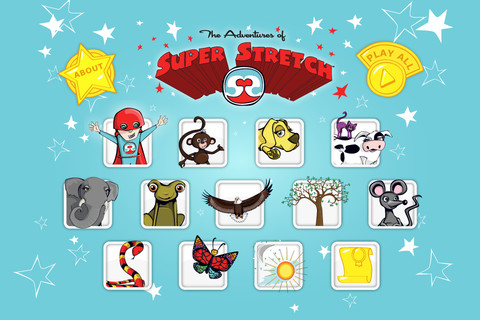
FREE today – This app for the iPhone/iPad was designed & created to teach 12 yoga poses to kids but the content can be used by everyone. Each lesson begins with an animated explanation of a pose by one of Super Stretch’s animal friends. Kids learn how movement and breathing make every day balanced. Following the explanation of each pose is a video clip of actual children demonstrating that pose so kids can see what it looks like. Once a child has gone through the 12 poses, he/she gets to share a favorite pose in a Super Stretch team photo. Kids are encouraged to “make NAMASTE part of their day” as they learn to find a balance in their lives. The Adventures of Super Stretch Code of Ethics uses NAMASTE is an acrostic for Nothing is impossible. Always be honest. Make the world a better place. Act with kindness. Share with others. Trust and belief in yourself. Enjoy and have fun. – what a fantastic message!  And… kids learn a healthy way to calm down & relieve stress while building self-awareness, self-esteem & respect for others. Wow!!

More and more teachers are bringing yoga into the schools because of its physical and emotional benefits. This app would be great to use on the Smartboard with the entire class.

Highly Recommended !

Super Stretch Yoga HD - The Adventures of Super Stretch, LLC English version          Super Stretch Yoga Spanish HD - The Adventures of Super Stretch, LLC Spanish version

0

Chalk_Board

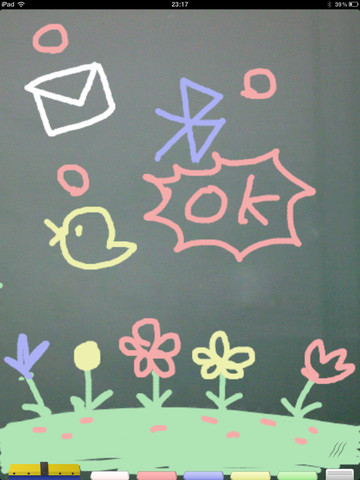
This FREE app for the iPad changes your device into a chalkboard. It has five colors of chalk and three erase options (undo, erase with finger, erase all). It even sounds like you are writing on a chalkboard as you use it! When you have finished your work, you can share it 5 different ways – publish on a shared list, save it to photos, tweet it, email it, or share via bluetooth. Unfortunately, the ability to publish to a shared list makes this app a problem for classroom use. Anyone can draw anything and submit it to be voted on. So kids using this app can see those drawing – appropriate or not. 😦  So sad, because this app could have taken the place of whiteboards in your classroom – no need for dry erase markers/erasers.

If there was a way to disable parts of this app I would highly recommend it but until then….use cautiously if at all.

CHALK_BOARD - conol, Inc.

0

TellPic

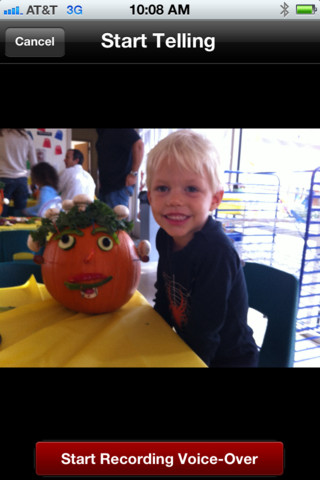
This FREE app for the iPhone/iPad is simple but powerful. It allows you to record your voice to explain a picture that you are sending via email or posting to Facebook. First you choose a picture from your photo library or take a new picture. Press start recording, followed by stop recording, then share – so simple!

The power in this app is in how you choose to use it. Take a picture of a child’s creation and have him/her explain it. Then send it to parents or grandparents. Take a picture of your child and voice over him/her singing to a loved one on a special occasion. Send pictures with voice messages about vacation experiences. And… because you can use anything saved in your photo library, you can pull in artwork etc. created in other apps  –  opening up all sorts of possibilities for sharing work created in class. The possibilities are endless!

Highly recommended!

TellPic - TellPic LLC

0

Cash Cow Lite

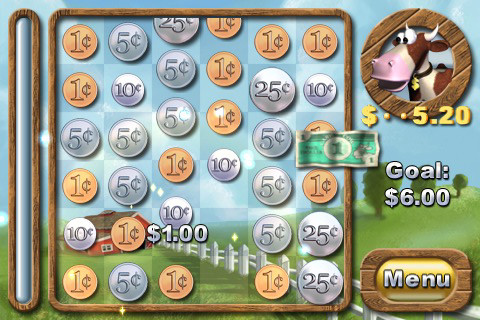
This is the lite version of Cash Cow for the iPhone/iPad. Kids/adults help Buck the Cow save the farm by counting and combining coins to reach a monetary goal. By successfully completing a level, money is earned to purchase items to improve the farm. This app falls more under the game category than educational but it does require kids to understand the value of pennies, nickels, dimes, quarters and dollars. The lite version only has three levels but if you are using it to teach kids to count and combine coins, you probably don’t need any more than that. Cute game!  –  I love the secret language of the cow and pig 🙂

Worth downloading if your child needs practice counting money.

Cash Cow Lite - Chillingo Ltd