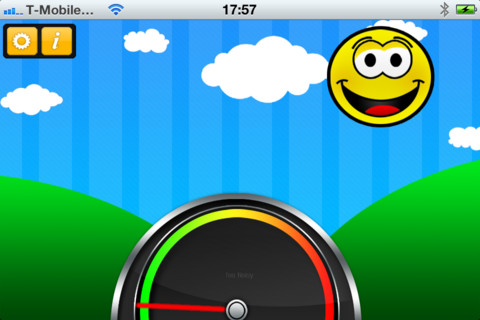
Too Noisy Lite is a FREE noise meter for iPhone/iPad. It measures the level of noise in a room and graphically displays whether it is at an acceptable level or not. If the level is acceptable, a smiling face is displayed. If the noise level increases beyond a level of acceptability, the graphic changes to indicate that the noise level is NOT acceptable. In the settings, a teacher/adult can adjust the sensitivity of the meter to go with the activity. A testing situation could be set at a 99% sensitivity level and group work could be set at a much lower sensitivity level. The meter worked when I tried it but, I was not in a large room with a group of kids. By using an Apple Digital AV adapter or a VGA adapter, Too Noisy can be projected on a TV or monitor so kids can learn what noise level is acceptable – cool idea! I would think that the LITE version is worth a try to see if it works for your situation. There is also a PRO version and themed versions available for $.99 each. Check out this great FREE educational app!

Tag Archives: classroom tool apps
Shadow Puppet
Recently updated and still FREE – Shadow Puppet, a photography app which has been featured by Apple as one of the “Best New Apps” for over 6 moths! Using this app, it’s easy to create “puppets” – recorded explanations of your photos. First you choose your photos and put them in the order. Then you talk about your pictures. Everything is recorded. Finished “puppets” can be shared via email, SMS, Facebook and/or Twitter. There are so many ways for everyone to use Shadow Puppet: to teach something new, to share adventures with friends, to record children talking about their experiences, to tell the story behind old family photos, etc.
The update has many new features. Now you can include video clips, add music, search the web for images, overlay text/stickers, and more! The FREE version of the app permits you to include up to 10 photos/video clips. For $1.99 you can get Puppet Essentials which allows you to add up to 100 items to each video and have access to more drawing & decorating tools. The update made this great app even better!
The classroom uses for this app are only limited by your imagination: Take pictures of a child’s work and have him/her explain it to parents. Send pictures and voice recordings of the class field trip. Have kids give a step-by-step explanation of what happened in a science experiment. Draw & sequence pictures to retell a story. Make a “talking timeline” by sequencing photos of historical events. Have kids use it to present mini reports on any subject. Have virtual “pet day” – kids bring in pictures/recordings of their pets. Because you can use anything saved to your photo library, you can explain photos from the web, artwork created in other apps, and so much more. The possibilities for using this educational app are endless. For more suggestions go to http://get-puppet.com/education. What a fabulous resource!!
Download link: https://itunes.apple.com/us/app/shadow-puppet/id700902833?mt=8&uo=4
Pocketbooth – the photobooth that fits in your pocket
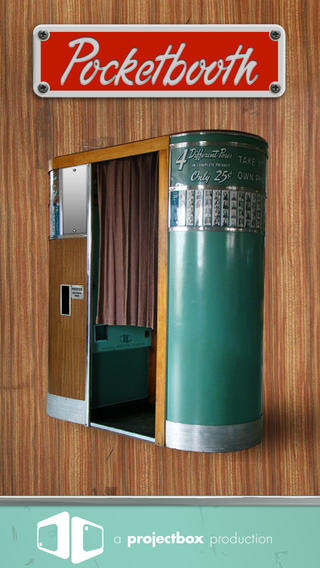
FREE today – Pocketbooth – the photobooth that fits in your pocket, an app that turns your iPhone/iPad into a 1950s-era vintage photobooth. Pocketbooth takes a series of photos (a few seconds apart) to create photo strips of your special events. The app includes five photo effects (1975, antique, B&W, color, sepia), two paper types, and two border styles. There are additional filters/borders available as in-app purchases. Pocketbooth can use either the front or the rear facing camera of your device. Photo strips can be shared via Facebook, Twitter, email, or they can be saved to your camera roll. They can be printed on a wireless printer or you can have them professionally printed/mailed to your friends for an additional charge. Pocketbooth was chosen Starbuck’s App of the Week, featured as “New and Noteworthy” by Apple, and listed as one of 2010’s Hottest Apps – iTunes Rewind. What a fabulous app to have for your next birthday party, family reunion, etc.
And teachers… how cool would it be to have a photobooth in your classroom? It would be perfect for taking pictures of special events – Dr. Seuss Day, St. Patrick’s Day, Halloween, Wacky Hair Day, Silly Hat Day, etc. The kids could help make the props. 🙂 It would also be great for special projects – animal reports (kids dress as their animal), biographies (kids dress as their person), the 100th day (kids dress as if they are 100 years old), etc. How fun!!
Download link: https://itunes.apple.com/us/app/pocketbooth-photobooth-that/id385145330?mt=8&uo=4
Tellagami
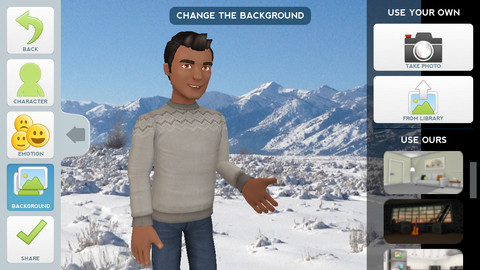
Currently FREE, Tellagami (rhymes with origami) is a unique storytelling app. Short stories called gamis are easy to create. First you select and customize a character by choosing his/her skin tone, eye color, hair color, and clothing. Then you choose an emotion – happy, sad, surprised, angry, scared, silly. Next you choose a background from the app, from your photo library, or create one by using your camera. You are now ready to create your gami. You can record your gami in you own voice or choose the text button to type in what your character will say – the limit is 450 characters. Gamis can be shared via email, messaging, Facebook, or Twitter.
This educational app is fabulous!! Its uses are only limited by your imagination!! Kids can use gamis to introduce themselves at the beginning of the year. They can customize gamis to look like themselves and be reporters, scientists, teachers, etc. They can create the character (and setting) from a book they are reading. They can message or email a parent to explain what they are learning in class. Teachers could use gamis as interactive exit slips. The list is endless. Kids will LOVE creating gamis!
Halftone
FREE for a limited time – Halftone, a photography app with many educational uses. Named by Apple as a favorite photo app of 2011, Halftone makes it easy to turn your photos into vintage-looking comics that your friends and family will love! It’s simple to add paper styles, captions, speech balloons, graphic stamps, and fonts to your photos. Because it is so easy to use, this app would be great for creating the art to go with classroom projects – stories, book reports, newsletters, etc. Lots of creative uses for this educational app!
Trading Cards
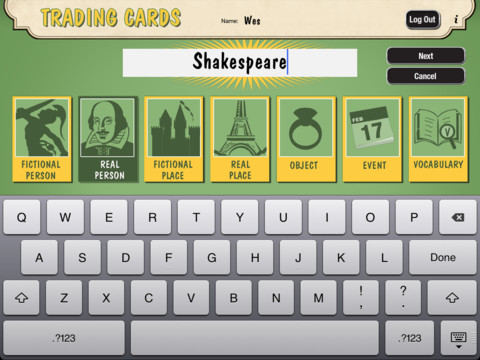
Fabulous educational app!!! ReadWriteThink’s Trading Cards is powerful FREE app developed by the International Reading Association. This educational app provides a unique way for kids to share their understanding of topics, generate their own study aids, create a fictional world to use in their writing, make their own trading cards, and more. There are 7 categories of cards available within the app: fictional person, real person, fictional place, real place, object, event, and vocabulary. Kids start by choosing a category and typing in the title of the card. Each category has specific questions which help kids create information-rich trading cards. Images can be added by using the device’s camera or by accessing pictures in the photo library. Kids can also sort their cards into collections such as characters from a book, heroes or villains, landmarks, the 50 states, vocabulary by subject, etc. The possibilities are endless! Cards can be shared via email, saved to the photo library, or printed on a wireless printer. And… the kid appeal is tremendous. Kids will LOVE trading their cards with their classmates. 🙂
Highly recommended!!
Phoster
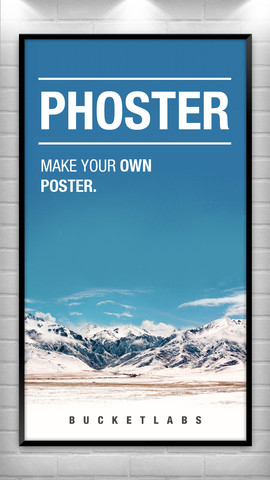
FREE again for a limited time – Phoster, a wonderful app for creating your own posters and invitations. This app has been selected by Apple as App of the Week in Canada, Japan, and the United States. Phoster makes creating your own posters easy! There are 197 free templates to use and they come in a wide variety of designs. You can add photos from your photo libraries or take new photos with your device’s camera. Background colors, fonts, font colors, brightness, saturation, size, position, etc. are all changeable. Your final creation will really be one of a kind. There are also many options for sharing your creation – Facebook, Twitter, Tumblr, and email.
Teachers can use this app in the classroom. Kids could use Phoster to advertising a book that they just read. They could make a travel poster for a place they just studied. Kids could create math posters – geometric shapes found in nature, posters of things that are symmetrical, etc. Posters could be created as a visual props for reports. There are so many creative uses for this app – download it and get started!
ClassDojo
Class Dojo just added FREE messaging! A teacher can now send “direct” messages to individuals and/or “broadcast” messages. This great FREE app just got better!!
ClassDojo is a FREE & fabulous tool that helps improve classroom behaviors. Rewarding good behavior in real-time is easy – all it takes is a click. To use ClassDojo, you only need one device (computer, smart phone, a laptop, or a tablet) and an internet connection. It is very easy to set up. Each student on your class list is assigned a cute, monster-like avatar. Kids earn points for positive behaviors and lose points for negative behaviors. ClassDojo is also fully customizable so you can delete behaviors from the original list and/or add your own behaviors. As you use it, it automatically logs any data that you input. This data can be used to generate behavior reports to share with parents and administrators. How awesome is that? You can go into a meeting/conference with reports in hand! And now, parents can check online to see what kind of day their child is having.
If I were still in the classroom, I would enter my class list twice – once for data on work/study habits and the other for data on behaviors. I would make my habits/behaviors match exactly what was on my report cards. Then as I used the app, I would also be gathering data for my report cards. At the end of the grading period, I would just print out the date and enter it on the report cards – how easy! I would also have the data (in a printed report) to be able to back up any grade on the card. “As you can see Mrs. Doe, Jane only turned in her homework 56% of the time.” Instant data would also be available for the RTI process, IEPs or any other team meeting on a child. What a powerful tool for teachers! An educational app that has the ability to positively impact the learning environment – LOVE it!!
Check out the website for more information: www.classdojo.com
Highly recommended !!
Bord
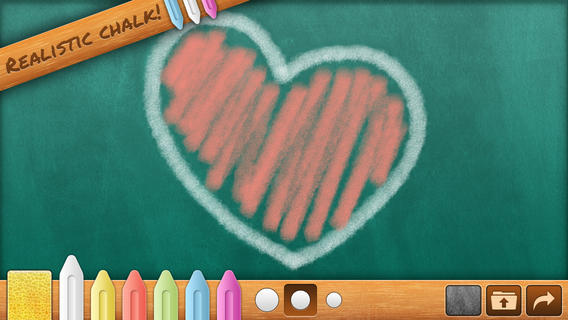
FREE for a limited time – Bord, a chalkboard simulator without the dust! Kids can take a chalkboard with them where ever they go – to practice letters/ numbers, math equations, spelling words, or to simply color/draw. They can create using six colors and three thicknesses of chalk. There is even a sponge for erasing which leaves subtle traces of chalk. Creations can be posted to social media (Facebook, Twitter), emailed, or saved to photos. There are some parental controls (for non-readers) that are built-in. When attempting to email or post to Facebook/Twitter, the app asks you to swipe right with two fingers. All in all, Bord is aesthetically pleasing & simple to use. It would be great for a long ride in a car, waiting at the doctor’s office, in a restaurant, etc.
Download link: https://itunes.apple.com/us/app/bord/id398467374?mt=8&uo=4
Path On – Swipe to Type
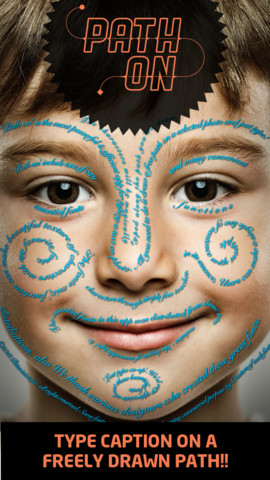
FREE today – Path On, a must-have app with many creative uses!! What does Path On do? It permits you to put text in a path across photos from your albums or taken with your device’s camera. It’s extremely simple to use. Text can be typed in a free path, square, circle, paragraph or spiral. You can also change font styles, colors, and effects. Path On is classified as a photo & video app but there are so many possibilities for using this app in education. Kids could type descriptions of themselves on their pictures, write poetry to go with an image, take photos then point out geometric shapes found in their environment, write a thank you note on a picture of them with the gift, create a timeline by using a series of pictures, create a travel log of the family vacation, and on and on and on. Creations can be saved and shared via Facebook, Instagram, Flickr, Twitter & email. WOW – what a fabulous tool!!