0

Summertime Apps

Those lazy, crazy days of summer are just around the corner. Here are some summer-themed apps for kids to enjoy.
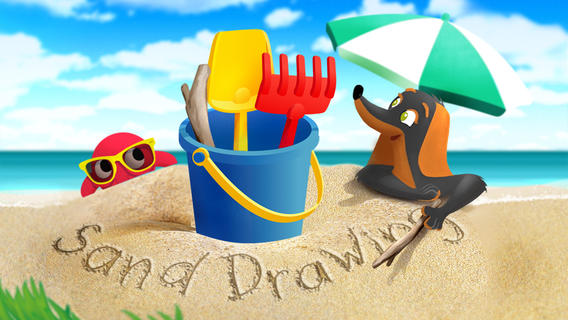
sand drawing

Sand Drawing by Timbuktu is currently $.99 but it was FREE when I downloaded it. Kids can relax on the virtual beach by drawing in the sand. The app comes with 3 drawing tools and 12 decorations that kids can choose to use. Decorations can easily be mixed, rotated, and resized. Waves clear the beach so to make way for new creations. Simple to use and fun!

I wish the app had a save feature built-in – perhaps that will be an option in an updated version. The good news is that you can save your child’s sand drawing by taking a screen shot of your iPad. Here’s how: 1. Have your child’s creation open. 2. Find your Sleep/Wake button (top right of the iPad). 3. Find your home button (centered on the bottom your iPad’s screen). 4. Hold down both buttons together – it only takes a second. 5. Release them and you should hear a camera shutter sound and see a white screen. 6. Check your Camera Roll – the image should be there!

Now the fun begins… use your creations to as illustrations in story apps, as backgrounds for photo albums of your vacation, as postcards to grandma & grandpa, etc. Get creative!!

Sand Drawing - by Timbuktu - Timbuktu Labs, Inc.

Ice Cream Truck Game

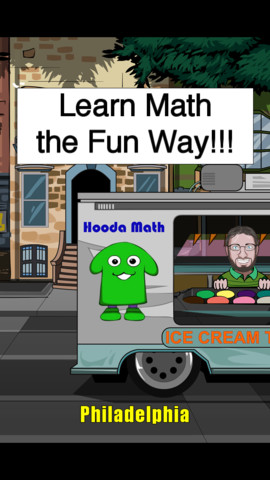
A cute educational app that is currently FREE – Ice Cream Truck Game. Kids utilize their math skills while operating an ice cream truck in this game. They begin by purchasing the right amount of ingredients (cones, ice cream, and toppings) for each day. All ingredients are sold in metric measurement – liters or grams. Then, kids choose a cone size  and set a price for the treats. Sales are affected by price and by the popularity of the treats. At the end of each day, the child sees a graph of liquid assets and a graph of customer satisfaction. They can assess what is working or not working and make the necessary adjustments for the next day. Kids have 10 days in each city. The goal is to make enough money to move to the next city (level). The levels get progressively more difficult. Lots of math skills are woven into this game – money, measurement, estimating, reading a graph, etc. I could see third, fourth, & fifth graders having fun with this one!

Ice Cream Truck Game - Hooda Math

PH Summer Reading

PH Summer Reading from One More Story is currently FREE. One More Story is an online library high quality children’s picture books that are professionally narrated and with music/sound effects. Benjamin D. Bookworm is the host for the stories – kids can listen and follow the highlighted text or read the book themselves. Right now, the app is FREE. You will need internet access to use it because it streams large multimedia files. This educational app currently has one book  – How I Became a Pirate by Melinda Long and illustrated by David Shannon. I love this book – it is one of my favorites! It is about a young boy named Jeremy Jacob who learns the finer points of pirate life from Captain Braid Beard and his crew. Very cute story – a perfect summer read!

PH Summer Reading - One More Story, Inc

I Like Summer

Another FREEBIE – Preschool Books – I Like Summer from Grasshopper Apps. Written for preschoolers, this book is 1 of 20 books in the “I Like” series. Kids will enjoy listening to the story that highlights the joys of summer. They will also love looking at story’s photos. The best part of this educational app is that it can be customized. You can record the existing story in your child’s voice (or your voice). Or… you can completely change the text and record the new story in your child’s voice/your voice. How fun  – have your child make up a story to go with the pictures!

Preschool Books - I Like Summer - GrasshopperApps.com

Stella adn Sam Storypack

4 out of 5 of these stories are about summer!

Now only $3.99 – Stella and Sam Story Pack, a wonderful educational app that was selling for $6.99. The story pack contains 5 Stella and Sam apps (Into the Snow We Go, Rainy Days and Rainbows, Backyard at Twilight, Go There Square, and Cocoons & Caterpillars). They are also sold individually for $1.99 each. Stella and Sam apps are based on the television show and book series by Marie-Louise Gay. The Stella and Sam books have been translated into 15 languages and have sold over a million copies. All Stella and Sam apps are also supported in French.

I love how all of the stories focus on getting kids outside to enjoy the beauty of nature. They are beautifully animated, creatively presented, and such fun for preschoolers!

Into the Snow We Go: In this adventure, kids join Stella and Sam to make pictures in the snow, decorate a snowman, and discover what’s hidden under the snow.

Rainy Days and Rainbows: Once again, kids join Stella, Sam and their dog Fred. They paint with Fred, dig through leaves looking for treasures, and have a pine cone race across Puddle Lake.

Backyard at Twilight: In this adventure, kids play along with Stella, Sam, and their dog Fred as they spend the night camping out in the backyard. They look for bugs, learn about shapes from fireflies, and discover the constellations.

Go There Square: Stella and Sam find magical places with the help of their go-there-square. Kids go along to pop musical bubbles, collect dandelions and build a bridge out of flowers.

Cocoons & Caterpillars: In this adventure, kids play along with Stella, Sam, and their dog Fred to discover the joys of nature – butterflies, birds, and clouds.

Download link: https://itunes.apple.com/us/app/stella-and-sam-story-pack/id441939700?mt=8&uo=4

torii

Now $1.99 – Torii’s Summer Adventure, a cute interactive book written by an elementary school teacher. Torii is a lovable & curious golden retriever who loves exploring – especially when her family takes her to the lake! Kids will enjoy reading about her adventures. They will have fun discovering the interactivity & sound effects on every page. The book has “read to me” or “read by myself” options. It also has a choice of reading levels – a very cool feature. Kids can search for Torii’s bone throughout the story and the app keeps track along the way. The app also includes additional activity/coloring pages at the end of the story. Who wouldn’t love a dog in pink sunglasses? 🙂

Download link: https://itunes.apple.com/us/app/toriis-summer-adventure-interactive/id579935507?mt=8&uo=4
0

Drawing with Carl

drawing carl

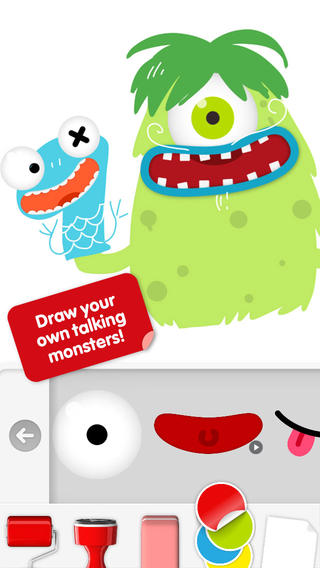
Do you have a child who LOVES to draw? FREE today – Drawing with Carl is a fantastic drawing app for kids. This educational app is very intuitive and easy to use. Kids create pictures using 8 kinds of tools – pencils, crayons, paint brushes, markers, paint tubes, rollers, stampers, erasers, and stickers. The sticker tool is particularly fun. It includes stickers of Carl and his friends, backgrounds (which includes access to your photos), facial features, the alphabet, dinosaurs, mustaches, and assorted shapes. Kids can create and play with talking stickers that repeat anything they say in a funny voice! How fun is that?? Draw a monster and add a talking mouth, import a picture and add a talking mouth, etc. The app also includes 14 colors with and the option to create new colors. Works of art can be shared – save them as photos, email them, or posted them to FB. It’s no wonder that this app has been featured by Apple. Hours of creative fun await your kids!!

0

Toca Boca Apps – $.99 sale

I LOVE Toca Boca apps!! They makes learning what it should be – fun, creative, and joyful!

8 of their apps are on sale for $.99 each. These apps are usually $2.99.

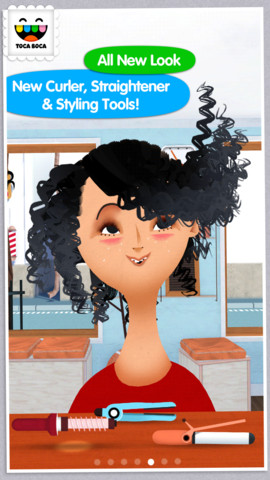
Toca Hair 222,198 reviews can’t be wrong so you don’t want to miss this one. Toca Hair Salon 2, a creative educational app, is $.99 for a limited time. This app is the sequel to the original – Toca Hair Salon. In this app, kids go back into the salon to groom NEW characters in this app. Using the tools in the salon, they cut hair, comb it, curl it, straighten it, make it grow, shave it, color it, etc. Great sound effects are also included in this fantastically fun app. Kids or parents can take a photo of the finished creation and save it to the camera roll. If parents wish, creations may be posted on the Toca Boca Facebook page. The developers have also built-in options to turn off sounds, pictures, and news. What a great springboard for creative writing – give a character a whole new look and write a story to go with it. Use this app to inspire creative writing on Wacky Hair Day!!

Download Link: https://itunes.apple.com/us/app/toca-hair-salon-2/id569632660?mt=8&uo=6&at=&ct=

hair salon meOnly $.99 – Toca Hair Salon Me, the newest addition to the popular Toca Hair Salon apps. Using this app, kids can create a whole new look for themselves and/or their family & friends. They simply import a picture from the camera roll and “the styling” can begin. The salon is equipped with all the right tools to style hair. They can cut it, comb it, make it grow, shave it, color it, etc. They can also wash it, blow it dry, curl it or straighten it. Great sound effects add to the fun! After they finish the styling, they can add fun accessories – glasses, bow, mustaches, etc. They can even use their own photos for the background. Kids or parents can take a photo of the finished creation and save it to their camera roll. What a great springboard for creative writing – give yourself a whole new look and write a story to go with it. What a fun activity for a Wacky Hair Day!!

Download Link: https://itunes.apple.com/us/app/toca-hair-salon-me/id730873197?mt=8&uo=4

Toca BuildersAlso $.99  – Toca Builders, another wonderfully creative app from Toca Boca. Kids (ages 5+) create things with the help of 6 builder friends: Blox, Cooper, Vex, Stretch, Connie, and Jum-Jum. Each builder has unique skills which kids can control with simple gestures. The builders help move, stack, drop, spray, smash, paint, & lift blocks as kids create/construct new objects.The educational app also has a snapshot feature and an autosave feature to share & save the world that your child has created. If your child can imagine it, he/she can build it with the help of the Toca Builders – creative fun for your budding engineer/builder!

Download Link: https://itunes.apple.com/us/app/toca-builders/id652077009?mt=8&uo=4

Also on sale:

Toca Birthday Party: https://itunes.apple.com/us/app/toca-birthday-party/id469933147?mt=8&uo=6&at=&ct=

Toca Lab: https://itunes.apple.com/us/app/toca-lab/id748057890?mt=8&uo=6&at=&ct=

Toca Town: https://itunes.apple.com/us/app/toca-town/id871694174?mt=8&uo=6&at=&ct=

Toca Cars: https://itunes.apple.com/us/app/toca-cars/id689936776?mt=8&uo=4

Toca Tailor: https://itunes.apple.com/us/app/toca-tailor/id556430416?mt=8&uo=4

Enjoy!!

0

Magic Sorter – Sea Tales

Magic Sorter -Sea Tales

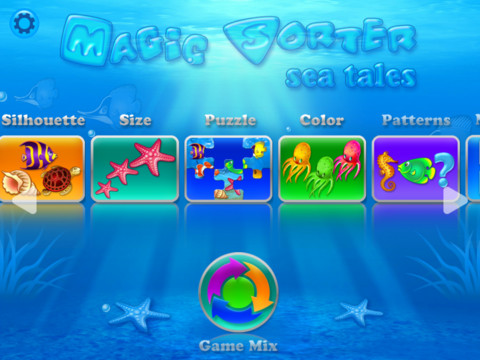
FREE today – Magic Sorter Sea Tales, an app for toddlers. The app includes 10 different games based around the theme of the sea. Activities include puzzles, color matching, size & shape matching, patterns, counting, a memory game, and more. Your child can work on one game at a time or there is an option to mix the games. Kids will enjoy the colorful animations & lively music that they receive as a reward after completing an activity. The app is very intuitive and suitable for kids of all languages  – there are no written or spoken words. If you have a little one who loves the ocean and its creatures, check out this app today!

Magic Sorter - Sea Tales - 10 in 1 - to develop important cognitive and fine motor skills - Igromatic

0

Super Readers – A Dolch Sight Words Based Story Book App That Will Help Turn Your Child Into a Super Reader!

super readers

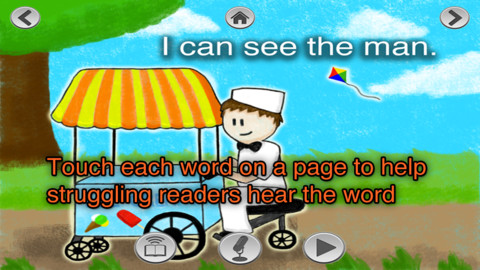
FREE again for a limited time – Super Readers, an animated storybook app for early readers! This educational app uses the Dolch sight words in 10 vocabulary controlled stories at 5 different reading levels: kindergarten, beginning first, middle first, end of first, and beginning second. Kids can choose to have the stories read to them with automatic text highlighting or they can touch individual words to have them read. Another great feature  – kids can record themselves reading the book and then play it back. What a wonderful confidence builder for little ones trying to build their fluency!!

Common Core Standards met:

K.RF.3 – Know and apply grade-level phonics and word analysis skills in decoding words. c. Read common high-frequency words by sight (e.g., the, of, to, you, she, my, is, are, do, does).

Super Readers - A Dolch Sight Words Based Story Book App That Will Help Turn Your Child Into a Super Reader! - Jorge Sanchez

0

Toca Hair Salon Me

hair salon meOnly $.99 – Toca Hair Salon Me, the newest addition to the popular Toca Hair Salon apps. Using this app, kids can create a whole new look for themselves and/or their family & friends. They simply import a picture from the camera roll and “the styling” can begin. The salon is equipped with all the right tools to style hair. They can cut it, comb it, make it grow, shave it, color it, etc. They can also wash it, blow it dry, curl it or straighten it. Great sound effects add to the fun! After they finish the styling, they can add fun accessories – glasses, bow, mustaches, etc. They can even use their own photos for the background. Kids or parents can take a photo of the finished creation and save it to their camera roll. What a great springboard for creative writing – give yourself a whole new look and write a story to go with it. What a fun activity for a Wacky Hair Day!!

Download link: https://itunes.apple.com/us/app/toca-hair-salon-me/id730873197?mt=8&uo=4

0

YouTube Kids

youtube kids

Just released in February and FREE – YouTube Kids, a child-geared version of YouTube. The app is designed for little ones to navigate – big buttons, easy scrolling, and instant full-screen. Kids can enjoy their favorites such as Sesame Street, Peppa Pig, and Reading Rainbow. They can find videos about things that interest them – science, music, crafts, etc. The app has four sections: shows, music, learning, and explore. I especially love the learning section which includes great programming from TedEd, Khan Academy, WhizKid Science, PBS Kids, and more. There is also a search option which is great for teachers looking for a video clip to enhance a lesson. Google is focused on kids’ safety so they’ve worked to build YouTube Kids to be a family friendly place. Parents can quickly notify YouTube if they see anything questionable. Even though this app greatly limits a child’s access to inappropriate content, supervision of your child’s online activity is always a good idea. 🙂

Download link: https://itunes.apple.com/us/app/youtube-kids/id936971630?mt=8&uo=4

0

Grandma’s Kitchen

grandma

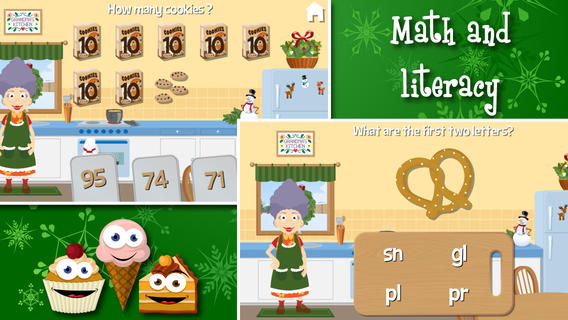
Only $.99 – Grandma’s Kitchen, an adorable educational app for preschoolers. Kids join dancing grandma in her kitchen. The app features 8 educational games – all thematically linked. Kids will love helping grandma around the kitchen and they will be learning math & reading as they help. The app also features short videos of real kitchen tools in action. The following concepts are integrated into the games: consonant blends, telling time to the hour, colors, vocabulary, healthy eating choices, compound words, numeral recognition/counting, addition, identifying equal parts of a whole, pattern recognition, and more!

I love this app – it seamlessly integrates important educational content into fun thematic games. And, little ones will learn how kitchen items work. I especially like the when Grandma asks for a kiss on the cheek – so cute! Highly recommended.

Download: https://itunes.apple.com/us/app/grandmas-kitchen/id602808356?mt=8&uo=4

0

My Incredible Body – A Kid’s App to Learn about the Human Body

my incredible body

My Incredible Body – A Kid’s App to Learn about the Human Body is now 50% off. This educational app takes kids inside the body to see how everything works. Kids start by choosing an area to explore – brain & nerves, digestion, lungs & air, skeleton, kidneys & urine, senses, muscles, or circulation. Each of the 8 content areas provides information in a variety of engaging ways. Kids can watch short movies & animations that explain the different functions of the body. 3D models can be rotated or zoomed to allow kids to see inside the body and discover how body parts work together. Kids will spend hours reading and listening to all sorts of fun facts about their bodies. For example: extraocular muscles control eye movements and are the busiest muscles in the body. This app is fabulous – it’s easy to use, visually appealing, engaging, and full of information. Kids will LOVE it!

Download link: https://itunes.apple.com/us/app/my-incredible-body-kids-app/id853953105?mt=8&uo=4

0

8 GREAT Apps for Teaching Fractions

Here are 8 great apps for teaching fractions and the first three on the list are FREE!

fractions

Currently FREE  – Fractions by Brainingcamp, an excellent educational app for teaching fractions. The app covers 7 topics: introduction to fractions, equivalent fractions, common denominators, comparing/ordering fractions, adding/subtracting fractions, multiplying fractions, and dividing fractions. Each topic includes: a narrated lesson (with visual models), virtual manipulatives for kids to explore, practice questions to check understanding, and a challenging game for additional practice. Kids earn badges as they work through the components of each topic.

WOW – I love everything about this app. The lessons are wonderful. The manipulatives are designed to promote understanding of the concepts presented. The practice questions give students and their teachers a check of their understanding. And, the challenging games helps kids further master the topic. It would be a fabulous for grades 3 and beyond!

Common Core State Standards met:

  • 3.NF.1. Understand a fraction 1/b as the quantity formed by 1 part when a whole is partitioned into b equal parts; understand a fraction a/b as the quantity formed by a parts of size 1/b.
  • 3.NF.3 – Explain equivalence of fractions and compare fractions by reasoning about their size. Understand two fractions as equivalent (equal) if they are the same size. Recognize and generate simple equivalent fractions, e.g., 1/2 = 2/4, 4/6 = 2/3).
  • 4.NF.3 – a. Understand addition and subtraction of fractions as joining and separating parts referring to the same whole.
  • 5.NF.3 – Interpret a fraction as division of the numerator by the denominator (a/b = a ÷ b).

Download link: https://itunes.apple.com/us/app/fractions-by-brainingcamp/id471353363?mt=8&uo=4

on no fractrionsUpdated again in March 2014 – Oh No, Fractions! This FREE app just keeps getting better and better because the developer encourages teacher input. How wonderful is that – a developer willing to listen to teachers’ needs!

Oh No Fractions! is a great FREE iPhone/iPad app for comparing and exploring fractions. The educational app is simple to use – kids just swipe to the right or the left to indicate whether one fraction is “greater than” or “less than” or “equal to” a second fraction. As they work, kids can tap above each fraction to see if it can be reduced/simplified – a great feature. But, one of the best features of this app is the “peek”/”prove it” feature. Kids can use a manipulative to “peek” at an answer before they commit to it or they can use the manipulative to “prove” their answer later. This feature is fabulous because it allows the child to visualize his/her answer. Kids can also use this app to practice finding the common denominator. Then they can use it for addition, subtraction, multiplication, and division of fractions. The app also generates corresponding decimals/percentages for each answer. What a great tool for helping kids to understand fractions!! It’s no wonder that it received the 2013 Children’s Technology Review Editor’s Choice Award.

Common Core Standards met:

  • 3.NF.3 – Explain equivalence of fractions and compare fractions by reasoning about their size. Understand two fractions as equivalent (equal) if they are the same size. Recognize and generate simple equivalent fractions, e.g., 1/2 = 2/4, 4/6 = 2/3).

Oh No Fractions! - Curious Hat Lab - Curious Hat

equivalent fractions

From the National Council of Teachers of Mathematics comes a FREE app called Equivalent Fractions. Kids create equivalent fractions by dividing and shading squares or circles. Circles can be divided into 24ths. Squares can be divided into 144ths. In the play mode, a fraction is shown and kids must create 2 additional fractions that are equivalent. All 3 fractions must have different denominators. The app also places the fractions on a number line – a great visual for comparing! There is also a “build your own” mode which would be fabulous to use for guided exploration & practice. Kids could also use this section as a virtual manipulative when working independently. This app is an excellent resource for the classroom!

Common Core Standards met:

  • 3.NF.3 – Explain equivalence of fractions and compare fractions by reasoning about their size. Understand two fractions as equivalent (equal) if they are the same size, or the same point on a number line. Recognize and generate simple equivalent fractions, e.g., 1/2 = 2/4, 4/6 = 2/3). Explain why the fractions are equivalent, e.g., by using a visual fraction model.

Equivalent Fractions - National Council of Teachers of Mathematics

tiny fractionsNow $4.99 but was FREE when it was released – Tiny Fractions. This educational app teaches identifying, comparing, ordering, finding equivalents, simplifying, adding, and subtracting fractions using vials of liquid. It starts out simple and gets more difficult as kids progress through the app. It also keeps track of the student’s progress – showing teachers/parents specifically which fractions were missed. Simply done and easy to use, this app does a great job helping kids visualize and learn fractions!

Common Core Standards met:

  • 3.NF.1. Understand a fraction 1/b as the quantity formed by 1 part when a whole is partitioned into b equal parts; understand a fraction a/b as the quantity formed by a parts of size 1/b.
  • 3.NF.3 – Explain equivalence of fractions and compare fractions by reasoning about their size. Understand two fractions as equivalent (equal) if they are the same size. Recognize and generate simple equivalent fractions, e.g., 1/2 = 2/4, 4/6 = 2/3).
  • 4.NF.3 – a. Understand addition and subtraction of fractions as joining and separating parts referring to the same whole.

Tiny Fractions - TapToLearn Software

slice fractions

Currently $3.99 – Slice Fractions was recently listed as one of Apple’s Best of 2014:Apps. Kids learn about fractions as they slice through ice and lava to clear a path for a cute mammoth. Along the way they collect silly hats for the mammoth to wear. As they solve the app’s 90+ physics puzzles, they are exposed to key concepts of fractions – partitioning, equivalent fraction, numerator/denominator notation, ordering, subtracting from a whole, etc. Kids will enjoy learning about fractions in this wordless environment that seems more like a game than math lessons. I love that the app encourages kids to be problem solvers. Its replay button permits them to try each puzzle again and again until they figure it out. Hints are only given when support is needed. The end result is that kids are learning through discovery! It’s no wonder that this app has received so many accolades: Apple Editor’s Choice, Editor’s Choice for Excellence in Design: Children’s Technology Review, Winner of a Parents’ Choice Gold Award 2014, Gold Medal Winner 2014: International Serious Play Awards, and Best Family Friendly Game 2014: Indie Prize Showcase Awards.

Common Core Standards met:

  • 2.G.2. Partition a rectangle into rows and columns of same-size squares and count to find the total number of them.
  • 2.G.3. Partition circles and rectangles into two, three, or four equal shares, describe the shares using the words halves, thirds, half of, a third of, etc., and describe the whole as two halves, three thirds, four fourths. Recognize that equal shares of identical wholes need not have the same shape.
  • 3.NF.1. Understand a fraction 1/b as the quantity formed by 1 part when a whole is partitioned into b equal parts; understand a fraction a/b as the quantity formed by a parts of size 1/b.
  • 3.NF.3 – Explain equivalence of fractions and compare fractions by reasoning about their size. Understand two fractions as equivalent (equal) if they are the same size. Recognize and generate simple equivalent fractions, e.g., 1/2 = 2/4, 4/6 = 2/3).
  • 4.NF.2. Compare two fractions with different numerators and different denominators, e.g., by creating common denominators or numerators, or by comparing to a benchmark fraction such as 1/2.
  • 4.NF.3b. Decompose a fraction into a sum of fractions with the same denominator in more than one way, recording each decomposition by an equation.

Download link: https://itunes.apple.com/us/app/slice-fractions/id794730213?mt=8&uo=4

squeebles

From England and currently $1.99 –  Squeebles Fractions, an app for the iPhone/iPad that is designed to teach fractions to 7 – 11 year olds. The Squeebles want to enter a cake making contest but their ingredients have been stolen by the Math Monster. By working on the app’s 4 games, kids help the Squeebles earn back their ingredients. In Piece of Cake, kids drag the fractional part of a cake to a Squeebles when he asks for it. The easy mode covers halves, fourths, thirds. The hard mode cover fractions to tenths. In Tricky Pairs, kids have to match pairs of equivalent fractions. In the easy mode they match 4 pairs and in the hard mode they match up to 9 pairs. Think Big has kids feeding cake to the Squeeble that calls out the biggest fraction. The easy mode covers halves, fourths, thirds. The hard mode cover fractions to twelfths. Super Sums requires kids to add fractions as quickly as they can and has three levels of difficulty. After earning ingredients, kids can create cakes and enter them in The Cake Show – fun! Another great thing about this app is that you can have more than one player. My only concern is that the easy mode of Piece of Cake requires kids to know some equivalent fractions – for example, it asked kids to pick 3/4 of a cake divided into 8 pieces, 1/3 of a cake divided into 6 pieces, etc. I wish it would have required a basic knowledge of fractions in the easy mode then moved on to equivalent fractions in the hard mode. This app is cute, fun, and provides great practice for a wide spectrum of kids.

Common Core Standards met:

  • 3.NF.3 – Explain equivalence of fractions and compare fractions by reasoning about their size. Understand two fractions as equivalent (equal) if they are the same size, or the same point on a number line. Recognize and generate simple equivalent fractions, e.g., 1/2 = 2/4, 4/6 = 2/3).
  • 4.NF.3 – a. Understand addition and subtraction of fractions as joining and separating parts referring to the same whole.

Download link: https://itunes.apple.com/us/app/squeebles-fractions/id557576867?mt=8&uo=4

equivalentCurrently $1.99 but often “goes free” – Everyday Mathematics® Equivalent Fractions™  for iPhone/iPad is fun easy way to reinforce fraction concepts. Note: the app uses a digital version of the fraction cards from the Everyday Math third grade book.

Common Core Standards met:

  • 3.NF.3 – Explain equivalence of fractions and compare fractions by reasoning about their size. Understand two fractions as equivalent (equal) if they are the same size, or the same point on a number line. Recognize and generate simple equivalent fractions, e.g., 1/2 = 2/4, 4/6 = 2/3). Explain why the fractions are equivalent, e.g., by using a visual fraction model.

Download link: https://itunes.apple.com/us/app/everyday-mathematics-equivalent/id417016316?mt=8&uo=4

Fraction Wall

Currently $1.99 – Fraction Wall, an app designed for small group or independent learning. This educational app has 4 sections: Teacher Tool, Complete the Wall, 2 Player Game, and Addition. The Teacher Tool can be used to show/discover equivalent fractions or it can be used to answer equivalent fraction problems. Complete the Wall has kids moving bricks on top of equivalent fractions. There are 4 levels: level 1 – halves and quarter; level 2 – halves, thirds, quarters and sixths; level 3 – halves, thirds; quarters fifths, sixths, tenths; level 4 – halves up to tenth. 2 Player Game has kids competing against each other to be the first to fill their wall of equivalent fractions. Addition has kids adding fractions to answer multiple choice questions. There is a clickable wall to help them visualize the answer if needed. This section also has 4 levels. The app can be customized to exclude more difficult fractions from the wall. This app would work well in the classroom – great for practicing and/or for using as a tool to visualize answers. Much more fun than a worksheet for practicing fractions!

Common Core Standards met:

  • 3.NF.3 – Explain equivalence of fractions and compare fractions by reasoning about their size. Understand two fractions as equivalent (equal) if they are the same size. Recognize and generate simple equivalent fractions, e.g., 1/2 = 2/4, 4/6 = 2/3).