0

Flashcard Ninja

flashcard ninjaFREE for a limited time – Flashcard Ninja, an educational app for practicing addition and subtraction with numbers 1 – 20. Kids embark on a journey to become a math ninja. They can record their own sounds to accompany the ninja’s karate moves – a feature that is sure to be a hit. As they answer mixed addition/subtraction questions posed by the ninja master, the “math ninjas” win trophies for their trophy room. A 10, 20, or 30 second timer can be set to allow more time for kids who need it. The timer can also be turned completely off. I wish there an option to customize a child’s practice – addition only, subtraction only, mixed facts up to 10, etc. It would also be nice if the app gathered data. That being said, I can see how this app might appeal to some kids who are otherwise reluctant to practice math. So, check it out while it’s free to see if it works for your children.

Download link: https://itunes.apple.com/us/app/flashcard-ninja-1-20/id540438755?mt=8&uo=4

0

Snowflake Station

Snowflake Station

Happy Winter!!

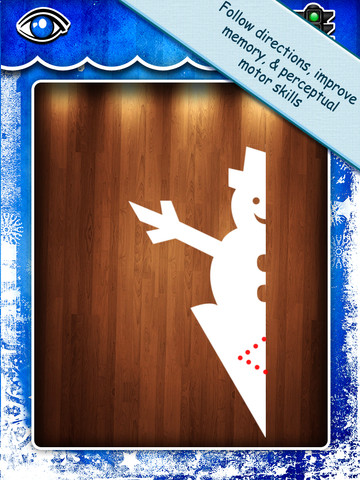
Purple glittery snowflakes – this great educational app is only $.99!! Snowflake Station for the iPad helps kids discover the beauty of symmetry – a key concept in math, science, art, & architecture. The app has 3 sections: Trace a Flake, Creation Station, and Make it Snow. Trace a Flake includes step-by-step instructions for cutting 36 different snowflakes/other symmetrical shapes. In the Creation Station, kids create their own flakes/shapes. There are six different folds, 10 different colored paper, and 10 different colors of glitter to choose from. Kids make “cuts” with their fingers. The tape button works as an undo button. Kids can monitor their progress in the upper left hand corner of the cutting board. Creations can be saved to use in the “Make it Snow” section of the app which does exactly that! Kids use their creations to make it snow in a photo of their choosing. They can use the iPad’s camera to take a picture or use an already saved photo from the camera roll. There are also 10 winter scenes included in the app. Another option in this app is the ability to set up a Juddly (a safe, secure email) account for your child to share his/her creations with you. Very creative & very fun – all while learning about symmetry. 🙂

Common Core Standards:

  • 1.G.3 – Partition a shape into four equal shares, describe the shares using the words halves, fourths, and quarters, and use the phrases half of, fourth of, and quarter of. Describe the whole as two of, or four of the shares. Understand for these examples that decomposing into more equal shares creates smaller shares.
  • 4.G.3. Recognize a line of symmetry for a two-dimensional figure as a line across the figure such that the figure can be folded along the line into matching parts. Identify line-symmetric figures and draw lines of symmetry.

Not only does this app meet CCSS in math, it can also be used in creative writing – The Day It Snowed Orange, Alien Invasion, etc. What a great educational app!

Snowflake Station - Mrs. Judd's Games, LLC

0

3 FREE Apps from the National Council of Teachers of Mathematics

equivalent fractionsFrom the National Council of Teachers of Mathematics comes a FREE app called Equivalent Fractions. Kids create equivalent fractions by dividing and shading squares or circles. Circles can be divided into 24ths. Squares can be divided into 144ths. In the play mode, a fraction is shown and kids must create 2 additional fractions that are equivalent. All 3 fractions must have different denominators. The app also places the fractions on a number line – a great visual for comparing! There is also a “build your own” mode which would be fabulous to use for guided exploration & practice. Kids could also use this section as a virtual manipulative when working independently. This app is an excellent resource for the classroom!

Common Core Standards met:

  • 3.NF.3 – Explain equivalence of fractions and compare fractions by reasoning about their size. Understand two fractions as equivalent (equal) if they are the same size, or the same point on a number line. Recognize and generate simple equivalent fractions, e.g., 1/2 = 2/4, 4/6 = 2/3). Explain why the fractions are equivalent, e.g., by using a visual fraction model.

Equivalent Fractions - National Council of Teachers of Mathematics

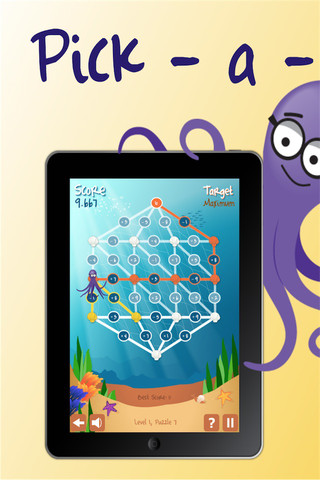
Pick a PathPick-a-Path is another FREE math game from the National Council of Teachers of Mathematics. Kids help Okta the octopus reach a target number by choosing the best path from the top maze to the bottom of a maze. There are 7 different levels with 7 puzzles in each level. The puzzles start with basic operations then move to fractions, negative numbers, decimals, and other more difficult skills. Kids have to plan out a strategy to reach the target which can be a specific value, a minimum value, or a maximum value. This app provides a lot of good skills practice. And… as an extra added bonus, kids have to think of a strategy!

Pick-a-Path - National Council of Teachers of Mathematics

Math concentration

Math Concentration was developed by the National Council of Teachers of Mathematics for students from preschool through fifth grade. It’s a classic matching game that can be played by one or two players. There are six levels of play – numbers 1- 6, numbers 1 – 10, shapes, multiplication, fractions, and percentages & fractions. In all levels, numbers are represented in different ways – written names, digits, pictures, etc. The game also has two modes – a transparent board (for younger students) or a fully covered board. The game is simple to play and kids earn socks for completing all of the matches on the board. 🙂

Download link: https://itunes.apple.com/us/app/math-concentration/id458437534?mt=8&uo=4

0

9 FREE Research Apps on World Leaders

current monarchs

FREE for a limited time – Current Monarchs, a research app about modern day kings and queens. The app contains articles about 30 different monarchs as well as links to web images & resources for additional research. The list is searchable by keywords. You can also bookmark your favorites articles. Check it out as a resource for your classroom.

Download link: https://itunes.apple.com/us/app/current-monarchs/id528988963?mt=8&uo=4

Also FREE for a limited time from the same developer:

The German Monarchy: https://itunes.apple.com/us/app/the-german-monarchy/id493585698?mt=8&uo=4

The Presidents of the Phillippines: https://itunes.apple.com/us/app/presidents-philippines/id471685284?mt=8&uo=4

Russian Tzars: https://itunes.apple.com/us/app/russian-tsars/id409969433?mt=8&uo=4

Guide to Norwegian Monarchs: https://itunes.apple.com/us/app/guide-to-norwegian-monarchs/id617186470?mt=8&uo=4

The French Monarchy: https://itunes.apple.com/us/app/the-french-monarchy/id412656109?mt=8&uo=4

The Monarchs of Prussia: https://itunes.apple.com/us/app/the-monarchs-of-prussia/id602247545?mt=8&uo=4

Danish Monarchs: https://itunes.apple.com/us/app/danish-monarchs/id519500057?mt=8&uo=4

Holy Roman Emperors: https://itunes.apple.com/us/app/holy-roman-emperors/id409919336?mt=8&uo=4

0

6 FREE Apps to Encourage Lifelong Learning

Winter blahs? Try adding one or more of these apps to your daily classroom routine. Students will love learning something new each day!

This Day in HistoryOne of my favorite FREE resources… WORLD BOOK  – This Day in History for iPad is a great FREE resource for the classroom. Historical events for the day are displayed on a calendar page. You can click on links to related media such as articles, photos/illustrations, music, speeches and more! When I was teaching, I had students  do “morning work” (correct punctuation, capitalization, & spelling in two sentences) while I took attendance, did lunch count, etc. This educational app would have been perfect for that daily assignment because I always used information about something interesting that happened that day. After correcting the sentences, the kids and I would discuss the history of that day. I was always amazed at how well kids retained what we had discussed during the opening minutes of every day. Throughout the year they would often remark, “We learned about that in our morning work.” You may want to try making this educational app part of your classroom’s morning routine. 🙂

WORLD BOOK - This Day in History for iPad - Software MacKiev

WonderopolisFREE – Wonderopolis, a fabulous educational app. Explore Wonderopolis (the website) with your mobile device.

Wonderopolis (Wonderopolis | Where the Wonders of Learning Never Cease) is a fantastic website that provides a daily Wonder of the Day®.  A fun & intriguing question is featured every day. The website/app includes a written explanation of the answer, vocabulary words, and a gallery of images & videos – all to foster learning and inspire curiosity about the Wonder of the Day®. Other daily features include a “Try It Out” section which suggests activities based on the day’s question, a “Still Wondering” section which gives additional/related information, and a quiz. There is even a section for teachers/parents called the “Educator Sandbox” with additional resources and opportunities to connect with the Wonderopolis community. It’s such a fascinating and wonderful resource – I enjoy reading it myself!

Using this website/app would be a fabulous addition to a daily classroom routine. Kids could read (or listen to) the daily Wonder of the Day® as part of their independent work time. They could journal about what they learned and/or what they are still wondering about. A class discussion could be scheduled for later. What a great way to encourage THINKING! Wonderopolis is a fabulous resource to ignite the natural curiosity and imagination of kids!

Download link: https://itunes.apple.com/us/app/wonderopolis/id505247028?mt=8&uo=4

BrainPOP has been around for more than a decade as an educational website. The site features short animated movies – 750+ lessons covering science, social studies, math, art & music, etc. The content is geared for grades 4 and above but I found that many movies were also suitable for third graders. When I was in the classroom, it was one of my favorite online resources.

Now you can download the BrainPOP Featured Movie, the educational app for FREE! Your child can learn something new every day. After watching the daily movie there is a short interactive quiz. And… if your child can’t get enough of this app, there are two subscription options: $1.99 per month/ 4 movies & quizzes a day OR $6.99 per month/full access.

Teachers could add the BrainPOP movie of the day to their daily routine. Watch it at a transition time – right before lunch, after lunch, while waiting for buses to called, etc. Interesting and educational!!

BrainPOP Featured Movie - BrainPOP®

Also available for FREE is BrainPOP Jr. Movie of the Week, another educational app. Every week Annie and Moby (two lovable characters) help 5 to 9 year olds learn about a different subject. There is also a quiz and activities to accompany each animated movie. BrainPOP Jr. has been on the web since 2006 delivering content for younger students in science, social studies, reading, writing, math, and more.

Again, teachers could add the BrainPOP Jr. Movie of the Week to their routine. Start your Monday off with the “Movie of the Week” or use it on Friday. BrainPOP gives teachers another way spark kids interest in learning!
BrainPOP Jr. Movie of the Week - BrainPOP®

weirdDid you know that hippo’s lips are about two feet wide? Get ready to learn all sorts of wacky facts with this app. Just updated and FREE – Weird But True, an e-book from National Geographic Kids. Over 625 kid-friendly, wacky facts are presented in a fun & interactive way. Kids can swipe to move from fact to fact or shake their device to generate a random fact. Sound effects and surprises add to the fun! There is a fact finder which kids can use to locates facts by subject – animals, weather, space, etc. The app also includes a “Weird-O-Meter” which kids can use to rate the level of weirdness for each fact. Additional fact packs are available as in-app purchases –  $.99 each. This app won the Spring 2012 Parents’ Choice Award and was chosen as New & Noteworthy, What’s Hot, & Staff Favorites by Apple. Kids will LOVE this app. 🙂
Weird But True - National Geographic Society

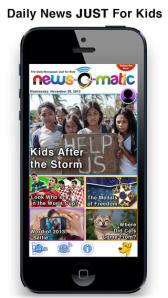
newsCheck out a FREE trial of News-o-Matic, an educational newspaper app for kids 7 – 11 years old. A new edition is published every Monday through Friday. Each edition features 5 articles from the news – sports, science, world news, wacky events, etc. The articles are kid-friendly and age-appropriate. Kids can read on their own or have the articles read to them. Important vocabulary words are underlined and linked to their definitions. The articles also include fun facts, a map for locating where the news is happening, videos, and games. Once registered, kids can connect to the News Room to draw pictures, express opinions, or ask questions about the news. This app helps kids become informed citizens of the world!

The FREE trial lasts for 2 weeks. After that, you must subscribe: yearly – $19.99. monthly – $1.99, or weekly – $0.99. If you subscribe before the end of your free trial, you get a special rate. Teachers, there is also a News-o-Matic School Edition. It comes with a teacher’s guide which includes discussion prompts, comprehension questions, Lexile reading levels, and more. And, it’s a great resource for non-fiction reading!

Download link: https://itunes.apple.com/us/app/news-o-matic-daily-reading/id578023255?mt=8&uo=4

0

Love You Back!

imageFREE for a limited time – Love You Back, a touching story about the love between a grandmother and her granddaughter. The app has three modes: read to me, read myself, or autoplay. The app can be personalized by recording the story in your own voice. Sweet!

Download link: https://itunes.apple.com/us/app/love-you-back!/id451554889?mt=8&uo=4

0

Digital Tools for Teachers

Calling all teachers… Here are 9 apps that will help YOU in a variety of ways: grade student work, keep in contact with parents, establish class discipline/routines, help students be organized, track student progress with ePortfolios, organize presentations, and create tutorial videos.  And most of them are FREE – wow!

1. Socrative 

Still FREE and getting better with every upgrade – Socrative, an app that turns any device with a web browser into a student response clicker. I have been a fan of Socrative since I first discovered it two years ago. It’s one of those apps that I wish had been around when I was still in the classroom. Last July, Socrative added two additional quiz features. # 1 – Teachers can now add images to their questions. #2 – The system can now grade short answer questions. Teachers just input the acceptable answers and the system does the rest. 🙂

The Socrative website and app are unbelievably cool – they turn any device with a web browser (iPhone, iPad, laptops) into a student response clicker. If a teacher has access to any kind of wireless lab, he/she can engage the entire class in a game or quiz and watch the results in real-time. Teachers begin by using their teacher app or logging into t.socrative.com with their email and password. Once logged in, teachers are assigned a room number to share with their students. Students log in using their student app or at m.socrative.com and enter the “virtual room number” provided by the teacher. Teachers initiate an activity and students respond on their devices. Multiple choice and short answer quizzes are easy to create – types of questions can be mixed. Teachers can also choose to run the quiz as a Space Race game. The students’ responses are visible to the teacher in real-time. Teachers can see what each child answered individually as well as what the group answered collectively. And the best part is… the app grades, graphs the results, and generates a report as an Excel spreadsheet or an email.

What a powerful tool for teachers – a short quiz at the end of a lesson can pinpoint what students understand and what needs to be reviewed. Hours of grading and analyzing test results are done immediately. Every student is involved – wow!

Link to new user guide: http://www.socrative.com/materials/SocrativeUserGuide.pdf

Teacher app Teacher Clicker - Socrative - Socrative           Student app Student Clicker - Socrative - Socrative

2. Remind: Safe Classroom Communication

Used by over 700,000 teachers…

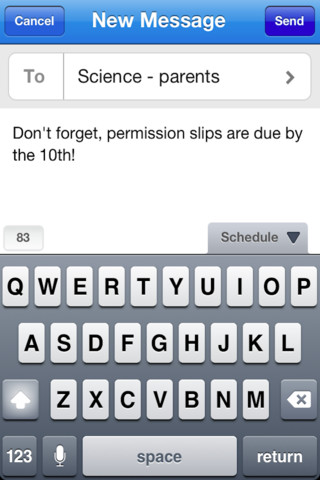
Remind: Safe Classroom Communication is a FREE iPhone/iPad app that provides a safe way for teacher to text or email parents/students. To start, a teacher goes to the Remind 101 website to add his/her class list. A unique code is generated and the teacher shares that code with parents/students. The parent or student then sends a text message with the code to subscribe to the teacher’s class. From that point on, the parent/student will receive any message that the teacher sends from Remind 101. Teachers can text or email their entire class in minutes – homework assignments, field trip reminders, etc. All phone numbers remain private –  students never see the teacher’s phone # and the teachers never see the students’ numbers. This app has been written about by NBC, NPR, Huffington Post, Edutopia, and Edweek. Wow – what a great tool for improving communications but maintaining your privacy!

Remind101 - remind101

3. Class Dojo

Class Dojo is constantly improving. It now includes FREE messaging! A teacher can now send “direct” messages to individuals and/or “broadcast” messages. This great FREE app just got better!!

ClassDojo is a FREE & fabulous tool that helps improve classroom behaviors. Rewarding good behavior in real-time is easy – all it takes is a click. To use ClassDojo, you only need one device (computer, smart phone, a laptop, or a tablet) and an internet connection. It is very easy to set up. Each student on your class list is assigned a cute, monster-like avatar. Kids earn points for positive behaviors and lose points for negative behaviors. ClassDojo is also fully customizable so you can delete behaviors from the original list and/or add your own behaviors. As you use it, it automatically logs any data that you input. This data can be used to generate behavior reports to share with parents and administrators. How awesome is that? You can go into a meeting/conference with reports in hand! And now, parents can check online to see what kind of day their child is having.

If I were still in the classroom, I would enter my class list twice – once for data on work/study habits and the other for data on behaviors. I would make my habits/behaviors match exactly what was on my report cards. Then as I used the app, I would also be gathering data for my report cards. At the end of the grading period, I would just print out the date and enter it on the report cards – how easy!  I would also have the data (in a printed report) to be able to back up any grade on the card.  “As you can see Mrs. Doe, Jane only turned in her homework 56% of the time.”  Instant data would also be available for the RTI process, IEPs or any other team meeting on a child. What a powerful tool for teachers! An educational app that has the ability to positively impact the learning environment – LOVE it!!

Check out the website for more information: www.classdojo.com

ClassDojo - Class Twist Inc

4. Homework+

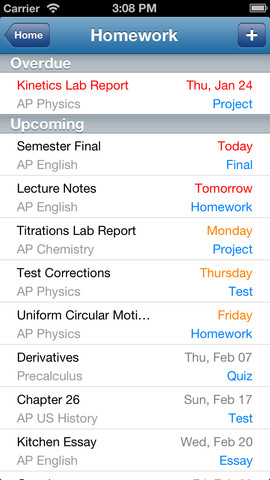
Homework+Currently $.99 – Homework+, a simple to use homework/test planner. This educational app is geared towards older students who are taking multiple classes. It could also be used with younger kids as an electronic assignment book. It’s never too early to teach kids how to be organized. 🙂

To set up the app, first edit the subject list & category lists to reflect what you are studying. After that, it is very easy to add assignments to the calendar – just give the assignment a title, choose the subject & category, put in the due date, choose a level of priority, and save. As you finish an assignment, mark it as complete and the app moves it to the finished list. App badges show you how many assignments you have and how many you have finished. Notifications can be set (1 or 2 days before) to remind you of an upcoming assignment. The app also keeps track of overdue assignments. Very slick and intuitive – great for teaching kids to be organized!!

Homework+ - Chijang Huang

5. Too Noisy

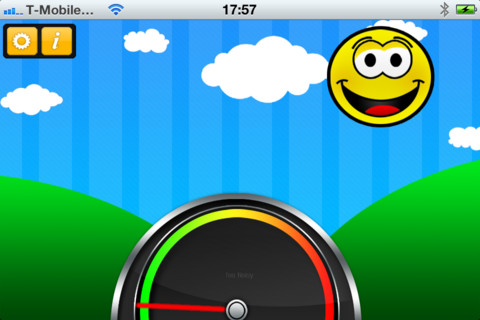
Too Noisy Lite is a FREE noise meter for iPhone/iPad. It measures the level of noise in a room and graphically displays whether it is at an acceptable level or not. If the level is acceptable, a smiling face is displayed. If the noise level increases beyond a level of acceptability, the graphic changes to indicate that the noise level is NOT acceptable. In the settings, a teacher/adult can adjust the sensitivity of the meter to go with the activity. A testing situation could be set at a 99% sensitivity level and group work could be set at a much lower sensitivity level. The meter worked when I tried it but, I was not in a large room with a group of kids. I would think that the FREE version is worth a try to see if it works for your situation. There is also a PRO version available for $.99. By using an Apple Digital AV adapter or a VGA adapter, Too Noisy can be projected on a TV or monitor so kids can learn what noise level is acceptable – cool idea! Another great FREE educational app!

Too Noisy - Walsall Academy

6. Easy Portfolio

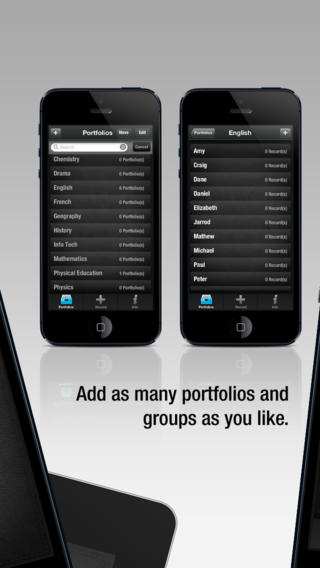
eportfoliosCurrently $1.99 – Easy Portfolio – ePortfolio Tool for Students & Teachers. Download this educational app today to start getting organized for the upcoming school year. Easy Portfolio makes it simple for teachers to create ePortfolios for individuals, groups, or subjects. Individual student portfolios can be used to track student progress, highlight student achievement, monitor classroom behavior/work habits, and more. Subject portfolios can be used to organize teacher resources – videos, websites, images, etc. Imagine having everything you need to teach a unit or to make a presentation in one portfolio. The possibilities for using Easy Portfolio are endless.

Easy Portfolio is very simple to use. Just name your portfolios to begin. Then it’s easy to add videos, images, audio recordings or music, notes, URLs and digital documents. Added files are stored by type and can be sorted by date or ABC order. Files can also be shared via email or Dropbox. How wonderful it would be to have a digital portfolio for every student in your class. It would make getting ready for parent-teacher conferences or a IEP meeting a breeze! Capture and share your students’ learning this year with Easy Portfolio🙂

Download link: https://itunes.apple.com/us/app/easy-portfolio-eportfolio/id516212900?mt=8&uo=4

7. Educreations 

Educreations is great FREE app that turns your iPad into a recordable whiteboard. You can create tutorial videos for a variety of purposes: teach a lesson, create example math problems, explain a diagram, add commentary to your photos, etc. This educational app records & replays your voice, handwriting and/or drawings. Educreations is simple to use and permits you to build lessons with multiple pages. The editing tools allow you to: add text to any page, add photos, resize and move images, easily erase drawing mistakes, create “animated playback” by dragging objects as you record, and more.
But the best thing about this app is the ability to share your work. Free accounts are available at http://www.educreations.com where you can share your work as well as look at lessons created by others. Students can be given online access to the lessons that you have created there. Or, you can embed your lessons on your class blog/website. Students can watch a lesson before class or review a lesson after class. Absent students can watch from home. You can post information to help students with their homework. You can tutor someone online. Parents can log in to find out what is going on in class so they can help their children. What a powerful tool!! This app is being used at all levels of education including the college level. The features of Educreations make it a standout among the recordable whiteboard apps!

Educreations Interactive Whiteboard - Educreations, Inc

8. ZipGrade

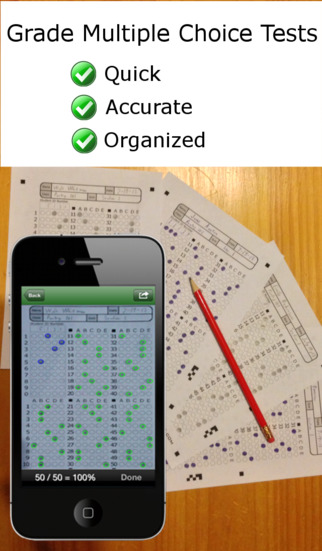
zip grade 1FREE to try – ZipGrade, a slick app that grades multiple choice tests & quizzes instantly by using your device’s camera as a scanner. It’s very easy to use. First go to ZipGrade.com to download an answer sheet for any size test – 1 to 100 questions. Print as many as you need. A 100 scan demo is FREE with the download. Click new quiz and enter your answer key. Start scanning/grading. ZipGrade can scan up to 20 tests per minute. The app can be set up to use student ID numbers or student names. Results are organized for reporting/exporting via PDF and Excel. They can also be synced between devices. Students will love the instant feedback and teachers will love the item analysis. This app would be especially great for high school/college teachers who have overwhelming numbers of test/quizzes to grade. Check out the FREE version today! The full version of the app is $1.99 for 2 months or $6.99 for 1 year.

Download link: https://itunes.apple.com/us/app/zipgrade-grade-paper-tests/id635077270?mt=8&uo=4

9. Popboardz

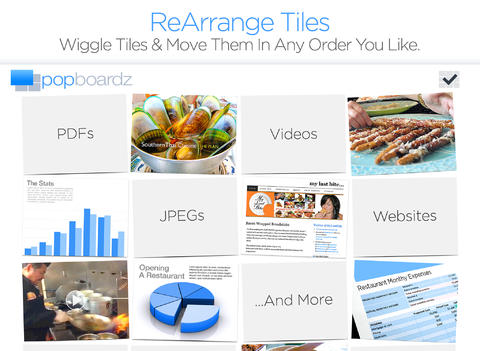
PopboardzFREE again for a limited time – Popboardz, a productivity tool that normally sells for $4.99. Popboardz makes it easy to organize, store, and present information. Each board is a grid with 16 spaces for content so that all of your PDFs, images, videos, websites, can be arranged on one screen. Unlike other presentation tools, Popboardz makes it easy to customize your presentation to meet the needs of your group. Just click on the grid space that contains the example, information, or link that you would like present next! It’s easy to skip around. This app would be fabulous to use in the classroom. A teacher could organize all his/her digital resources for a unit on one board. That board can be saved so it is always ready to present! It is also easy to edit and/or rearrange boards so that lessons can be tweaked as new resources become available. Students could also use Popboardz – to organize information, to present projects, to give reports, and more. What a great educational app!

Download link: https://itunes.apple.com/us/app/popboardz/id563989511?mt=8&uo=4

0

Martha Speaks Story Maker.

image

Martha Speaks Story Maker from PBS is FREE! Kids can create eight different interactive stories with this educational app based on the 1990s book by Susan Meddaugh. Martha is a dog who can speak as a result of eating alphabet soup. She is the narrator of the stories that your child creates. Kids choose a who (character), a where (setting), and several whats (more characters and objects) to move the plot along. The app presents 128 different vocabulary words that are reinforced in the “word bone zone” which is found at the end of each story. Thanks PBS for another great educational app for young kids!!

Download link: https://itunes.apple.com/us/app/martha-speaks-story-maker/id556624499?mt=8&uo=4

0

3 FREE Poetry Apps from the International Reading Association

Planning a poetry unit? The International Reading Association has some apps that may help.

Here are three.
They are FREE. 🙂

acrosticAcrostic Poem helps kids learn about and write acrostic poetry. An acrostic poem uses a word as its subject. The word is written vertically so that each letter begins a line of the poem. All lines of the poem describe or relate to the subject word. The poem does not have to rhyme. Acrostic poems are easy to write and great for having kids introduce themselves, Mother’s Day, Father’s Day, etc.

The app is perfect for a classroom where devices are shared because each student creates his/her own profile. The app explains an acrostic poem and gives an example. Then the student enters his/her topic word. The app advances to a brainstorming page where the student can enter ideas to help write the poem. Then the app advances to a “write your poem” page. The brainstormed words are displayed to help. Work can be saved in progress – reinforcing the elements of the writing process. Finished poems can be saved to the device’s camera roll or emailed. This app mirrors ReadWriteThink’s popular acrostic poem web-based interactive: http://www.readwritethink.org/classroom-resources/student-interactives/acrostic-poems-30045.html. Students can send their editable poems to an email address and then open them in the online tool!

Download link: https://itunes.apple.com/us/app/acrostic-poem/id724841119?mt=8&uo=4

diamanteDiamante Poem helps kids learn about and write diamante poetry. Diamante poems can be written about one central topic or two opposing topics such as day/night. A diamante poem has seven lines and is written in the shape of a diamond. The first and last lines are just one word – nouns. The second and sixth line are two words – adjectives. The third and fifth lines are three words – “ing” words. And the middle line has four+ words – nouns or prepositional phrases. Diamante poems are great for teaching parts of speech and synonyms/antonyms.

The app is perfect for a classroom where devices are shared because each student creates his/her own profile. The app explains a diamante poem and gives two examples – a synonym poem and an antonym poem. Then the student enters his/her beginning and ending topic words. The app advances to a “write your poem” page where the student enters his/her words. The app reminds students which kids of words should be used on each line. Work can be saved in progress – reinforcing the elements of the writing process. Finished poems can be saved to the device’s camera roll or emailed. This app mirrors ReadWriteThink’s popular diamante poem web-based interactive: http://www.readwritethink.org/classroom-resources/student-interactives/diamante-poems-30053.html. Students can send their editable poems to an email address and then open them in the online tool!

Download link: https://itunes.apple.com/us/app/diamante-poem/id724953313?mt=8&uo=4

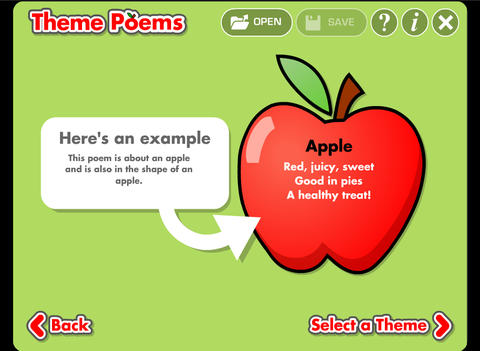
theme poemTheme Poem helps kids learn about and write theme poetry. A theme poem is sometimes called a shape poem. It is written in the shape of what the poem is about. For example, the apple poem is written in the shape of an apple.

Again, this app is perfect for a classroom where devices are shared because each student creates his/her own profile. The app gives an example of a theme poem. Then the student selects one of 5 themed files – nature, school, sports, celebrations, shapes. Each themed file has 5 – 8 shapes for students to choose. Once a shape is chosen, the app advances to a “think of words” page for the student to brainstorm his/her ideas. Then the app advances to a “write your poem” page. The brainstormed words are displayed to help. Work can be saved in progress – reinforcing the elements of the writing process. Finished poems can be saved to the device’s camera roll or emailed. This app mirrors ReadWriteThink’s popular theme poem web-based interactive: http://www.readwritethink.org/files/resources/interactives/theme_poems/. Students can send their editable poems to an email address and then open them in the online tool!

Download link: https://itunes.apple.com/us/app/theme-poem/id724978211?mt=8&uo=4

0

Pat the Bunny

image

Pat the Bunny goes digital and it’s on sale for $.99.

Download link: https://itunes.apple.com/us/app/pat-the-bunny/id430902036?mt=8&uo=4