0

Mr. Sandman

mr sandmanFREE for a limited time – Mr. Sandman is a beautiful, interactive bedtime story for the iPad/iPhone. The story does a nice job of addressing a common fear of childhood. It is about a young boy who is afraid of the dark. The sandman appears and the boy drifts off to sleep. In his dream, he meets an owl who shows him wonderful & magical things about the dark. The app features incredibly beautiful artwork and dreamy music – perfect to set the mood for the story. But the most wonderful thing about this app is the way that it transitions from page to page. Kids move the story forward in a variety of unique ways. They help the sandman sprinkle the sand, say “Shhh” to calm the frogs, scratch the owl’s belly, touch the moon, and more. Each page transitions to the next page in a uniquely delightful way. And, the app can be switched different languages – nine in all. Mr. Sandman is wonderful – don’t miss it! 🙂

Download link: https://itunes.apple.com/us/app/mr.-sandman/id511273529?mt=8&uo=4

0

More Everyday Math ® APPS: Baseball Multiplication 1-6, Baseball Multiplication 1-12, Top It Subtraction, Tric Trac,

FREE for a limited time – 4 different apps from McGraw Hill Everyday Math ®. If your school system uses this program to teach math, you may want to take advantage of this offer. These apps normally sell for $1.99 each.

Baseball Multiplication

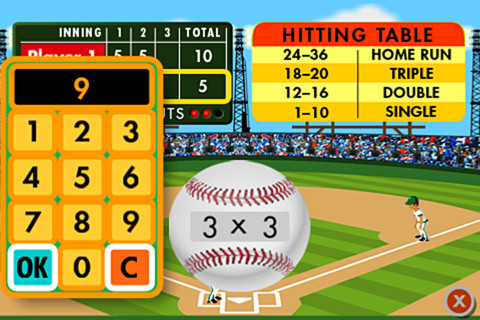
Everyday Math’s Baseball Multiplication comes in 2 versions (1 – 6 facts and 1 – 12 facts) and both versions work the same way. Two players play a 3 inning baseball game as they practice their facts.

Common Core Standards met:

  • 3.OA.7 –  By the end of Grade 3, know from memory all products of two one-digit numbers.

Everyday Mathematics® Baseball Multiplication™ 1–6 Facts - McGraw-Hill School Education Group Baseball Multiplication 1 – 6

Everyday Mathematics® Baseball Multiplication™ 1-12 Facts - McGraw-Hill School Education Group Baseball Multiplication 1 – 12

Top It

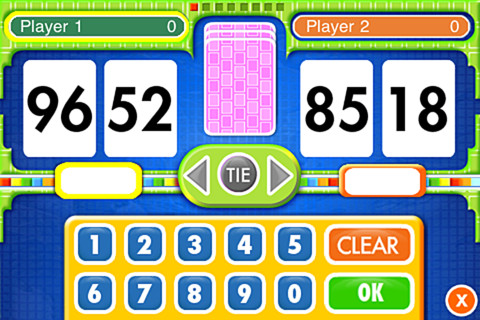
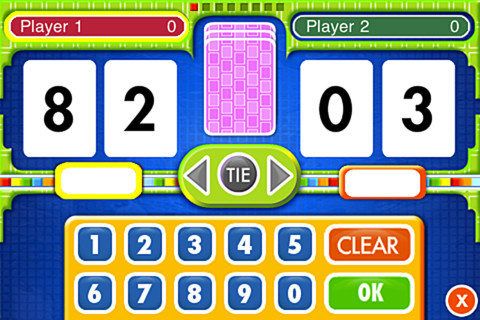
Everyday Math’s Top-It Subtraction for iPhone/iPad is a two player game. It is fun easy way for kids to practice reinforce 2-digit subtraction computation and number comparisons.

Everyday Mathematics® Subtraction Top-It™ - McGraw-Hill School Education Group

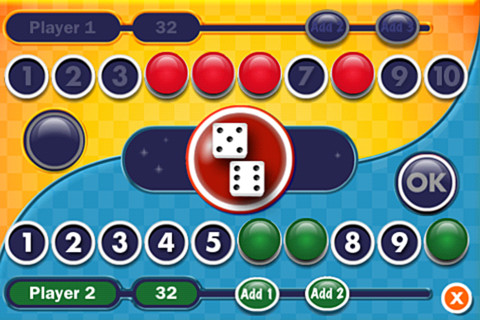
Tric TracEveryday Math’s Tric Trac is a 2 player game for kids to practice their addition facts. Players roll dice, find the sum, then match the sum to numbers in their hand. Every match eliminates that number or numbers from their hand and reduces their score. The player with the lowest score wins!

Common Core Standards met:

  • 1.OA.6 – Add and subtract within 20, demonstrating fluency for addition and subtraction within 10.

Everyday Mathematics® Tric-Trac™ - McGraw-Hill School Education Group

0

Everyday Math® APPS: Addition Top – It, Beat the Computer, Squeeze Monster, Equivalent Fractions, Divisibility Dash

FREE again!!!

5 educational apps from McGraw Hill’s Everyday Math® – If your school system uses this program to teach math, you may want to take advantage of these offers. 🙂

Everyday Math’s Addition Top-It app for iPhone/iPad is a two player game. It is fun easy way for kids to practice basic addition facts from 1 – 10 and greater than/less than.

Common Core Standards met:

  • 1.OA.6 – Add and subtract within 20, demonstrating fluency for addition and subtraction within 10.
  • 2.OA.2 – Fluently add and subtract within 20 using mental strategies. By end of Grade 2, know from memory all sums of two one-digit numbers.

Everyday Mathematics® Addition Top It - McGraw-Hill School Education Group

Everyday Math’s Beat the Computer app for iPhone/iPad is fun easy way for kids to practice basic multiplication facts. They race against the computer to score as many points as they can.

Common Core Standards met:

  • 3.OA.7 –  By the end of Grade 3, know from memory all products of two one-digit numbers.

Everyday Mathematics® Beat the Computer™ Multiplication - McGraw-Hill School Education Group

Everyday Math’s Squeeze Monster app for iPhone/iPad is a two player game. Designed for younger students, it reinforces number line concepts and number comparisons.

Everyday Mathematics® Monster Squeeze™ - McGraw-Hill School Education Group
Everyday Math’s Equivalent Fractions app for iPhone/iPad is fun easy way to reinforce fraction concepts. Note: the app uses a digital version of the fraction cards from the Everyday Math third grade book.

Common Core Standards met:

  • 3.NF.3 – Explain equivalence of fractions and compare fractions by reasoning about their size. Understand two fractions as equivalent (equal) if they are the same size, or the same point on a number line. Recognize and generate simple equivalent fractions, e.g., 1/2 = 2/4, 4/6 = 2/3). Explain why the fractions are equivalent, e.g., by using a visual fraction model.
Everyday Mathematics® Equivalent Fractions™ - McGraw-Hill School Education Group
Everyday Math’s Divisibility Dash app for iPhone/iPad is fun easy way to practice recognizing multiples of a number and applying divisibility tests.

Common Core Standards met:

  •  4.OA.4 – Find all factor pairs for a whole number in the range 1–100. Recognize that a whole number is a multiple of each of its factors. Determine whether a given whole number in the range 1–100 is a multiple of a given one-digit number. Determine whether a given whole number in the range 1–100 is prime or composite.

Everyday Mathematics® Divisibility Dash™ - McGraw-Hill School Education Group

0

Spelling Star

spelling star

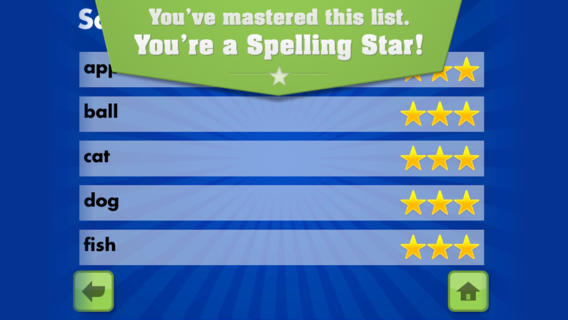
FREE for  limited time – Spelling Star, an educational app for practicing spelling lists. The app is simple to use – just type in and record the words. You may also include sentences to clarify the words’ meanings. Kids must spell each word correctly three times to become a Spelling Star.  Words are presented in random order. As kids practice, they can get a hint – a quick look at the word spelled correctly. When they spell a word without a hint, they earn a star. Spelling Star provides feedback after each word is spelled with the option to “try again” when an error is made. This educational app is great for home and/or school. Parents can use it to input spelling lists for multiple kids. Kids may enjoy inputting their own lists at the beginning of the week which would be GREAT practice! Teachers can create lists on one device and share those lists with anyone who has the Spelling Star app. Simple to use, effective, and tracks progress – what more do you need? 🙂

Download link: https://itunes.apple.com/us/app/spelling-star/id557070660?mt=8&uo=4

0

Walter’s Flying Bus

Walter's Flying Bus

FREE for a limited time – Walter’s Flying Bus, a story inspired by the real-life dreams of Walter and his friends (orphaned, special needs children in Uganda.) Walter finds an abandoned bus. With his friends and a little work, the engine soon roars to life! This e-book is inspirational – a celebration of the talents & beauty of every child. It is narrated in English, Spanish and Luganda (a primary language of Uganda). The educational app also includes mini-documentaries of the real-life children featured in the book. According to the developer  – “ONE HUNDRED PERCENT of after-tax profits from App sales go to efforts helping orphans with special needs, including advocacy, care, and adoption assistance grants.” Nice story with a great message!

Walter's Flying Bus - Chosen and Dearly Loved, LLC

0

FunSlides HD

imageFREE today – FunSlides HD, a fabulous photography app that creates videos of your slide shows. This app is extremely easy to use. Just choose photos from your camera roll. Then add music, voice, text and/or transitions. Press a button and it turns your slide show into a video. It’s THAT simple – easy enough for kids to use! Which is why I am recommending it. Kids could use this app to create all sorts of projects – timelines, reports, montages, etc. Finished projects can be shared via email or YouTube. Very user friendly and fun!!

Download link: https://itunes.apple.com/us/app/funslides-hd-make-hd-video/id590225705?mt=8&uo=4

0

ABCmouse.com 26 A-Z Music Videos

a to z

FREE – A to Z Music Videos. This app has 26 animated videos  – one for each letter of the alphabet. As kids watch the videos, they earn tickets to unlock other videos. There is also an option to purchase tickets to unlock videos more quickly. The videos are top-notch! They help children learn letter names and sounds AND develop vocabulary. Every video is produced in a different musical style, so kids are also introduced to a wide variety of musical genres. This app is a must-have for preschool, kindergarten, and first grade teachers – a perfect introduction to the letters of the alphabet!

Common Core Standards met:

  • K. RF.3 – Know and apply grade-level phonics and word analysis skills in decoding words. Demonstrate basic knowledge of one-to-one letter-sound correspondences by producing the primary sound or many of the most frequent sounds for each consonant. Associate the short sounds with common spellings (graphemes) for the five major vowels.

ABCmouse.com 26 A-Z Music Videos - Age of Learning, Inc.

0

What Time is is Mr. Wolf?

What Time

What Time is it Mr. Wolf? (by Teacher’s Pet) is FREE for a limited time. Make sure you get the correct one – there is another app by the same name by Joy Preschool. This educational app features a Wilfred the Wolf who spins the clock on the face of the moon 10 times. Kids have to choose the correct answer and drag it under the moon. The wolf giggles and says “well done” if the answer is correct. The app’s setting allows you to choose what interval of time you would like your child to work on – hours, half hours (half past), quarter hours, 10 minutes, or 5 minutes. Answers can be displayed in words, digitally, or mixed. You can also set the number of answers per question.

The Common Core Standards expect first graders to tell time to the 1/2 hour, second graders to tell time in 5 minute intervals (AM and PM), and third graders to tell time to the minute. So, this app would work well for first and second graders but not third graders. I like that this app includes practice with the words  – half past, quarter after, quarter to. It is a difficult concept for some kids to understand. Nicely done!!

Common Core Standards met:

  • 1.MD.3 – Tell and write time in hours and half-hours using analog and digital clocks.
  • 2.MD.7 – Tell and write time from analog and digital clocks to the nearest five minutes, using a.m. and p.m.

What Time is it Mr. Wolf? - by Teacher's Pet - Teacher's Pet

0

Santa’s Home

Santa's home
“He sees you when you’re sleeping. He knows when you’re awake.”
Now you can see what Santa is doing with Santa’s Home, a $.99 app. The app is a “LIVE” feed of Santa’s house – the bedroom, the kitchen, the living room, his office/workshop, and the outside grounds. Kids can keep track of what Santa is doing up at the North Pole. I checked in on Santa a few times – first he was in the kitchen washing his dishes, then he was on the computer checking his list, and a little after 11 PM he was in bed snoring. The app even displays the correct date and time to make it seem more realistic. The app also gives adults the option of can subscribing to Santa’s newsletter. Adults can also help kids send Santa one of their drawings that he will display in his workshop. Super cute!!
Teachers – This would be a fun one to use for creative writing!! It would also be fun for teaching prediction. :)
0

Snowflake Station

Snowflake Station

Winter seems to have arrived early this year.

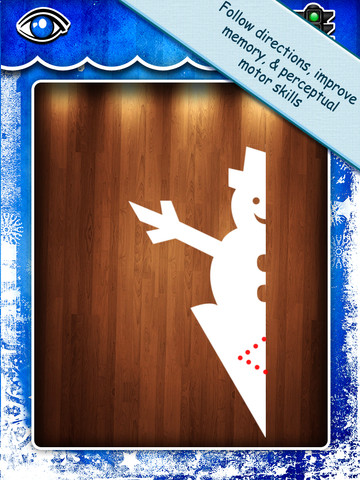
Purple glittery snowflakes – this educational app is only $.99!! Snowflake Station for the iPad helps kids discover the beauty of symmetry – a key concept in math, science, art, & architecture. The app has 3 sections: Trace a Flake, Creation Station, and Make it Snow. Trace a Flake includes step-by-step instructions for cutting 36 different snowflakes/other symmetrical shapes. In the Creation Station, kids create their own flakes/shapes. There are six different folds, 10 different colored paper, and 10 different colors of glitter to choose from. Kids make “cuts” with their fingers. The tape button works as an undo button. Kids can monitor their progress in the upper left hand corner of the cutting board. Creations can be saved to use in the “Make it Snow” section of the app which does exactly that! Kids use their creations to make it snow in a photo of their choosing. They can use the iPad’s camera to take a picture or use an already saved photo from the camera roll. There are also 10 winter scenes included in the app. Another option in this app is the ability to set up a Juddly (a safe, secure email) account for your child to share his/her creations with you. Very creative & very fun – all while learning about symmetry. 🙂

Common Core Standards:

  • 1.G.3 – Partition a shape into four equal shares, describe the shares using the words halves, fourths, and quarters, and use the phrases half of, fourth of, and quarter of. Describe the whole as two of, or four of the shares. Understand for these examples that decomposing into more equal shares creates smaller shares.
  • 4.G.3. Recognize a line of symmetry for a two-dimensional figure as a line across the figure such that the figure can be folded along the line into matching parts. Identify line-symmetric figures and draw lines of symmetry.

Not only does this app meet CCSS in math, it can also be used in creative writing – The Day It Snowed Orange, Alien Invasion, etc. What a great educational app!

Snowflake Station - Mrs. Judd's Games, LLC