0

Teacher Clicker – Socrative / Student Clicker – Socrative

This website and app are unbelievably cool – they turn any device with a web browser (iPhone, iPad, laptops) into a student response clicker. If a teacher has access to any kind of wireless lab, he/she can engage the entire class in a game or quiz and watch the results in real-time. Teachers begin by using their teacher app or logging into t.socrative.com with their email and password. Once logged in, teachers are assigned a room number to share with their students. Students log in using their student app or at m.socrative.com and enter the “virtual room number” provided by the teacher. Teachers initiate an activity and students respond on their devices. Multiple choice and short answer quizzes are easy to create – types of questions can be mixed. Teachers can also choose to run the quiz as a Space Race game. The students’ responses are visible to the teacher in real-time. Teachers can see what each child answered individually as well as what the group answered collectively. And the best part is… the app grades, graphs the results, and generates a report as an Excel spreadsheet or an email.

What a powerful tool for teachers – a short quiz at the end of a lesson can pinpoint what students understand and what needs to be retaught. Hours of grading and analyzing test results are done immediately. Every student is involved – wow!

Highly recommended!

Teacher app Teacher Clicker - Socrative - Socrative           Student app Student Clicker - Socrative - Socrative

0

Toy Story

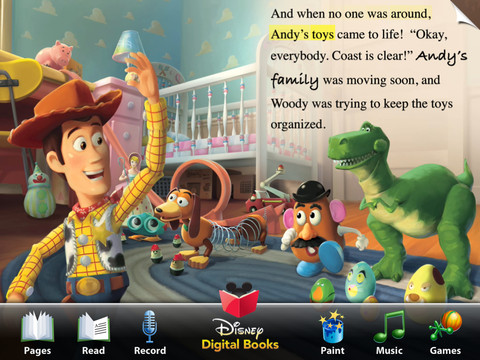
I could probably review this app in 5 word: FREE, Disney’s Toy Story, download… It’s a winning combination 🙂

This app is a FREE interactive reading adventure for the iPad created by Disney Pixar. Kids can choose to have the story read to them, explore at their own pace, or record their own narration. The app also has coloring pages, games, singalongs, and video clips. Animations and surprises are found throughout the story. It is a fun interactive book with a positive message about friendship. A must have for fans of Toy Story!

Recommended!

Toy Story Read-Along - Disney

0

Math Magician

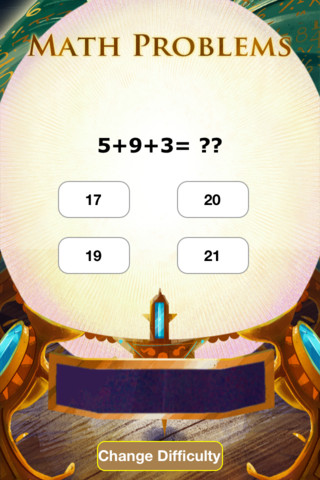
This app for the iPhone/iPad was just launched on August 7, 2012 and it has already been offered for FREE twice. There are 3 levels with several math concepts covered within each level. The easy level covers counting 1-120, skip counting by 2 & 5, addition 1-20, subtraction 1-20, and greater/less than 0-20. The medium level covers: skip counting (10 and 100), addition 0-100, subtraction 0-100, add/subtract by 10, greater/less than 0-100, multiplication 1-10, and division 1-10. The hard level covers: addition 100-500, subtraction 50-200, multiplication facts 0-12 and division facts, 0-12.

Kids earn treasure from the magician as they solve problems in the magic crystal ball. As kids answer correctly, the magic meter bar fills so they can keep track of their progress. Correct solutions are shown in the meter bar after the question is answered. Kids have to answer about 30 questions correctly in order to earn a treasure – which seems a little high to me. The other concern I have is that the answers do not reflect common mechanical mistakes. Kids can arrive at the correct answer by just adding or subtracting one’s place. Example:  386 + 199 = ?? and the 4 answers are 586, 585, 587, 589. If a student knows that 6 = 9 is 15, he/she will pick the answer with the 5 in one’s place. The more common error that kids make is forgetting to move the 10 over. So… 4 better answer choices might be 485, 585, 575, 475. That being said… there is a lot of good practice in this app.

Common Core Standards met:

  • 1.OA.6 – Add and subtract within 20, demonstrating fluency for addition and subtraction within 10.
  • 2.OA.2 – Fluently add and subtract within 20 using mental strategies. By end of Grade 2, know from memory all sums of two one-digit numbers.
  • 3.OA.7 – Fluently multiply and divide within 100, using strategies such as the relationship between multiplication and division or properties of operations. By the end of Grade 3, know from memory all products of two one-digit numbers.

Keep reading my blog to find out when apps are offered for FREE.

Math Magician - abcteach

0

I Hear Ewe

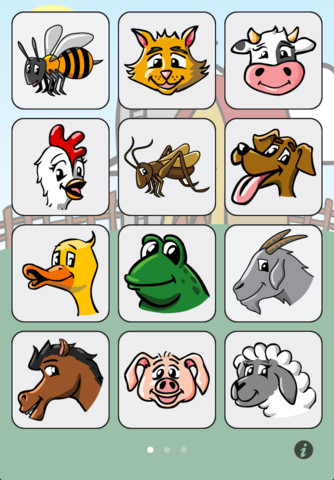
This simple to use app for the iPhone/iPad is designed for toddlers and is FREE. When your child taps on an animal’s picture, a voice says “This is the sound a ____ makes” and the sound follows. This app is so easy to use and the buttons are big enough for little fingers. 24 animal sounds and 12 vehicle sounds are included. Also, there are 5 language options: English, Spanish, Chinese, German, and Japanese. This app is perfect for little ones who love naming animals and making their sounds 🙂

Recommended!

I Hear Ewe - Animal Sounds for Toddlers - Claireware Software

0

gFlash+ Flashcards & Tests

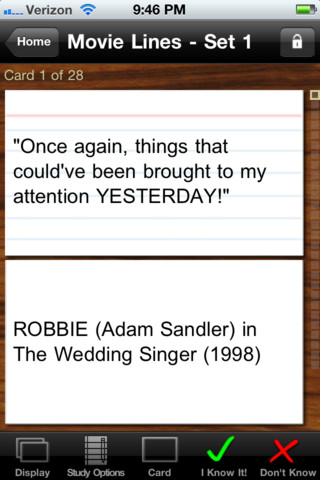
This iPod/iPad app was just updated today (8/26) and is currently FREE. It allows you to create, download, and manipulate flashcards for everything that you can imagine. You can create your cards in a Google docs spreadsheet and download it into the app or you can create your cards within the app. There is no limit on how many card sets you can have. Card sets created by leading educational publishers (Kaplan, Barron’s, McGraw-Hill, Wiley Publishing, etc.) are available as in-app purchases. You can also download and share sets from the gWhiz catalog. You must have an active wireless connection to download card sets or to use card sets with videos.

Once you have your cards ready, studying becomes simple. First choose box configuration or classic configuration. Both configurations keep track of the cards that are known & unknown. The box configuration has an unknown box, a known box, and a mastered box. As you go through the cards, the app keeps track of how many cards are in each box. In the classic mode, there is line of small cards on the right side of the screen. If you know a card, the little card turns green and if you do not know it, it turns read. It’s a nice visual for younger kids. A study score (percentage) is also given. Teachers of younger students could create the cards in Google docs for kids to download and study. This app is such a valuable tool for students of all ages to use in so many ways. I wish it would have been available when my kids were studying for the SAT and GRE. 🙂

Highly recommended!

gFlash+ Flashcards & Tests - gWhiz, LLC

0

iRiddles for Kids!

This FREE app for the iPhone/iPad is simple to use. Scroll through the 100 + riddles within the app and double tap to reveal the answer. You may already know many of these riddles – they are not necessarily new. But… they are kid appropriate. The only one that was a bit “off” is: If a fire hydrant has H2O on the inside, what does it have on the outside? K9P. The app has an index to the riddles included. There is also an option to email a riddle to a friend. I have always been a fan of riddles because they make kids think – brain exercise for elementary-aged kids with a smile or two along the way. 🙂

iRiddles for Kids! - D. Noel Keshwar

0

My Editing Buddy

This iPad app is a FREE simple to use word processor designed for use in elementary classrooms. But…there is so much more to this app. Kids can share their work with classmates and learn to edit using this app. To create an account, you need to provide an email address. The app can be used without an account but it will not save documents. After the account is created, just log in and create your document. Then it’s time to share your work with someone who will edit it. You can choose: “pass & edit” or “add to sharing network.” If you choose “pass & edit” you literally hand your work to someone for editing. Symbols and sticky notes are along the bottom of the screen when the app is in the editing mode. The “editor”  just drags the appropriate symbol in place to edit the document. A glossary of symbols is available by tapping the question mark. Sticky notes are available for more detailed feedback. When finished, your “editor” saves then returns your work. You can now swipe from your word processing version to the edited version and make revisions. If you choose “add to sharing network” your work will posted to your class for anyone to edit. Teachers need to set up a class for their students and provide students with the class password. Be aware that anyone who has an account can set up “a class” so teachers may have to monitor this option. What an awesome way to get kids involved in and excited about peer editing!!

Common Core Standards met:

  • K.W.5 /1.W.5/2.W.5/ – With guidance and support from adults, respond to questions and suggestions from peers and add details to strengthen writing as needed.
  • 3.W.5/4.W.5/5.W.5 – With guidance and support from peers and 5. adults, develop and strengthen writing as needed by planning, revising, and editing.

Highly Recommended!

My Editing Buddy - Interactive Elementary

0

Earth School

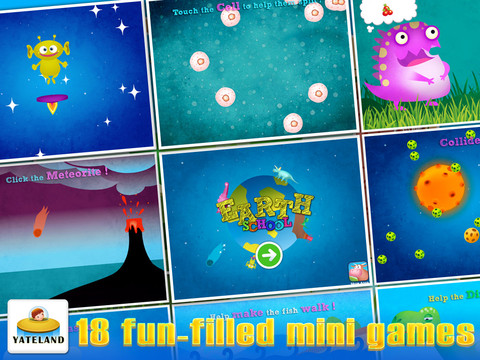
This app for iPhone/iPad is currently FREE. Designed for kids 2 – 6, it has 18 mini games for toddlers centered around the theme of Earth and its evolution. Here are some quotes from the app that will give you a feel for the content: “The universe began in a Big Bang.” /”Black Holes eat planets.” /”Ocean water originates from comets.”/The sun is about 4.5 billion years old.”/”A black hole is similar to a vacuum cleaner.”/”Life was born on Earth.”/We are composed of cells.”

The app builds vocabulary (volcano, collision, fossils, cells). Kids follow directions to complete the games: Help make the fish walk; Touch cells to help them split; Move the cloud; Touch all the eggs; Feed the dinosaur; etc. The animations & artwork in the games are appealing. The bottom line is that YOU need to decide if this app is appropriate for YOUR children as it deals with evolution vs creation.

Earth School HD - Yateland

0

Lists for Writers – ideas for creative writing

Designed for the iPhone/iPad this app is $1.99 but was FREE last week. As the name suggests, this app has many lists that would be helpful to writers as they brainstorm/develop their stories. Categories of lists included: CHARACTER (common first & last names, clothing, occupations, people’s roles & relationships), PERSONALITY (phobias, philias, obsessions, character traits, hobbies, emotions), PLOT (7 basic plots, 36 dramatic situations, conflicts, issues), SETTING (locations, cities, landforms/geography, weather), WORDS (verbs, nouns, etc.) and 7 miscellaneous lists. Several of the lists (such as phobias, 7 basic plots, & color words) include definitions. The updated version includes a notepad for writers to collect, edit, email, and/or print their ideas. This app would be a valuable tool for anyone trying to write a story. The lists would also provide great examples when teaching the elements of a story (characters, setting, etc.), character traits, parts of speech, etc. Great resource!!

Keep reading my blog to find out when apps are offered for FREE!

Recommended!

Lists for Writers - ideas for creative writing - Thinkamingo

0

Geo Walk HD – 3D World Fact Book

This app for the iPhone/iPad is FREE today (August 24, 2012) to celebrate “Back to School.” It features a moveable globe dotted with articles about people, animals, landmarks, plants, events, etc. related to the geographical region that you choose to explore. There are over 500 short articles (cards) in the app. Additional card sets are available as in-app purchases. Information can be viewed in two modes: global view and card stream. I really like the global view because it connects the information on the cards to their place. The globe is a physical globe without any sort of labeling – no landforms are named, no political borders are shown. Not all of the cards identify the location so some labeling would be helpful. There is also a quiz mode available if you would like to test yourself. Lots of great information to explore for both adults and children 🙂

Recommended!

Geo Walk HD - 3D World Fact Book - Vito Technology Inc.