0

Number Sense HD

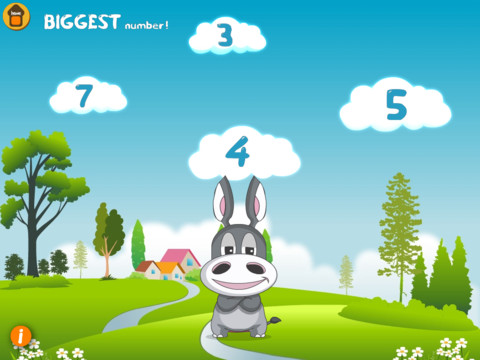
This iPad app is FREE today and designed for kindergarten. There are 5 games in this app. Bouncing Balls & Do the Dotty help kids count to 30. Numberella has kids compare written numbers from 1 – 10. Fishoonka develops the concepts of greater than, less than and equal to. In order to play Toot Toot Train kids need to decide whether to add or subtract. As they play, kids earn rewards to add to their “My Stuff” shelves.

All games are consistent with expectations for kindergarten in the Common Core Standards; however, the standards for counting are a bit more rigorous than the content presented in the 2 counting games. The standards expect kids to count to 100 by ones & tens and to able to begin from any given number within that sequence (instead of always starting at 1). The 2 games that compare numbers are well matched to the standards, as is the addition/subtraction game. Nicely done!!

Common Core Standards met:

  • K.CC.6 –  Identify whether the number of objects in one group is greater than, less than, or equal to the number of objects in another group, e.g., by using matching and counting strategies.1
  • K.CC.7 – Compare two numbers between 1 and 10 presented as written numerals.
  • K.OA.2 – Add and subtract within 10, e.g., by using objects or drawings to represent the problem.

Recommended!

Number Sense HD - Emantras Inc

0

Leaf Snap

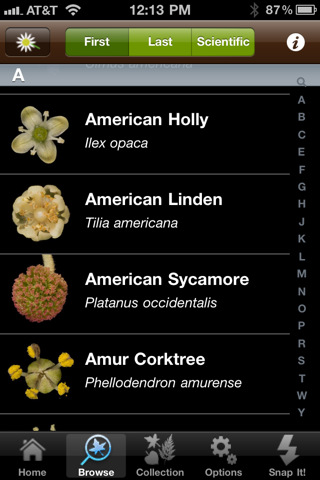
Leafsnap is an electronic field guide being developed by researchers at Columbia University, University of Maryland, and the Smithsonian Institution. The FREE app for the iPhone/iPad utilizes visual recognition software to help identify the species of a tree by taking a picture of its leaf. In the browse mode you can find high-resolution images of the leaves, bark, fruit, seeds and petiole of 184 trees in the United States. I love the idea of this app – it turns citizens into scientists. A walk in the woods with your child can become a science lesson. There is also a place within the app to “collect” your own leaves reinforcing the idea that when visiting nature we should ” take only picture and leave only footprints.” There are also 4 games in this app which test your knowledge of leaves, flowers, and fruits.

According to the Leafsnap website, in order for the leaf to be recognized, it must be a single leaf on a white background. You also must have a working internet connection when you press “snap-it” because the picture has to be sent to a server for processing. These criteria could be little tricky if you are on a walk in the woods. I headed to my backyard with my Smartphone and a square of white paper to check it out. I was able to snap a picture and get it to send. As technology moves forward this app will continue to improve. In the meantime, it’s exciting to be part a scientific collaborative effort!

Recommended!

Leafsnap - Columbia University, University of Maryland, and Smithsonian Institution

0

What Time Is It Mr. Wolf

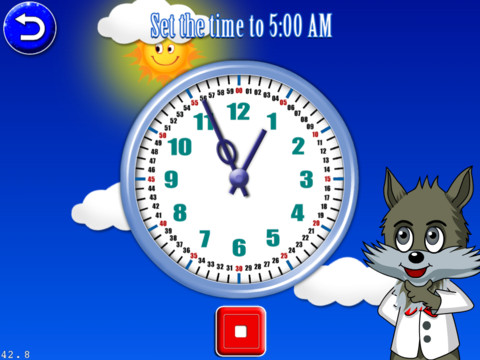
This iPad app is FREE for the next three days. Its 8 games are geared towards primary students (grades K – 3) who are learning to tell time. There are 4 levels: easy (to the hour), normal (15 minute intervals), hard (5 minute intervals) and super (by the minute). These levels are similar to Common Core Standards which expect first graders to tell time to the 1/2 hour, second graders to tell time in 5 minute intervals (AM and PM), and third graders to tell time to the minute. In the games, kids have to set the time on both digital and analog clocks, match digital & analog clocks, put clocks in time sequence, and more. Clocks must be set to either AM or PM by making sure the background lighting matches the time. The settings allow this app to be in either a 12 hour format or a 24 hour format. The app is also supported in 4 different languages.

The analog clocks in the app have every minute labeled which gives kids practice knowing exactly where the hands go when setting the time. But once they have practiced, there should be realistic clocks (only numbered 1 – 12) for the kids to set. Kids need to understand that numbers on the clock represent 5 minute intervals & that the unlabeled dashes in between each stand for a minute. The watches in the matching games are realistic so kids get some practice reading unlabeled timepieces. Worth downloading for some practice but could be more rigorous.

Common Core Standards met:

  • 1.MD.3 – Tell and write time in hours and half-hours using analog and digital clocks.
  • 2.MD.7 – Tell and write time from analog and digital clocks to the nearest five minutes, using a.m. and p.m.
  • 3.MD.1 – Tell and write time to the nearest minute (first portion of the standard).

What Time is it, Mr. Wolf? - Joy Preschool Game


0

PBS Kids

This FREE app for the iPhone/iPad allows kids to watch video clips/some full episodes of their favorite PBS Kids television series from anywhere in the U.S. with a 3G or Wifi connection. Every week there is a “Weekly Pick”  – a set of fun educational videos based around a theme. For example this week’s theme is Gone Fishing and it features 8 short video clips. Coming next is Creepy Crawly Week. Parent resources are also available within the app. Apparently there are some issue with the app freezing up as it loads. If this happens you need to double tap on the home screen (to show the background apps on the bottom of the screen) then quit the app by pressing on the red X.

Recommended – If you are looking for educational television programming for your child.

PBS KIDS Video - PBS KIDS

0

Motion Math: Hungry Fish

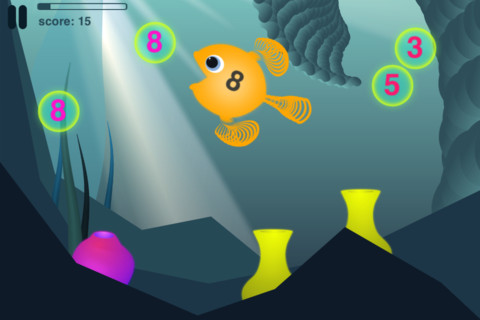
The trial version of this app is FREE for the iPhone/iPad. Designed for kids ages 4+, this app has 18 different levels. Later levels require knowledge of regrouping so it is suitable for preschool through grades 3 or 4. It fits the Common Core Standards for addition through grade 2. The concept is simple but engaging – kids need to feed the fish in order to keep it alive. The faster it is fed, the bigger it grows.  If it is not fed fast enough it gets smaller and smaller until it disappears. Each fish has a number on its body. It only eats that number. Kids pinch numbers together to create the sum their fish needs. Bonus fish colors and fins become available when a level is successfully completed. Additional levels of addition, subtraction, and negative numbers are available as in-app purchases.

Common Core Standards met in this trial version:

  • 1.OA.6 – Add and subtract within 20
  • 2.OA.1 -Use addition and subtraction within 100

This is a fun app – I found myself playing it a little longer than necessary to review it 😉

Highly recommended!

Motion Math: Hungry Fish - Motion Math

0

Subtracting Sardines

This iPhone/iPad app is currently FREE in the iTunes store. It is geared for preschoolers/grades (K-1). It meets Common Core Standards for kindergarten but please note that the standards are more rigorous for first graders who are expected to add & subtract within 20. With the help of a cute little penguin, kids subtract (up to 9) using sardines. There are a lot of good things about this app. The sardines are displayed on a keyboard with domino like keys (number on the left/picture on the right). The child chooses a subtraction problem and the sardines appear at the top of the screen. Here’s how it works: If a child chooses 7 – 2: 7 sardines appear then 2 sardines are taken away. As the child counts the remaining fish, they are encased in ice. Only the bones left behind of the subtracted fish and they disintegrate if touched. The app even allows for subtraction problems with negative answers (red fish joins the left over bones). Children earn gold coins as they work. Nicely done app that helps kids with the beginning concept of subtraction.

Common Core Standards met:

  • K.OA.2  – Add and subtract within 10, e.g., by using objects or drawings to represent the problem.

Highly Recommended!

Subtracting Sardines HD - Operatio

0

The Scariest Halloween Story Ever!

This app was released for the iPad for Halloween 2011. At that time it was $2.99.  It is currently FREE. Kids follow Candy Corn Man on an interactive Halloween adventure. I taught third grade for MANY years and I think this book would be enjoyed by most kids at that level (9 years old). Younger students may be a bit scared by the bugs, bats and/or the monster eyeballs (which turn out to only be meatballs). A few bugs in the program cause some pages to repeat themselves. All in all it’s a cute story and worth downloading, especially for FREE.

The Scariest Halloween Story Ever! - 3CD

1

Smart Stacks

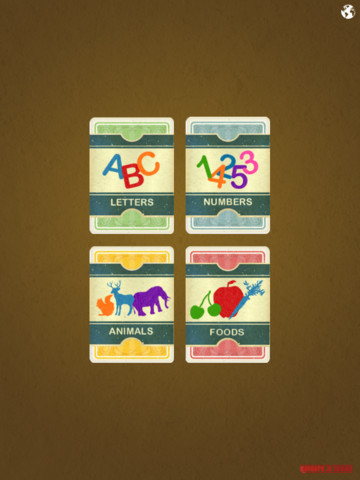
This flashcard app for the iPad is FREE. Language selections include: English, Spanish, French, German, Russian, Greek, and Italian.These realistically illustrated flashcards have four categories – numbers, letters, animals, &  foods.  All 4 have subcategories. The app is very simple – flashcards only, no sound. If used with a nonreader, a teacher/parent would have to be involved to make sure that the child was identifying items correctly. Words are written but not pronounced. The intended audience for this app becomes greater when it is switched to a different language. That’s when a pronunciation option would be particularly helpful.  If you are looking for electronic flashcards, the price is right 🙂


0

KG Math HD

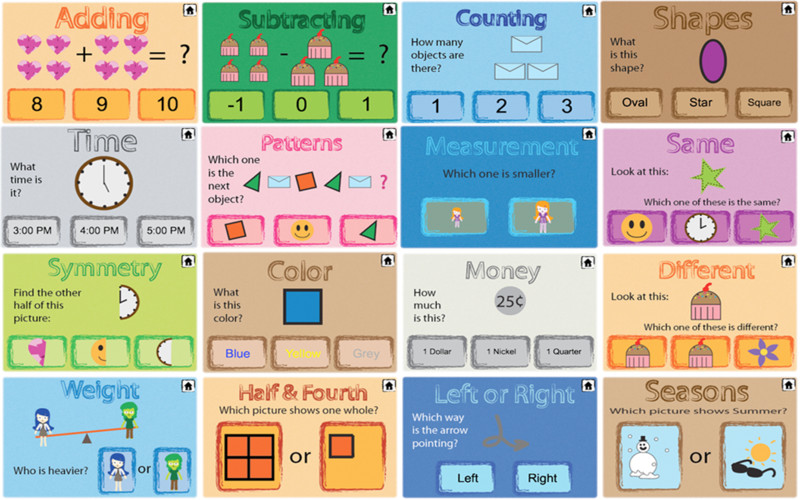
KG Math HD has 30 different math games designed for early school aged children (grades K – 2). It sells for $1.99 but I downloaded on a FREE day. It is cute, colorful, and easy to use. Concepts taught include counting, adding, subtracting, time, simple fractions, weight, colors, seasons, symmetry, etc. Many of the games seem overly simple for the intended age group – such as top/bottom, in/out, same, different, drag the shape to its shadow. Others games could be better with simple modifications – the time game has no numbers on the clock, the colors games and the shapes game show the word but do not pronounce it. In general I feel that this app is more appropriate for preschoolers than early school age kids. Check it out for yourself on a FREE day.

KG math HD - Mintmomeg

1

Coop Phonics

This iPhone/iPad app sells for $1.99. According to the developers, the focus of the game is to get parent and child talking, learning, and sharing together. You and your child are trying to rescue animals from the bad Red Witch. To save the animals you must teach your child the animal name as well as the name and the sound of its beginning letter. Paddy, a small iPad-like character leads you through the program. In between the lessons are silly little riddles for the your child to enjoy. The graphics are simple in a pixelated style (like old video games). While I applaud the developer’s effort to get parent and child working together, the app is just not something that I would recommend. Paddy is a bit too enthusiastic and way too loud for me. Also, the app is somewhat limited  – it only teaches letter names and sounds.