0

Toca Hair Salon

FREE again today – Toca Hair Salon, one of my favorite educational apps for toddlers! Kids go into the salon to groom 6 different characters. They can use the tools in the salon to style their hair – cut it, comb it, make it grow, shave it, color it, etc. Great sound effects are also included in this fun app. Kids or parents can take a photo of the finished creation and save it to their camera roll. If parents wish, creations may be posted on the Toca Boca Facebook page. The developers have also built-in options to turn off sounds, pictures, and news. What a great springboard for creative writing – give a character a whole new look and write a story to go with it. What a fun writing activity for a Wacky Hair Day!!

Toca Hair Salon - Toca Boca AB

0

YouTube Kids

youtube kids

Just released on February 23 and FREE – YouTube Kids, a child-geared version of YouTube. The app is designed for little ones to navigate – big buttons, easy scrolling, and instant full-screen. Kids can enjoy their favorites such as Sesame Street, Peppa Pig, and Reading Rainbow. They can find videos about things that interest them – science, music, crafts, etc. The app has four sections: shows, music, learning, and explore. I especially love the learning section which includes great programming from TedEd, Khan Academy, WhizKid Science, PBS Kids, and more. There is also a search option which is great for teachers looking for a video clip to enhance a lesson. Google is focused on kids’ safety so they’ve worked to build YouTube Kids to be a family friendly place. Parents can quickly notify YouTube if they see anything questionable. Even though this app greatly limits a child’s access to inappropriate content, supervision of your child’s online activity is always a good idea. 🙂

Download link: https://itunes.apple.com/us/app/youtube-kids/id936971630?mt=8&uo=4

0

Number Pieces

number piecesFREE educational app – Number Pieces from Math Learning Center. This educational app is the digital version of place value manipulatives, hands-on tools used to help students understand place value. Using the place value models within this app, kids can visualize the process of adding and subtracting ones, tens, and hundreds. The app has a function that permits kids to break apart pieces or join them together. This feature is fabulous for kids who need concrete examples. The app also includes expanding edge pieces which can be used to introduce arrays. Other features of the app include: three colors for identifying groups, drawing tools for labeling, a text tool for writing number sentences, zooming & scrolling for larger numbers. Thanks to the Math Learning Center, teachers & their students have another great app to add to their digital toolkits!

Common Core Standards:

  • 1.NBT.6. Subtract multiples of 10 in the range 10-90 from multiples of 10 in the range 10-90 (positive or zero differences), using concrete models or drawings and strategies based on place value, properties of operations, and/or the relationship between addition and subtraction; relate the strategy to a written method and explain the reasoning used.
  • 2.NBT.1 Understand that the three digits of a three-digit number represent amounts of hundreds, tens, and ones; e.g., 706 equals 7 hundreds, 0 tens, and 6 ones. Understand the following as special cases: a. 100 can be thought of as a bundle of ten tens — called a “hundred.” b. The numbers 100, 200, 300, 400, 500, 600, 700, 800, 900 refer to one, two, three, four, five, six, seven, eight, or nine hundreds (and 0 tens and 0 ones).

Download link: https://itunes.apple.com/us/app/number-pieces-by-math-learning/id605433778?mt=8&uo=4

0

TeleStory

telestory

FREE for a limited time – Telestory, another fabulously creative app from Launchpad Toys, the creators of Toontastic. Kids can write, direct, and star in their own TV shows with this educational app. Kids choose a theme to start: The News, Star Adventure, Eye Spy, or their own creation. Then they mix and match scenes to create their story. Next they craft a script using the prompts within the app or their own ideas. Then it’s time for the show! Kids choose one of fifty digital costumes for their performance.They perform and record their show which includes animated scenes and special effects. Recordings can be saved to the camera roll to be shared with classmates, family, and friends. How fun!!

Teachers, check out “The News” theme for use in your classroom. Kids can choose to be different types of reporters: The Beat, The Sports Roundup, The News Desk, The Weather, The Critic, or The Eye in the Sky. Then the learning begins. They could choose to read, summarize and report about current events. Or, they could choose to learn the science behind the weather so that they can explain it to their viewers. Or they could choose to write reviews of the literature that they are reading. Telestory News is a great tool for getting kids excited about non-fiction. Make it a part of your weekly routine with a new show rolled out every Friday. 🙂

Download link: https://itunes.apple.com/us/app/telestory/id915378506?mt=8&uo=4

0

Build and Play 3D Planes Special Edition

image

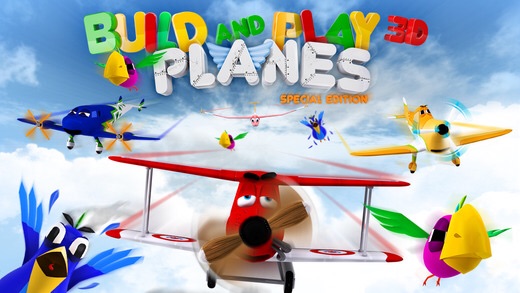
FREE for the first time – Build and Play 3D Planes Special Edition, a puzzle app for the little plane lover in your life. Kids can choose one of ten different airplanes to reconstruct. Once a plane is selected, it breaks into pieces for your little mechanic to assemble. The airplane spins and rotates so that kids can easily drag and drop the wheels, propellers, wings, etc. into their proper places. Once the plane is finished, it takes to the sky for some flying fun. Kids guide the plane to hit a series of stars while being careful to avoid birds and other objects. This cute and colorful app is sure to be a favorite of kids who love things that go!

Download link: https://itunes.apple.com/us/app/build-play-3d-planes-special/id714059061?mt=8&uo=4

0

Mathseeds Grade 2 , Grade 1, & Kindergarten

image

FREE for a limited time – Mathseeds Grade 2, an educational app that provides practice of essential second math skills. The app has three sections: training, timed, and progress. The training section has 81 question sets that cover nine topics: numbers, addition, subtraction, multiplication/division, fractions, patterns, shapes, measurement, and chance/data/money. The timed section has five topics (7 levels): addition, subtraction, all topics, words, and question mark – an assortment of questions. Kids can set the timer for 30 seconds, one minute, two minutes, or three minutes. As kids progress through the levels, they collect badges and earn tokens to spend on games in the circus area. The game supports multiple players so it would work well for classrooms with shared devices. Data for each player is collected in the progress area of the app. If you are looking for second grade math practice, check out Mathseeds Grade 2.

Download link: https://itunes.apple.com/us/app/mathseeds-grade-2/id910765159?mt=8&uo=4

Also FREE for a limited time:
Mathseeds Grade 1
https://itunes.apple.com/us/app/mathseeds-grade-1/id910759849?mt=8&uo=4
Mathseeds Kindergarten
https://itunes.apple.com/us/app/mathseeds-kindergarten/id910765561?mt=8&uo=4

0

Small Science Experiments HD AND Small Chemistry Experiments HD

experiments

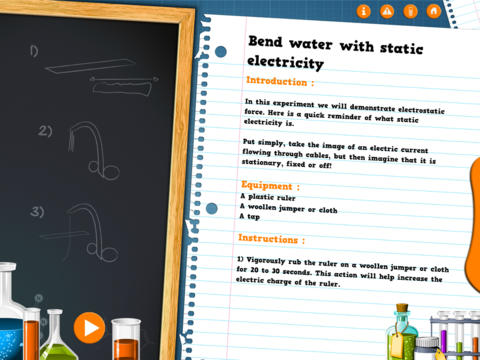
FREE again for a limited time – Small Science Experiments HD. This educational app features fun, easy science experiments for kids to do at home. Each experiment is written up with 4 parts: introduction, equipment, instructions, and explanation. The experiments are also demonstrated in step-by-step videos. There are a total of 25 experiments. Some examples are: make an engine with a candle, turn a tea bag into a rocket, extract DNA from a pear, make a mini jet boat from a chemical reaction. As you can tell from the titles, these experiments need to be done under the supervision of an adult. A warning to that effect is included in the app. The app also includes a quiz with a limited number of multiple choice questions such as: Who invented the first electric battery? and What was the first name of Einstein? Personally, I would skip the quiz. I think kids would benefit more from journaling about their experiments – what they observed, what they learned, etc. Check it out for your budding scientist!

Download link: https://itunes.apple.com/us/app/small-experiments-hd/id586218241?mt=8&uo=4

Also FREE – Small Chemistry Experiments HD. This educational app features more fun & easy experiments for kids to do at home. Just like Small Science Experiments HD, each experiment in this app is written up with 4 parts: introduction, equipment, instructions, and explanation. The experiments are also demonstrated in step-by-step videos. There are a total of 10 experiments. Some examples are: making magic ink, dissolving an eggshell, making a soap powered boat. These experiments are also meant to be done under the supervision of an adult. This app also includes a short quiz. Again, I would recommend that kids journal about their experiments rather than take the quiz. I love that these apps encourage adults and kids to do the experiments together – how fun!  🙂

Download link: https://itunes.apple.com/us/app/small-chemistry-experiments/id689598627?mt=8&uo=4

0

Ed Meets the Dentist

Ed

FREE again – Ed Meets the Dentist, created by Jeffrey D. Holt DDS (a board certified pediatric dentist). This educational app contains a 7+ minute cartoon about a young rabbit’s first trip to the dentist. It explains the procedures and tools that a child might encounter. The app also includes interactive tools for kids to try out on Ed’s teeth. Very nicely done – this app should help your child be less anxious about his/her visit.

Ed Meets The Dentist - Holt IP Holdings, LLC

0

Code Blast

image

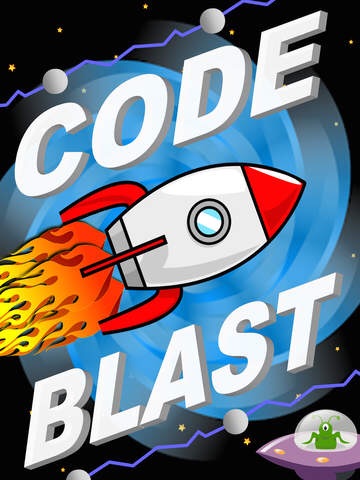
FREE for a limited time – Code Blast, an educational app that introduces young kids to coding. Kids program a rocket to complete its course. They do so by dragging and dropping instructions in the correct sequence. Along the way they must also avoid UFOs and electric barriers. As they program the rockets, kids will recognize the need to be precise and correctly order the instructions. The app permits kids to test their program and remove any “bugs” that they find. Stars are awarded for missions completed without any mistakes. The app features 36 missions and two modes: level mode (ordered missions) and custom mode. Certificates are awarded for levels that have been completed. They can be saved to the camera roll for printing or emailing. The app supports multiple players – perfect for shared devices at school.

Download link: https://itunes.apple.com/us/app/code-blast/id953601961?mt=8&uo=4

0

Six FREE “You Tell Me” Stories

Oscar Goes to the Zoo

FREE for a limited time – Oscar Goes to the Zoo, a “You Tell Me” story. In this story, a cute little dachshund goes to the zoo and wonders what it might be like to be the different animals that he sees there. In the end he discovers that he likes being himself. Cute story!

“You Tell Me” stories are designed with some special features: 1. They incorporate WordWinks into the story. WordWinks are questions and comments written in red italics. To maximize children’s understanding of the story, teachers often add comments/questions as they read aloud. WordWinks are meant to model that teacher voice. 2. They have a “Retell, Record & Share” section. Kids are asked to order 4 scenes from the story then record their own version of the story to share with grandparents or friends. 3. If you register, you can receive a FREE Oscar Goes to the Zoo activity book by email.

If you have a preschooler or early reader, check out this e-book. I love that it emphasizes “thinking about reading.”

Download link: https://itunes.apple.com/us/app/oscar-goes-to-the-zoo/id587648796?mt=8&uo=4

More FREE books from the same developer:

Oscar Finds a Home: https://itunes.apple.com/us/app/chicken-little-wordwinks-retell/id718443975?mt=8&uo=4w

Goldilocks and the Three Bears: https://itunes.apple.com/us/app/goldilocks-and-the-3-bears/id650117052?mt=8&uo=4

Chicken Little: https://itunes.apple.com/us/app/chicken-little-wordwinks-retell/id718443975?mt=8&uo=4w

Little Red Hen: https://itunes.apple.com/us/app/little-red-hen-wordwinks-retell/id941502676?mt=8&uo=4

Harry and Lulu: https://itunes.apple.com/us/app/little-red-hen-wordwinks-retell/id941502676?mt=8&uo=4