0

Toca Hair Salon Me

hair salon meFREE for a limited time – Toca Hair Salon Me, the newest addition to the popular Toca Hair Salon apps. Using this app, kids can create a whole new look for themselves and/or their family & friends. They simply import a picture from the camera roll and “the styling” can begin. The salon is equipped with all the right tools to style hair. They can cut it, comb it, make it grow, shave it, color it, etc. They can also wash it, blow it dry, curl it or straighten it. Great sound effects add to the fun! After they finish the styling, they can add fun accessories – glasses, bow, mustaches, etc. They can even use their own photos for the background. Kids or parents can take a photo of the finished creation and save it to their camera roll. What a great springboard for creative writing – give yourself a whole new look and write a story to go with it. What a fun activity for a Wacky Hair Day!!

Download link: https://itunes.apple.com/us/app/toca-hair-salon-me/id730873197?mt=8&uo=4

0

SpeakaLegend, SpeakaZoo & Winston Show

speakalegend

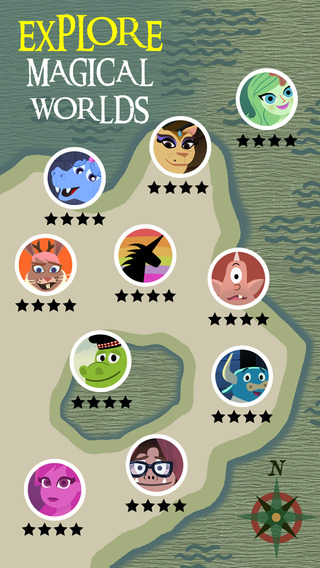
From the creators of the Winston Show & SpeakaZoo comes a new app called SpeakaLegend which is FREE for a limited time. Kids befriend and speak to 10 different legendary characters: Big Foot, Loch Ness Monster, Mermaid, Fairy, Cyclops, Minotaur, Dragon, Jackalope, Sphinx and Unicorn. The app uses speech recognition technology so that kids can have actual conversations with the characters. They become world explorers on a magical quest to find and speak to the Unicorn. Check out this ingenious and fun app from ToyTalk – great for helping kids with conversational language. Before children can speak with the characters, parents are required to give permission via email. Read more about Toy Talk’s privacy policy at: ToyTalk | Legal | Privacy Policy.
Download link: https://itunes.apple.com/us/app/speakalegend/id908466608?mt=8&uo=4

Here are my earlier reviews of other Toy Talk apps.

speak a zooFrom the creators of the Winston Show comes another FREE app – SpeakaZoo, the only zoo where the animals talk with you. This educational  app is currently featured as one of the “Best New Apps” by Apple. The SpeakaZoo houses 20 different animals from 4 different habitats. Each one has a lot of character – a fast-talking octopus, a porcupine that needs a hug, an angry beaver, a sleepy bear, etc. And each character has a lot to talk about. The animals ask kids questions then “listen” to their answers. The conversation continues when the animal responds to what the child just answered – fun!

Parents are asked to create an account with a valid email address so that they have full control over all account information and content for children under 13. From the ToyTalk privacy policy FAQs: “ToyTalk apps involve characters that interact with users. When children use ToyTalk apps, audio recordings and photographs of such interactions are captured as part of this use. We may add the ability to capture video in the future. In that case, we will update this FAQ to describe how we use those recordings too.” Read more at: http://www.toytalk.com/legal/

Download link: https://itunes.apple.com/us/app/speakazoo/id850553929?mt=8&uo=4

winston

FREE – The Winston Show, an adorable app for kids 6+. Winston (a self-proclaimed, yellow fellow) and his sidekick Ellington have created the first talk show starring you! Special guests include Blackbeard the Pirate, Marie Antoinette, and the Blue Whale. Kids visit 6 different studios within the app. In Studio 1, they become a contestant on a quiz show called Win with Winston. Studio 2 features Fireside Chats on a variety of kid-friendly subjects such as magic and chores. In Studios, 3 kids can choose to become the star in two movies: Squabble Among the Stars or Winston Sly, Private Eye. They battle colorful characters (such as Lewis & Clark) in Studio 4′s You vs., another game show. Studio 5 is the Costume Department where kids can play dress-up in an assortment of costumes. And finally, Studio 6 features the Writing Room where kids choose the path of a story. This app is fabulous for helping kids with conversational language because the characters listen and talk back! It’s quite ingenious and could be really fun – for kids and adults. Adults will love seeing kids interact with Winston and friends. And, they will understand all of the jokes. 🙂 Delightful!!

From the ToyTalk privacy policy FAQs: “Users under 13 are only authorized to use ToyTalk apps under their parent/guardian’s account. As a result, we do not knowingly collect emails or other contact information directly from children under 13. ToyTalk apps involve characters that interact with users. When children use ToyTalk apps, audio recordings and photographs of such interactions are captured as part of this use. We may add the ability to capture video in the future. In that case, we will update this FAQ to describe how we use those recordings too.”  Read more at: http://www.toytalk.com/legal/

Download link: https://itunes.apple.com/us/app/winston-show/id669541931?mt=8&uo=4

1

Mad Libs

The new & improved app, Mad Libs, is now available for iOS 7.0 or higher.

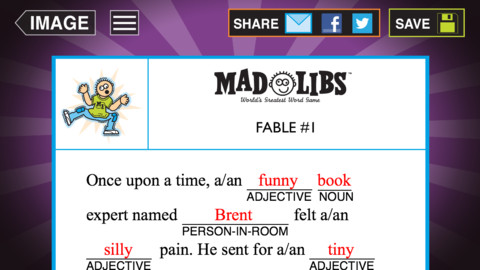
What are Mad Libs? They are stories with words left out. Over 120,000,000 Mad Libs books have been sold to date and MadLibs.com gets 50,000 visitors per month. And now, Mad Libs is a FREE educational app for the iPhone/iPad with over 3.7 million downloads. 21 stories are included with this app. Additional stories are available as in-app purchases.

Here’s how they work: A “reader” selects a story but he/she doesn’t tell the “writers” (other players) what it is about. Then the “reader” calls out the types of words (adjective, noun, collective noun, verb, ing words, etc.) needed to complete the story. The “writers” generate words to fill in the blanks in the story. Once all the blanks have been filled, the “reader” reads the story aloud. The result is usually a silly story which kids LOVE! And to add to the fun, the upgrade permits you to add photos & images to your story. Mad Libs are a great classroom activity when you have 10 minutes before lunch, you’re waiting for a guest, etc. Kids enjoy playing Mad Libs but in order to play, they have to know parts of speech. Who knew learning parts of speech could be so much fun!?!

Mad Libs - Penguin Group USA

0

Art Mail

Artmail

FREE again for a limited time! Add a personal touch to your emails with Art Mail, an app for writing and sending handwritten notes. This app is not billed as an educational app but it could/should be. 🙂 The app features several choices of stationery plus the option of using your camera to create a unique background. The writing is a brush style (similar to a fountain pen) with several color options. But the best part of this app is the scaling feature – which makes this app great for kids. Users can fill up the entire screen and the app automatically shrinks the word/words to fit in a letter format. Subsequent words are shrunk to match the size of the other words. A red cursor can be moved around to change the location of the words. Little hands will be able to write thank you notes to grandparents or to add a note of explanation to a photo. In the classroom, teachers could use it is SO many ways – for good copies of their writing, to communicate with parents, as an exit slip after a lesson, etc. I LOVE that this app preserves the child’s writing!! Very cool app – perhaps an upgrade will include the ability to pull in pictures from the photo library which would make it even better!!

ArtMail - Wen Yun Rong

0

Shadow Puppet

Shadow PuppetThanksgiving is only a few weeks away. Use this app with kids to create and share unique “I Am Thankful” presentations.

Recently updated and still FREE – Shadow Puppet is a photography app which was featured by Apple as a “Best New Apps” about a year ago. Using this app, it’s easy to create “puppets” – recorded explanations of your photos. First you choose your photos and put them in the order. Then you talk about your pictures. Everything is recorded. Finished “puppets” can be shared via email, SMS, Facebook and/or Twitter. There are so many ways for everyone to use Shadow Puppet: to teach something new, to share adventures with friends, to record children talking about their experiences, to tell the story behind old family photos, etc.

The recent updates have added many new features. Now you can include video clips, add music, search the web for images, overlay text/stickers, and more! The FREE version of the app permits you to include up to 10 photos/video clips. For $1.99 you can get Puppet Essentials which allows you to add up to 100 items to each video and have access to more drawing & decorating tools. The update made this great app even better!

The classroom uses for this app are only limited by your imagination: Take pictures of a child’s work and have him/her explain it to parents. Send pictures and voice recordings of the class field trip. Have kids give a step-by-step explanation of what happened in a science experiment. Draw & sequence pictures to retell a story. Make a “talking timeline” by sequencing photos of historical events. Have kids use it to present mini reports on any subject. Have virtual “pet day” – kids bring in pictures/recordings of their pets. Because you can use anything saved to your photo library, you can explain photos from the web, artwork created in other apps, and so much more. The possibilities for using this educational app are endless. For more suggestions go to http://get-puppet.com/education. What a fabulous resource!!

Download link: https://itunes.apple.com/us/app/shadow-puppet/id700902833?mt=8&uo=4

0

News-O-Matic

news

Check out a FREE trial of News-o-Matic, an educational newspaper app for kids 7 – 11 years old. A new edition is published every Monday through Friday. Each edition features 5 articles from the news – sports, science, world news, wacky events, etc. The articles are kid-friendly and age-appropriate. Kids can read on their own or have the articles read to them. Important vocabulary words are underlined and linked to their definitions. The articles also include fun facts, a map for locating where the news is happening, videos, and games. Once registered, kids can connect to the News Room to draw pictures, express opinions, or ask questions about the news. This app helps kids become informed citizens of the world!

The FREE trial lasts for 2 weeks. After that, you must subscribe: yearly – $19.99. monthly – $1.99, or weekly – $0.99. If you subscribe before the end of your free trial, you get a special rate. Teachers, there is also a News-o-Matic School Edition. It comes with a teacher’s guide which includes discussion prompts, comprehension questions, Lexile reading levels, and more. And, it’s a great resource for non-fiction reading!

Download link: https://itunes.apple.com/us/app/news-o-matic-daily-reading/id578023255?mt=8&uo=4

0

7 Fabulous Apps for Teaching Fractions

fractions

Currently FREE  – Fractions by Brainingcamp, an excellent educational app for teaching fractions. The app covers 7 topics: introduction to fractions, equivalent fractions, common denominators, comparing/ordering fractions, adding/subtracting fractions, multiplying fractions, and dividing fractions. Each topic includes: a narrated lesson (with visual models), virtual manipulatives for kids to explore, practice questions to check understanding, and a challenging game for additional practice. Kids earn badges as they work through the components of each topic.

WOW – I love everything about this app. The lessons are wonderful. The manipulatives are designed to promote understanding of the concepts presented. The practice questions give students and their teachers a check of their understanding. And, the challenging games helps kids further master the topic. It would be a fabulous for grades 3 and beyond!

Common Core State Standards met:

  • 3.NF.1. Understand a fraction 1/b as the quantity formed by 1 part when a whole is partitioned into b equal parts; understand a fraction a/b as the quantity formed by a parts of size 1/b.
  • 3.NF.3 – Explain equivalence of fractions and compare fractions by reasoning about their size. Understand two fractions as equivalent (equal) if they are the same size. Recognize and generate simple equivalent fractions, e.g., 1/2 = 2/4, 4/6 = 2/3).
  • 4.NF.3 – a. Understand addition and subtraction of fractions as joining and separating parts referring to the same whole.
  • 5.NF.3 – Interpret a fraction as division of the numerator by the denominator (a/b = a ÷ b).

Download link: https://itunes.apple.com/us/app/fractions-by-brainingcamp/id471353363?mt=8&uo=4

on no fractrionsUpdated again in March 2014 – Oh No, Fractions! This FREE app just keeps getting better and better because the developer encourages teacher input. How wonderful is that – a developer willing to listen to teachers’ needs!

Oh No Fractions! is a great FREE iPhone/iPad app for comparing and exploring fractions. The educational app is simple to use – kids just swipe to the right or the left to indicate whether one fraction is “greater than” or “less than” or “equal to” a second fraction. As they work, kids can tap above each fraction to see if it can be reduced/simplified – a great feature. But, one of the best features of this app is the “peek”/”prove it” feature. Kids can use a manipulative to “peek” at an answer before they commit to it or they can use the manipulative to “prove” their answer later. This feature is fabulous because it allows the child to visualize his/her answer. Kids can also use this app to practice finding the common denominator. Then they can use it for addition, subtraction, multiplication, and division of fractions. The app also generates corresponding decimals/percentages for each answer. What a great tool for helping kids to understand fractions!! It’s no wonder that it received the 2013 Children’s Technology Review Editor’s Choice Award.

Common Core Standards met:

  • 3.NF.3 – Explain equivalence of fractions and compare fractions by reasoning about their size. Understand two fractions as equivalent (equal) if they are the same size. Recognize and generate simple equivalent fractions, e.g., 1/2 = 2/4, 4/6 = 2/3).

Oh No Fractions! - Curious Hat Lab - Curious Hat

equivalent fractions

From the National Council of Teachers of Mathematics comes a FREE app called Equivalent Fractions. Kids create equivalent fractions by dividing and shading squares or circles. Circles can be divided into 24ths. Squares can be divided into 144ths. In the play mode, a fraction is shown and kids must create 2 additional fractions that are equivalent. All 3 fractions must have different denominators. The app also places the fractions on a number line – a great visual for comparing! There is also a “build your own” mode which would be fabulous to use for guided exploration & practice. Kids could also use this section as a virtual manipulative when working independently. This app is an excellent resource for the classroom!

Common Core Standards met:

  • 3.NF.3 – Explain equivalence of fractions and compare fractions by reasoning about their size. Understand two fractions as equivalent (equal) if they are the same size, or the same point on a number line. Recognize and generate simple equivalent fractions, e.g., 1/2 = 2/4, 4/6 = 2/3). Explain why the fractions are equivalent, e.g., by using a visual fraction model.

Equivalent Fractions - National Council of Teachers of Mathematics

tiny fractionsNow $4.99 but was FREE when it was released – Tiny Fractions. This educational app teaches identifying, comparing, ordering, finding equivalents, simplifying, adding, and subtracting fractions using vials of liquid. It starts out simple and gets more difficult as kids progress through the app. It also keeps track of the student’s progress – showing teachers/parents specifically which fractions were missed. Simply done and easy to use, this app does a great job helping kids visualize and learn fractions!

Common Core Standards met:

  • 3.NF.1. Understand a fraction 1/b as the quantity formed by 1 part when a whole is partitioned into b equal parts; understand a fraction a/b as the quantity formed by a parts of size 1/b.
  • 3.NF.3 – Explain equivalence of fractions and compare fractions by reasoning about their size. Understand two fractions as equivalent (equal) if they are the same size. Recognize and generate simple equivalent fractions, e.g., 1/2 = 2/4, 4/6 = 2/3).
  • 4.NF.3 – a. Understand addition and subtraction of fractions as joining and separating parts referring to the same whole.

Tiny Fractions - TapToLearn Software

squeebles

From England and currently $1.99 –  Squeebles Fractions, an app for the iPhone/iPad that is designed to teach fractions to 7 – 11 year olds. The Squeebles want to enter a cake making contest but their ingredients have been stolen by the Math Monster. By working on the app’s 4 games, kids help the Squeebles earn back their ingredients. In Piece of Cake, kids drag the fractional part of a cake to a Squeebles when he asks for it. The easy mode covers halves, fourths, thirds. The hard mode cover fractions to tenths. In Tricky Pairs, kids have to match pairs of equivalent fractions. In the easy mode they match 4 pairs and in the hard mode they match up to 9 pairs. Think Big has kids feeding cake to the Squeeble that calls out the biggest fraction. The easy mode covers halves, fourths, thirds. The hard mode cover fractions to twelfths. Super Sums requires kids to add fractions as quickly as they can and has three levels of difficulty. After earning ingredients, kids can create cakes and enter them in The Cake Show – fun! Another great thing about this app is that you can have more than one player. My only concern is that the easy mode of Piece of Cake requires kids to know some equivalent fractions – for example, it asked kids to pick 3/4 of a cake divided into 8 pieces, 1/3 of a cake divided into 6 pieces, etc. I wish it would have required a basic knowledge of fractions in the easy mode then moved on to equivalent fractions in the hard mode. This app is cute, fun, and provides great practice for a wide spectrum of kids.

Common Core Standards met:

  • 3.NF.3 – Explain equivalence of fractions and compare fractions by reasoning about their size. Understand two fractions as equivalent (equal) if they are the same size, or the same point on a number line. Recognize and generate simple equivalent fractions, e.g., 1/2 = 2/4, 4/6 = 2/3).
  • 4.NF.3 – a. Understand addition and subtraction of fractions as joining and separating parts referring to the same whole.

Download link: https://itunes.apple.com/us/app/squeebles-fractions/id557576867?mt=8&uo=4

equivalent

Currently $1.99 but often “goes free” – Everyday Mathematics® Equivalent Fractions™  for iPhone/iPad is fun easy way to reinforce fraction concepts. Note: the app uses a digital version of the fraction cards from the Everyday Math third grade book.
Common Core Standards met:

  • 3.NF.3 – Explain equivalence of fractions and compare fractions by reasoning about their size. Understand two fractions as equivalent (equal) if they are the same size, or the same point on a number line. Recognize and generate simple equivalent fractions, e.g., 1/2 = 2/4, 4/6 = 2/3). Explain why the fractions are equivalent, e.g., by using a visual fraction model.

Download link: https://itunes.apple.com/us/app/everyday-mathematics-equivalent/id417016316?mt=8&uo=4

Fraction Wall

Currently $1.99 – Fraction Wall, an app designed for small group or independent learning. This educational app has 4 sections: Teacher Tool, Complete the Wall, 2 Player Game, and Addition. The Teacher Tool can be used to show/discover equivalent fractions or it can be used to answer equivalent fraction problems. Complete the Wall has kids moving bricks on top of equivalent fractions. There are 4 levels: level 1 – halves and quarter; level 2 – halves, thirds, quarters and sixths; level 3 – halves, thirds; quarters fifths, sixths, tenths; level 4 – halves up to tenth. 2 Player Game has kids competing against each other to be the first to fill their wall of equivalent fractions. Addition has kids adding fractions to answer multiple choice questions. There is a clickable wall to help them visualize the answer if needed. This section also has 4 levels. The app can be customized to exclude more difficult fractions from the wall. This app would work well in the classroom – great for practicing and/or for using as a tool to visualize answers. Much more fun than a worksheet for practicing fractions!

Common Core Standards met:

  • 3.NF.3 – Explain equivalence of fractions and compare fractions by reasoning about their size. Understand two fractions as equivalent (equal) if they are the same size. Recognize and generate simple equivalent fractions, e.g., 1/2 = 2/4, 4/6 = 2/3).
0

Curious George at the Zoo

Curious George at the Zoo is currently FREE (again) for iPhone/iPad. Designed for preschoolers, this educational app has kids helping Curious George wake, clean, and feed animals in the zoo. Introduced by the Man with the Yellow Hat (of course), the app then asks your child where he/she would like to go. But, buyer beware  –  there is only one section of zoo (Sunny Safari) included with the initial purchase of the app – normally $.99.

There are 5 animals for kids to learn about in this app – the hippo. giraffe, lion, parrot, and elephant. First they wake the animal up, then they clean it and feed it – fairly simple activities. Also included are age-appropriate video clips about each animal. Kids can play a game (Safari Showers) and collect stickers.

I have always loved Curious George books – the stories are timeless and can be enjoyed by kids from preschool through first/second grade. The simplicity of this app makes it most appropriate for Curious George’s youngest fans (2 – 3 year olds). I am disappointed that kids are given “a choice” of where they would like go in the app when there is only one area available without additional purchases. Choices are presented in a cute pop-up book but 3 out of 4 pages are covered by a huge “tap here to purchase” button. It feels similar to having the candy in the checkout line of the grocery story. That being said, if you have a 2 or 3-year-old that loves Curious George, you may want to download this app.

Curious George at the Zoo for iPad - Houghton Mifflin Harcourt

1

12 Fun Apps for Learning Math Facts

Let’s face it – getting kids to learn their math facts can be a challenge. But once they know them, they know them forever. The process of “doing math” becomes more efficient and less frustrating when kids know their facts. Luckily there are plenty of fun apps that can help kids become “math fact” proficient. All of these apps are FREE or were “FREE for a limited time” when I reviewed them. Check them out – they’re all great!

You can follow my blog appydazeblog | educational apps for kids and the adults in their lives to find out if/when they become FREE again. Enjoy!! 🙂

Sushi Monster is a FREE educational app for the iPhone/iPad developed by Scholastic. It helps kids practice, reinforce, and extend their knowledge of math facts. There are 12 levels of play – 7 addition levels and 5 multiplication levels. A chef places numbered plates of sushi on the counter. Kids have to combine the numbers on the plates to reach the target number (worn by the sushi monster). If the combination is correct, the monster gobbles up the sushi. If it is wrong, the monster throw a tantrum. Each round has 14 target numbers. Successfully completing one level unlocks the next. As kids progress through the levels they are expected to extend their thinking beyond the basic facts. At each level a strategy is provided to help kids succeed. This educational app provides a lot of practice and kids will love the silly sushi chef!

Common Core Standards met:

  • 3.OA.7 – By the end of Grade 3, know from memory all products of two one-digit numbers.
  • 3.NTB.3 – Multiply one-digit whole numbers by multiples of 10 in the range 10–90 (e.g., 9 × 80, 5 × 60) using strategies based on place value and properties of operations.

Sushi Monster - Scholastic

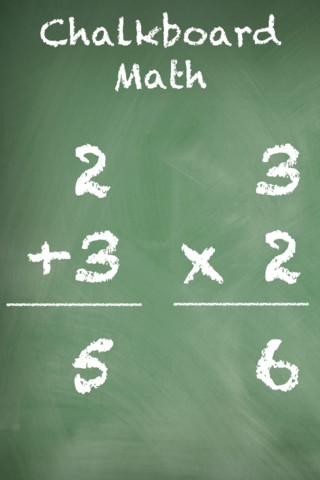
This app was FREE, now $.99.  It helps kids practice their basic facts for addition, subtraction, multiplication, and division. First kids choose numbers (1-12) to work with, then the math operation/operations. The app generates practice in 2 modes: answer mode (enter the answers & get feedback) or flashcards mode (answer verbally then check). The game has no built-in sounds but there is positive reinforcement written at the top of the page. If a child misses a problem, it shows the correct answer. What I really like about this app is the ability to choose specific numbers to work on. Facts can be practiced in the order they are taught. I also like the ability to choose more than one operation to practice – it makes kids pay attention to the signs of operation and see the relationships between operations. This app is simple but effective – if you loaded this app on your iPhone, kids could easily practice flashcards on their way to after school activities. 🙂

Common Core Standards met:

  • 1.OA.6 – Add and subtract within 20, demonstrating fluency for addition and subtraction within 10.
  • 2.OA.2 – Fluently add and subtract within 20 using mental strategies. By end of Grade 2, know from memory all sums of two one-digit numbers.
  • 3.OA.7 – Fluently multiply and divide within 100, using strategies such as the relationship between multiplication and division or properties of operations. By the end of Grade 3, know from memory all products of two one-digit numbers.

Chalkboard Math - 22nd Century Software LLC

sail through math

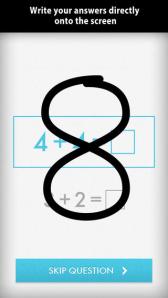
Ahoy there!! Sail through Math from McGraw Hill is currently $1.99 but it “goes FREE” periodically. This educational app provides a fun way for students to practice their math facts/skills. There are 3 levels of play for addition, subtraction, multiplication, and division facts. Other areas covered are addition equations. subtraction equations, multiplication equations, two-step equations, names for numbers, patterns/factors/multiples, and compare numbers. This app provides of great practice built around a pirate theme – complete with music and firing cannonballs! At the end of each game, the child can see what problems he/she missed as well as a percentage score. What a fun way to learn basic facts – in the classroom, at home, in the car on a way to an evening activity. I used to tell my students to practice during commercials – 10 to 15 minutes a day works wonders. This app provides a fun way to accomplish that goal 🙂

Common Core Standards met:

  • 1.OA.6 – Add and subtract within 20, demonstrating fluency for addition and subtraction within 10.
  • 2.OA.2 – Fluently add and subtract within 20 using mental strategies. By end of Grade 2, know from memory all sums of two one-digit numbers.
  • 3.OA.7 – Fluently multiply and divide within 100, using strategies such as the relationship between multiplication and division or properties of operations. By the end of Grade 3, know from memory all products of two one-digit numbers.
Sail Through Math - McGraw-Hill School Education Group

quick math

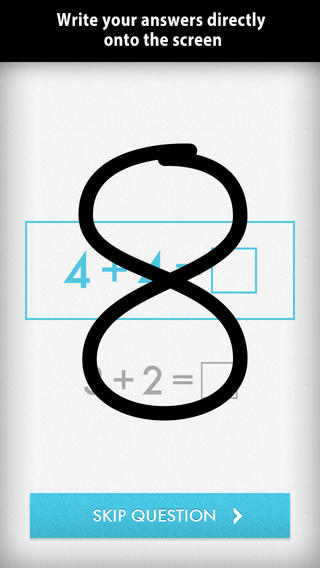
Was FREE for a limited time, currently $1.99 – Quick Math – Arithmetic & Times Tables, an educational app that encourages math fluency in addition, subtraction, multiplication, division, & mixed operations. Kids race against the clock to improve their scores. Handwriting recognition allows the players to write the answers directly on the screen – a very slick feature. There are 4 game levels: beginner, intermediate, advance, and extreme. This app features LOTS of great practice for multiple levels of math students. It can be shared among students and it tracks each student’s progress – perfect for the classroom. The math gets progressively harder as students improve their skills. I love how the app encourages self-improvement and legible writing! Teachers could assign 10 minutes of practice each day for their students. I am sure the results would be significant. What a fabulous tool for the classroom – perfect for a daily warm-up, at a math center, or for fluency practice after completing an assignment.

Common Core Standards met:

  • 1.OA.6 – Add and subtract within 20, demonstrating fluency for addition and subtraction within 10.
  • 2.OA.2 – Fluently add and subtract within 20 using mental strategies. By end of Grade 2, know from memory all sums of two one-digit numbers.
  • 3.OA.7 – Fluently multiply and divide within 100, using strategies such as the relationship between multiplication and division or properties of operations. By the end of Grade 3, know from memory all products of two one-digit numbers.

Download link: https://itunes.apple.com/us/app/quick-math-arithmetic-times/id537802071?mt=8&uo=4
Math Evolve

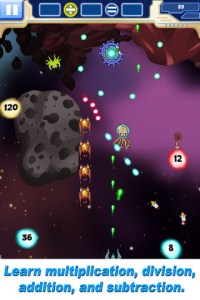
Was FREE for  limited time, currently $1.99 – Math Evolve, an app that combines math practice (addition, subtraction, multiplication, division) with an arcade-style game that kids will enjoy playing. Math Evolve has 12 levels, 19 different enemies, and 6 challenging bosses that can be played on 3 difficulty settings. The app has 2 modes: practice mode and story mode. In practice mode, a parent or teacher can choose which math facts to practice and monitor a child’s progress. In the story mode, kids embark on math adventure across three environments: microscopic, ocean, and space. The difficulty of the math and the difficulty of the game can be set independently which makes the game fun for all ages. The app supports up to 5 players. Statistics are kept in the player history section so parent/teachers can evaluate how kids are progressing. This app would be great for independent practice in a classroom. It has customizable practice built into a fun game AND it collects statistical data – awesome!

For more information go to http://mathevolve.com.

Common Core Standards met:

  • 1.OA.6 – Add and subtract within 20, demonstrating fluency for addition and subtraction within 10.
  • 2.OA.2 – Fluently add and subtract within 20 using mental strategies. By end of Grade 2, know from memory all sums of two one-digit numbers.
  • 3.OA.7 – Fluently multiply and divide within 100, using strategies such as the relationship between multiplication and division or properties of operations. By the end of Grade 3, know from memory all products of two one-digit numbers.
Math Evolve: A Fun Math Game - Zephyr Games

Math Splat

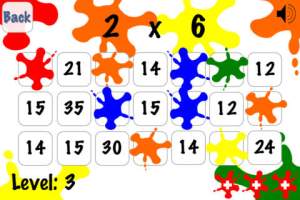
Was FREE for  limited time, currently $.99 – Math Splat, a really fun mental math game. Kids are challenged to answer 21 math questions as fast as they can. A colorful paint splat covers each correct answer. Each game is timed and limited to 3 incorrect answers. Each incorrect answer adds a 3 second penalty to the final time. Kids will  love trying to beat their best time! The student can choose between easy, medium, and hard questions which makes this game great for differentiating instruction. Have kids graph their scores so that they can see themselves improve and in the process they will also learn to collect data. This educational app is perfect for getting kids to practice their facts in a fun way!

Common Core Standards met:

  • 1.OA.6 – Add and subtract within 20, demonstrating fluency for addition and subtraction within 10.
  • 2.OA.2 – Fluently add and subtract within 20 using mental strategies. By end of Grade 2, know from memory all sums of two one-digit numbers.
  • 3.OA.7 – Fluently multiply and divide within 100, using strategies such as the relationship between multiplication and division or properties of operations. By the end of Grade 3, know from memory all products of two one-digit numbers.

Download link: https://itunes.apple.com/us/app/math-splat/id495477324?mt=8&uo=4
operation math

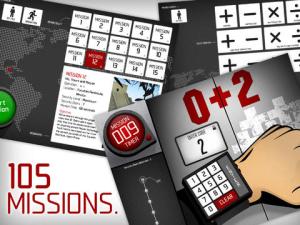
Was FREE for a limited time, currently $2.99 – Operation Math, a great educational app from Spinlight StudioKids will have fun practicing basic addition, subtraction, multiplication, & division tables in this interactive “spy” game. The object of the game is to stop Dr. Odd’s quest to eliminate the world’s even numbers. In order to do so, kids must complete 105 missions by solving equations. Missions can be selected based on a child’s skill level and/or the operation (+, -, +/-, x, ÷, x/÷  or +/-/x/÷).  Of course, time is of the essence so kids have to answer problems in 60 seconds or less. By doing so, they lock doors along their escape routes. And as they complete missions, they earn the gear of a seasoned spy. What a great game – I love how the app integrates math practice into a really cool game for kids. I especially like the modes which permit kids to practice multiple operations at a time. It makes kids pay attention to operation signs and quickly switch their thinking. What a fun way for kids to practice facts and meet CCSS! No wonderOperation Math was given a 2012 Parents’ Choice Award. Get it today – kids will LOVE it!

Common Core State Standards met:

  • 1.OA.6 – Add and subtract within 20, demonstrating fluency for addition and subtraction within 10.
  • 2.OA.2 – Fluently add and subtract within 20 using mental strategies. By end of Grade 2, know from memory all sums of two one-digit numbers.
  • 3.OA.7 – Fluently multiply and divide within 100, using strategies such as the relationship between multiplication and division or properties of operations. By the end of Grade 3, know from memory all products of two one-digit numbers.

Download link: https://itunes.apple.com/us/app/operation-math/id487387270?mt=8&uo=4

Yodel

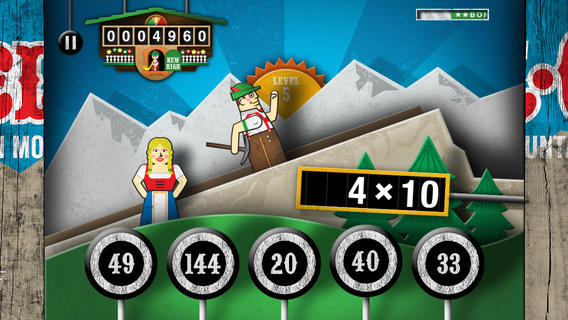
Was FREE for a limited time, currently $2.99 – YodelOh™ Math Mountain. Kids will have fun learning basic addition, subtraction, multiplication, and division math tables with this game. The object of the game is to score enough points to keep Hans from falling off the cliff. In order to do so, kids have to answer problems quickly and avoid the crazy charging sheep. And as kids score points, the questions get harder. The app also includes high-score charts that track the best 15 games for all 5 modes. I especially like the mode which permits kids to practice all 4 operations at a time. It makes kids pay attention to operation signs and quickly switch their thinking. What a fun way for kids to practice facts and it meets CCSS! Get it today. 🙂

Common Core State Standards met:

  • 1.OA.6 – Add and subtract within 20, demonstrating fluency for addition and subtraction within 10.
  • 2.OA.2 – Fluently add and subtract within 20 using mental strategies. By end of Grade 2, know from memory all sums of two one-digit numbers.
  • 3.OA.7 – Fluently multiply and divide within 100, using strategies such as the relationship between multiplication and division or properties of operations. By the end of Grade 3, know from memory all products of two one-digit numbers.

Download math: https://itunes.apple.com/us/app/yodeloh-math-mountain/id634946225?mt=8&uo=4
Math Mathews

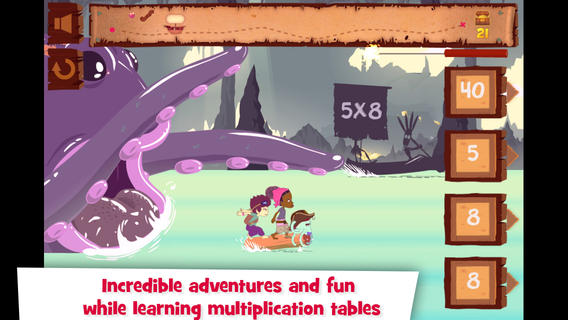
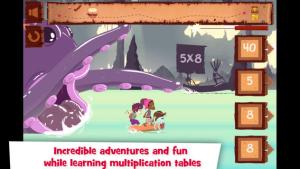
Was FREE for a limited time, currently $2.99 – Multiplications with Math Matthews, a great new app for studying multiplication facts. Kids join Math Mathews and his crew on a high seas adventure to find treasure and break the curse that turned him into an octopus. There are so many great things about this app that make it perfect for the classroom. The app includes a diary (ship’s log) that gives the back story to this adventure that kids are about to join. I envision teachers using this narrative as a group activity to get kids excited about joining the crew. Then the app is divided into 3 mini-games with each game using a different method of practice. Kids earn badges and collect gold as they practice facts. The app allows you to set which facts it will review. This feature makes this game particularly valuable in the classroom. Teachers can start with ones & twos, add fives, then three & fours – adapting their students’ practice to their teaching. And…the app can be used with 7 different players – perfect for small group practice, centers, etc. It keeps track of the progress for each individual – another plus for teachers. If I was still teaching, I would definitely use this educational app in my third grade classroom  – it meet a CCSS for third grade multiplication. What a fabulous & fun learning tool for kids!!

Common Core State Standards met:

  • 3.OA.7 – By the end of Grade 3, know from memory all products of two one-digit numbers.

Download link: https://itunes.apple.com/us/app/multiplications-math-mathews/id611130011?mt=8&uo=4

Was FREE for a limited time, currently $4.99 – Math Racer, an educational app that times how fast kids can answer 10, 20, 50 or 100 problems in 7 different games: addition, subtraction, multiplication, division, add/subtract, multiply/divide, or all operations. I like kids being able to practice related operations together – it makes them pay attention to operational signs & see connections. The app keeps high scores for all areas. It shows which problems were missed and how long it took to answer each question (to the hundredth of a second). Teachers and parents can use this tracking system to document kids’ progress.

This app provides a simple but fun way for kids to practice their facts. I can’t imagine that they won’t love racing the clock to improve their scores. If it is loaded on an iPhone, kids could easily practice their facts in the car on their way to after-school lessons. 🙂

Common Core Standards met:

  • 1.OA.6 – Add and subtract within 20, demonstrating fluency for addition and subtraction within 10.
  • 2.OA.2 – Fluently add and subtract within 20 using mental strategies. By end of Grade 2, know from memory all sums of two one-digit numbers.
  • 3.OA.7 – Fluently multiply and divide within 100, using strategies such as the relationship between multiplication and division or properties of operations. By the end of Grade 3, know from memory all products of two one-digit numbers.

Math ® - i4software

Math Duel

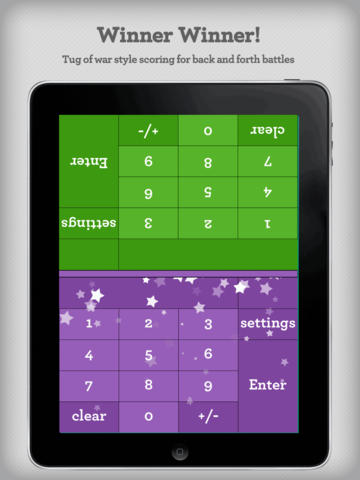
Was FREE for a limited time, currently $2.99 – Math Duel-2 Player Mathematical Game.This educational app pits two players against each other on the same device which makes it perfect for sharing iPads in the classroom. The app has a split screen interface – students sit facing each other on either end of the iPad. As kids answer math equations, the app keeps separate scores for each student. The best thing about this app is that it is fully customizable (on both sides) which makes it a fabulous tool for individualizing instruction for a wide range of students. Equations can be set with 1 – 5 terms. Largest numbers possible can be from 1 – 100. Negative numbers can be turned on/off. Kids can practice addition, subtraction, multiplication, division or any combination of these operations. Fabulous and fun for daily classroom math practice in multiple grades!

Common Core Standards met:

  • 1.OA.6 – Add and subtract within 20, demonstrating fluency for addition and subtraction within 10.
  • 2.OA.2 – Fluently add and subtract within 20 using mental strategies. By end of Grade 2, know from memory all sums of two one-digit numbers.
  • 3.OA.7 – Fluently multiply and divide within 100, using strategies such as the relationship between multiplication and division or properties of operations. By the end of Grade 3, know from memory all products of two one-digit numbers.

Download link: https://itunes.apple.com/us/app/math-duel-2-player-mathematical/id495077699?mt=8&uo=4

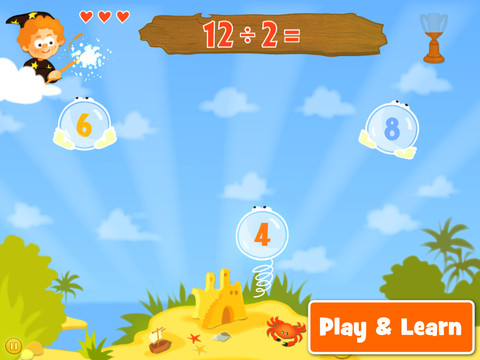
Was FREE for a limited time, currently $1.99 – Bubbling Math, an educational app for the iPad helps students in grades 1 – 4 become proficient in basic math skills – addition, subtraction, multiplication, division. In the Task Configuration section of the app, parents/teachers choose the operations & the levels of difficulty (easy, medium, hard, expert). Descriptions tell specifically what kinds of problems are included in each level. The ability to customize what a child needs to practice makes this app very powerful. Another plus is that the levels can be set differently for each operation. The other powerful section of this app is the “parents section” where a child’s progress is reported by the date, the operations and levels practiced, the number right & wrong, the specific problems missed, and percent correct.

As for the actual game – there are 9 levels that unlock as the child makes progress. There are trophies awarded for doing well. The graphics and music are nicely done. The speed of the game can be adjusted  – slow, normal, fast. But…what makes this app stand out is the ability to truly personalize it. Unfortunately, I don’t think the app tracks more than one child’s data. The data can be reset but the results for the first child would be lost. Regardless, this app is great!

Common Core Standards met:

  • 1.OA.6 – Add and subtract within 20, demonstrating fluency for addition and subtraction within 10.
  • 2.OA.2 – Fluently add and subtract within 20 using mental strategies. By end of Grade 2, know from memory all sums of two one-digit numbers.
  • 3.OA.7 – Fluently multiply and divide within 100, using strategies such as the relationship between multiplication and division or properties of operations. By the end of Grade 3, know from memory all products of two one-digit numbers.

Bubbling Math - TappyTaps s.r.o.

0

Thumbpire – The Funny Story Of A Little Monster’s Big Problem

thumbpire

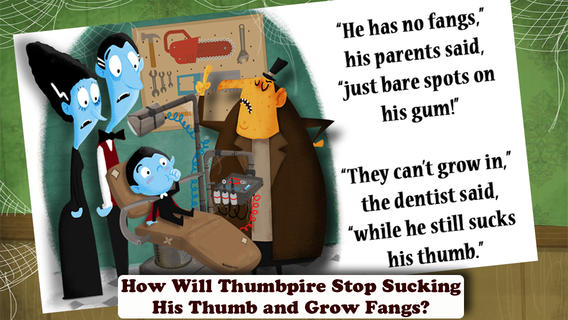
FREE today – Thumbpire – The Funny Story Of A Little Monster’s Big Problem, a cute e-book for young kids. The little vampire’s fangs will not come in because he sucks his thumb. Kids read along to find out how his problem is solved. The story would be great for a quick lesson on the elements of a story – setting, characters, problem, events, & solution. It is written by children’s author Stephen White of “Barney & Friends™ and Sarah G. White. Other features of the app include: “vampire” narration or read it myself, sound effects/music, and activity pages. Cute and just in time for Halloween!

Download link: https://itunes.apple.com/us/app/thumbpire-funny-story-little/id725671602?mt=8&uo=4