0

Quick Math+ and Quick Math – Multiplication & Arithmetic Game

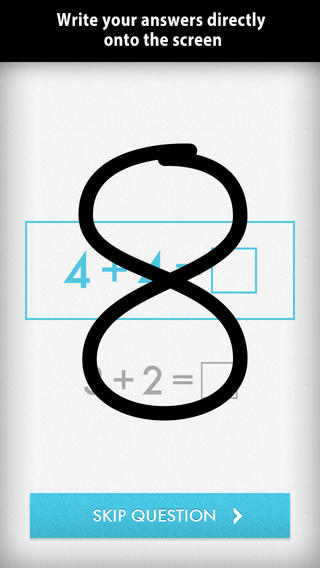
Only $.99 – Quick Math+, an educational app that encourages the development of mental math skills. Kids race against the clock to improve their scores. Handwriting recognition allows the players to write the answers directly on the screen – a very slick feature. There are 4 game modes: solve, memorize, compare, and swap. Each game has 4 levels: beginner, intermediate, advance, and extreme. At a beginning level, this app helps to develop math fluency. Once kids have mastered the basics, the app introduces order of operations & parenthesis, negatives numbers, and indices. LOTS of great practice for multiple levels of math students in this app. It can be shared among students and it tracks each student’s progress – perfect for the classroom. The math gets progressively harder as students improve their skills. I love how the app encourages self-improvement and legible writing! Teachers could assign 10 minutes of practice each day for their students. I am sure the results would be significant. What a fabulous tool for the classroom!

Download link: https://itunes.apple.com/us/app/quick-math+/id703287370?mt=8&uo=4

quick math

Also only $.99 – Quick Math – Multiplication & Arithmetic Game, an educational app that encourages math fluency in addition, subtraction, multiplication, division, & mixed operations. Kids race against the clock to improve their scores. Handwriting recognition allows the players to write the answers directly on the screen – a very slick feature. There are 4 game levels: beginner, intermediate, advance, and extreme. This app features LOTS of great practice for multiple levels of math students. It can be shared among students and it tracks each student’s progress – perfect for the classroom. The math gets progressively harder as students improve their skills. I love how the app encourages self-improvement and legible writing! Teachers could assign 10 minutes of practice each day for their students. I am sure the results would be significant. What a fabulous tool for the classroom – perfect for a daily warm-up, at a math center, or for fluency practice after completing an assignment.

Common Core Standards met:

1.OA.6 – Add and subtract within 20, demonstrating fluency for addition and subtraction within 10.
2.OA.2 – Fluently add and subtract within 20 using mental strategies. By end of Grade 2, know from memory all sums of two one-digit numbers.
3.OA.7 – Fluently multiply and divide within 100, using strategies such as the relationship between multiplication and division or properties of operations. By the end of Grade 3, know from memory all products of two one-digit numbers.
Download link: https://itunes.apple.com/us/app/quick-math-arithmetic-times/id537802071?mt=8&uo=4

0

My Monster Mayhem

FREE for a limited time – My Monster Mayhem, an interactive e-book for the iPhone/iPad which normally sells for $4.99. It is the story of a little girl and all of the monsters in her house (imagination) that prevent her from doing what her mother asks her to do – turn off lights, not waste dental floss, etc. What her mother doesn’t seem to understand is that she is really a hero!

The storyline is cute and there are animations/interactivity found on almost every page – kids pop bubbles from the bathtub, play tug of war with the Broncus Dentus, etc. Kids also collect hidden monsters on almost every page to unlock puzzles at the end of the story. The “existence” of the monsters is left open for discussion/interpretation – perfect for kids that are a bit older. Thanks for another great story, Digital Leaf!

My Monster Mayhem - Digital Leaf

0

ScratchJr

scratch jrFREE app – ScratchJr is designed to teach kids how to code their own stories and/or games. Specifically developed for younger children, ScratchJr is based on Scratch programming language (http://scratch.mit.edu) which is used by millions around the world. The app includes an introduction video and examples of sample projects. Once the add button is pressed, the app opens to a page with a friendly looking cat in a blank square surrounded by programming tools. Then the fun begins. Kids snap together programming blocks to make the cat move – forward, backward, right, left, hop, etc. They can choose to add a setting to their story/game by selecting one of the twenty-eight different backgrounds. They can add additional characters and/or objects to their scenes. They can make their character talk either by using word bubbles or by recording their own voices. They can control timing, speed, and the sequencing of events. The app can be simple but it becomes more complex as kids start to figure things out. For example, they can learn to program multiple characters to move in sequence, move together, etc. Kids can also add themselves to the story. They simply choose one of the fifteen “faceless” characters then add in their own face using the iPad’s built-in camera. How cool is that? As kids learn to program, they are also learning to problem solve, design projects, and be creative on the computer. LOVE this app!

Download link: https://itunes.apple.com/us/app/scratchjr/id895485086?mt=8&uo=4

0

Spelling Test by FunExam.com

spelling test

FREE for a limited time  – Spelling Test by FunExam.com, a cool tool for improving spelling test scores. To use this app you must create a free account by submitting your email and a password. Then you can begin creating your tests. First you name your test – short a words, days of the week, first grade/week 1, sight words/list 1, etc. I would make the name match the lesson so that your data is more meaningful. Then you type in the words – the app is case-sensitive. If you enter a proper noun, the app is going to mark it wrong without a capital letter. 🙂 Then you record the words. The app gives you enough time to also include the words’ meanings or sentences using the words – perfect for homonyms. That’s it – easy!!

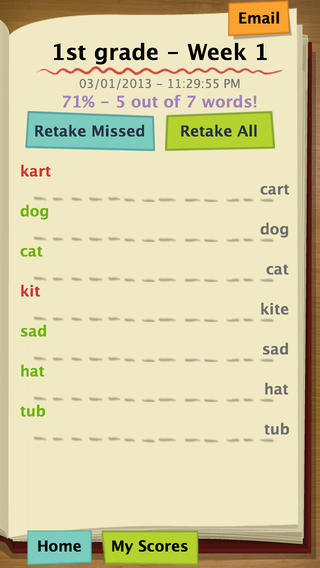
Once your test has been created, kids can practice. They simply click on the test they would like to take. The words are pronounced and the kids spell them by typing them in. The app grades the test as you go  – correct words are shown in green, incorrect words in red. The correct spelling of each word is also shown. When the test is complete, the final score is shown in two ways – 5/7 and 71%. Kids are given the option of retaking the missed words or retaking all of the words. The results can be emailed. This app is fantastic – easy to use and it tracks progress. Kids would love creating their own test at the beginning of the week. Teachers could use it for phonics lessons, to teach homonyms, and more. Older students could us this app for science vocabulary, to learn foreign language words, etc. There are lots of applications (beyond spelling) for this app. Just use a bit of imagination – LOVE it!!

Download link: https://itunes.apple.com/us/app/spelling-test-free-by-funexam.com/id426041393?mt=8&uo=4

0

6 FREE Apps to Encourage Lifelong Learning

Try adding one or more of these apps to your daily routine this year. Students will love learning something new each day!

This Day in HistoryOne of my favorite FREE resources… WORLD BOOK  – This Day in History for iPad is a great FREE resource for the classroom. Historical events for the day are displayed on a calendar page. You can click on links to related media such as articles, photos/illustrations, music, speeches and more! When I was teaching, I had students  do “morning work” (correct punctuation, capitalization, & spelling in two sentences) while I took attendance, did lunch count, etc. This educational app would have been perfect for that daily assignment because I always used information about something interesting that happened that day. After correcting the sentences, the kids and I would discuss the history of that day. I was always amazed at how well kids retained what we had discussed during the opening minutes of every day. Throughout the year they would often remark, “We learned about that in our morning work.” You may want to try making this educational app part of your classroom’s morning routine. 🙂

WORLD BOOK - This Day in History for iPad - Software MacKiev

WonderopolisFREE – Wonderopolis, a fabulous educational app. Explore Wonderopolis (the website) with your mobile device.

Wonderopolis (Wonderopolis | Where the Wonders of Learning Never Cease) is a fantastic website that provides a daily Wonder of the Day®.  A fun & intriguing question is featured every day. The website/app includes a written explanation of the answer, vocabulary words, and a gallery of images & videos – all to foster learning and inspire curiosity about the Wonder of the Day®. Other daily features include a “Try It Out” section which suggests activities based on the day’s question, a “Still Wondering” section which gives additional/related information, and a quiz. There is even a section for teachers/parents called the “Educator Sandbox” with additional resources and opportunities to connect with the Wonderopolis community. It’s such a fascinating and wonderful resource – I enjoy reading it myself!

Using this website/app would be a fabulous addition to a daily classroom routine. Kids could read (or listen to) the daily Wonder of the Day® as part of their independent work time. They could journal about what they learned and/or what they are still wondering about. A class discussion could be scheduled for later. What a great way to encourage THINKING! Wonderopolis is a fabulous resource to ignite the natural curiosity and imagination of kids!

Download link: https://itunes.apple.com/us/app/wonderopolis/id505247028?mt=8&uo=4

BrainPOP has been around for more than a decade as an educational website. The site features short animated movies – 750+ lessons covering science, social studies, math, art & music, etc. The content is geared for grades 4 and above but I found that many movies were also suitable for third graders. When I was in the classroom, it was one of my favorite online resources.

Now you can download the BrainPOP Featured Movie, the educational app for FREE! Your child can learn something new every day. After watching the daily movie there is a short interactive quiz. And… if your child can’t get enough of this app, there are two subscription options: $1.99 per month/ 4 movies & quizzes a day OR $6.99 per month/full access.

Teachers could add the BrainPOP movie of the day to their daily routine. Watch it at a transition time – right before lunch, after lunch, while waiting for buses to called, etc. Interesting and educational!!

BrainPOP Featured Movie - BrainPOP®

Also available for FREE is BrainPOP Jr. Movie of the Week, another educational app. Every week Annie and Moby (two lovable characters) help 5 to 9 year olds learn about a different subject. There is also a quiz and activities to accompany each animated movie. BrainPOP Jr. has been on the web since 2006 delivering content for younger students in science, social studies, reading, writing, math, and more.

Again, teachers could add the BrainPOP Jr. Movie of the Week to their routine. Start your Monday off with the “Movie of the Week” or use it on Friday. BrainPOP gives teachers another way spark kids interest in learning!

BrainPOP Jr. Movie of the Week - BrainPOP®

weirdDid you know that hippo’s lips are about two feet wide? Get ready to learn all sorts of wacky facts with this app. Just updated and FREE – Weird But True, an e-book from National Geographic Kids. Over 625 kid-friendly, wacky facts are presented in a fun & interactive way. Kids can swipe to move from fact to fact or shake their device to generate a random fact. Sound effects and surprises add to the fun! There is a fact finder which kids can use to locates facts by subject – animals, weather, space, etc. The app also includes a “Weird-O-Meter” which kids can use to rate the level of weirdness for each fact. Additional fact packs are available as in-app purchases –  $.99 each. This app won the Spring 2012 Parents’ Choice Award and was chosen as New & Noteworthy, What’s Hot, & Staff Favorites by Apple. Kids will LOVE this app. :

Weird But True - National Geographic Society

newsCheck out a FREE trial of News-o-Matic, an educational newspaper app for kids 7 – 11 years old. A new edition is published every Monday through Friday. Each edition features 5 articles from the news – sports, science, world news, wacky events, etc. The articles are kid-friendly and age-appropriate. Kids can read on their own or have the articles read to them. Important vocabulary words are underlined and linked to their definitions. The articles also include fun facts, a map for locating where the news is happening, videos, and games. Once registered, kids can connect to the News Room to draw pictures, express opinions, or ask questions about the news. This app helps kids become informed citizens of the world!

The FREE trial lasts for 2 weeks. After that, you must subscribe: yearly – $19.99. monthly – $1.99, or weekly – $0.99. If you subscribe before the end of your free trial, you get a special rate. Teachers, there is also a News-o-Matic School Edition. It comes with a teacher’s guide which includes discussion prompts, comprehension questions, Lexile reading levels, and more. And, it’s a great resource for non-fiction reading!

Download link: https://itunes.apple.com/us/app/news-o-matic-daily-reading/id578023255?mt=8&uo=4

0

Popboardz

Popboardz

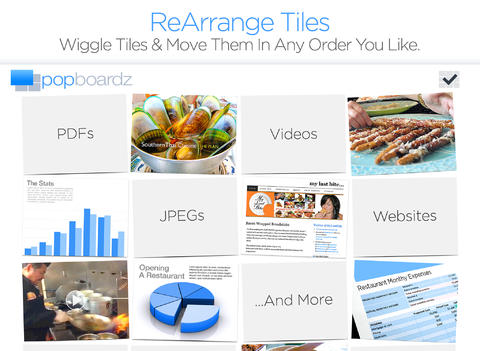
FREE again for a limited time – Popboardz, a productivity tool that normally sells for $4.99.  Popboardz makes it easy to organize, store, and present information. Each board is a grid with 16 spaces for content so that all of your PDFs, images, videos, websites, can be arranged on one screen. Unlike other presentation tools, Popboardz makes it easy to customize your presentation to meet the needs of your group. Just click on the grid space that contains the example, information, or link that you would like present next! It’s easy to skip around. This app would be fabulous to use in the classroom. A teacher could organize all his/her digital resources for a unit on one board. That board can be saved so it is always ready to present! It is also easy to edit and/or rearrange boards so that lessons can be tweaked as new resources become available. Students could also use Popboardz – to organize information, to present projects, to give reports, and more. What a great educational app!

Download link: https://itunes.apple.com/us/app/popboardz/id563989511?mt=8&uo=4

0

15 Educational Halloween Apps

Only 30 days to Halloween – time to start planning. Here is a list of educational Halloween apps that you may want to download to use this month. They were all FREE when I downloaded them and seven of them are still FREE. 🙂

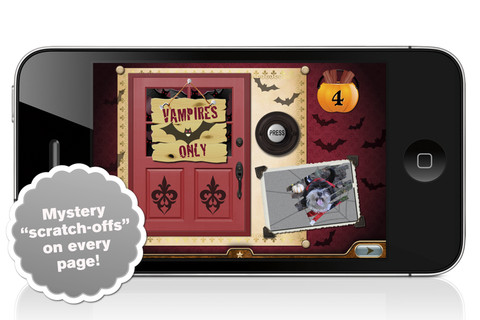
Millie’s Book of Tricks and Treats is currently $.99. The Millie books feature a very cute, lovable dog and kids absolutely LOVE them! If you own some of Millie’s other books: Meet Millie and Millie and the Lost Key, you will want to download this one too. This book presents a series of silly tricks & treats featuring Millie – nothing scary for little ones. Every time you read it, the randomly generated video clips change so the book is always different.There is also a scratch-off picture & hidden sticker on every page. Love this series!

Millie's Book of Tricks and Treats - Megapops LLC

Also $.99 – Millie’s Book of Tricks and Treats, Volume 2, featuring more doggy tricks and/or doggy treats. LOVE these books!

Download link: https://itunes.apple.com/us/app/millies-book-tricks-treats/id569720229?mt=8&uo=4

FREE  – Toca Kitchen Monsters, another fun educational app from Toca Boca. Kids take to the kitchen to cook for two lovable monsters. In the frig they will find eight different foods that they can slice, blend, boil, fry, or microwave. They can also add seasoning to the food but they need to be careful not to add too much. Once the food is prepared they plate it up, serve it to the monster and wait for a reaction. Kids will learn which foods each monster prefers – fun creative play!!

Teachers – use this app to inspire creative writing. Write stories or poems about each monster. It would also be fun to compare and contrast the food preferences of the monsters on a graphic organizer. Fun learning activities for Halloween!

Download link: https://itunes.apple.com/us/app/toca-kitchen-monsters/id510301841?mt=8&uo=4

Carve-a-Pumpkin from Parents Magazine is FREE for the iPhone/iPad. Kids first choose one of five pumpkins (orange, white, orange with green, black or orange & bumpy). They can “cut” it by hand or use premade eyes, noses, mouths, and faces. Instead of cutting the pumpkins, kids can choose to decorate them with stickers. In either mode, kids can manipulate the size and orientation of the objects that they add. There is an undo and redo button to change things easily. Once the pumpkins is complete, kids choose a background. The final project can be shared on Facebook. Twitter, & emailed, or saved as a photo. This app would be fun for kids to use as a planning tool for real pumpkin carving.
Carve-a-Pumpkin from Parents magazine - Resolute Digital, LLC

Giggle Ghosts, a counting app for toddlers currently $.99. The giggle ghosts are very cute – kids will love to hear them laugh. Kids help twenty ghosts get the party by bouncing them across rooftops. In the first level the sky is clear and they have to bounce five ghosts. The app counts to five and shows the written numbers. The second level is the same but there are leaves blowing in the sky. In the third level there are clouds in the sky and in the fourth level it is raining – both provide additional practice counting from one to five. At the end, all twenty ghosts at the party are counted. This educational app is great for little ones at Halloween – nothing scary, just fun & friendly ghosts going to a party 🙂

Giggle Ghosts - by Busy Bee Studios - Busy Bee Studios

Currently $.99 – Monsters: Videos, Games, Photos, Books & Interactive Activities for Kids by Playrific. This digital activity pack features monster-themed books, songs, and activities for kids – just in time for Halloween! Read Where the Wild Things Are, sing songs with the Happy Monster Band, make monster cupcakes, watch monster cartoons. All content has been prescreened by the developer.

Download link: https://itunes.apple.com/us/app/monsters-videos-games-photos/id667015095?mt=8&uo=4

Zombies

Math vs Zombies is currently full price – $4.99.  Kids become highly trained scientists with the mission of saving the world from zombies. Using their math skills, they transform the zombies back into humans. The app has four worlds – addition, subtraction, multiplication, and division. Each world has 7 levels which can be set to easy, medium, or hard – making this app suitable for multiple grade levels. Kids will love the “spooky” music, howling wind, and “scary” zombies. The combination turns math practice into a Halloween treat!

Download link: https://itunes.apple.com/us/app/math-vs-zombies-math-games/id470896560?mt=8&uo=4

My Beastly ABCs

My Beastly ABCs (featured in USA Today’s Top 10 iPad Apps for Kids) is currently $2.99. Kids join a young boy (who is reluctant to get out of bed) on a magical adventure through a not-so-ordinary day. Told in rhyme, the story recounts the boy’s day as he encounters 26 friendly monsters (one for each letter of the alphabet) from all over the world. Kids join in this interactive tale as they play hide & seek with a Boogey Monster, learn how to floss from a Vampire, uproot a Mandrake family, and much more. The app is narrated by Jim Dale with whimsical background music & great sound effects. It has 3 play modes: with narration, without narration, or auto-play. Everything about this educational app is top quality – beautifully illustrated with the perfect amount of animation & interactivity. There is also an index that gives kids monster facts & descriptions. Kids can read and learn about each of the beasts’ unique characteristics and place of origin. Lots of fun!!

Download link: https://itunes.apple.com/us/app/my-beastly-abcs/id578158826?mt=8&uo=4
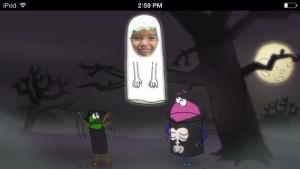
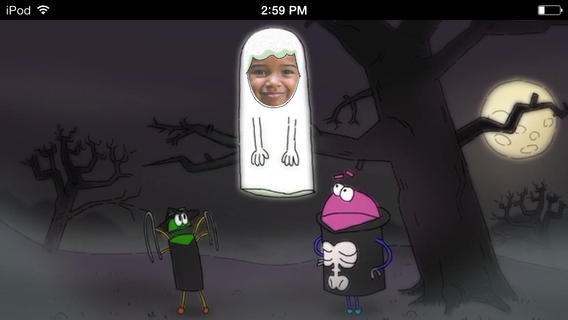
StoryBotsA StoryBots Halloween is currently FREE! Cast up to 5 members of your family in this cute & catchy animated Starring You® Video. It’s easy to cast your family members as a vampire, a ghost, a werewolf, a mummy, or Frankenstein’s monster. Just take or upload a photo, position the face, then name your character. In no time you and your kids will be dancing with the StoryBots like the “Boogie” Man! If you’d like, you may share your final creation via email, Facebook or Twitter. VERY cute and fun!

Download link: https://itunes.apple.com/us/app/storybots-halloween-starring/id701184040?mt=8&uo=4
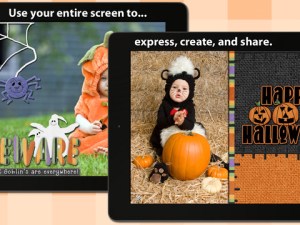
FREE again – Scrap It: Halloween HD for the iPad. You (or your child) can add a Halloween touch to your photos with this app. First take a photo or use an existing one. Using the photo editor, you can crop it and/or add an effect (about 40 filters available). Then its time to get creative – add stickers, change the papers & tiles, add letters & numbers/ribbons/word art, and add & manipulate text using the text editor. Items can be resized, shadowed, sent to the back, sent to the front, etc. Creations are saved in My Scrap Pages. They can also be shared on Facebook, Twitter, Tumblr, via email. They can be saved to your camera roll or printed. I think kids would love decorating pictures of themselves, their family & friends, and the family pet. 🙂 You could also create an electronic postcard or invitation with this app. Lots of possibilities!!
Scrap It: Halloween HD - Dirk Bost

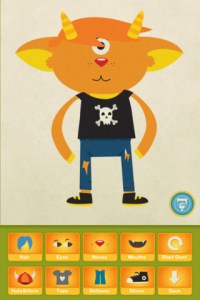
Dibu’s Monster Maker Lite is FREE for the iPhone/iPad. Dibu is a little boy who loves monsters so he created a machine to build them – I think this is how Dr. Frankenstein got started 🙂 The Monster Maker has hundreds of combinations of monsters waiting to be made. The lite version has 2 bodies to choose for the base.Then kids add hair, eyes, noses, mouths, hats & horns, tops, bottoms, and shoes. There is also a random monster generator which creates a monster with one tap. Finished monsters can be named then saved, printed, made into a puzzle, or emailed. This app also has a child lock that hides all promotional buttons and disables printing & emailing. And… there is a “parents only” button which gives written instructions for access to the app store. The developer does not want young children to end up there accidentally – how refreshing!

This app would be great to use with elementary aged kids. They could create a monster then write a descriptive paragraph about it. They could create two monsters and do a Venn diagram comparing and contrasting the monsters. Lots of possibilities!

Dibu's Monster Maker Lite - Playtend Apps LLP

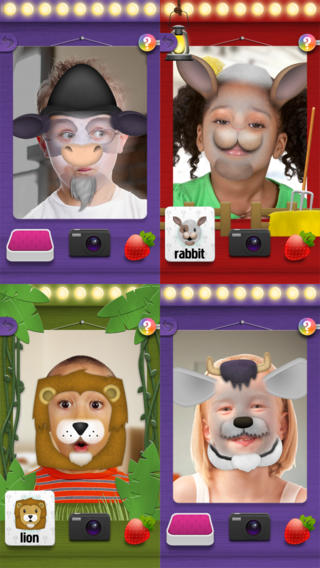
Mask Jumble AnimalsMask Jumbled Animals is a fun educational game for kids. It turns their faces into animal faces! Kids look into the app’s mirror and animal parts will appear on their faces. They tap to match the ears, nose, chin, and hair in order to complete 1 of 20 different animal masks. When the mask is complete, kids catch strawberries in their mouths to unlock a new mask. The mask puzzles are really cute for preschoolers who will be delighted to be an elephant, a lion, a panda, etc. But… the best part of this app is the ability to take pictures of kids in their masks which makes this app a fabulous resource for creative writing! Pull those pictures into a story writing app and off you go.

Download link: https://itunes.apple.com/us/app/mask-jumble-animals/id548763608?mt=8&uo=4

Mask Jumble Halloween

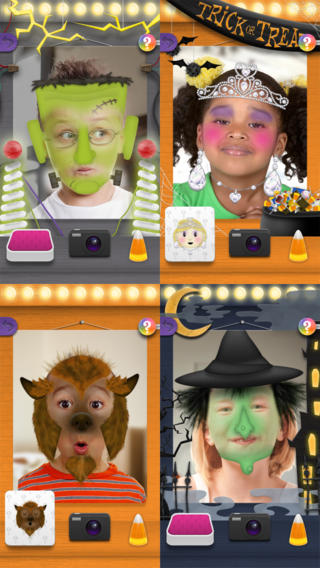
Also FREE from the same developer – Mask Jumble Halloween. This app works just like Mask Jumbled Animals. 🙂
Tilly Witch

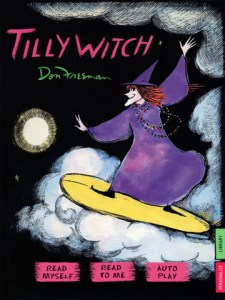
Tilly Witch by Don Freeman (author of Corduroy) is Currently $1.99. The story is a Halloween classic about a witch who forgets how to be mean!  Check out this great story from a well-known author of children’s books.

Like other titles from Auryn Apps, this story can be personalized by having your child narrate it – a super option for kids who are learning to become more fluent readers.

Tilly Witch - Don Freeman's classic Halloween story book for kids (iPad version, by Auryn Apps) - Auryn Inc.

The Scariest Halloween  Story Ever  is currently $1.99. Kids follow Candy Corn Man on an interactive Halloween adventure. I taught third grade for MANY years and I think this book would be enjoyed by most kids 8+. Younger students may be a bit scared by the bugs, bats and/or the monster eyeballs (which turn out to only be meatballs) so make sure you know your audience. It’s a cute story. 🙂

The Scariest Halloween Story Ever! - 3CD

0

Super Readers – A Dolch Sight Words Based Story Book App That Will Help Turn Your Child Into a Super Reader!

super readers

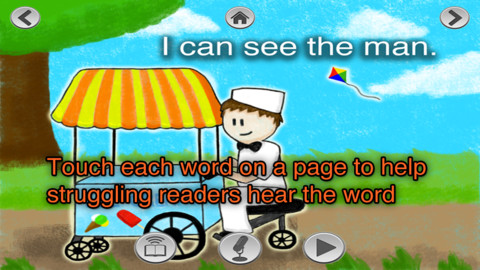
FREE again for a limited time – Super Readers, an animated storybook app for early readers! This educational app uses the Dolch sight words in 10 vocabulary controlled stories at 5 different reading levels: kindergarten, beginning first, middle first, end of first, and beginning second. Kids can choose to have the stories read to them with automatic text highlighting or they can touch individual words to have them read. Another great feature  – kids can record themselves reading the book and then play it back. What a wonderful confidence builder for little ones trying to build their fluency!!

Common Core Standards met:

K.RF.3 – Know and apply grade-level phonics and word analysis skills in decoding words. c. Read common high-frequency words by sight (e.g., the, of, to, you, she, my, is, are, do, does).

Super Readers - A Dolch Sight Words Based Story Book App That Will Help Turn Your Child Into a Super Reader! - Jorge Sanchez

0

SpeakaZoo and Winston Show

speak a zooFrom the creators of the Winston Show comes another FREE app – SpeakaZoo, the only zoo where the animals talk with you. This educational  app is currently featured as one of the “Best New Apps” by Apple. The SpeakaZoo houses 20 different animals from 4 different habitats. Each one has a lot of character – a fast-talking octopus, a porcupine that needs a hug, an angry beaver, a sleepy bear, etc. And each character has a lot to talk about. The animals ask kids questions then “listen” to their answers. The conversation continues when the animal responds to what the child just answered – fun!

Parents are asked to create an account with a valid email address so that they have full control over all account information and content for children under 13. From the ToyTalk privacy policy FAQs: “ToyTalk apps involve characters that interact with users. When children use ToyTalk apps, audio recordings and photographs of such interactions are captured as part of this use. We may add the ability to capture video in the future. In that case, we will update this FAQ to describe how we use those recordings too.” Read more at: http://www.toytalk.com/legal/

Download link: https://itunes.apple.com/us/app/speakazoo/id850553929?mt=8&uo=4

winston

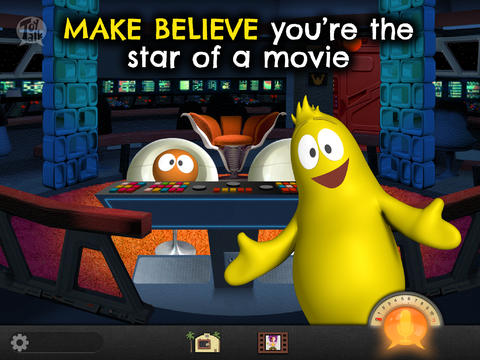
FREE – The Winston Show, an adorable app for kids 6+. Winston (a self-proclaimed, yellow fellow) and his sidekick Ellington have created the first talk show starring you! Special guests include Blackbeard the Pirate, Marie Antoinette, and the Blue Whale. Kids visit 6 different studios within the app. In Studio 1, they become a contestant on a quiz show called Win with Winston. Studio 2 features Fireside Chats on a variety of kid-friendly subjects such as magic and chores. In Studios, 3 kids can choose to become the star in two movies: Squabble Among the Stars or Winston Sly, Private Eye. They battle colorful characters (such as Lewis & Clark) in Studio 4′s You vs., another game show. Studio 5 is the Costume Department where kids can play dress-up in an assortment of costumes. And finally, Studio 6 features the Writing Room where kids choose the path of a story. This app is fabulous for helping kids with conversational language because the characters listen and talk back! It’s quite ingenious and could be really fun – for kids and adults. Adults will love seeing kids interact with Winston and friends. And, they will understand all of the jokes. 🙂 Delightful!!

From the ToyTalk privacy policy FAQs: “Users under 13 are only authorized to use ToyTalk apps under their parent/guardian’s account. As a result, we do not knowingly collect emails or other contact information directly from children under 13. ToyTalk apps involve characters that interact with users. When children use ToyTalk apps, audio recordings and photographs of such interactions are captured as part of this use. We may add the ability to capture video in the future. In that case, we will update this FAQ to describe how we use those recordings too.”  Read more at: http://www.toytalk.com/legal/

Download link: https://itunes.apple.com/us/app/winston-show/id669541931?mt=8&uo=4

1

MyScript Calculator

myscript

Named by Apple as 1 of  10 Apps That WOW and FREE  – MyScript Calculator is an amazing app. It performs mathematical operations literally by hand! You write the problem … it solves the problem! The app is very simple to use. Just write the mathematical equation on the screen. MyScript technology converts the symbols and numbers to digital text and delivers the answers. It supports the following operations: basic operations (+, -, x, ÷, +/‒, 1/x), additional operations ( %, √, x!, |x|), powers/exponentials (ℯx, xy , x2), trigonometry, and more. Winner of the Mobile App Showdown at CES 2013, MyScript Calculator has been redesigned to work with iOS7. The update also allows automatic calculation to be disabled and replaced by a “calculate” button. Love this app – numbers have to be written somewhat legibly for it to work. 🙂

MyScript Calculator - Vision Objects