0

SpeakaZoo and Winston Show

speak a zooFrom the creators of the Winston Show comes another FREE app – SpeakaZoo, the only zoo where the animals talk with you. This educational  app is currently featured as one of the “Best New Apps” by Apple. The SpeakaZoo houses 20 different animals from 4 different habitats. Each one has a lot of character – a fast-talking octopus, a porcupine that needs a hug, an angry beaver, a sleepy bear, etc. And each character has a lot to talk about. The animals ask kids questions then “listen” to their answers. The conversation continues when the animal responds to what the child just answered – fun!

Parents are asked to create an account with a valid email address so that they have full control over all account information and content for children under 13. From the ToyTalk privacy policy FAQs: “ToyTalk apps involve characters that interact with users. When children use ToyTalk apps, audio recordings and photographs of such interactions are captured as part of this use. We may add the ability to capture video in the future. In that case, we will update this FAQ to describe how we use those recordings too.” Read more at: http://www.toytalk.com/legal/

Download link: https://itunes.apple.com/us/app/speakazoo/id850553929?mt=8&uo=4
winston

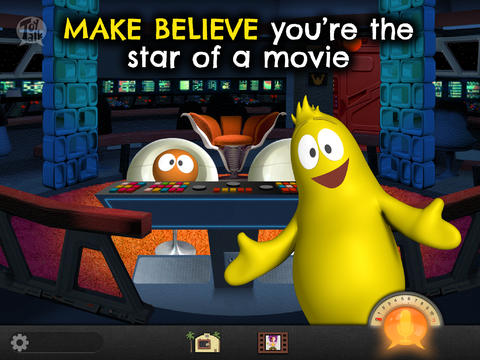
FREE – The Winston Show, an adorable app for kids 6+. Winston (a self-proclaimed, yellow fellow) and his sidekick Ellington have created the first talk show starring you! Special guests include Blackbeard the Pirate, Marie Antoinette, and the Blue Whale. Kids visit 6 different studios within the app. In Studio 1, they become a contestant on a quiz show called Win with Winston. Studio 2 features Fireside Chats on a variety of kid-friendly subjects such as magic and chores. In Studios, 3 kids can choose to become the star in two movies: Squabble Among the Stars or Winston Sly, Private Eye. They battle colorful characters (such as Lewis & Clark) in Studio 4′s You vs., another game show. Studio 5 is the Costume Department where kids can play dress-up in an assortment of costumes. And finally, Studio 6 features the Writing Room where kids choose the path of a story. This app is fabulous for helping kids with conversational language because the characters listen and talk back! It’s quite ingenious and could be really fun – for kids and adults. Adults will love seeing kids interact with Winston and friends. And, they will understand all of the jokes. 🙂 Delightful!!

From the ToyTalk privacy policy FAQs: “Users under 13 are only authorized to use ToyTalk apps under their parent/guardian’s account. As a result, we do not knowingly collect emails or other contact information directly from children under 13. ToyTalk apps involve characters that interact with users. When children use ToyTalk apps, audio recordings and photographs of such interactions are captured as part of this use. We may add the ability to capture video in the future. In that case, we will update this FAQ to describe how we use those recordings too.”  Read more at: http://www.toytalk.com/legal/

Download link: https://itunes.apple.com/us/app/winston-show/id669541931?mt=8&uo=4

0

Lullaby Piano Book

lullaby

FREE again for a limited time – Lullaby Piano Book, an educational app for your budding pianist! The app’s keyboard has 13 sounds. There is a learn mode and a play mode. In the learn mode, kids are guided (note by note) through the songs. In the play mode, the notes are provided but kids are on their own. I wish the app also included an autoplay so kids could hear the song before attempting to play it. The app features cute cartoon characters and 6 songs that kids love – Hickory Dickory Dock, Mary Had A Little Lamb, It’s Raining, It’s Pouring, Eensy Weensy Spider, Three Blind Mice, and  Do Re Mi. This educational app is designed for both iPhone and iPad. 

Lullaby Piano Book - BelugaBloo

0

Alphabet Game – Build Letter Confidence

Alphabet Dots

FREE again – Alphabet Game from Ellie’s Games (normally $1.99). This educational app uses bright colors and a simple interface to teach young children to recognize the alphabet from A to Z. Kids learn to recognize both upper and lower case letters by popping colorful dots in order. The app has three levels of difficulty – choosing from 4 letters, 9 letters, or 16 letters. Kids can work on all upper case letters, all lower case letters or a mixed letters. There are also settings for sound, hinting, and enabling vibrations (iPhone only). This simple but visually appealing game is sure to help your little one learn the ABCs.

Alphabet Dots - Ellie's Games, LLC

0

Shadow Puppet

Shadow PuppetUse the power of this app to create a unique Father’s Day tribute or greeting!!

Recently updated and still FREE – Shadow Puppet, a photography app which has been featured by Apple as one of the “Best New Apps” for over 6 months!  Using this app, it’s easy to create “puppets” – recorded explanations of your photos. First you choose your photos and put them in the order. Then you talk about your pictures. Everything is recorded. Finished “puppets” can be shared via email, SMS, Facebook and/or Twitter. There are so many ways for everyone to use Shadow Puppet: to teach something new, to share adventures with friends, to record children talking about their experiences, to tell the story behind old family photos, etc.

The update has many new features. Now you can include video clips, add music, search the web for images, overlay text/stickers, and more! The FREE version of the app permits you to include up to 10 photos/video clips. For $1.99 you can get Puppet Essentials which allows you to add up to 100 items to each video and have access to more drawing & decorating tools. The update made this great app even better!

The classroom uses for this app are only limited by your imagination: Take pictures of a child’s work and have him/her explain it to parents. Send pictures and voice recordings of the class field trip. Have kids give a step-by-step explanation of what happened in a science experiment. Draw & sequence pictures to retell a story. Make a “talking timeline” by sequencing photos of historical events. Have kids use it to present mini reports on any subject. Have virtual “pet day” – kids bring in pictures/recordings of their pets. Because you can use anything saved to your photo library, you can explain photos from the web, artwork created in other apps, and so much more. The possibilities for using this educational app are endless. For more suggestions go to http://get-puppet.com/education. What a fabulous resource!!

Download link: https://itunes.apple.com/us/app/shadow-puppet/id700902833?mt=8&uo=4

0

Brainfeed – Educational Videos for Kids

brain

FREE one week trial of all content! Check out this great resource. 🙂

FREE (with in-app purchases) – Brainfeed – Educational Videos for Kids, a collection of 1000+ educational videos for kids (7+), tweens, teens, and life-long learners. The videos in this collection were picked by a team of educators from around the globe. To be included in the app, the video had to be: under 10 minutes, documentary style, curriculum-based, entertaining & engaging, visually stimulating, age-appropriate, and child-friendly. The videos are categorized by topic: This is Your World, Tech & Design, English, Arts & Music, The Human Body, Social Studies, Math, and Make Your Future. I watched several videos (Yellowstone Super Volcano, The Evolution of Life on Earth, Fun with Fractals, and How the Brain Works) and enjoyed all of them. The free version includes more than 100 titles – a great  introduction to what the subscription ($14.99) has to offer. Teachers, this app could be a great source of video clips  to supplement your curriculum. You can contact team@brainfeed.org to request a discounted teachers’ version to use in the classroom. Parents, your kids (and you) can learn interesting things about the world in your home, on the road, or any place that has a 3G or wireless connection. And, new videos added each week to spark children’s curiosity about their world. What a great resource!

Download link: https://itunes.apple.com/us/app/brainfeed-educational-videos/id727189716?mt=8&uo=4

1

Professor Garfield Fact or Opinion

professor garfieldProfessor Garfield Fact or Opinion is a FREE educational app. The comic teaches kids why it is important to know difference between fact and opinion, especially when using the internet. Garfield’s friend, Nermal, gets an F on his report about goats because it includes facts & opinions. With the help of Professor Garfield, Nermal learns that not all information on the internet is true. He learns that fact is “something that can be proven to be true” and an opinion is “something that someone believes but cannot be proven.” Nermal learns how important it is to read with a questioning mind. After reading the comic strip, kids practice what they have learned by helping Nermal write a report about school lunches and by feeding facts to the Fact-Bot. I love this app! Kids start learning about fact vs opinion in second/third grade but many of them struggle with the concept. This app presents the content in a fun way then gives students the opportunity to apply what they have learned. It does a fabulous job of teaching kids an important element of critical reading – in my opinion. 🙂

Download link: https://itunes.apple.com/us/app/professor-garfield-fact-or/id401257010?mt=8&uo=4


0

Operation Math

operation math

On sale ($.99) for a limited time – Operation Math, a great educational app from Spinlight StudioKids will have fun practicing basic addition, subtraction, multiplication, & division tables in this interactive “spy” game. The object of the game is to stop Dr. Odd’s quest to eliminate the world’s even numbers. In order to do so, kids must complete 105 missions by solving equations. Missions can be selected based on a child’s skill level and/or the operation (+, -, +/-, x, ÷, x/÷  or +/-/x/÷).  Of course, time is of the essence so kids have to answer problems in 60 seconds or less. By doing so, they lock doors along their escape routes. And as they complete missions, they earn the gear of a seasoned spy. What a great game – I love how the app integrates math practice into a really cool game for kids. I especially like the modes which permit kids to practice multiple operations at a time. It makes kids pay attention to operation signs and quickly switch their thinking. What a fun way for kids to practice facts and meet CCSS! No wonder Operation Math was given a 2012 Parents’ Choice Award. Get it today – kids will LOVE it!

Common Core State Standards met:

  • 1.OA.6 – Add and subtract within 20, demonstrating fluency for addition and subtraction within 10.
  • 2.OA.2 – Fluently add and subtract within 20 using mental strategies. By end of Grade 2, know from memory all sums of two one-digit numbers.
  • 3.OA.7 – Fluently multiply and divide within 100, using strategies such as the relationship between multiplication and division or properties of operations. By the end of Grade 3, know from memory all products of two one-digit numbers.

Download link: https://itunes.apple.com/us/app/operation-math/id487387270?mt=8&uo=4

0

Reading Rainbow


Happy Birthday, Reading Rainbow – 31 years old today, June 6, 2014!!

Reading Rainbow is a library of over 200 books and videos for kids ages 3 – 9. This educational app is FREE to download but requires a subscription ($9.99 per month or $29.99 for 6 months) for full access. Once you subscribe, your children (up to 5 per family) will have unlimited access to the interactive books and video trips. This app is similar to the award-winning Reading Rainbow television series that was on PBS from 1983 – 2006. It even features the same host – Grammy winner, LeVar Burton. In less than a year, over 2.5 million books/video field trips have been viewed with this app!

After installing the app, kids fill out their profile (name, age, kinds of stories they like to read) and may choose one free book from one of the 6 themed island in the sky. The books are professionally read and feature “Read to Me” or “Read on My Own” options. They are lightly animated and include interactive activities that add to the story. A sticker rewards program motivates kids to read. There is also an individualized tracking system so parents can see books selected and minutes read for each child.

I must admit, I downloaded this app because of nostalgia. My kids grew up watching Reading Rainbow and we all loved it.I am happy to say that the appeal of Reading Rainbow today is the same as it was almost 30 years ago – Reading Rainbow provides kids with quality authentic literature. If I had a child/ grandchild (ages 3-9) or if I were still in the classroom, I would subscribe without hesitation. What a fabulous resource!

Highly Recommended!

Reading Rainbow - Reading Rainbow

0

Math Racer®

Only $.99 for a limited time – Math Racer, an educational app that normally sells for $4.99. Math Racer times how fast kids can answer 10, 20, 50 or 100 problems in 7 different games: addition, subtraction, multiplication, division, add/subtract, multiply/divide, or all operations. I like that this app offers the option of practicing related operations (add/subtract, multiply/divide) together – it makes kids pay attention to operational signs & make connections. The app keeps high scores for all areas. It shows which problems were missed and how long it took to answer each question (to the hundredth of a second). Teachers and parents can use this tracking system to document kids’ scores & their progress over time.

This app provides a simple but fun way for kids to practice their facts. I can’t imagine that they won’t love racing the clock to improve their scores. If it is loaded on an iPhone, kids could easily practice their facts in the car on their way to after-school lessons. 🙂

Common Core Standards met:

  • 1.OA.6 – Add and subtract within 20, demonstrating fluency for addition and subtraction within 10.
  • 2.OA.2 – Fluently add and subtract within 20 using mental strategies. By end of Grade 2, know from memory all sums of two one-digit numbers.
  • 3.OA.7 – Fluently multiply and divide within 100, using strategies such as the relationship between multiplication and division or properties of operations. By the end of Grade 3, know from memory all products of two one-digit numbers.

Recommended!

Math ® - i4software

0

Wee Kids Math

wee kids math

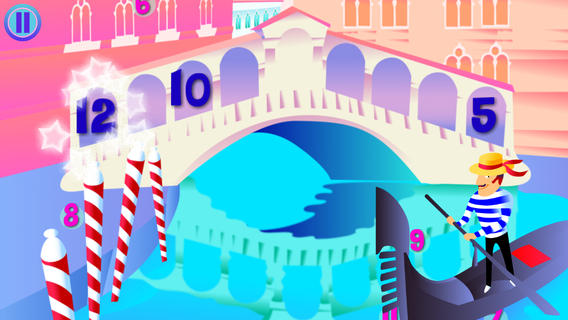
FREE for a limited time – Wee Kids Math, an educational app that features a variety of activities for beginning math students. There are 20 activities in all – each activity presented in a new brightly colored scene. Kids can order numbers on a caterpillar, match number words/numerals/pictures on ocean liners, practice addition on a farm, practice subtraction in the ocean, etc. A definite strength of this app is its variety. Number skills (0 – 20) included are matching, counting, ordering, identifying equalities & inequalities, identifying > & <, adding, and subtracting. The app jumps right into each activity without any sort of instructions. Most of the activities are fairly intuitive. But if kids can’t figure what they are supposed to do, they can go back & press the help button. Then they will find visual instructions for each activity. This app would be a good one to use WITH your child. There is no progress tracking so you will want to see what your child understands. 🙂

Download link: https://itunes.apple.com/us/app/wee-kids-math/id638457112?mt=8&uo=4