0

Phonics Tic Tac Toe Interactive Game

tic tac toe

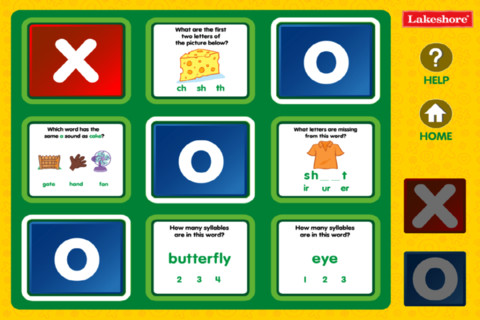
FREE for a limited time – Phonics Tic Tac Toe for the iPhone/iPad. This game reviews letter sounds (vowels, vowel combinations, consonant, consonant combinations) and syllables in a tic, tac, toe format. There is a lot of great phonics practice in this educational app. I really like that the app varies the placement of the missing sounds – at the beginning, in the middle, or at the end of the word. I also like how the app uses words with the same letters making different sounds. Since there is no sound, kindergarten/first graders might need help reading the questions. However, it would be perfect for independent practice for most second/third graders. Teachers could use it in a learning center, as independent seatwork with a friend, for small group intervention, etc. I only wish it had the option of having the questions read aloud for younger students. That being said, this app is definitely worth downloading!!

Common Core Standards met:

  • K. RF.3 – Know and apply grade-level phonics and word analysis skills in decoding words. Demonstrate basic knowledge of one-to-one letter-sound correspondences by producing the primary sound or many of the most frequent sounds for each consonant. Associate the short sounds with common spellings (graphemes) for the five major vowels.
  • 1.RF.3/2.RF.3/3.RF.3/4.RF.3/5.RF.3 – Know and apply grade-level phonics and word analysis skills in decoding words.

Phonics Tic-Tac-Toe Interactive Game - Lakeshore Learning Materials

0

ProCollage – Photo Collage Maker & Photo Stitch Creator

procollage

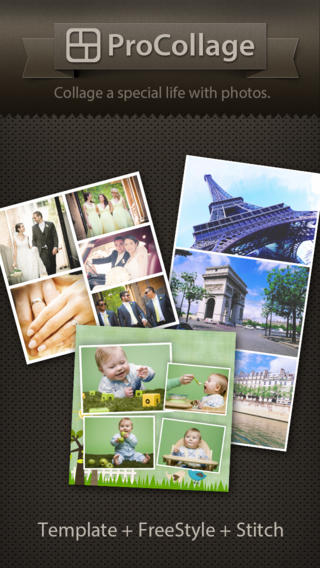
FREE today only – ProCollage – Photo Collage Maker & Photo Stitch Creator, a wonderful app for creating collages! With ProCollage you can easily make creative collages with your photos and/or pictures from the internet – basically, any images that you have saved in your camera roll/photo stream. This app is incredibly intuitive and easy to use. There are three collage modes to choose from – template collage, freestyle collage, and stitching photo. All modes support up to 9 photos. In all modes it’s easy to: flip and rotate photos, add/replace photos, add text (60 colors & patterns), customize borders, corners & backgrounds, and more.
There are SO many fun uses of this app for education. Teachers, use ProCollage to make a collage of a student’s work or a collage of the school year’s highlights. Add collages of what’s happening in your classroom to your class newsletter, website, or blog. Have students use ProCollage to introduce themselves at the start of the year. Send students on a scavenger hunt of geometric shapes then have them make a ProCollage of what they found. Add a ProCollage to a report or make a ProCollage representing the main character of a book, etc. The list is only limited by your imagination! I LOVE educational apps like this – open-ended with great potential for creativity! WOW!!

Download link: https://itunes.apple.com/us/app/procollage-photo-collage-maker/id593389475?mt=8&uo=4

0

Smiley Sight Words

Smiley Sight Words

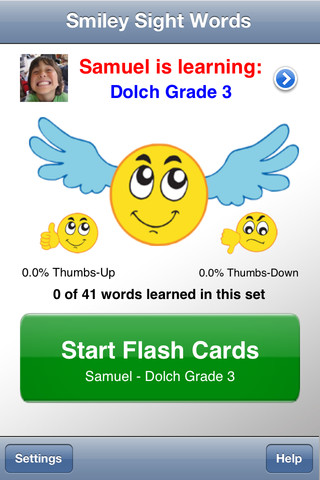
FREE for a limited time – Smiley Sight Words. This educational app teaches kids 1,600 common sight words compiled from high frequency lists such as Dolch, Fry, Pinnell-Fountas, UK, and others. Why learn sight words? Over half of the words we read each day are sight words! For early readers, this percentage is much greater. Many of these words do not follow the rules of phonics and/or cannot be represented by pictures. In order to read fluently, students should learn to read these words “by sight.”

The app is very simple to use. First enter the students’ names and pictures. In the settings you can enter up to 40 students –  perfect for a classroom teacher or an intervention specialist! Next you choose a list of words for each child to work on. There are 40 sets of Smiley Words (the 1000 most frequently used words), 18 sets of Dolch words, 10 sets of Fry words, 10 sets of UK words, 12 sets of AU color-coded words, plus 11 additional sets (upper case letters, lower case letters, number words, color words, etc.). There is also the option of making customized lists by mixing and matching words from other lists within the app. The app is ready to use! It displays one flashcard at a time. Tap the word to hear an American-English pronunciation. Then rate the ability to read the word with a thumbs up or a thumbs down. To be proficient, 3 thumbs up need to be collected for each word! The app generates a progress report at the end of the session which can be saved to photos. Once saved, it can be printed or emailed. The progress report is stated positively – Thumbs up % Pretty slick! This app makes it easy for teachers to provide individualized practice and keep track of their students’ progress. 🙂

Smiley Sight Words™ - 24x7digital LLC

0

Collins Big Cat Story Creator Apps

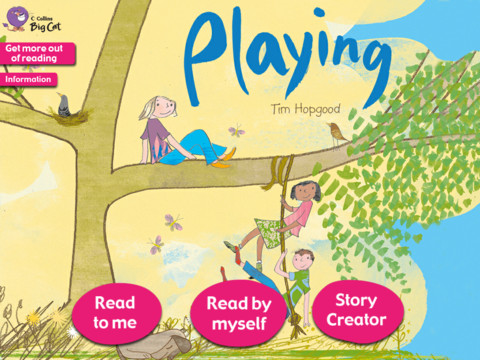
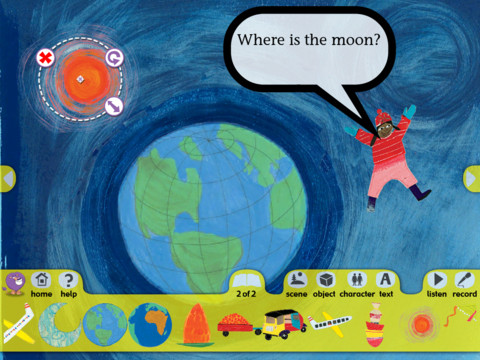
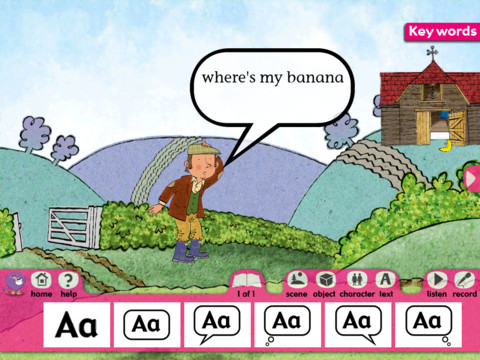
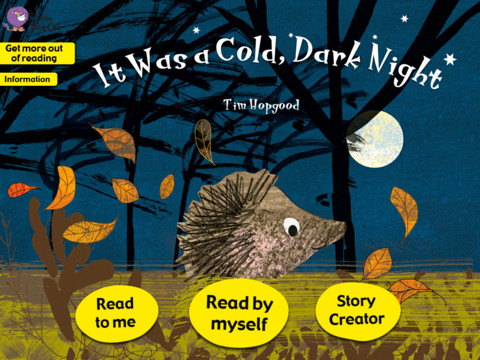
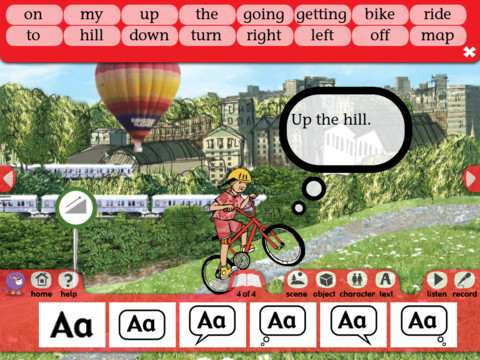
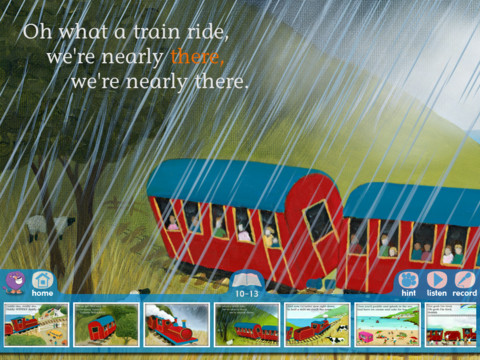
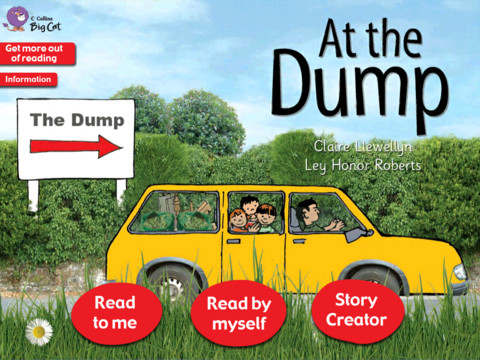
From the primary literacy specialists at Collins Education comes Collins Big Cat Story Creator apps and they are currently FREE for the iPad. Collins Big Cat is a reading series used by over 9000 schools in The United Kingdom. Titles included are: Playing Story Creator/Around the World/ Farmer’s Lunch/ In the Garden/ It Was a Cold,Dark Night/ My Bike Ride/ The Steam Train/At the Dump. These 8 apps normally sell for $3.99 each so take advantage of this great offer if you have young readers/writers in your life.

These educational apps, geared towards children ages 4+ or 5+, include an animated story (with hidden surprises on every page) and a story creator. The story creator allows the child to transfer what they just read into writing. Children can create their own story using the scenes, characters, etc. from the book. There is also the option to record the child’s newly created story. Nicely done for young readers/writers!! These apps were the winner of the BETT 2013 Primary Digital Content Award.

Highly recommended!

Playing Story Creator

Playing Story CreatorCollins Big Cat: Playing Story Creator - HarperCollins Publishers Ltd

Around the World       Collins Big Cat: Around the World Story Creator - HarperCollins Publishers Ltd

The Farmer’s Lunch       Collins Big Cat: The Farmer’s Lunch Story Creator - HarperCollins Publishers Ltd

In the Garden       Collins Big Cat In The Garden Story Creator - HarperCollins Publishers Ltd

It Was a Cold, Dark Night       Collins Big Cat: It Was a Cold, Dark Night Story Creator - HarperCollins Publishers Ltd

My Bike Ride        Collins Big Cat: My Bike Ride Story Creator - HarperCollins Publishers Ltd

The Steam Train       Collins Big Cat: The Steam Train Story Creator - HarperCollins Publishers Ltd

At the Dump

At the Dump   Collins Big Cat: At the Dump Story Creator - HarperCollins Publishers Ltd

0

ABC Food

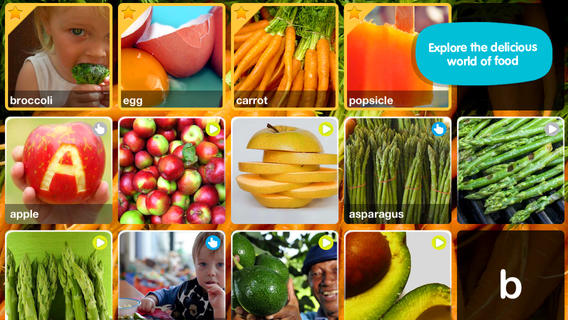
foodFREE for a limited time – ABC Food. This educational app introduces your toddler (3 – 5) to over 70+ food words through sight, sound, and touch. The app opens to a grid arranged in ABC order. Kids can tap on a letter to find foods that begin with that letter or they can tap on a specific food to learn about it. As the food’s photo appears, a child’s voice says the initial letter then reads the name of the food (which appears in writing at the bottom of the screen). A little cartoon person drops down on the left hand side of the screen with a link to a video clip or an interactive scene. The child can scroll to the left for additional pictures and videos about each food. The app also contains “Read To Me” Fun Facts about each food word featured. Explore the world of food from apples to zucchini with this educational app.

This app needs an internet connection to work because the 100+ videos are actually links from You Tube. They are chosen by Peapod Labs and checked to be interesting and safe for kids. Kids cannot link from this app into other You Tube content. This app is nicely done  – great for building vocabulary and beginning to read/spell words.

Also check out my reviews of ABC Wildlife, ABC House, ABC Music, and ABC Aquarium by the same developers. :)

Download link: https://itunes.apple.com/us/app/abc-food/id460479661?mt=8&uo=4

0

2 Kidztory Classics: Little Red Riding Hood & The Ugly Duckling

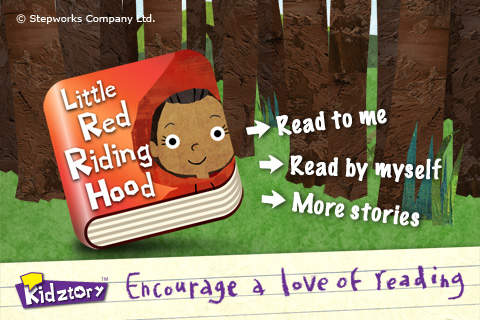
little redFREE for a limited time – Little Red Riding Hood and The Ugly Duckling, interactive versions of two classic tales. Kidztory apps can be read in two modes – read to me or read by myself. The artwork is very appealing – simple, bright, & colorful. LIttle Red Riding Hood is narrated by a child with no grandmas or wolves harmed in this version of the tale. As kids read along they will enjoy finding the cute animations and sounds on every page. And, every Kidztory storybook app shares a gentle lesson for life. Add these two classics to your digital library today – you won’t be sorry!

Download links:

Little Red Riding Hood: https://itunes.apple.com/us/app/little-red-riding-hood-kidztory/id444927406?mt=8&uo=4

Ugly Duckling: https://itunes.apple.com/us/app/ugly-duckling-kidztory-animated/id425599237?mt=8&uo=4


0

Brainingcamps Apps: Area of Figures and Fractions

areaFREE for a limited time – Area of Figures, an excellent educational app for teaching area from Brainingcamp LLC.The app helps kids understand how to find the area of 4 different figures:  rectangles, parallelograms, triangles, and circles. For each figure there is a narrated lesson (with visual models), virtual manipulatives for kids to explore, practice questions to check understanding, and a challenging game for additional practice.

What a GREAT app! The lessons are wonderful – clearly explained and involve students along the way. The manipulatives are designed to promote understanding of the concepts presented. The practice questions give students and their teachers a check of their understanding. And, the challenging games helps kids further master the topic. It would be a fabulous for grades 3 and beyond!

Common Core Standards met:

  • 3.G.5. Recognize area as an attribute of plane figures and understand concepts of area measurement.
  • 3.G.6. Measure areas by counting unit squares (square cm, square m, square in, square ft, and improvised units).
  • 6.G.1. Find the area of right triangles, other triangles, special quadrilaterals, and polygons by composing into rectangles or decomposing into triangles and other shapes; apply these techniques in the context of solving real-world and mathematical problems.

Download link: https://itunes.apple.com/us/app/area-of-figures/id434220361?mt=8&uo=4

Also FABULOUS and currently FREE…

fractions

Fractions by Brainingcamp, an excellent educational app for teaching fractions. The app covers 7 topics: introduction to fractions, equivalent fractions, common denominators, comparing/ordering fractions, adding/subtracting fractions, multiplying fractions, and dividing fractions. Each topic includes: a narrated lesson (with visual models), virtual manipulatives for kids to explore, practice questions to check understanding, and a challenging game for additional practice. Kids earn badges as they work through the components of each topic.

WOW – I love everything about this app. The lessons are wonderful. The manipulatives are designed to promote understanding of the concepts presented. The practice questions give students and their teachers a check of their understanding. And, the challenging games helps kids further master the topic. It would be a fabulous for grades 3 and beyond!

Common Core State Standards met:

  • 3.NF.1. Understand a fraction 1/b as the quantity formed by 1 part when a whole is partitioned into b equal parts; understand a fraction a/b as the quantity formed by a parts of size 1/b.
  • 3.NF.3 – Explain equivalence of fractions and compare fractions by reasoning about their size. Understand two fractions as equivalent (equal) if they are the same size. Recognize and generate simple equivalent fractions, e.g., 1/2 = 2/4, 4/6 = 2/3).
  • 4.NF.3 – a. Understand addition and subtraction of fractions as joining and separating parts referring to the same whole.
  • 5.NF.3 – Interpret a fraction as division of the numerator by the denominator (a/b = a ÷ b).

Download link: https://itunes.apple.com/us/app/fractions-by-brainingcamp/id471353363?mt=8&uo=4

0

Barefoot World Atlas

Barefoot World AtlasOn sale for $1.99, its lowest price since July 2013 – Barefoot World Atlas. This educational app has been downloaded over 4 million times and was selected by Apple as one of the “10 best apps ever” for the 5th anniversary of the App Store.

Barefoot World Atlas features a 3D interactive globe that invites children to explore and learn about the countries and regions of our world.  The app is beautifully designed with wonderful animated illustrations by artist David Dean. The narration is done by geographer Nick Crane from BBC television. In addition to learning about the continents and oceans, kids will learn about Earth’s people, wildlife, landmarks, natural features, famous buildings, and other interesting things. This app is very engaging – there is so much to discover & learn! Kids of all ages will get lost for hours as they spin, zoom, and fly around the globe to learn about our planet. VERY cool!!

Barefoot World Atlas - Touch Press

0

Labo Drawing Lessons

labo

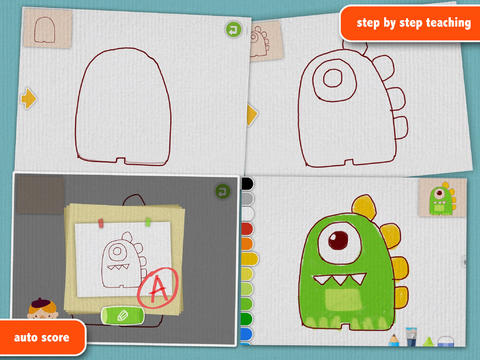
FREE for a limited time – Labo Drawing Lessons. This educational app has 3 different modes: drawing lessons, free drawing, and PK. In the lesson mode, your child will learn to draw 40 different things from 5 categories: animals, plants, vehicles, monsters, people. The app utilizes a step-by-step teaching method then scores (from A+ to D-) the drawing after it has been completed. In the free drawing mode, kids work on a blank canvas and draw their own creations. They are not scored in this mode. They can choose from 3 tools (pencil, crayon, brush) and 18 different colors. They can also pull in photos from the camera roll to use as a background. In both modes, kids can take pictures of their drawings, redo them, or trash them. If they take a picture, the creation is stored in the photo gallery and saved to the device’s camera roll. Once a drawing is on the camera roll, it can be shared, printed, or pulled into other apps. Finally, there is a PK mode which permits a child to compete with their parents or friends to see who can draw faster. Check out this YouTube video to see how this app works: http://www.youtube.com/watch?

Download link: https://itunes.apple.com/us/app/labo-drawing-lessons-3y+/id879834557?mt=8&uo=4

0

Toca Mini

toca mini

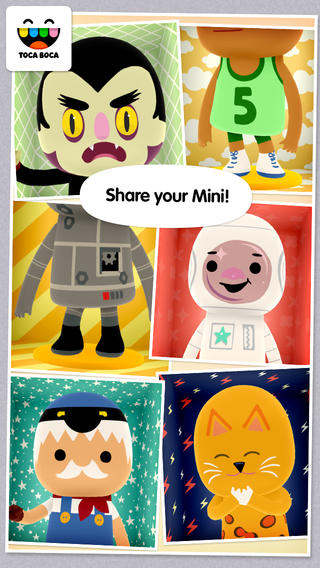
FREE for a limited time – Toca Mini, another creative app from Toca Boca. With this app kids can create silly monsters, imaginary animals, or playful friends. Toca Minis can become whatever you want them to be. To start, kids add colors to the mini’s body, arms, & legs. Then they add details using a wide variety of stamps – bows, hats, buttons, polka dots, etc. Next, kids add facial features which brings their minis to life – they, ooh, ah, sneeze, smile, blink, and more.  Kids can also add hair, eyebrows, beards, mustaches, etc. With 60 different colors and 78 different stamps, there are thousands of possible combinations. When kids finish creating their own unique mini, they can take a snapshot and save it to the camera roll. Then they can print it, share it, pull it into a story writing app, and more. Creating a mini could be a great springboard for creative writing – descriptive paragraphs, a story about their created character/creature. Toca Boca has created another open-ended, creative app!

Download link: https://itunes.apple.com/us/app/toca-mini/id718082838?mt=8&uo=4

Toca Mini is available for Android on Google Play for $2.99.