1

DIY Nano

DIY Nano

FREE science app – DIY Nano teaches kids (and their adults) about the nanoscale. Funded by the National Science Foundation and developed by Berkeley’s Lawrence Science Hall, this educational app provides a series of activities and videos about nanoscale science, engineering, and technology. There are 12 hands-on activities in this app. Each one starts with a summary which gives an overview of the activity, the time it will take to complete (prep – clean-up), and the suggested age group. Next, there is a materials list. All items are inexpensive and widely available. Then there is a series of step-by-step directions – with pictures. Finally, there is an explanation of “what’s going on” in the activity. Related videos are at the bottom of the page so that your child can learn more. This app is very well-organized, easy to use, and provides a wonderful introduction to the world of nanoscale science. The best part about the app is that it gives kids and adults the opportunity to learn something new together and how exciting is that?!?

DIY Nano HD - The Lawrence Hall of Science

0

Sago Mini – Forest Flyer

Sago Mini Forest Flyer

FREE for  limited time – Sago Mini Forest Flyer. Young children guide Robin on an adventure through the forest. The fun begins at Robin’s birdhouse where kids ring the doorbell inviting Robin out to play. From there they fly though the forest looking for the yellow markers that trigger 20+ animations. Along the way Robin dances, sings, and plays. Kids can make up stories to go with Robin’s travels. A small caution – one of the animations is the little bird burping after drinking from the pond. Parents can use this scene to have a dialog about using good manners. All in all, the educational app is very cute and fun for little ones!

Sago Mini Forest Flyer - Sago Sago

0

Learn the States with Flat Stanley FREE

flat stanley

If your kids LOVE Flat Stanley (and who doesn’t) you may want to check out the FREE version of this iPad app  – Learn the Sates with Flat Stanley FREE. This FREE version of the app features states in the west coast region. The full version is currently on sale for $.99 and it features all 50 states.

A mail truck has lost its cargo! Kids slingshot Stanley to the proper state so that he can help deliver letters to students. Kids must identify each state by its location and shape. The app uses colored stars to indicate how many states were identified correctly on the first try. If your class is involved in the Flat Stanley project, or reads the Flat Stanley books, you may want to take a closer look at this app.

Learn The States With Flat Stanley Free - Flatter World, Inc.

0

What Time is is Mr. Wolf?

What Time

What Time is it Mr. Wolf? (by Teacher’s Pet) is FREE for a limited time. Make sure you get the correct one – there is another app by the same name by Joy Preschool. This app features a Wilfred the Wolf who spins the clock on the face of the moon 10 times. Kids have to choose the correct answer and drag it under the moon. The wolf giggles and says “well done” if the answer is correct. The app’s setting allows you to choose what interval of time you would like your child to work on – hours, half hours (half past), quarter hours, 10 minutes, or 5 minutes. Answers can be displayed in words, digitally, or mixed. You can also set the number of answers per question.

The Common Core Standards expect first graders to tell time to the 1/2 hour, second graders to tell time in 5 minute intervals (AM and PM), and third graders to tell time to the minute. So, this app would work well for first and second graders but not third graders. I like that this app includes practice with the words  – half past, quarter after, quarter to. It is a difficult concept for some kids to understand. Nicely done!!

Common Core Standards met:

  • 1.MD.3 – Tell and write time in hours and half-hours using analog and digital clocks.
  • 2.MD.7 – Tell and write time from analog and digital clocks to the nearest five minutes, using a.m. and p.m.

What Time is it Mr. Wolf? - by Teacher's Pet - Teacher's Pet

0

EyePaint Animals

Eye Paint Animals

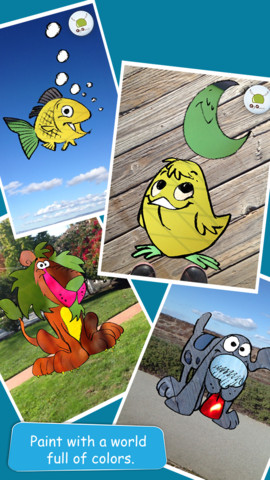
EyePaint Animals is FREE again for a limited time. This educational app let your child paint illustrations from Japanese artist, Mitsue Haya, in a very unique way. Kids “paint” using their cameras to capture the colors, textures, patterns around them. To begin, a child chooses one of the 10 included illustrations. He/she taps to select the area to be filled in and the creativity begins! Work can be saved to the photo library for sharing or printing. Easy, fun, and very creative!!

Eye Paint Animals - Curious Hat

0

My Story – Book Maker for Kids

One of my favorite writing apps – FREE for one day (Dec. 2) only.

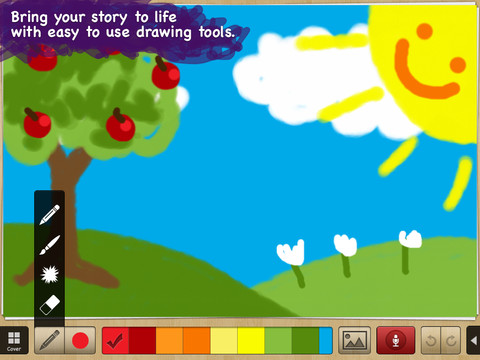
My Story – Book Maker for Kids is a great educational writing app for the iPad. The cost is normally $3.99 but it Is currently FREE. Kids can easily create an unlimited number of their own books using this app. Each page has an area for writing and an area for pictures. In the picture area kids can draw their own illustrations, take photos, or use pictures from their photo library. They can also record themselves reading their books. Finalized stories can read directly from the app, be published to iBooks, and/or shared via email with anyone who owns an iPhone or iPad.

Watch the video and learn more about this app here: My Story – Book Maker for Kids.

What a great medium for your child to share his/her life experiences with grandparents and other loved ones – take photos of your day (at the zoo, in the park, etc.) and let your child narrate the experience! The voice recordings remain intact when the book is shared. The words can be typed in after your child has provided the narration so that kids make the connection that the words in books are really just “talk written down.”

In the classroom kids can share their stories with friends through iBooks, write and present digital reports, keep ongoing vocabulary books and/or journals etc.

Highly recommended!!

My Story - Book Maker for Kids - HiDef Web Solutions

0

Santa’s Merry Band

Ho, ho, ho – “Did That Crazy Santa Claus” and 7 more fun tunes!! FREE for a limited time – Santa’s Merry Band, from the creators of Mibblio. Just like Mibblio, this app is an interactive musical/storybook app for kids. Children read the illustrated story-songs called “mibblets” as they listen to the catchy songs. They can also jam along on a wide variety of instruments. The app has a keyboard along the bottom of the screen with a choice of 8 different instruments. They can also use a tambourine or cowbell to tap along to the beat of the song. Kids will enjoy the 8 different Christmas “mibblets” included in this app. Fun for the holidays!!

Download link: https://itunes.apple.com/us/app/santas-merry-band/id738881884?mt=8&uo=4

0

The Electric Company Party Game: Lost on Prankster Planet

electric coFREE – The Electric Company Party Game: Lost on Prankster Planet for the iPad. Marcus and Jessica are stuck on Prankster Planet. Kids help them to escape by completing physical challenges, silly brainstorms, and math questions. Based on the PBS KIDS series, The Electric Company, this digital board game puts kids in teams to add, draw, discuss, think, act, problem solve, and dance their way back to Earth. Some of the academic areas covered include: geometry, addition/subtraction, data analysis/graphing, telling time, and coin recognition/value. Love the idea of a virtual board game – all of the fun without any lost pieces, broken boxes, etc.

The Electric Company Party Game: Lost on Prankster Planet - PBS KIDS

0

Space Cakes

Space CakeSpace Cakes (an educational app) is FREE – thanks to the support of Eli’s Cheesecake in Chicago. Kids use number sense and early math skills to complete intergalactic baking missions. They find themselves in a bakery filled with alien ingredients. They must follow a recipe to add the correct amount of each ingredient. Then they choose a 3D shape for their levitating batter and bake it. Next a topper, frosting, and sprinkles are added to finish their creations. Time for delivery – they steer the cake delivery spaceship back to Earth. Finally they celebrate their safe arrival with starburst, fireworks, and colorful confetti!  Kids can snap a photo of their creations to share them via email, save them in a gallery, or use them to inspire creative writing – descriptive paragraphs using math terms, a story about an intergalactic cake baking contest, etc. There is a section for parents/teachers which explains the educational value of the app and how it meets the CCSS. This app provides a fun way to work with math concepts AND a wonderful springboard for creative writing.

Space Cakes - Kids Bakery Game with Math and Numbers - Mrs. Judd's Games, LLC

0

Look Out Larry & Lost Larry

Look Out Larry

FREE for a limited time – 2 interactive books from Wasabi: Look Out Larry & Lost Larry. Larry is an adorable green lizard and the main character in these two adventures for 2 – 6 year olds.

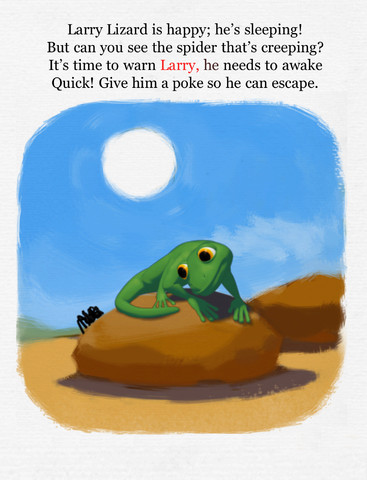
In Look Out Larry, kids help Larry stay safe and find a cozy place to sleep by helping to protect him from the dangers of the Australian bush – a spider, a snake, a brush fire, etc. At the end, there is an alternative version of the story called Larry’s Dream. Larry dreams of defending himself against the dangers of the bush in some cute & clever ways. The educational app also includes a matching game.

In Lost Larry, kids help Larry find his way home across rivers, over canyons, over a rickety bridge, etc. This is Larry’s third and most ambitious adventure! Kids will love helping Larry make it home. They pet his little green head to put him to sleep once he gets there! Cute educational app!!

Look Out Larry! animated story book - Wasabi Productions - Wasabi Productions   Look Out Larry          Lost Larry interactive story book - Wasabi Productions - Wasabi Productions   Lost Larry