0

My Beastly ABCs

My Beastly ABCs

FREE for a limited time – My Beastly ABCs, an educational app featured in USA Today’s Top 10 iPad Apps for Kids. Kids join a young boy (who is reluctant to get out of bed) on a magical adventure through a not-so-ordinary day! Told in rhyme, the story recounts the boy’s day as he encounters 26 friendly monsters (one for each letter of the alphabet) from all over the world. Kids join in this interactive tale as they play hide & seek with a Boogey Monster, learn how to floss from a Vampire, uproot a Mandrake family, and much more. The app is narrated by Jim Dale with whimsical background music & great sound effects. It has 3 play modes: with narration, without narration, or auto-play. Everything about this app is top quality – beautifully illustrated with the perfect amount of animation & interactivity. There is also an index that gives kids monster facts & descriptions. Kids can read and learn about each of the beasts’ unique characteristics and place of origin. Lots of fun!!

Download link: https://itunes.apple.com/us/app/my-beastly-abcs/id578158826?mt=8&uo=4

0

Toca Hair Salon

FREE again today – Toca Hair Salon, one of my favorite educational apps for toddlers! Kids go into the salon to groom 6 different characters. They can use the tools in the salon to style their hair – cut it, comb it, make it grow, shave it, color it, etc. Great sound effects are also included in this fun app. Kids or parents can take a photo of the finished creation and save it to their camera roll. If parents wish, creations may be posted on the Toca Boca Facebook page. The developers have also built-in options to turn off sounds, pictures, and news. What a great springboard for creative writing – give a character a whole new look and write a story to go with it. What a fun writing activity for a Wacky Hair Day!!

Toca Hair Salon - Toca Boca AB

0

Math vs Zombies – Math Games Grade K – 5

Zombies

Just in time for Halloween – Math vs Zombies is FREE for a limited time. Kids become highly trained scientists with the mission of saving the world from zombies. Using their math skills, they transform the zombies back into humans. The app has four worlds – addition, subtraction, multiplication, and division. Each world has 7 levels which can be set to easy, medium, or hard – making this app suitable for multiple grade levels. Kids will love the “spooky” music, howling wind, and “scary” zombies. The combination turns math practice into a Halloween treat!

Download link: https://itunes.apple.com/us/app/math-vs-zombies-math-games/id470896560?mt=8&uo=4

0

Jumbled Sentences 3

Jumbled Sentences 3

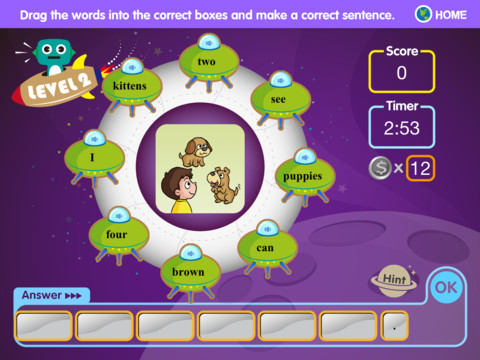
FREE again, Jumbled Sentences 3. This educational app for the iPad helps kids learn sentence word order in a fun way. Kids put words in order to form a correct sentence while earning coins for each correct answer. If they get stumped, they can use a coin to buy a hint. There are three levels. In level 1 kids rearrange words to form a sentence – picture clues are given. In level 2 there are more words than needed. Kids must choose and arrange the proper words to construct a sentence that goes with the picture. In level 3, kids have to make sentences without picture clues. If the sentence submitted is wrong, the app keeps the correctly placed words and removes the others so kids can try again. The app is simple to use with a cute alien/space theme. It is definitely worth downloading. 🙂

Jumbled Sentences 3 - Innovative Net Learning Limited

0

100 Zoo Animals – Elephants, giraffes, lions and more

100 zoo

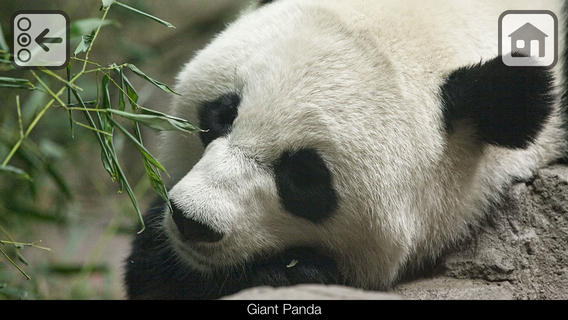
The e-book, 100 Zoo Animals – Elephants, giraffes, lions and more, is FREE for a limited time for the iPhone/iPad. This educational app is easy to use and features over 100 HD pictures of zoo animals with sound clips! Just tap the picture to hear the animal’s sound. Every page also features an interesting fact about the animal. For example: Tarantulas can be as big as dinner plates! The book does have not to be read in order since it is not telling a story. The list in the upper right hand corner can be used to preview/access individual pages in the app. If you have an animal lover in your life – you may want to check out this educational app. It would also be a great app to use before or after a visit to the zoo. 🙂

Download link: https://itunes.apple.com/us/app/100-zoo-animals-elephants/id644246336?mt=8&uo=4

0

Pre-School Counting 123’s with Bear and Duck

Preschool

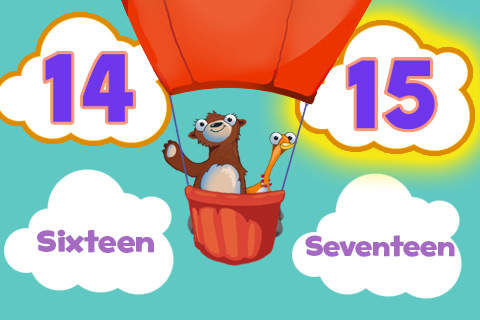
FREE for a limited time – Pre-School Counting 123’s with Bear and Duck. Kids learn to count with Bear and Duck in this educational app. There are 2 levels: basic and advanced. At the basic level, kids are asked to order numbers 1 – 10 using, numbers, words, dots, or fingers. In the advanced level, kids order numbers in a variety of ways: 11 – 20 by numbers or words, 20 – 50 by numbers, 2 – 20 by twos, 5 – 50 by fives, 10 – 100 by tens. 100 – 1000 by hundreds. The cute little characters and happy music make this simple-to-use app appealing to preschoolers.

Download link: https://itunes.apple.com/us/app/pre-school-counting-123s-bear/id391294319?mt=8&uo=4

0

Digital Math Tool Kit – 3 FREE apps

Three for FREE – great digital math tools for your classroom.

Geoboard by The Math Learning Center (a nonprofit organization dedicated to K – 12 education) is a FREE educational app that turns your iPhone/iPad into a virtual geoboard. Geoboards can be used as tools to teach mathematical concepts such as polygons, perimeter, area, line segments, angles, congruent shapes, symmetry, fractions, etc. Shapes are created by stretching bands on the geoboard’s pegs. There are 5 colors of bands in the iPhone version and 8 in the iPad version. There is also a tool to fill in shapes. On the iPad version, you can switch from the standard 25 peg board to a 150 peg board to create more complex shapes. This is a great app with the potential to be used in so many ways.
Highly recommended!

Geoboard, by The Math Learning Center - Clarity Innovations

FREE for the iPad, Virtual Manipulatives, an educational app that features math manipulatives for teaching fractions, decimals, and percents. Included are tiles/circles divided into halves, thirds, fourth, fifths, sixths, eighths, tenths, and 12ths AND their corresponding decimals and percentages! The manipulatives are color coded across the settings so that 1/2 is blue as is .50 and 50%. Kids drag tile pieces onto the work area to compare fractions/decimals/percentages. In the settings you can change from tiles to circles, make the pieces transparent, and hide the numbers on the pieces. Completed work can be easily saved to photos. Finding equivalent fractions has never been so slick – WOW!!

Common Core Standards

  • 3.NF.3 – Explain equivalence of fractions in special cases, and compare fractions by reasoning about their size. Understand two fractions as equivalent (equal) if they are the same size, or the same point on a number line.
  • 4.NF.1 – Explain why a fraction a/b is equivalent to a fraction (n × a)/(n × b) by using visual fraction models, with attention to how the number and size of the parts differ even though the two fractions themselves are the same size. Use this principle to recognize and generate equivalent fractions.

Highly Recommended!

Virtual Manipulatives! - ABCya.com

equivalent fractions

From the National Council of Teachers of Mathematics comes a FREE educational app called Equivalent Fractions. Kids create equivalent fractions by dividing and shading squares or circles. Circles can be divided into 24ths. Squares can be divided into 144ths. In the play mode, a fraction is shown and kids must create 2 additional fractions that are equivalent. All 3 fractions must have different denominators. The app also places the fractions on a number line – a great visual for comparing! There is also a “build your own” mode which would be fabulous to use for guided exploration & practice. Kids could also use this section as a virtual manipulative when working independently. This app is an excellent resource for the classroom !!

Common Core Standards met:

  • 3.NF.3 – Explain equivalence of fractions and compare fractions by reasoning about their size. Understand two fractions as equivalent (equal) if they are the same size, or the same point on a number line. Recognize and generate simple equivalent fractions, e.g., 1/2 = 2/4, 4/6 = 2/3). Explain why the fractions are equivalent, e.g., by using a visual fraction model.

Highly Recommended!

Equivalent Fractions - National Council of Teachers of Mathematics

0

Ed Meets the Dentist

Ed

FREE again – Ed Meets the Dentist, created by Jeffrey D. Holt DDS (a board certified pediatric dentist). This educational app contains a 7+ minute cartoon about a young rabbit’s first trip to the dentist. It explains the procedures and tools that a child might encounter. The app also includes interactive tools for kids to try out on Ed’s teeth. Very nicely done – this app should help your child be less anxious about his/her visit.

Ed Meets The Dentist - Holt IP Holdings, LLC

0

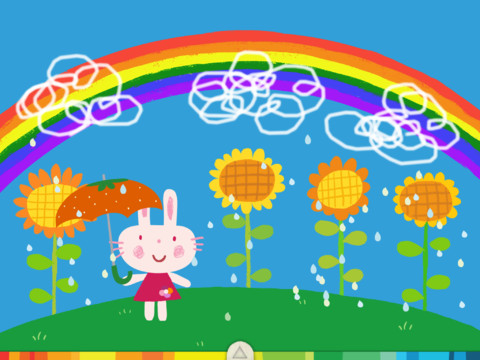
Miku’s Picnic, Let’s Color, and Squiggles – apps by Lazoo

Miku's Picnic

FREE again for a limited time – Miku’s Picnic, an adorable interactive story designed to support creative thinking. Kids join Bobu, the monkey & Miku, the rabbit on a chase after some jumping beans. The two need help capturing the beans before they bounce away! Along the way kids learn about using their imaginations and creative problem solving as the Bobu & Moku use “Squiggles” to… make a car go faster, make springs to get to the top of a tree, make binoculars to look for the beans, make a rocket zoom to the moon, and more. This educational app has 2 reading modes – “Read to Me” and “Read it Myself” as well as an option to record your own voice as the narrator. The story ends with a link to the FREE Squiggles app for kids so kids can “take a turn” drawing. Super creative and super cute!

Download link for Miku’s Picnichttps://itunes.apple.com/us/app/lazoo-mikus-picnic/id652945863?mt=8&uo=4
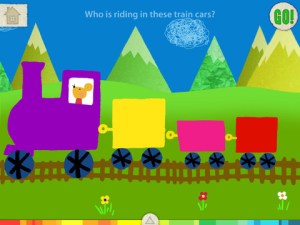
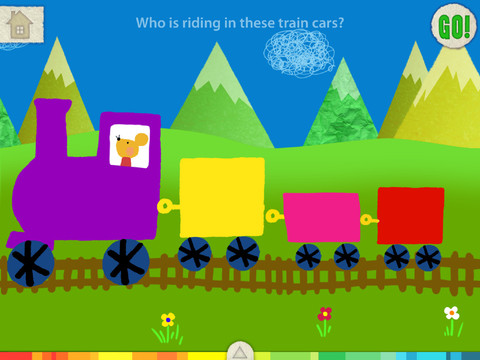
Also FREE again for a limited time – Let’s Color, an educational app that encourages creativity! The app includes an animated short in which the characters – Bobu, the monkey & Miku, the rabbit use their imaginations to turn triangles into a strawberry, a dog, a mountain, etc. Then kids are encouraged to color different things to complete a page: what is coming out of a hose, who is riding in the train, etc. Once the coloring is completed, they press GO and the drawings come alive. There are 17 coloring pages as well as a blank page for your child to create his/her own pictures. Additional coloring pages can be purchased within the app. Tools included are stickers, markers, paint, chalk, a ketchup bottle, as well as 10 colors & a mystery color wheel. Work can be saved into the gallery of the parents’ section by pressing the piggy bank. This app is super cute!! It encourages children to be imaginative & creative. :)

Highly recommended!

Let's Color! - Lazoo Worldwide, Inc

squiggles

Squiggles – This FREE educational app for the iPad is adorable! Kids are encourages to draw squiggles to create: rain clouds (to water flowers), waves (to help fish swim), wool on sheep, cotton candy, etc. Once the squiggles are drawn, they press GO and the drawings come alive. The app includes an interactive storybook and an animated short which introduces the characters – Bobu, the monkey  & Miku, the rabbit. It also includes 14 drawing pages (just add the squiggles) as well as a blank page for your child to create his/her own pictures. Tools included are stickers, markers, paint, chalk, a ketchup bottle, as well as 10 colors & a mystery color wheel. Work can be saved into the gallery of the parents’ section by pressing the piggy bank. This app is super cute!! It encourages children to be imaginative & creative – one of my favorites. 🙂

Highly recommended!

Squiggles! - Lazoo Worldwide, Inc

0

Happi Spells – Crossword Puzzles for Kids from Happi Papi

Happi Spells

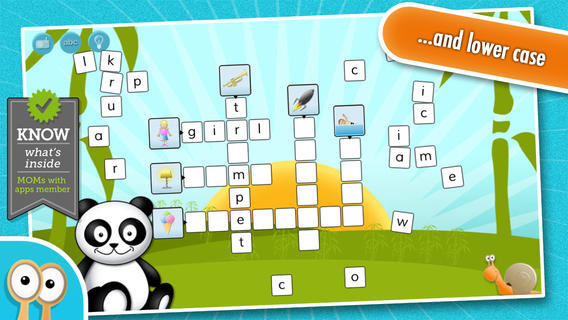
FREE for a limited time – Happi Spells – Crossword Puzzles for Kids from Happi Papi. This educational app has 60 crossword puzzles – 5 levels with 12 puzzles in each level. The puzzles are made of intersecting words. Picture clues are given and necessary letter tiles are placed around the puzzle. Kids practice spelling as they tap and drag the tiles to their correct places in the puzzle. If a tile is dragged to its correct spot in the puzzle, it will stick. Tiles dragged to the wrong spot return to the perimeter of the puzzle. Kids earn snails for working the puzzle accurately. This app was featured by Apple in “New & Noteworthy” and is nicely done. I wish the app named the letters and/or gave the letters’ sounds as the tiles are moved into place… perhaps in an update. 🙂

Download link: https://itunes.apple.com/us/app/happi-spells-crossword-puzzles/id464675842?mt=8&uo=4